manuals.online logo
Brands
  1. Home
  2. •
  3. Brands
  4. •
  5. LG
  6. •
  7. Receiver
  8. •
  9. LG LAC-M9600R User manual

LG LAC-M9600R User manual

Other manuals for LAC-M9600R

1

This manual suits for next models

1

Other LG Receiver manuals

LG HT805SH-F2 User manual

LG

LG HT805SH-F2 User manual

LG HT905TAW User manual

LG

LG HT905TAW User manual

LG HT702TN-D0 User manual

LG

LG HT702TN-D0 User manual

LG LH-T9654MB User manual

LG

LG LH-T9654MB User manual

LG LST-3100A User manual

LG

LG LST-3100A User manual

LG HT762TZ1-D0 User manual

LG

LG HT762TZ1-D0 User manual

LG LH-W7501TA User manual

LG

LG LH-W7501TA User manual

LG LGDVT418 User manual

LG

LG LGDVT418 User manual

LG LHT874 -  Home Theater System User manual

LG

LG LHT874 - Home Theater System User manual

LG LH-T550SB User manual

LG

LG LH-T550SB User manual

LG HT762TZ-A2 User manual

LG

LG HT762TZ-A2 User manual

LG SH93TA-S User manual

LG

LG SH93TA-S User manual

LG LH-T3600SE User manual

LG

LG LH-T3600SE User manual

LG HT302SD-A2 User manual

LG

LG HT302SD-A2 User manual

LG LH-T750TB User manual

LG

LG LH-T750TB User manual

LG HT502THW User manual

LG

LG HT502THW User manual

LG XH-T5022S User manual

LG

LG XH-T5022S User manual

LG HT303SU-A2 User manual

LG

LG HT303SU-A2 User manual

LG HLB34S User manual

LG

LG HLB34S User manual

LG SH85TH-S User manual

LG

LG SH85TH-S User manual

LG LH-T753TB User manual

LG

LG LH-T753TB User manual

LG HT462DZ User manual

LG

LG HT462DZ User manual

LG HT902TBW User manual

LG

LG HT902TBW User manual

LG ARX8 User manual

LG

LG ARX8 User manual

Popular Receiver manuals by other brands

Televes ZAS HD SAT user manual

Televes

Televes ZAS HD SAT user manual

Realistic DX-75 Operating and service instructions

Realistic

Realistic DX-75 Operating and service instructions

Saris 4620 Assembly instructions

Saris

Saris 4620 Assembly instructions

Mini DTR 206C PVR user manual

Mini

Mini DTR 206C PVR user manual

RF Elements TwistPort manual

RF Elements

RF Elements TwistPort manual

Denon DN-200WS user guide

Denon

Denon DN-200WS user guide

Yamaha RX-V467 owner's manual

Yamaha

Yamaha RX-V467 owner's manual

Russound SaphIR 858 instruction manual

Russound

Russound SaphIR 858 instruction manual

Quasonix RDMS Firmware update procedure

Quasonix

Quasonix RDMS Firmware update procedure

Pioneer XV-HTD1 Service manual

Pioneer

Pioneer XV-HTD1 Service manual

ATZ HDMI-V2-44HE150 manual

ATZ

ATZ HDMI-V2-44HE150 manual

Sony XNV-770BT MyTomTom Specifications

Sony

Sony XNV-770BT MyTomTom Specifications

Grundig STR 7122 TWIN Service manual

Grundig

Grundig STR 7122 TWIN Service manual

Creative Blaster Modem user guide

Creative

Creative Blaster Modem user guide

Panduit ATLONA AT-OME-RX11 installation guide

Panduit

Panduit ATLONA AT-OME-RX11 installation guide

VOLTCRAFT UTPS-40 operating instructions

VOLTCRAFT

VOLTCRAFT UTPS-40 operating instructions

JVC KW-ADV794 instructions

JVC

JVC KW-ADV794 instructions

Litelink VT-1001 operating instructions

Litelink

Litelink VT-1001 operating instructions

manuals.online logo
manuals.online logoBrands
  • About & Mission
  • Contact us
  • Privacy Policy
  • Terms and Conditions

Copyright 2025 Manuals.Online. All Rights Reserved.

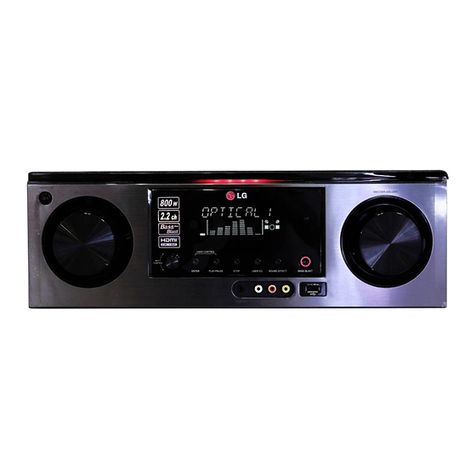
MODELS : LAC-M9600R/LAC-UA96R
MODELS : LAC-M9600R/LAC-UA96RSERVICE MANUAL
P/NO : AFN31223641 SEPTEMBER, 2006
CAUTION
BEFORE SERVICING THE UNIT, READ THE “SAFETY PRECAUTIONS”
IN THIS MANUAL.
CAR CD/MP3/WMA
RECEIVER
SERVICE MANUAL
PWR
MUTE MIC
XDSS/SRS
R
B.T MENU
SRC
EQ
DISP
OPEN/TILT
USB
1-1
[CONTENTS]
SECTION 1. SUMMARY
SERVICING PRECAUTIONS . . . . . . . . . . . . . . . . . . . . . . . . . . . . . . . . . . . . . . . . . . . . . . . . . .1-2
ESD PRECAUTIONS . . . . . . . . . . . . . . . . . . . . . . . . . . . . . . . . . . . . . . . . . . . . . . . . . . . . . . . .1-3
BLUETOOTH OPERATING GUIDE . . . . . . . . . . . . . . . . . . . . . . . . . . . . . . . . . . . . . . . . . . . . .1-4
SPECIFICATIONS . . . . . . . . . . . . . . . . . . . . . . . . . . . . . . . . . . . . . . . . . . . . . . . . . . . . . . . . .1-11
SECTION 2. ELECTRICAL
ELECTRICAL TROUBLESHOOTING GUIDE & WAVEFORMS . . . . . . . . . . . . . . . . . . . . . . . . .2-1
INTERNAL BLOCK DIAGRAM of ICs . . . . . . . . . . . . . . . . . . . . . . . . . . . . . . . . . . . . . . . . . . .2-33
BLOCK DIAGRAM . . . . . . . . . . . . . . . . . . . . . . . . . . . . . . . . . . . . . . . . . . . . . . . . . . . . . . . . .2-53
SCHEMATIC DIAGRAMS . . . . . . . . . . . . . . . . . . . . . . . . . . . . . . . . . . . . . . . . . . . . . . . . . . . .2-55
PRINTED CIRCUIT BOARD DIAGRAMS . . . . . . . . . . . . . . . . . . . . . . . . . . . . . . . . . . . . . . . .2-71
SECTION 3. EXPLODED VIEWS
CABINET AND MAIN FRAME SECTION . . . . . . . . . . . . . . . . . . . . . . . . . . . . . . . . . . . . . . . . .3-1
MECHANISM (PICK-UP) . . . . . . . . . . . . . . . . . . . . . . . . . . . . . . . . . . . . . . . . . . . . . . . . . . . . .3-3
SECTION 4. REPLACEMENT PARTS LIST . . . . . . . . . . . . . . . . . . . . . . . . . . . . .4-1
1-2
SECTION 1. SUMMARY
SERVICING PRECAUTIONS
1. Always disconnect the power source before:
1) Removing or reinstalling any component, circuit board, module or any other instrument assembly.
2) Disconnecting or reconnecting any instrument electrical plug or other electrical connection.
3) Connecting a test substitute in parallel with an electrolytic capacitor in the instrument.
CAUTION: A wrong part substitution or incorrect polarity installation of electrolytic capacitors may result in an
explosion hazard.
2. Do not defeat any plug/socket B+ voltage interlocks with which instruments covered by this service
manual might be equipped.
3. Do not apply power to this instrument and or any of its electrical assemblies unless all solid-state
device heat sinks are correctly installed.
4. Always connect a test instrument’s ground lead to the instrument chassis ground before connecting
the test instrument positive lead. Always remove the test instrument ground lead last.
1) The service precautions are indicated or printed on the cabinet, chassis or components. When servicing, fol-
low the printed or indicated service precautions and service materials.
2) The Components used in the unit have a specified conflammability and dielectric strength. When replacing
any components, use components which have the same ratings. Components marked in the circuit diagram
are important for safety or for the characteristics of the unit. Always replace with the exact components.
3) An insulation tube or tape is sometimes used and some components are raised above the printed writing
board for safety. The internal wiring is sometimes clamped to prevent contact with heating components.
Install them as they were.
4) After servicing always check that the removed screws, components and wiring have been installed correct-
ly and that the portion around the service part has not been damaged. Further check the insulation between
the blades of attachment plug and accessible conductive parts.
1-3
ESD PRECAUTIONS
Electrostatically Sensitive Devices (ESD)
Some semiconductor (solid state) devices can be damaged easily by static electricity. Such components
commonly are called Electrostatically Sensitive Devices (ESD). Examples of typical ESD devices are integrated
circuits and some field-effect transistors and semiconductor chip components. The following techniques should
be used to help reduce the incidence of component damage caused by static electricity.
1. Immediately before handling any semiconductor component or semiconductor-equipped assembly, drain off
any electrostatic charge on your body by touching a known earth ground. Alternatively, obtain and wear a
commercially available discharging wrist strap device, which should be removed for potential shock reasons
prior to applying power to the unit under test.
2. After removing an electrical assembly equipped with ESD devices, place the assembly on a conductive surface
such as aluminum foil, to prevent electrostatic charge buildup or exposure of the assembly.
3. Use only a grounded-tip soldering iron to solder or unsolder ESD devices.
4. Use only an anti-static solder removal device. Some solder removal devices not classified as "anti-static" can
generate electrical charges sufficient to damage ESD devices.
5. Do not use freon-propelled chemicals. These can generate electrical charges sufficient to damage ESD
devices.
6. Do not remove a replacement ESD device from its protective package until immediately before you are
ready to install it. (Most replacement ESD devices are packaged with leads electrically shorted together by
conductive foam, aluminum foil or comparable conductive materials).
7. Immediately before removing the protective material from the leads of a replacement ESD device, touch the
protective material to the chassis or circuit assembly into which the device will by installed.
CAUTION : BE SURE NO POWER IS APPLIED TO THE CHASSIS OR CIRCUIT, AND OBSERVE ALL OTHER
SAFETY PRECAUTIONS.
8. Minimize bodily motions when handing unpackaged replacement ESD devices. (Otherwise harmless motion
such as the brushing together of your clothes fabric or the lifting of your foot from a carpeted floor can gener-
ate static electricity sufficient to damage an ESD device).
CAUTION. GRAPHIC SYMBOLS
THE LIGHTNING FLASH WITH APROWHEAD SYMBOL. WITHIN AN EQUILATERAL TRIANGLE, IS
INTENDED TO ALERT THE SERVICE PERSONNEL TO THE PRESENCE OF UNINSULATED
“DANGEROUS VOLTAGE” THAT MAY BE OF SUFFICIENT MAGNITUDE TO CONSTITUTE A RISK OF
ELECTRIC SHOCK.
THE EXCLAMATION POINT WITHIN AN EQUILATERAL TRIANGLE IS INTENDED TO ALERT THE
SERVICE PERSONNEL TO THE PRESENCE OF IMPORTANT SAFETY INFORMATION IN SERVICE
LITERATURE.
1-4
SPECIFICATIONS
•GENERAL CD SELECTION
Output Power 60W x 4CH (Max.)
Power Source DC 14.4 V
Speaker impedance 4 Ω
Ground System Negative
Dimensions (W x H x D) 180 x 51 x 171 mm (Without Front Panel)
Net Weight 2.0 kg
•CD SELECTION
Frequency Response 20 Hz-20 kHz
S/N Ratio 93 dB
Distortion 0.05 %
Channel Separation (1kHz) 60 dB
•RADIO SELECTION
FM
Frequency Range 87.5-107.9 or 87.5-108 MHz
S/N Ratio .60 dB
Distortion 0.3 %
Usable Sensitivity .2 dBµV
AM (MW)
Frequency Range 520-1720 or 522-1620 kHz
S/N Ratio 55 dB
Distortion 0.6 %
Usable Sensitivity 24 dBµV
•LINE-OUT SELECTION
Frequency Response 20 Hz-20 kHz
S/N Ratio 100 dB
Distortion 0.02 %
Channel Separation (1kHz) 80 dB
Max Output Level (1kHz) 5 V (1.2 KΩ)
•AUX SELECTION
Frequency Response 20 Hz-20 kHz
S/N Ratio 90 dB
Distortion 0.02 %
Channel Separation (1kHz) 80 dB
Max Input Level (1kHz) 1.4 V (35 KΩ)
•BLUETOOTH SELECTION
TX POWER 4 dBm
Frequency Range 2400-2483.5 MHz
Version Bluetooth 2.0 certified
•USB SELECTION
Version USB 1.1
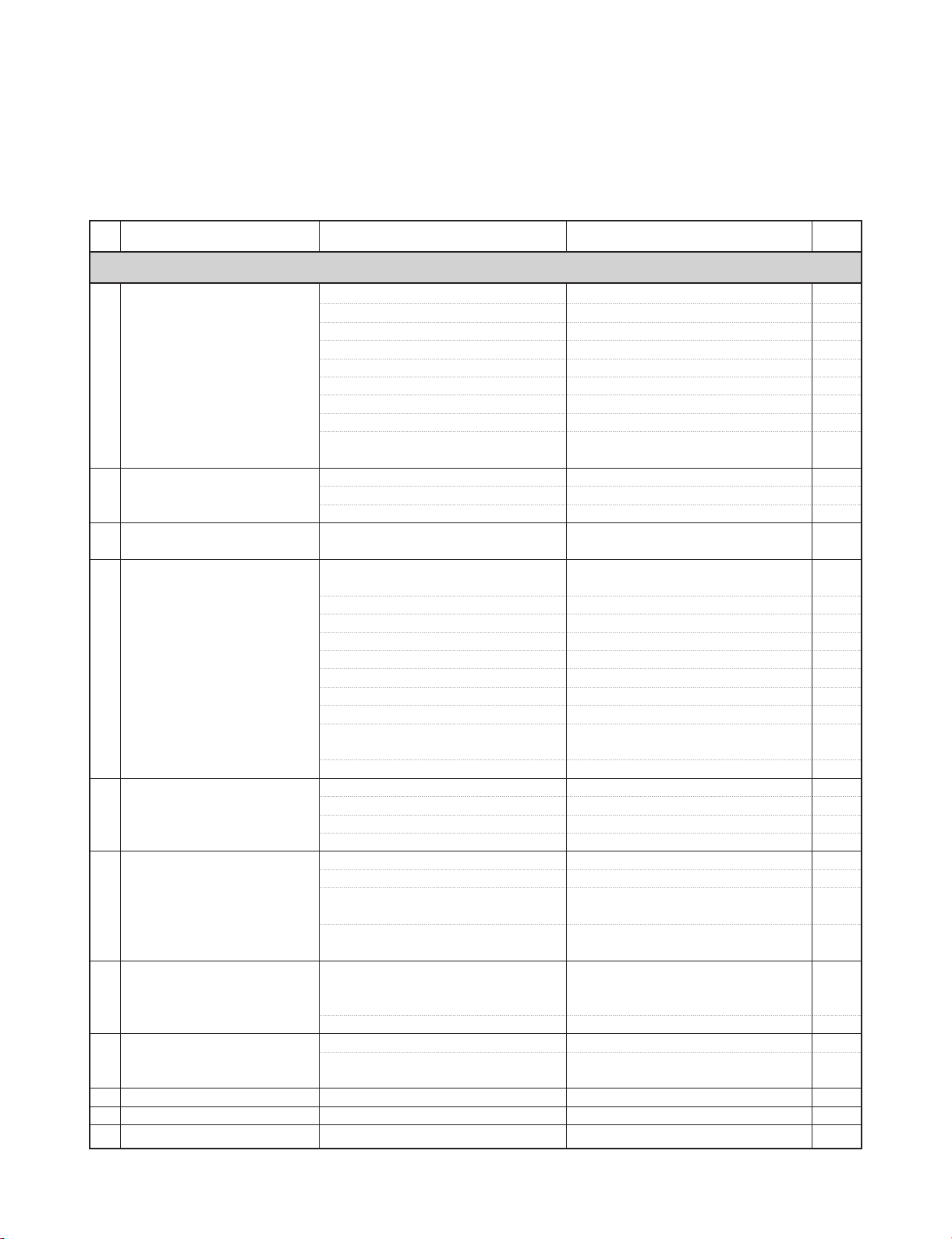
1 No Power Checked the Fuse. F901
Checked the Back up Vdd, Gnd. CN901(3, 4)
Checked the Micom Back Up Vdd. IC901(15, 14) Fig 1
Checked the Micom Ground. IC401(19, 20, 59)
Checked the Reset. IC404, Q403, IC401(10) Fig 1
Checked the X-tal. X401, X402 Fig 1
Checked the ACC in. Q902, Q910, IC401(40), CN901(6)
Checked the detachable switch. CN401(1), IC401(73)
Checked the Key line. IC201(78, 79, 80),
See a System Error Correction.
2 Not available Remocon Checked the Remocon Sens Vdd. RMC201, R275
Checked the Remocon Sens line. IC201(18)
3 Not available to Volume control Checked the Encoder Volume. VOL201, IC201(30, 34)
4 Not available to Key Control Checked Tact switch. SW901 ~ SW919
Checked Key line. IC201(78, 79, 80)
5 No sound Checked the E-VR Vdd. IC601(29), IC901(10), Q911, Q912,
IC401(38)
Checked the E-VR Ground. IC601(10)
Checked the E-VR control. IC601(12, 13, 15), IC401(24, 25, 27) Fig 21
Checked the E-VR Signal in/out. IC601(3, 4, 5, 7, 40, 41, 42, 43, 44)
Checked the E-VR Mute Control IC601(15), IC401(27)
Checked the Power IC Vdd. IC801(7, 21)
Checked the Power IC Ground. IC803(1, 2, 8, 13, 18, 24)
Checked the Power IC Control. IC801(23, 26, 27), IC401(23, 39, 42) Fig 23
Checked the Power IC Signal in/out. IC801
(12, 13, 15, 16, 4, 6, 8, 10, 18, 20, 22)
Checked the main connector. CN901(11, 12, 13, 14, 15, 16, 17, 18)
6 Not avaliable to SRS control Checked the SRS Chip VDD. IC651(24)
Checked the SRS Chip Ground . IC651(21)
SRS Chip Mode Control. IC651(27, 28, 29), IC401(33, 34, 35)
Checked the SRS Chip Signal in/out. IC651(42, 43, 31, 32, 33)
7 No Line out signal Checked the Line Out AMP Vdd. IC853, IC851(16), IC852(1)
Checked the Line Out AMP Ground. IC853, IC851(1,11), IC852(11,14)
Checked the Line Out AMP Mute control. IC401(30,49), Q863, Q851, Q852, Q853,
Q854, Q151, Q859, Q860, Q861, Q862
Checked the Line Out AMP Signal in/out. IC851(5,7,12,20,3,9,13,19),
IC852(2,7,12,13), CN151, CN851
8 Hearing the Pop Noise Checked the Mute Control. IC801(23, 26, 27),
IC401(23, 24, 25, 27, 39, 42, 49, 55),
IC801(23, 26, 27), Q806, Q151, Q863"
Checked the AF mute. TU101(14), IC401(57)
9 Not avaliable to Telephone Mute Checked the telephone mute control. CN901(7), Q903,Q904, IC401(43)
Checked the Mute Control. IC601(12, 13,15), IC801(23, 26, 27),
Q806, Q863, Q151
10 Not avaliable to ANT Control Checked the ANT control. CN901(10), IC901(12, 13), IC401(37)
11 Not avaliable to Remote control Checked the Remote control. CN901(9), Q907,Q906, IC401(44)
12 No output Beep sound. Checked the Beep Control. IC401(79), IC803(12, 16)
SYSTEM CONTROL
2-1
SECTION 2 ELECTRICAL
ELECTRICAL TROUBLESHOOTING GUIDE & WAVEFORMS
•CHECK POINT
Check Point Curcuit Location No.
Remark
SymptomNo

2-2
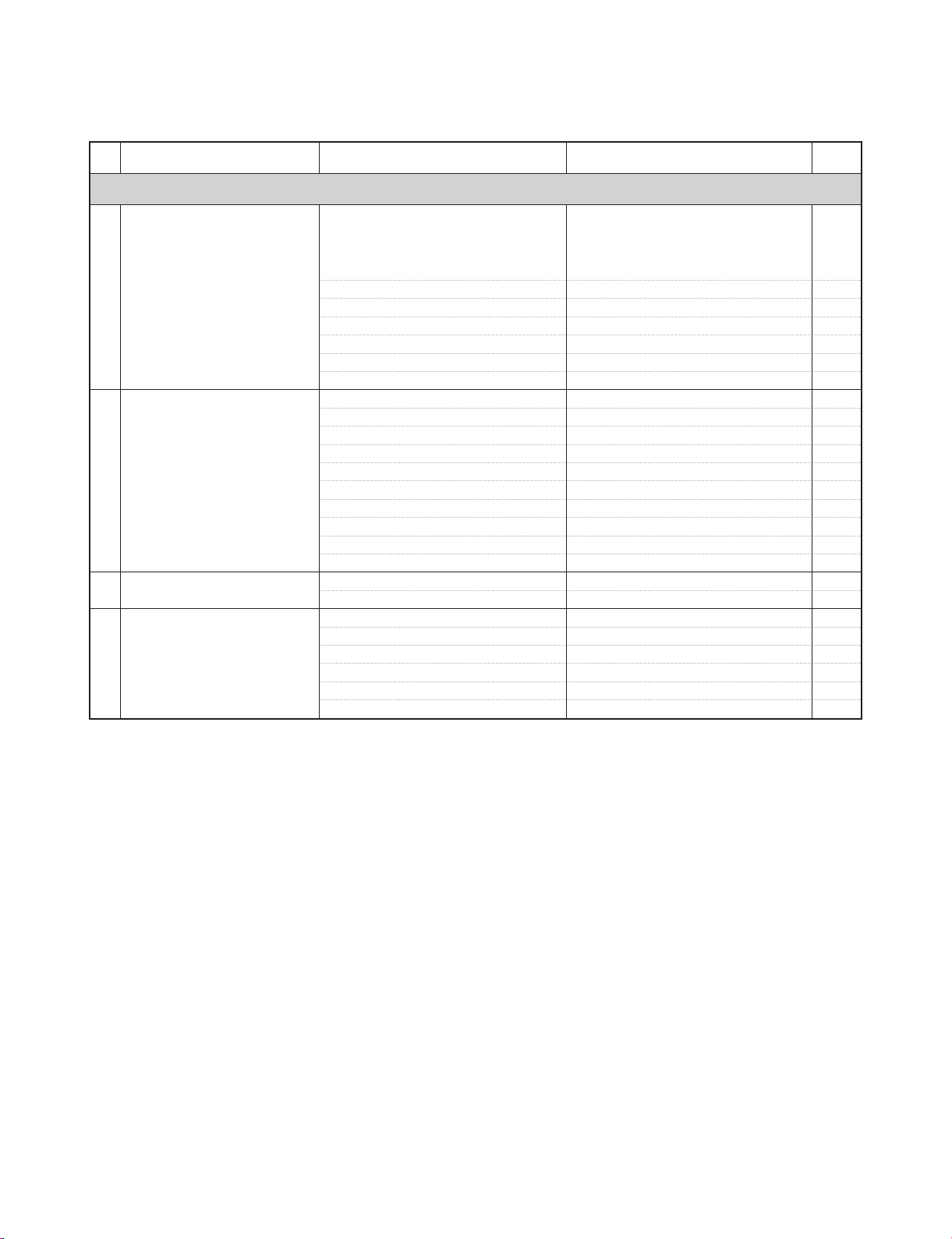
1 No Display or Checked the Front Micom Vdd. IC901(7, 9),
Some Display is broken IC201(8, 23, 37, 56, 62, 67, 72, 81, 98,
112, 124, 134)
Checked the Front Micom Ground. IC201(8, 23, 37, 56, 62, 67, 72, 81, 98,
112, 124, 134)
Checked the Front Micom Reset. IC206, IC210(66)
Checked the Front Micom OSC. X201
Checked the Main to Front data interface. IC410(74,75,76,77,78),
IC201(19,53,54,55,,66) Fig 2, 3
Checked the OLED Module Vdd. CN202(1, 2, 3, 4, 5), IC902, Q908, Q909
Checked the OLED Module control. CN202 Fig 26
(6, 7, 8, 9, 12, 13, 14, 15, 16, 17, 18)
Checked the OLED Module Data . CN202(21 ~ 36)
Checked the SRAM Vdd. IC205(11, 33)
Checked the SRAM Control. IC205(6, 17, 38, 39, 40, 41)
Checked the SRAM Data. IC205
Checked the FLASH Memory Vdd. IC204(9, 15, 36, 41)
Checked the FLASH Memory Control. IC204(1, 2, 48, 50, 55, 56)
Checked the FLASH Memory Data. IC204
2 No Key Lighting Checked the LCD Lighting VDD. IC901(4, 9), IC401(31), CN401(20)
Checked the LED. LD201 ~ LD215
3 Don't moved Level bar Checked the Level Meter control. IC601(3, 4), IC401(15) Fig 22
4 Not avaliable to Dimmer control Chekced the Dimmer control. CN901(8), D905, IC901(4, 9), IC401(41)
DISPLAY & LIGHTING
Check Point Curcuit Location No.
Remark
SymptomNo

1 Not available to Tuner Checked the Tuner Vdd. TU101(8, 22), Q911, Q912, IC901(10 ,11),
IC401(36, 38), Q401, Q402
Checked the Tuner Ground. TU101(2, 4, 12, 16)
Checked the PLL data. TU101(20, 21), IC401(21, 22)
Checked the RF signal in. TU101(1)
Checked the mute control. TU101(14), Q102, 103, 104, IC401(29, 57)
Checked the SD & SSTOP level. TU101(7, 11), IC401(56, 62)
2 Tuner no sound Checked the Tuner Signal out. TU101(17,18), IC601(42,43)
3 Not available to RDS Checked the RDS data. TU101(23, 24), IC401(1, 58)
TUNER FUNCTION
Check Point Curcuit Location No.
Remark
SymptomNo
2-3
1 No Loading/Unloading Checked the CD Vdd. IC371(4, 5, 1, 7), PN502 (8), IC510(19,
20, 59), PN502(1, 2), IC513 (5, 9, 10, 24,
25, 29), PN502 (6), IC512, IC506(19, 20,
27, 47, 58, 76, 77, 93)
Checked the CD MICOM, DSP Reset. IC510(57), IC506(72)
Checked the CD DSP X-tal. X503
Checked the Disc in/out switch. PN505(1,2), IC510(80) Fig 4, 6
Checked the Loading Motor Control. IC501(1, 2, 9. 10), IC401(35,36) Fig 5, 7
Checked the 8/12Cm sens switch. PN505(3,4), IC510(4)
12Cm "L"
Checked the chucking switch. SW1, IC510(6)
Chuck "L"
2 No Reading & Checked the Limit switch. PN507(3,4), IC510(68)
Limit "L"
"FILE CHECK" DISPLAY Checked the Motor DRV mute control. IC510(56), IC513(13)
Mute "L"
Checked the LD Control. IC506(42), Q501
Checked the CD DSP Control. IC506(67,68,69,70,71)
Fig 14~ 17
Checked the focus control. IC506(25), IC513(17,18) Fig 8
Checked the focus error level out.(FE Mon)
IC506(29), R517 Fig 8
Checked the RF signal out check. IC506(41,16) Fig 9
Checked the spindle motor control. IC506(21), IC513(8,5) Fig 10
Checked the sled motor control. Q1,Q2, IC513(1,2,32,33)
Fig 11, 12
Checked the tracking control. IC506(24), IC513(19,20) Fig 13
3 No ejected the CD Checked the Eject key. SW201, IC201(55,78), IC401(77)
Checked the Loading Motor Control. IC510(2,3), IC513(12,14,15) Fig 4~7
4 CD no sound Checked the CD DSP signal out. IC506(73,74,75) Fig 20
Checked the DAC Vcc, Vcom. IC508(6, 10)
Checked the DAC signal In/out IC508(1,2,3,7,8) Fig 20
Checked the DAC Mute. IC508(11), IC510(7)
Checked the OP AMP VDD. IC301(8)
Checked the OP AMP Signal in/out. IC301(1,2,3,5,6,7)
CD FUNCTION
Check Point Curcuit Location No.
Remark
SymptomNo

2-4
1 Only "NO USB" or Checked the USB Vdd. IC512(2), L507, L508, L509, R566
"USB CHECK" Display Checked the USB interface IC reset. IC511(57), IC510(37)
Checked the USB interface IC X-tal. X505
Checked the Flash memory CE. IC511(65)
Checked the D+/D- Port. IC511(62, 63) Fig 18
Checked the USB indication Port. IC510(35), IC511(27)
Checked the USB interface IC control. IC510(34),IC511(38)
2 FILE CHECK DISPLAY Checked the CD Vdd. PN502 (6), IC512,
IC506(19, 20, 27, 47, 58, 76, 77, 93)
Checked the CD DSP Reset. IC506(72), IC510(57)
Checked the CD DSP X-tal. X503
Checked the CD DSP Control. IC506 (67,68,69,70,71,72,73)
Checked the USB data. IC511(22, 23), IC510(50, 51)
3 No USB sound Checked the USB Host Data out IC511(52,53,54), IC506(62,63,64)
Checked the CD DSP signal out. IC506(73,74,75) Fig 19
Checked the DAC Vcc, Vcom. IC508(6, 10)
Checked the DAC signal In/out IC508(1,2,3,7,8) Fig 20
Checked the DAC Mute. IC508(11), IC510(7)
Checked the OP AMP VDD. IC301(8)
Checked the OP AMP Signal in/out. IC301(1,2,3,5,6,7)
USB FUNCTION
Check Point Curcuit Location No.
Remark
SymptomNo
1 No pairing Checked the BT module Vdd. IC202(41)
Checked the BT module RESET. IC202(40)
Checked the BT module data interface. IC202(13,14), IC401(50, 51)
Fig 24, 25
2 No Sound Checked the CODEC Vdd. IC203(1,14)
Checked the CODEC Audio Data. IC203(3,4,5,6,7), IC202(15,16,18,19)
Checked the MIC. CN205, IC203(17)
Checked the OP AMP VDD. IC331(8)
Checked the OP AMP Signal in/out. IC331(1,2,3,5,6,7)
BT FUNCTION
Check Point Curcuit Location No.
Remark
SymptomNo
2-5
•WAVEFORMS
•Fig 1(Initial connecting the Main Connector and supply of electric power)
CH1 X401
CH2 X402
CH3 IC401(10)
CH4 Back-Up 5V L403
•Fig 2(Power ON and started the Front Micom Control data)
CH1 CN401(2)
CH2 CN401(4)
CH3 CN401(5)
CH4 CN401(6)
•Fig 3(Front Micom Control data)
CH1 CN401(2)
CH2 CN401(4)
CH3 CN401(5)
CH4 CN401(6)