manuals.online logo
Brands
  1. Home
  2. •
  3. Brands
  4. •
  5. LG
  6. •
  7. Washer
  8. •
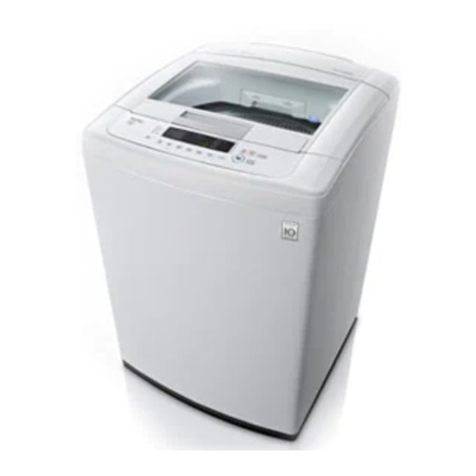
  9. LG WF-T1056TD User manual

LG WF-T1056TD User manual

This manual suits for next models

3

Other LG Washer manuals

LG P1155S Series User manual

LG

LG P1155S Series User manual

LG F14WM8CN Series User manual

LG

LG F14WM8CN Series User manual

LG FH069FDPS User manual

LG

LG FH069FDPS User manual

LG P8071R3F User manual

LG

LG P8071R3F User manual

LG F1496Q/TD series User manual

LG

LG F1496Q/TD series User manual

LG F1608 D Series User manual

LG

LG F1608 D Series User manual

LG WT4801CW User manual

LG

LG WT4801CW User manual

LG F1222TD User manual

LG

LG F1222TD User manual

LG WT13DPBPK User manual

LG

LG WT13DPBPK User manual

LG FH2G6TDY User manual

LG

LG FH2G6TDY User manual

LG FH0C9CDHK72 User manual

LG

LG FH0C9CDHK72 User manual

LG WM1355HR User manual

LG

LG WM1355HR User manual

LG WS1365SL User manual

LG

LG WS1365SL User manual

LG WT1101CW User manual

LG

LG WT1101CW User manual

LG F4J Series User manual

LG

LG F4J Series User manual

LG WM1455HWA.ABWEPUS User manual

LG

LG WM1455HWA.ABWEPUS User manual

LG T2516VSAB User manual

LG

LG T2516VSAB User manual

LG FV1413H2BA User manual

LG

LG FV1413H2BA User manual

LG F015TOPBD User manual

LG

LG F015TOPBD User manual

LG WM2455HG - 27in Front-Load XL Washer User manual

LG

LG WM2455HG - 27in Front-Load XL Washer User manual

LG WD-1244RDS User manual

LG

LG WD-1244RDS User manual

LG FHT1207ZNW User manual

LG

LG FHT1207ZNW User manual

LG FH/14U1 Series User manual

LG

LG FH/14U1 Series User manual

LG F14A8FDS25 User manual

LG

LG F14A8FDS25 User manual

Popular Washer manuals by other brands

Haier HWM96-0623S null

Haier

Haier HWM96-0623S null

Haier B828TX null

Haier

Haier B828TX null

Haier HWM30-0701 null

Haier

Haier HWM30-0701 null

Samsung WF8508NMW8 null

Samsung

Samsung WF8508NMW8 null

Samsung WF-B105AV null

Samsung

Samsung WF-B105AV null

Haier HWM20-0701 null

Haier

Haier HWM20-0701 null

Akai AWM1050WF null

Akai

Akai AWM1050WF null

Haier HWM15-0501 null

Haier

Haier HWM15-0501 null

Tricity Bendix AW 1000 W Operating & installation instructions

Tricity Bendix

Tricity Bendix AW 1000 W Operating & installation instructions

Panasonic NA-F60L5WRB operating instructions

Panasonic

Panasonic NA-F60L5WRB operating instructions

GE WSLP1500 Dimensions and installation information

GE

GE WSLP1500 Dimensions and installation information

Electrolux EWF1284EDW Service manual

Electrolux

Electrolux EWF1284EDW Service manual

VESTEL CMH-XL 7510 TE user manual

VESTEL

VESTEL CMH-XL 7510 TE user manual

AEG 74335 User information

AEG

AEG 74335 User information

Johnson JWF721A user manual

Johnson

Johnson JWF721A user manual

Beko WTE7604XLW0 owner's manual

Beko

Beko WTE7604XLW0 owner's manual

Danby DTT100A1WDB Owner's use and care guide

Danby

Danby DTT100A1WDB Owner's use and care guide

Amica WA 14 Ex operating instructions

Amica

Amica WA 14 Ex operating instructions

manuals.online logo
manuals.online logoBrands
  • About & Mission
  • Contact us
  • Privacy Policy
  • Terms and Conditions

Copyright 2025 Manuals.Online. All Rights Reserved.

Natpawee Thongpon 56030020 Section 1
LG
OWNER’S MANUAL WASHING MACHINE
Model : WF-T1056TD, WF-T8056TD, WF-T9056TD, WF-T1068TD
Please read your owner’s manual carefully. It providesinstructions on safe installation,
use and maintenance. Retain it for future reference. Record the model and serial number of
your washing machine.
Warning
For your safety, you should read all instructions and explanation of the installation
before using.
- Positioning
- Do not install the washing machine in a hot and damp place.
- Keep the washing machine away from fire or heat source.
- Power supply cord
- Do not use the plug that loose.
- Do not plug the electricappliances into the same socket at the same time.
- Do not put heavy objects on the plug.
- Operation and Maintenance
- When you take out the laundry, be careful. Do not allowyourself to fall into the washing
machine.
- The temperature of washing machine should be less than 50 Celsius.
- When you have a problem, please contact the specialistor manufacturer.

Natpawee Thongpon 56030020 Section 1
Identification of Parts
Body
1. Detergent drawer
2. Fabric softener channel
3. Bleach dispenser
4. Control panel
5. Inner tub
6. Power button
7. Adjustable leg
8. Base
9. Precipitator
10. Power cord
Accessories
A. Drain hose
B. Anti-rat cover
C. Water supply hoses
Natpawee Thongpon 56030020 Section 1
Placing and Leveling
1. Place the machine on a flat and firm surface which allowsproper clearance.
We suggest a minimum clearance of 2cm to the left sides of the machine for ease
of installation
2. Take off the plastic from the washing machine
3. Install the Anti-Rat Cover.
The anti-rat cover should be attached firmly from the back of the washing machine.
4. Check the balance levelof the washing machine which is placed on the ground.
Connecting Water Supply Hose to water tap
1. Attach the water supply hose to the tap.
Push the water supply hose up so that the rubber packing within the hose can stick
completely to the tap.
2. Connect the water supply hose to the tap.
Connect the water supply hose to the tap and then tighten it by screwing tightly.
- How to connect the water supply hose to the tap
1. Untighten the screw.
2. Fix the connector to the tap.
3. Attach the water supply hose. Connect securely to the connector.
4. Fix the connector to the water supply hose.
5. Check the connection of water supply hose and the connector.
Natpawee Thongpon 56030020 Section 1
3. Check water leakage.
After connecting the hose, open the tap to check for any water leakage.
Connecting Drain Hose
1. Before connecting drain hose
Ensure that the hose clip is set as indicated.
2. Connect the Hose
Push the hose toward the washing machine.
3. Place the Drain Hose
To change the direction of the hose, pull out the hose and change the direction.
The steps of washing with the special washing program
1. Open the lid and load laundry into the washing machine.
2. Press Power / Auto Off.
3. Add washing powder and fabric softener.
4. Press the Program button for selecting program that is suitable with laundry.
Natpawee Thongpon 56030020 Section 1
5. If you want to spin dry the laundry, select the Air Dry button.
6. Press the Start/Pause button then the washing machine will start to wash.
Programming your washing process
1. Load laundry into the washing machine.
2. Press the Auto Off button for opening.
3. Press Program button for choosing the process of washing.
4. Press the PROCESS button.
5. Press the WATER LEVEL button.
6. Add washing powder and fabric softener.
7. Press the Start/Pause button then the washing machine will start to wash.
Natpawee Thongpon 56030020 Section 1
Washing Machine Problem
Symptom
Check up
Water Supply Failure
- Is the water tap shut off?
- Is the water supply cut off ?
Drainage Failure
- Is the drain hose positioned correctly?
- Is the drain hose bent or placed too high?
Spin Failure
- Is the laundry evenly balanced?
- Is the washing machine placed on a flat
surface?
Lid Open
- Is the lid closed?
Internal sensing failure
Power failure
Overflow failure
- Please call your nearest LG Electronics
service center for help.
Specification
Model
WF-T1056TD, WF-T8056TD, WF-T9056TD, WF-T1068TD
Size
590 (W) × 606(D) ×690 (H) milliliter
Weight
42 Kilograms
Water tab pressure
0.3 -8 kg/cm2