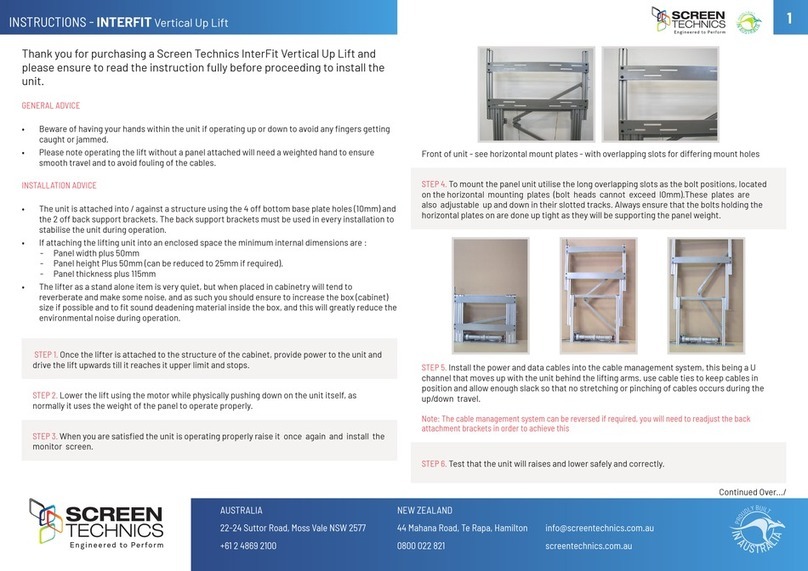
Li Operation
Travelling in the Li
1. When entering the li, the lights come on
automatically. Stand (or sit) in the li facing
the opening.
2. Close the door and make sure that you are not
obstructing the safety light curtain across the li
entrance. If obstructed, the li will not travel and a
buzzing sound will indicate continued obstruction
of the safety light curtain. If you are in the entrance
area, there will also be a red light flashing indicating
an light curtain obstruction.
3. If the load is greater than specified for this li
(170kg) the overload light will be flashing. The li
will not move until the weight is reduced.
4. Ensure any passengers or items travelling with you
are fully contained within the li car.
5. Select the desired direction (see image of control
panel on page 6). Depress and hold the appropriate
button for travelling up or down. The lift will move
while the button is depressed.
6. Hold the button down until the li stops at its
destination.
7. If you see an unsafe situation, release the button
and either wait until it is safe to continue or return to
the floor from which you came.
Calling the Li
You can position the two remote controls anywhere
around your home and these allow you to control
the li, and to call it when it's parked on the other
level. The remote control can be used to move the
li to the desired floor.
1. If possible, first check to make sure that nobody
is inside the li trying to operate it from within.
2. Press the call button on the remote control and
keep it pressed until the li has come to a stop on
the desired floor. Please note: you can stop the li
at any time by releasing the button.
3. If the li encounters an obstruction when being
called either up or down, it will stop. If this occurs,
reverse the direction the li is travelling in and return
it to the starting point. Clear the obstruction, and
as soon as the obstacle has been removed from the
operation area, the li will continue its journey.
10