KIVOR™features
When a KNEKT system contains a KIVOR music archive and retrieval system,
some additional features are available, i.e. sub-menus and disc/track
information.
TTooaacccceessssKKIIVVOORRmmaaiinnmmeennuu::
●Select the KIVOR, using WWHHEERREEand WWHHAATT, as described in
Source
Selection
above.
●Press DDOOto access the KIVOR main menu. Repeatedly pressing DDOOwill
step you through the options available. The options available will depend
on how your system has been programmed.
TTooaacccceessssKKIIVVOORRssuubb--mmeennuuss::
●Press and hold DDOO. After about two seconds, the display will change to
show the sub-menu. Repeatedly pressing DDOOwill step you through the
options available. The options available will depend on how your system
has been programmed.
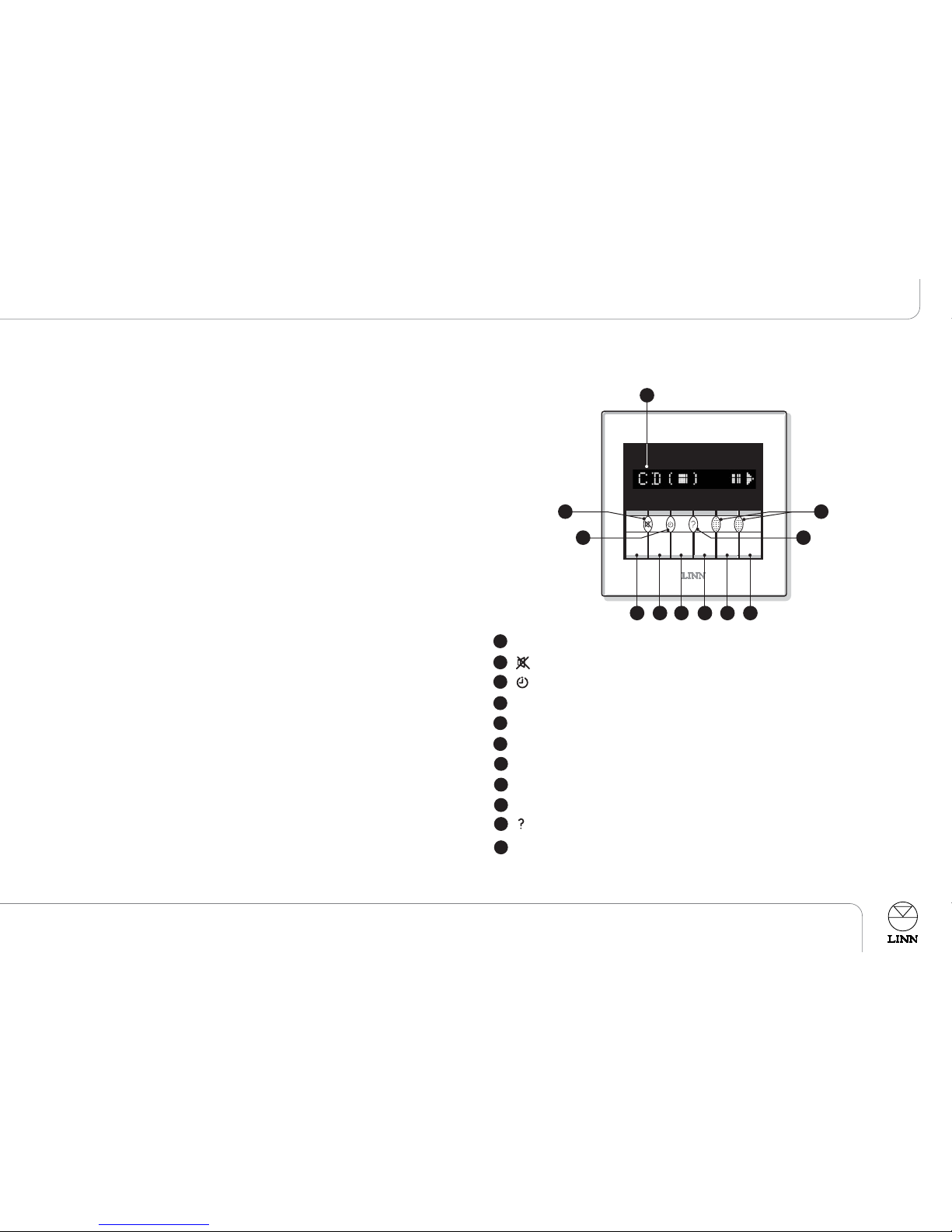
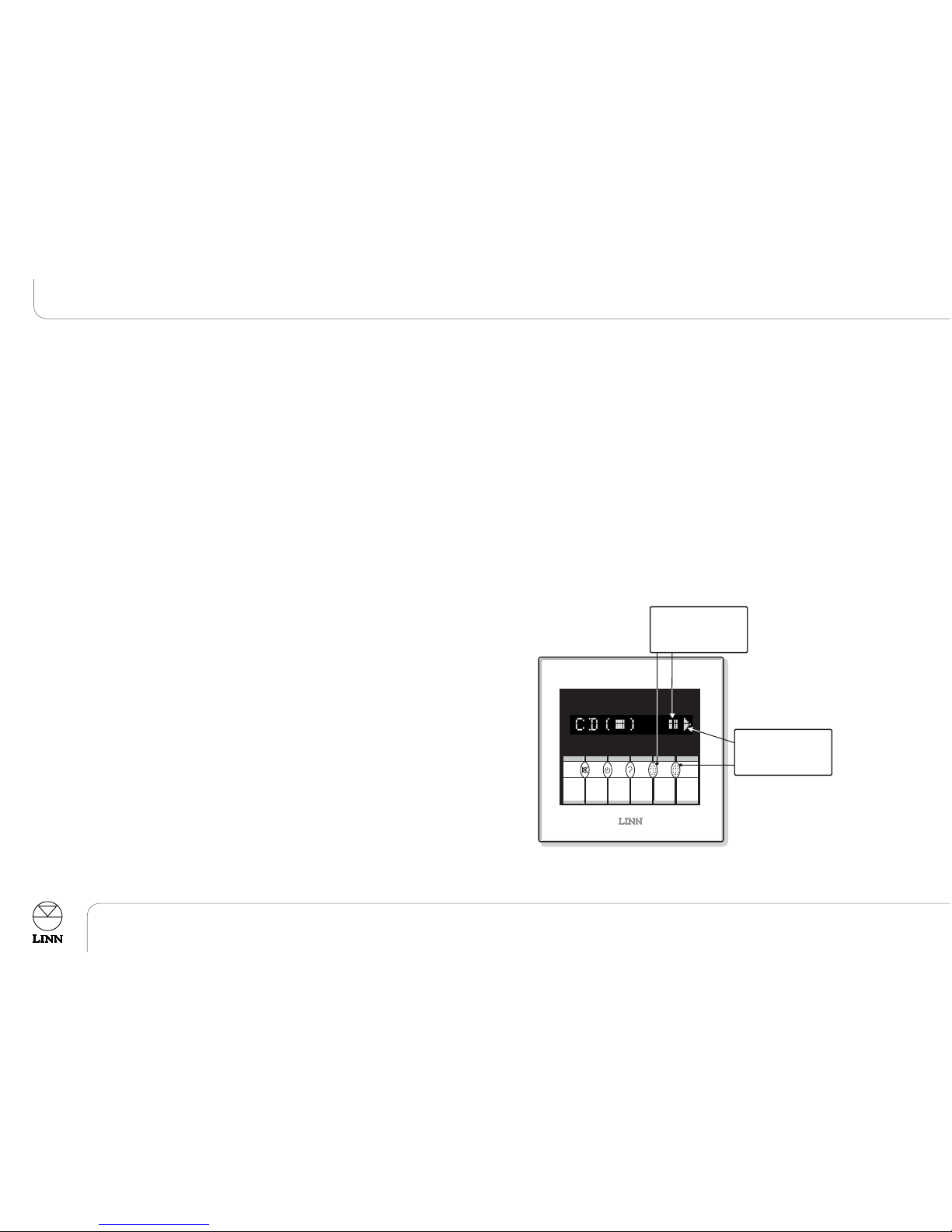
One of the sub-menu options is ‘Listmode’. Listmode is a useful method of
selecting a disc, artist, track etc from your KIVOR. Listmode is indicated by the
‘<’ and ‘>’ symbols appearing on the display above the ‘‘mmuullttii--ffuunnccttiioonn’’keys.
●Repeatedly press one of the ‘‘mmuullttii--ffuunnccttiioonn’’keys to step through the
available lists (typically options like Artist, Genre, Disc and User will be
available).
●Use DDOOto select a list from the Listmode menu.
The item that you have selected from Listmode will now be available in the
KIVOR main menu. The Listmode option that is available in the KIVOR main
menu can be changed by repeating the above process.
Note:
The Listmode option that is available in the KIVOR main menu will appear on
the display in the sub-menu, but will not be selectable.
TTooeexxiittffrroommtthheeKKIIVVOORRssuubb--mmeennuu
●Press and hold DDOO.
or
●Press WWHHAATT..
This will take you back to the KIVOR main menu.
TTooaacccceessssKKIIVVOORRddiisscc//ttrraacckkiinnffoorrmmaattiioonn
●Access the KIVOR, using WWHHEERREEand WWHHAATT, as described above.
●Select a disc and a track, using the DDOOand ‘‘mmuullttii--ffuunnccttiioonn’’keys.
●Press to access information about the disc and track – i.e. CD title,
track title and music genre (where applicable).
7