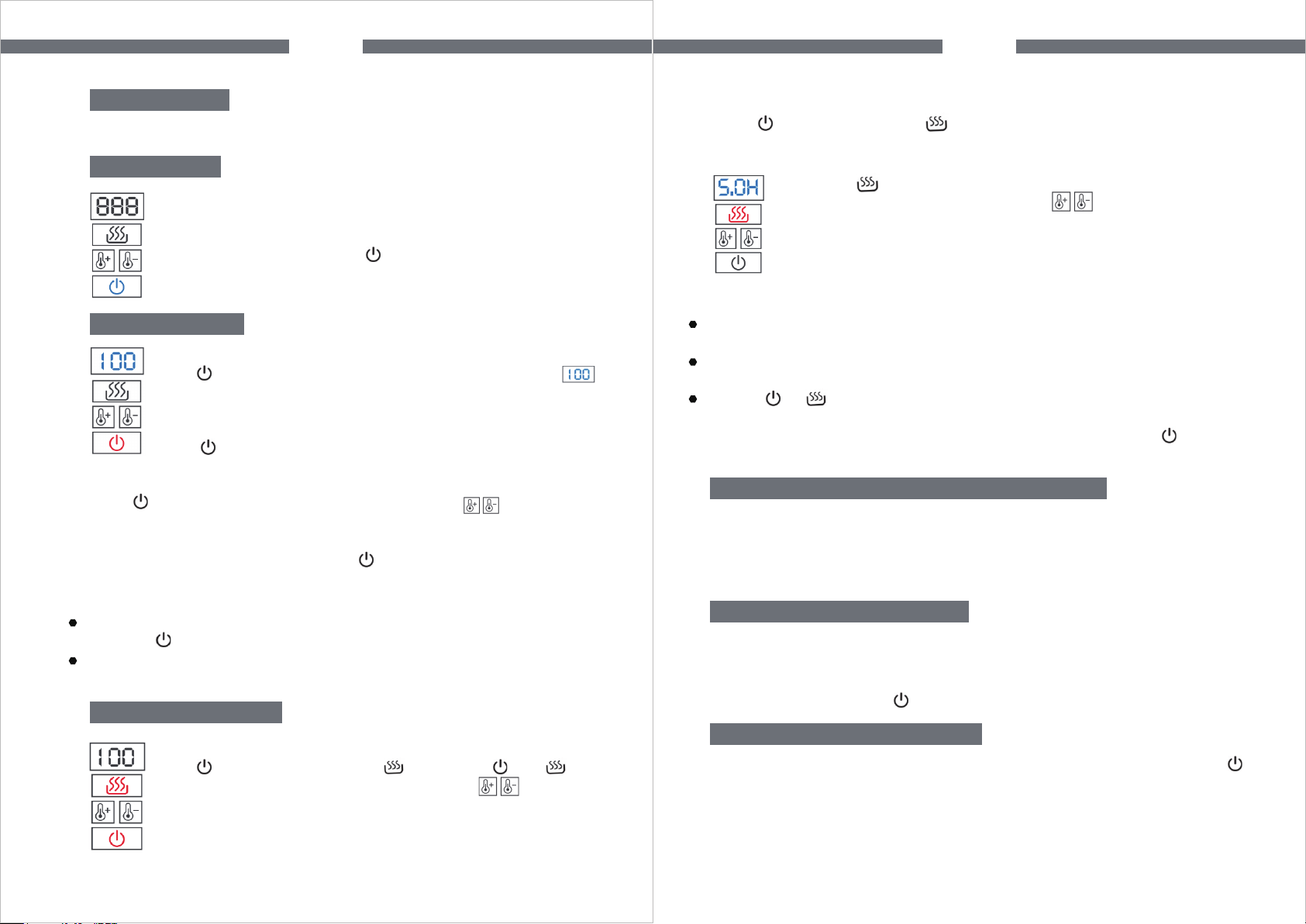
Long press and it reads the current heat preservation time
after setting the temperature, then press to set the heat
preservation time (Default setting of heat preservation time: 5
hours; heat preservation time setting range: 1-24 hours.)
9
Light Indicator
Blue light indicates the standby state. Red light indicates the working state.
Specific Boiling Function
Press and set the desired temperature by pressing . The appliance
switches off automatically with a sound of “beep” when it reaches the
predetermined temperature. ( If there is no any operation in 10s, all lights
and the screen are off while the button turns blue.)
NOTE
The appliance will get into standby state and read current temperature when
pressing again while working.
The temperature can be adjusted from 40°C to 100°C. Each press for an
adjustment of +/- 5°C.
Standby State
Plug in and the appliance switches on automatically with the “beep”
sound and all button lights and display screen on at once, then it
reads the current temperature. If there is no any operation in 10s,
all lights are off and the button turns blue.
Regular Boiling Function
EN
If the water temperature is 5°C lower than that of the setting, it will heat up
to the predetermined temperature automatically.
If the current temperature is higher than that of the setting, it will directly turn
on the keep warm function.
If press or during heat preservation, the appliance will get into the
standby state and it reads the current temperature. ( If there is no any
operation in 10s, all lights and the screen are off while the button turns
blue.)
NOTE
In the plateau area, the appliance will automatically detect the local boiling
point. When a certain temperature is detected as the local boiling point, the
chip intelligently compensates the temperature value to 100°C and the
appliance switches off automatically.
Automatic Boiling Point Detection Function
The appliance has automatic power-off memory function. It continues
working in the mode as last time setting, and it can easily be adjusted to
meet any new requirements. If you would like to clear current settings or
reset the mode, just press to switch off the appliance.
Power-off Memory Function
The light stays blue by default during heating and heat preservation. Press
to switch ON or OFF.
Switch ON/OFF the LED Light
EN
10
Boiling Function
Press , the button turns red and it reads the default value . It
starts to heat water. When it reaches 100°C, the appliance
switches off automatically with a sound of “beep”. ( If there is no
any operation in 10s, all lights and the screen are off while the
button turns blue.)
Keep Warm Function
Set the temperature
Press to power on, then press . The button and turn
red, indicating it starts heat preservation. Press to adjust the
temperature. The appliance stops heating with a sound of “beep”
and starts to keep warm when it heats up to the predetermined
temperature. At the same time, it reads the current temperature and the
button goes out. The button stays red and the body light blue.
Set the heat preservation time