manuals.online logo
Brands
  1. Home
  2. •
  3. Brands
  4. •
  5. LOXONE
  6. •
  7. Switch
  8. •
  9. LOXONE TOUCH SURFACE AIR User manual

LOXONE TOUCH SURFACE AIR User manual

This manual suits for next models

1

Other LOXONE Switch manuals

LOXONE Touch Pure Tree User manual

LOXONE

LOXONE Touch Pure Tree User manual

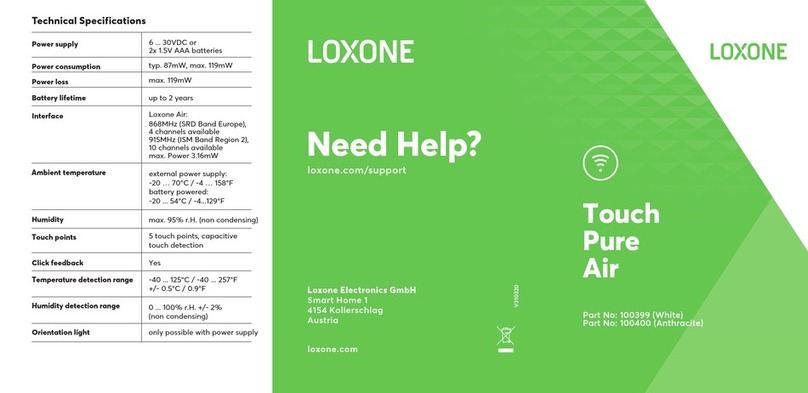
LOXONE Touch Pure Air 100399 User manual

LOXONE

LOXONE Touch Pure Air 100399 User manual

Popular Switch manuals by other brands

SMC Networks SMC6224M Technical specifications

SMC Networks

SMC Networks SMC6224M Technical specifications

Aeotec ZWA003-S operating manual

Aeotec

Aeotec ZWA003-S operating manual

TRENDnet TK-209i Quick installation guide

TRENDnet

TRENDnet TK-209i Quick installation guide

Planet FGSW-2022VHP user manual

Planet

Planet FGSW-2022VHP user manual

Avocent AutoView 2000  AV2000BC AV2000BC Installer/user guide

Avocent

Avocent AutoView 2000 AV2000BC AV2000BC Installer/user guide

Moxa Technologies PT-7728 Series user manual

Moxa Technologies

Moxa Technologies PT-7728 Series user manual

Intos Electronic inLine 35392I operating instructions

Intos Electronic

Intos Electronic inLine 35392I operating instructions

Cisco Catalyst 3560-X-24T Technical specifications

Cisco

Cisco Catalyst 3560-X-24T Technical specifications

Asante IntraCore IC3648 Specifications

Asante

Asante IntraCore IC3648 Specifications

Siemens SIRIUS 3SE7310-1AE Series Original operating instructions

Siemens

Siemens SIRIUS 3SE7310-1AE Series Original operating instructions

Edge-Core DCS520 quick start guide

Edge-Core

Edge-Core DCS520 quick start guide

RGBLE S00203 user manual

RGBLE

RGBLE S00203 user manual

Thrustmaster FLIGHT SIMULATOR X quick guide

Thrustmaster

Thrustmaster FLIGHT SIMULATOR X quick guide

Southwire SURGE GUARD 41390 RVC troubleshooting guide

Southwire

Southwire SURGE GUARD 41390 RVC troubleshooting guide

Buhler Nivotemp NT 61 Brief instructions

Buhler

Buhler Nivotemp NT 61 Brief instructions

Kramer VS-41HDCP user manual

Kramer

Kramer VS-41HDCP user manual

Techly IDATA AU-270 user manual

Techly

Techly IDATA AU-270 user manual

Belkin F1U109 user manual

Belkin

Belkin F1U109 user manual

manuals.online logo
manuals.online logoBrands
  • About & Mission
  • Contact us
  • Privacy Policy
  • Terms and Conditions

Copyright 2025 Manuals.Online. All Rights Reserved.

www.loxone.com
GET IN TOUCH!
oce@loxone.com
www.loxone.com/contact
NEED HELP?
For further information and documentation please visit:
www.loxone.com/help/touch-surface-air
TOUCH
SURFACE AIR
Part No.: 100285
Surface Material
Stone, Wood, Ceramic or Glass
– Please note that this product
will not work with conductive
materials.
Surface Thickness max. 30mm / 1 3/16”
Power Supply 9...28VDC SELV or Battery Pack
(Not included)
Power Consumption
SELV Powered
typ. 67mW, max. 133mW
(when LEDs on)
Power Consumption
Battery Powered
typ. 0.25mW, max. 100mW
(when LEDs on)
Battery Lifetime Approx. 2 years
Radio Frequency 868MHz (SRD Band Europe),
915MHz (ISM Band Region 2)
Ambient Temperature 0...55°C / 32...131°F
Humidity 95% r. H. (non condensing)
Safety Rating IP20
Maintenance & Cleaning
This device is free of
maintenance and may only be
cleaned with a dry cloth.
Technical Specications
Information
Contains FCC ID: COR-ZWIR4512AC1
This device complies with part 15 of the FCC Rules.
Operation is subject to the following two conditions:
1. This device may not cause harmful interference
2. This device must accept any interference received, including
interference that may cause undesired operation
Wire Diameter 0.14...1mm2/
AWG18...AWG25
Exposed Wire Length 7mm / 9/32”
Push-In-Technology
To make a connection, insert
the wire; to remove the wire
twist and pull at the same
time.
Connection
About the product
Installed underneath your non-conducting surface (Note the max.
surface thickness of 30mm), the Loxone Touch Surface gives you
the possibility to control your smart home using the Loxone switch
standard.
To prevent accidental use, there is an activation button. Upon touching
this button, the ve touch points of the switch are activated for 5 se-
conds, and the remaining time will be displayed through the activation
indicator.
If the activation function is not needed, the activation button can be
recongured as necessary in Loxone Cong.
Features
• Loxone Switch Standard
• Accidental operation protection
• LED activation indicator
Installation
Installation without activation indicators
If you would prefer not to install the light pipes or mark the surface at all
you can use the provided decal to show the touch points.
Mount the Touch Surface to the underside of the surface. Once powe-
red up, learn-in and congure the Touch Surface using Loxone Cong.
Installation with activation indicators
Prepare the surface on which the Touch Surface is to be installed
by drilling 5 holes for the LED indicator lights and marking the touch
points (We strongly recommend that the holes are drilled by a
professional to avoid damage to the surface).
The activation indicator lights need to be installed on the Touch
Surface prior to mounting it.
Mount the Touch Surface to the underside of the surface. To seal the
holes for the activation indicator lights, use a transparent epoxy resin.
It is important to ensure that no dirt or grit is present in the holes or
on the underside of the mounting surface prior to using the resin.
When applying the resin ensure that no air bubbles are created.
Once powered up, learn-in and congure the Touch Surface
using Loxone Cong.
Learn Button
Power Supply
Mounting Holes
Status-LED
Mounting Hole
6
5
21
3
4
304
115
Touch points
Support lm
Decal for touch
surfaces
DOWNLOAD FREE
DXF-TEMPLATE
www.loxone.com/
touch-surface
Light pipes
Activation button

www.loxone.com
GET IN TOUCH!
oce@loxone.com
www.loxone.com/contact
Part No.: 100284
FIND MORE LOXONE PRODUCTS:
www.loxone.com
Loxone Miniserver
Dumb Home
Smart Home
SMART HOME
AUTOPILOT LIVING
TOUCH
SURFACE TREE
Surface Material
Stone, Wood, Ceramic or Glass
– Please note that this product
will not work with conductive
materials.
Surface Thickness max. 30mm / 1 3/16”
Power Supply 9...28VDC SELV
Power Consumption typ. 65mW, max. 116mW
(when LEDs on)
Ambient Temperature 0...55°C / 32...131°F
Humidity 95% r. H. (non condensing)
Safety Rating IP20
Temperature Detection
Range -40...125°C / -40...257°F
Maintenance & Cleaning
This device is free of
maintenance and may only be
cleaned with a dry cloth.
Technical Specications
NEED HELP?
For further information and documentation please visit:
www.loxone.com/help/touch-surface-tree
For additional information, visit
www.loxone.com/help/touch-surface-tree
About the product
Installed underneath your non-conducting surface (Note the max.
surface thickness of 30mm), the Loxone Touch Surface brings you
the possibility to control your smart home using the Loxone switch
standard.
To prevent accidental use there is an activation button as standard.
Upon touching this button, the ve touch points of the switch are acti-
vated for 5 seconds, and the remaining time will be displayed through
the activation indicator.
If the activation function is not needed, the activation button can be
recongured as necessary in Loxone Cong.
Features
• Loxone Switch Standard
• Accidental operation protection
• LED activation indicator
Installation
Installation without activation indicators
If you would prefer not to install the light pipes or mark the surface at all
you can use the provided decal to show the touch points.
Mount the Touch Surface to the underside of the surface. Once powe-
red up, learn-in and congure the Touch Surface using Loxone Cong.
Installation with activation indicators
Prepare the surface on which the Touch Surface is to be installed
by drilling 5 holes for the LED indicator lights and marking the touch
points (We strongly recommend that the holes are drilled by a
professional to avoid damage to the surface).
The activation indicator lights need to be installed on the Touch
Surface prior to mounting it.
Mount the Touch Surface to the underside of the surface. To seal the
holes for the activation indicator lights, use a transparent epoxy resin.
It is important to ensure that no dirt or grit is present in the holes or
on the underside of the mounting surface prior to using the resin.
When applying the resin ensure that no air bubbles are created.
Once powered up, learn-in and congure the Touch Surface
using Loxone Cong.
Wire Diameter 0.14...1mm2/
AWG18...AWG25
Exposed Wire Length 7mm / 9/32”
Push-In-Technology
To make a connection, insert
the wire; to remove the wire
twist and pull at the same time.
Connection
Status-LED
Mounting Hole
Mounting Holes
6
5
21
3
4
304
115
Touch points
Support lm
Decal for touch
surfaces
DOWNLOAD FREE
DXF-TEMPLATE
www.loxone.com/
touch-surface
Light pipes
Activation button