10
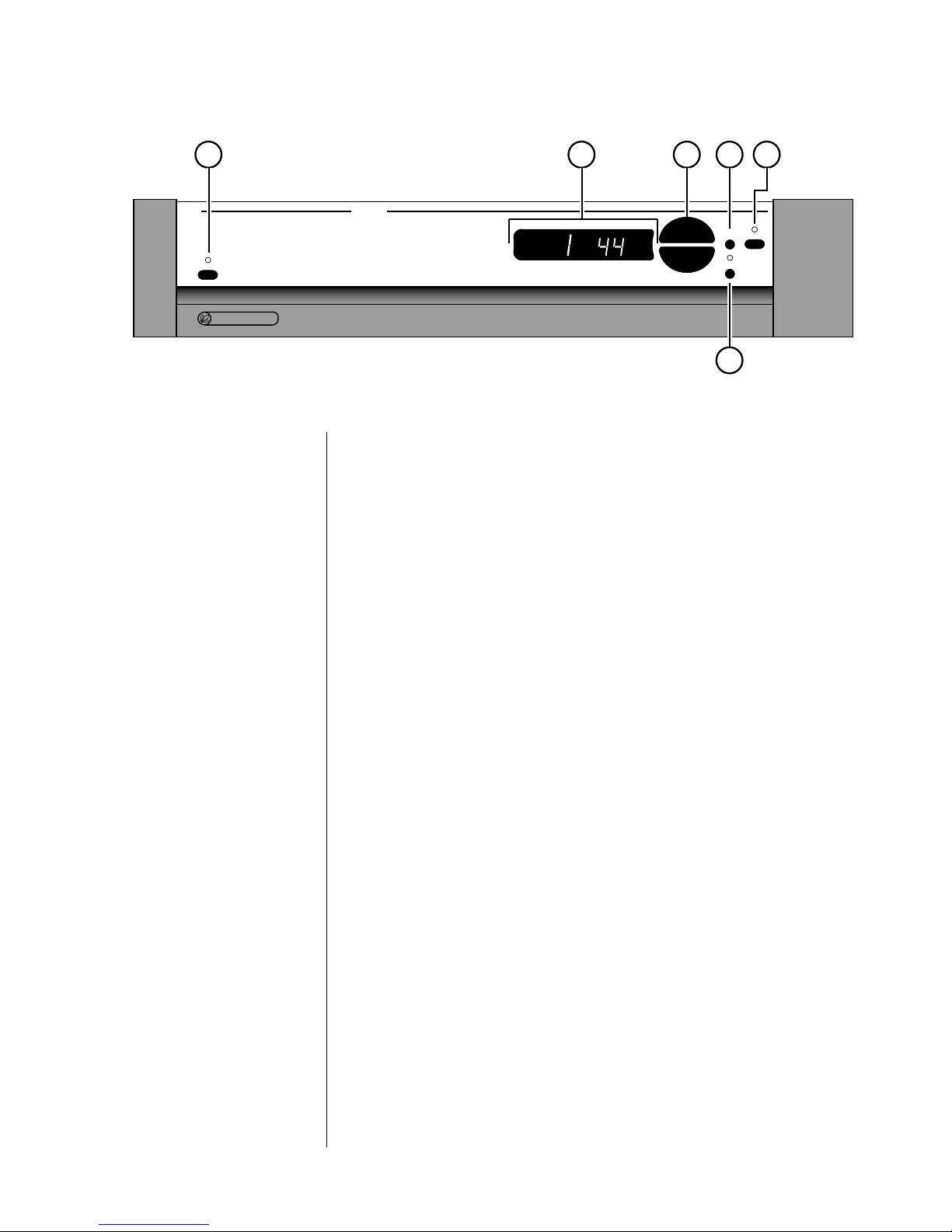
If an HDCD®recording is played, the display will flash hd and cd sev-
eral times, and then remain on hd to indicate that decoding is taking
place.
If the DAP is placed into its variable output mode, the main display will
indicate the relative volume on a scale of 0–99. (See the discussion of the
mode button, below.)
Finally, an infrared receiver and transmitter for remote control of the
DAP is positioned on the left side of the main display. Owners of learn-
ing remote controls such as those provided with Proceed preamplifiers
may transmit infrared control codes from the DAP to their learning re-
motes to “teach” the remote how to control the DAP. Subsequently, the
IR receiver in the main display will respond to the learning remote’s
commands for input selection, volume control, and certain other com-
mands. (See Remote Control of the DAP for more information.)
3 UP/DOWN BUTTONS
These up/down buttons are used to make adjustments on the DAP, in-
cluding source and volume selection. While the up/down buttons nor-
mally select the digital input (1 through 5) to be processed, they may
also be used to control the output level of the DAP. (See mode button,
below.)
4MODEBUTTON
Pressing this button toggles the DAP between input selection and vol-
ume selection modes.
Ordinarily, the DAP should be used at its maximum output level, with
volume control provided by a high quality active preamplifier which fol-
lows the DAP in the signal path. This approach provides the best sonic
performance as well as improved user convenience.
However, if for some reason a high quality active preamplifier is not
available, pressing the mode button will cause the DAP to change into its
variable output mode of operation, wherein the up/down buttons are
used to control the output level of the processor. Pressing the mode but-
ton a second time will return the DAP’s up/down buttons to their normal
input selection function.
5 MUTE
Pressing the mute button will reduce the main output level of the digital
audio processor by approximately 20 dB. Pressing the mute button a sec-
ond time will return the DAP to its previous output level. This function is
available at all times, whether the DAP is in input select or variable out-
put mode.
If you have the DAP in its variable output mode of operation and adjust
the volume with either the front panel buttons or a remote control while
in the mute mode, the digital audio processor will adjust its volume from
the muted volume and disengage the mute function. By so doing, the
DAP avoids sudden, unexpected changes in volume.