Thunderbolt Aware Driver is required for PCIe cards .............................................................25
How to Check Magma Device - Windows 7 and 8..................................................................27
How To Check PCIe cards - Windows7 and 8........................................................................28
Chapter 4 Advanced Technical Information..................................................................... 30
Thunderbolt™ 1 Interface Card & LEDs...................................................................................30
Fully Operational: With monitor attached -LEDS...................................................................30
Fully Operational unit: No monitor attached –LEDS .............................................................31
Power on board –LEDs .....................................................................................................31
Thunderbolt™ 2 Interface Card & LEDs...................................................................................32
Fully Operational: With monitor attached -LEDS...................................................................32
Fully Operational: No monitor attached -LEDS .....................................................................32
Unit with power on board –LEDs .......................................................................................33
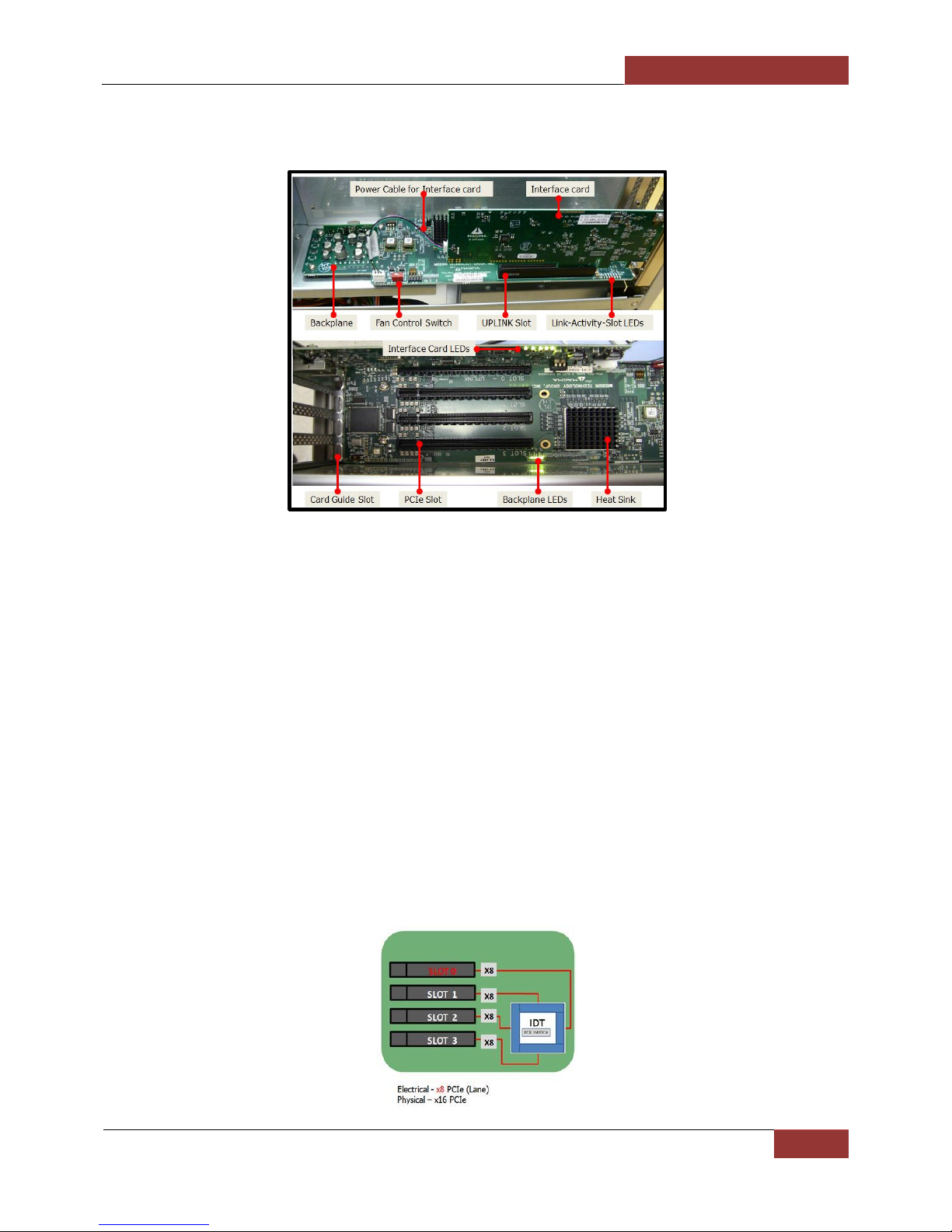
Backplane & LEDs................................................................................................................34
Link and Activity LEDs ..........................................................................................................34
PCIE SLOT Link up LEDS.......................................................................................................35
Activity LEDs.......................................................................................................................35
Standby-power Cable...........................................................................................................36
Thunderbolt Interface Card Installation ..................................................................................37
Internal Front Fan (Control Settings)......................................................................................38
Daisy Chain Configuration.....................................................................................................39
Attaching Displays ...............................................................................................................39
How to Rack mount the Roben-3 unit ....................................................................................40
Rack-Ears Installation .......................................................................................................40
Rack mount and Storage Kits ................................................................................................41
5.25” Expansion Bay ............................................................................................................43
Steps on “how to remove and install Drive Bay” ...................................................................43
How to remove and replace the front fan ...............................................................................47
How to remove power supply ...............................................................................................53
Securing the Top Cover ........................................................................................................54
Chapter 5 Converting to PCIe.......................................................................................... 55
PCIe Expansion and Host Interface Cards ...............................................................................55
How it Works ...................................................................................................................56
PCIe Expansion Interface Card Installation ..........................................................................57
PCIe Host Interface card Installation...................................................................................57
Connect Ipass Cable .........................................................................................................58
To Disconnect Ipass Cable.................................................................................................59
Plug-in Power Cord ...........................................................................................................60