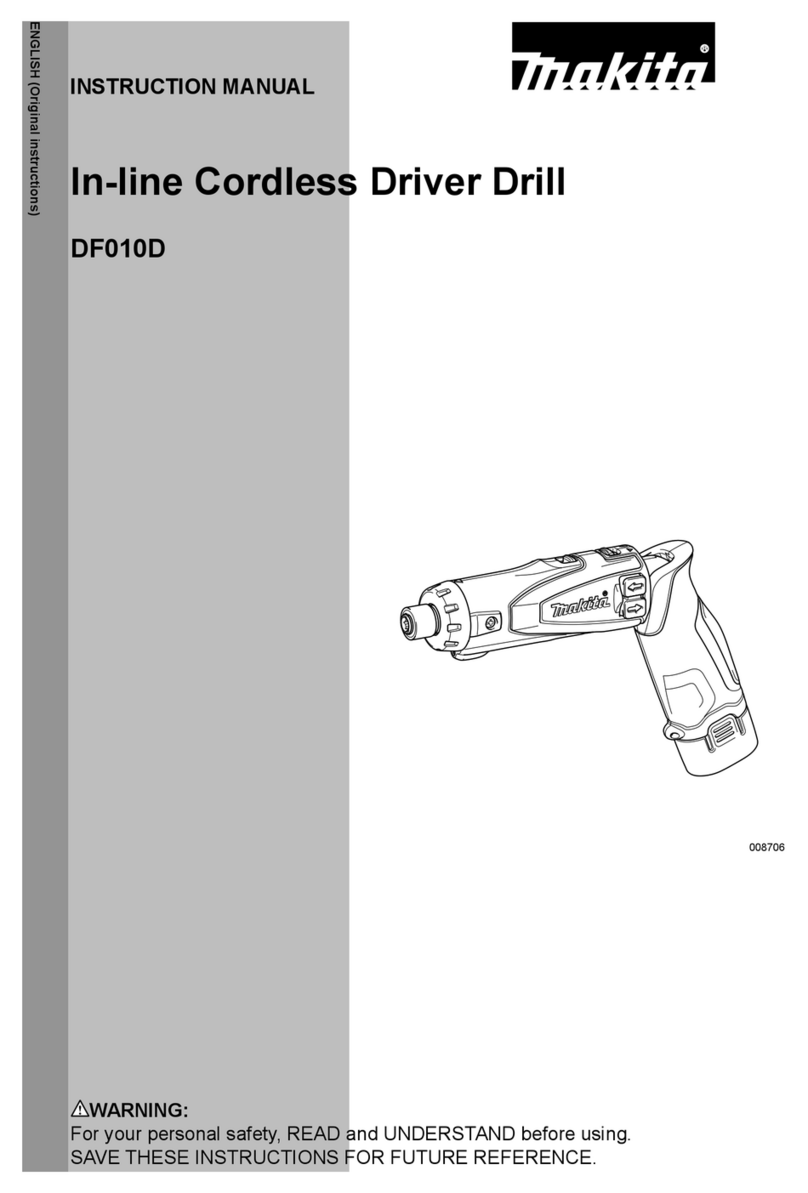
Makita DF012D User manual

INSTRUCTION MANUAL
Cordless Driver Drill
DF012D
ENGLISH: Original instructions
Read before use.

2ENGLISH
SPECIFICATIONS
Model: DF012D
Drilling capacities Steel 5 mm
Wood 6 mm
Fastening capacities Wood screw ø3.8 mm x 45 mm
Machine screw M5
No load speed High (2) 650 min-1
Low (1) 200 min-1
Overall length With straight shape 273 mm
With pistol shape 218 mm
Rated voltage D.C. 7.2 V
Battery cartridge BL0715
Net weight 0.53 kg
• Duetoourcontinuingprogramofresearchanddevelopment,thespecicationshereinaresubjecttochange
without notice.
• Specicationsandbatterycartridgemaydifferfromcountrytocountry.
• Weight,withbatterycartridge,accordingtoEPTA-Procedure01/2014
Symbols
Thefollowingshowthesymbolsusedfortheequip-
ment. Be sure that you understand their meaning before
use.
Read instruction manual.
Cd
Ni-MH
Li-ion
OnlyforEUcountries
Donotdisposeofelectricequipmentor
battery pack together with household waste
material!
InobservanceoftheEuropeanDirectives,
onWasteElectricandElectronic
EquipmentandBatteriesandAccumulators
andWasteBatteriesandAccumulators
and their implementation in accordance
withnationallaws,electricequipmentand
batteries and battery pack(s) that have
reached the end of their life must be col-
lected separately and returned to an envi-
ronmentally compatible recycling facility.
Intended use
Thetoolisintendedfordrillingandscrewdrivingin
wood,metalandplastic.
Noise
ThetypicalA-weightednoiseleveldeterminedaccord-
ingtoEN60745:
Sound pressure level (LpA):70dB(A)orless
Uncertainty(K):3dB(A)
Thenoiselevelunderworkingmayexceed80dB(A).
WARNING: Wear ear protection.
Vibration
Thevibrationtotalvalue(tri-axialvectorsum)deter-
minedaccordingtoEN60745:
Workmode:drillingintometal
Vibration emission (ah,D):2.5m/s2or less
Uncertainty(K):1.5m/s2
NOTE:Thedeclaredvibrationemissionvaluehas
been measured in accordance with the standard test
method and may be used for comparing one tool with
another.
NOTE:Thedeclaredvibrationemissionvalue
may also be used in a preliminary assessment of
exposure.
WARNING:Thevibrationemissionduringactual
use of the power tool can differ from the declared
emission value depending on the ways in which the
tool is used.
WARNING: Be sure to identify safety measures
to protect the operator that are based on an estima-
tion of exposure in the actual conditions of use (taking
account of all parts of the operating cycle such as
the times when the tool is switched off and when it is
running idle in addition to the trigger time).
EC Declaration of Conformity
For European countries only
TheECdeclarationofconformityisincludedasAnnexA
to this instruction manual.

3ENGLISH
SAFETY WARNINGS
General power tool safety warnings
WARNING: Read all safety warnings and
all instructions. Failure to follow the warnings and
instructionsmayresultinelectricshock,reand/or
seriousinjury.
Save all warnings and instruc-
tions for future reference.
Theterm"powertool"inthewarningsreferstoyour
mains-operated (corded) power tool or battery-operated
(cordless) power tool.
Work area safety
1. Keep work area clean and well lit. Cluttered or
dark areas invite accidents.
2. Do not operate power tools in explosive atmo-
spheres, such as in the presence of ammable
liquids, gases or dust.Powertoolscreatesparks
which may ignite the dust or fumes.
3. Keep children and bystanders away while
operating a power tool. Distractions can cause
you to lose control.
Electrical Safety
1. Power tool plugs must match the outlet. Never
modify the plug in any way. Do not use any
adapter plugs with earthed (grounded) power
tools. Unmodiedplugsandmatchingoutletswill
reduce risk of electric shock.
2. Avoid body contact with earthed or grounded
surfaces, such as pipes, radiators, ranges and
refrigerators.Thereisanincreasedriskofelec-
tric shock if your body is earthed or grounded.
3. Do not expose power tools to rain or wet con-
ditions. Water entering a power tool will increase
the risk of electric shock.
4. Do not abuse the cord. Never use the cord for
carrying, pulling or unplugging the power tool.
Keep cord away from heat, oil, sharp edges
or moving parts. Damaged or entangled cords
increase the risk of electric shock.
5.
When operating a power tool outdoors, use an
extension cord suitable for outdoor use.Useofacord
suitable for outdoor use reduces the risk of electric shock.
6. If operating a power tool in a damp location
is unavoidable, use a residual current device
(RCD) protected supply.UseofanRCDreduces
the risk of electric shock.
Personal Safety
1. Stay alert, watch what you are doing and use
common sense when operating a power tool.
Do not use a power tool while you are tired or
under the inuence of drugs, alcohol or med-
ication.Amomentofinattentionwhileoperating
powertoolsmayresultinseriouspersonalinjury.
2. Use personal protective equipment. Always
wear eye protection.Protectiveequipmentsuch
asadustmask,non-skidsafetyshoes,hardhator
hearing protection used for appropriate conditions
willreducepersonalinjuries.
3. Prevent unintentional starting. Ensure the
switch is in the off-position before connecting
to power source and/or battery pack, picking
up or carrying the tool. Carrying power tools with
yourngerontheswitchorenergisingpowertools
that have the switch on invites accidents.
4. Remove any adjusting key or wrench before
turning the power tool on.Awrenchorakeyleft
attached to a rotating part of the power tool may
resultinpersonalinjury.
5. Do not overreach. Keep proper footing and
balance at all times.Thisenablesbettercontrol
of the power tool in unexpected situations.
6. Dress properly. Do not wear loose clothing or
jewellery. Keep your hair, clothing, and gloves
away from moving parts.Looseclothes,jewel-
lery or long hair can be caught in moving parts.
7. If devices are provided for the connection of
dust extraction and collection facilities, ensure
these are connected and properly used.Useof
dust collection can reduce dust-related hazards.
Power tool use and care
1. Do not force the power tool. Use the correct
power tool for your application.Thecorrect
powertoolwilldothejobbetterandsaferatthe
rate for which it was designed.
2. Do not use the power tool if the switch does
not turn it on and off.Anypowertoolthatcannot
be controlled with the switch is dangerous and
must be repaired.
3. Disconnect the plug from the power source
and/or the battery pack from the power tool
before making any adjustments, changing
accessories, or storing power tools. Such pre-
ventive safety measures reduce the risk of starting
the power tool accidentally.
4. Store idle power tools out of the reach of chil-
dren and do not allow persons unfamiliar with
the power tool or these instructions to operate
the power tool.Powertoolsaredangerousinthe
hands of untrained users.
5. Maintain power tools. Check for misalignment
or binding of moving parts, breakage of parts
and any other condition that may affect the
power tool’s operation. If damaged, have the
power tool repaired before use. Many accidents
are caused by poorly maintained power tools.
6. Keep cutting tools sharp and clean.Properly
maintained cutting tools with sharp cutting edges
are less likely to bind and are easier to control.
7. Use the power tool, accessories and tool bits
etc. in accordance with these instructions, tak-
ing into account the working conditions and
the work to be performed.Useofthepowertool
for operations different from those intended could
result in a hazardous situation.
Battery tool use and care
1. Recharge only with the charger specied by
the manufacturer.Achargerthatissuitablefor
onetypeofbatterypackmaycreateariskofre
when used with another battery pack.
2. Use power tools only with specically desig-
nated battery packs.Useofanyotherbattery
packsmaycreateariskofinjuryandre.

4ENGLISH
3. When battery pack is not in use, keep it away
from other metal objects, like paper clips,
coins, keys, nails, screws or other small metal
objects, that can make a connection from one
terminal to another. Shorting the battery termi-
nalstogethermaycauseburnsorare.
4. Under abusive conditions, liquid may be
ejected from the battery; avoid contact. If con-
tact accidentally occurs, ush with water. If
liquid contacts eyes, additionally seek medical
help.Liquidejectedfromthebatterymaycause
irritation or burns.
Service
1. Have your power tool serviced by a qualied
repair person using only identical replacement
parts.Thiswillensurethatthesafetyofthepower
tool is maintained.
2. Follow instruction for lubricating and chang-
ing accessories.
3. Keep handles dry, clean and free from oil and
grease.
Cordless driver drill safety warnings
1. Use auxiliary handle(s), if supplied with the
tool.Lossofcontrolcancausepersonalinjury.
2. Hold power tool by insulated gripping sur-
faces, when performing an operation where
the cutting accessory may contact hidden
wiring.Cuttingaccessorycontactinga"live"
wire may make exposed metal parts of the power
tool"live"andcouldgivetheoperatoranelectric
shock.
3. Hold power tool by insulated gripping sur-
faces, when performing an operation where
the fastener may contact hidden wiring.
Fastenerscontactinga"live"wiremaymake
exposedmetalpartsofthepowertool"live"and
could give the operator an electric shock.
4. Always be sure you have a rm footing. Be
sure no one is below when using the tool in
high locations.
5. Hold the tool rmly.
6. Keep hands away from rotating parts.
7. Do not leave the tool running. Operate the tool
only when hand-held.
8. Do not touch the drill bit or the workpiece
immediately after operation; they may be
extremely hot and could burn your skin.
9. Some material contains chemicals which may
be toxic. Take caution to prevent dust inhala-
tion and skin contact. Follow material supplier
safety data.
SAVE THESE INSTRUCTIONS.
WARNING: DO NOT let comfort or familiarity
with product (gained from repeated use) replace
strict adherence to safety rules for the subject
product. MISUSE or failure to follow the safety
rules stated in this instruction manual may cause
serious personal injury.
Important safety instructions for
battery cartridge
1.
Before using battery cartridge, read all instruc-
tions and cautionary markings on (1) battery
charger, (2) battery, and (3) product using battery.
2. Do not disassemble battery cartridge.
3.
If operating time has become excessively shorter,
stop operating immediately. It may result in a risk of
overheating, possible burns and even an explosion.
4.
If electrolyte gets into your eyes, rinse them out
with clear water and seek medical attention right
away. It may result in loss of your eyesight.
5. Do not short the battery cartridge:
(1) Do not touch the terminals with any con-
ductive material.
(2) Avoid storing battery cartridge in a con-
tainer with other metal objects such as
nails, coins, etc.
(3) Do not expose battery cartridge to water
or rain.
A battery short can cause a large current ow,
overheating, possible burns and even a breakdown.
6. Do not store the tool and battery cartridge in
locations where the temperature may reach or
exceed 50 °C (122 °F).
7. Do not incinerate the battery cartridge even if
it is severely damaged or is completely worn
out. The battery cartridge can explode in a re.
8. Be careful not to drop or strike battery.
9. Do not use a damaged battery.
10.
The contained lithium-ion batteries are subject to
the Dangerous Goods Legislation requirements.
Forcommercialtransportse.g.bythirdparties,
forwardingagents,specialrequirementonpack-
aging and labeling must be observed.
Forpreparationoftheitembeingshipped,consultingan
expertforhazardousmaterialisrequired.Pleasealso
observe possibly more detailed national regulations.
Tapeormaskoffopencontactsandpackupthe
battery in such a manner that it cannot move
around in the packaging.
11. Follow your local regulations relating to dis-
posal of battery.
SAVE THESE INSTRUCTIONS.
CAUTION:
Only use genuine Makita batteries.
Useofnon-genuineMakitabatteries,orbatteriesthat
havebeenaltered,mayresultinthebatterybursting
causingres,personalinjuryanddamage.Itwillalso
void the Makita warranty for the Makita tool and charger.
Tips for maintaining maximum
battery life
1.
Charge the battery cartridge before completely dis-
charged. Always stop tool operation and charge the
battery cartridge when you notice less tool power.
2.
Never recharge a fully charged battery cartridge.
Overcharging shortens the battery service life.
3.
Charge the battery cartridge with room tempera-
ture at 10 °C - 40 °C (50 °F - 104 °F). Let a hot
battery cartridge cool down before charging it.

5ENGLISH
FUNCTIONAL
DESCRIPTION
CAUTION: Always be sure that the tool is
switched off and the battery cartridge is removed
before adjusting or checking function on the tool.
Installing or removing battery
cartridge
CAUTION: Always switch off the tool before
installing or removing of the battery cartridge.
CAUTION: Hold the tool and the battery car-
tridge rmly when installing or removing battery
cartridge. Failure to hold the tool and the battery
cartridgermlymaycausethemtoslipoffyourhands
and result in damage to the tool and battery cartridge
andapersonalinjury.
2
1
►1. Button 2. Battery cartridge
Toremovethebatterycartridge,withdrawitfromthetool
while pressing the buttons on both sides of the cartridge.
Toinstallthebatterycartridge,alignthetongueonthe
battery cartridge with the groove in the housing and slip
it into place.
CAUTION:
Always insert it until it locks in place
with a little click.Ifnot,itmayaccidentallyfalloutofthe
tool,causinginjurytoyouorsomeonearoundyou.
CAUTION: Do not install the battery cartridge
forcibly.Ifthecartridgedoesnotslideineasily,itis
not being inserted correctly.
Battery protection system
Thetoolisequippedwithabatteryprotectionsystem.
Thissystemautomaticallycutsoffpowertothemotorto
extend battery life.
Thetoolwillautomaticallystopduringoperationif
thetooland/orbatteryareplacedunderthefollowing
condition:
Low battery voltage:
Theremainingbatterycapacityistoolowandthetool
willnotoperate.Ifyouturnthetoolon,themotorruns
againbutstopssoon.Inthissituation,removeand
recharge the battery.
Lock lever
CAUTION: When not operating the tool,
always set the lock lever in the locked position B.
1A
B
►1. Lock lever
WhenthelockleverisinthelockedpositionB,the
switch cannot be actuated.
WhenthelockleverisintheunlockedpositionA,the
switch can be actuated.
Switch action
CAUTION: Before installing the battery car-
tridge into the tool, always check to see that the
switch actuates properly and returns to the "OFF"
position when released.
CAUTION: Always check the direction of
rotation before operation.
1
AB
2
C
DDDDDD
D
D
D
D
D
D
D
D
D
D
D
►1. Lock lever 2. Switch
Tostartthetool,rstmovethelocklevertothe
unlockedpositionAtoreleasetheswitch.Andthensim-
ply push the switch on the C side for the clockwise
rotation and the D side for the counterclockwise
rotation. Release the switch to stop.
NOTICE: Change the direction only after the tool
comes to a complete stop. Changing the direction
of rotation before the tool stops may damage the tool.

6ENGLISH
Speed change
1
►1. Speed change lever
CAUTION: Always set the speed change lever
fully to the correct position. If you operate the
tool with the speed change lever positioned halfway
betweenthe"1"sideand"2"side,thetoolmaybe
damaged.
CAUTION: Do not use the speed change lever
while the tool is running.Thetoolmaybedamaged.
Position of
speed
change lever
Speed Torque Applicable
operation
1Low High Heavy load-
ing operation
2High Low Light loading
operation
Tochangethespeed,switchoffthetoolrst.Select
the"2"sideforhighspeedor"1"forlowspeedbuthigh
torque.Besurethatthespeedchangeleverissettothe
correct position before operation.
If the tool speed is coming down extremely during the
operationwith"2",slidethelevertothe"1"andrestart
the operation.
Adjusting the fastening torque
12
3
►1.Adjustingring2. Graduation 3.Arrow
Thefasteningtorquecanbeadjustedin22levelsbyturningtheadjustingring.Alignthegraduationswiththearrow
onthetoolbody.Youcangettheminimumfasteningtorqueat1andmaximumtorqueat marking.
Theclutchwillslipatvarioustorquelevelswhensetatthenumber1to21.Theclutchdoesnotworkat
the marking.
Beforeactualoperation,driveatrialscrewintoyourmaterialorapieceofduplicatematerialtodeterminewhich
torquelevelisrequiredforaparticularapplication.
NOTE:Seethefollowingchartfortherelationbetweenthenumberoftorquesettingandfasteningtorquerate.
Thefasteningtorqueratewillbedifferentdependsonmaterials.Makeatestfasteningtogetthedesiredtorque
before operation.

7ENGLISH
Guideline for clutch auto stop
Work range of clutch auto-stop Increments on adjusting ring
for fastening torque Fastening torque
High Low
1Approx.0.3N•m
(Approx.3Kgf•cm)
5Approx.0.82N•m
(Approx.8.4Kgf•cm)
9Approx.1.35N•m
(Approx.13.8Kgf•cm)
-13 Approx.1.88N•m
(Approx.19.2Kgf•cm)
-17 Approx.2.41N•m
(Approx.24.6Kgf•cm)
-21 Approx.2.9N•m
(Approx.30Kgf•cm)
- - Atlowspeed,approx.8N•m
(Approx.81.6Kgf•cm)
- - Athighspeed,approx.1.5N•m
(Approx.14.7Kgf•cm)
When driving machine screws Increments Guideline for machine screw diameter
1 - 3 2.5 mm
4 - 8 3 mm
9 - 18 4 mm
19 - 21 5 mm
Lighting up the front lamp
CAUTION: Do not look in the light or see the
source of light directly.
Toturnonthelight,slidethelampswitchtotheA
position.Toturnoffthelight,slidethelampswitchtoB
position.
Evenifyouleavethelampon,thelightwillautomati-
cally turn off after 5 minutes.
A
B
1
2
►1. Lamp switch 2. Lamp
NOTE:Thelampsignalsbyickeringduringuse
when the battery power is almost used up.
Atthistime,rechargethebatteryorreplacethebat-
tery with a fully charged one.
ASSEMBLY
CAUTION: Always be sure that the tool is
switched off and the battery cartridge is removed
before carrying out any work on the tool.
Installing or removing driver bit/
socket bit
Useonlydriverbit/socketbitthathasinsertingportion
showninthegure.Donotuseanyotherdriverbit/
socket bit.

8ENGLISH
For tool with shallow driver bit hole
A=12mm
B=9mm Useonlythesetypeofdriver
bit. Follow the procedure
1. (Note) Bit-piece is not
necessary.
For tool with deep driver bit hole
A=17mm
B=14mm
Toinstallthesetypesofdriver
bits,followtheprocedure1.
A=12mm
B=9mm
Toinstallthesetypesofdriver
bits,followtheprocedure2.
(Note) Bit-piece is necessary
for installing the bit.
Procedure 1
12
►1. Driver bit 2. Sleeve
Toinstallthedriverbit,pullthesleeveinthedirectionof
the arrow and insert the driver bit into the sleeve as far
as it will go.
Thenreleasethesleevetosecurethedriverbit.
Procedure 2
In addition to Procedure 1,insertthebit-pieceintothe
sleeve with its pointed end facing in.
13
2
►1. Driver bit 2. Bit-piece 3. Sleeve
Toremovethedriverbit,pullthesleeveinthedirection
of the arrow and pull the driver bit out.
NOTE: If the driver bit is not inserted deep enough
intothesleeve,thesleevewillnotreturntoitsoriginal
position and the driver bit will not be secured. In this
case,tryre-insertingthebitaccordingtotheinstruc-
tions above.
NOTE:Afterinsertingthedriverbit,makesurethatit
isrmlysecured.Ifitcomesout,donotuseit.
OPERATION
CAUTION: When bending the tool to use in
the pistol shape or straightening to use in the
straight shape, do not hold the bendable part of
the tool. Failure to do so may cause your hand and
ngerstobepinchedandinjuredbythispart.
Thetoolcanbeusedintwoways;astraightshapeand
a pistol shape which are selectable according to the
conditions of workplace and screwdriving.
1
2
►1. Straight shape 2.Pistolshape
Screwdriving operation
CAUTION: Adjust the adjusting ring to the
proper torque level for your work.
CAUTION: Make sure that the driver bit is
inserted straight in the screw head, or the screw
and/or driver bit may be damaged.
Placethepointofthedriverbitinthescrewheadand
apply pressure to the tool. Start the tool slowly and then
increase the speed gradually. Release the switch trigger
as soon as the clutch cuts in.

9ENGLISH
NOTE:Whendrivingwoodscrew,pre-drillapilothole
2/3thediameterofthescrew.Itmakesdrivingeasier
and prevents splitting of the workpiece.
Drilling operation
First,turntheadjustingringsothatthearrowpointsto
the marking.Thenproceedasfollows.
Drilling in wood
Whendrillinginwood,thebestresultsareobtained
withwooddrillsequippedwithaguidescrew.Theguide
screw makes drilling easier by pulling the drill bit into
the workpiece.
Drilling in metal
Topreventthedrillbitfromslippingwhenstartinga
hole,makeanindentationwithacenter-punchand
hammeratthepointtobedrilled.Placethepointofthe
drill bit in the indentation and start drilling.
Useacuttinglubricantwhendrillingmetals.Theexcep-
tions are iron and brass which should be drilled dry.
CAUTION: Pressing excessively on the tool
will not speed up the drilling.Infact,thisexcessive
pressure will only serve to damage the tip of your drill
bit,decreasethetoolperformanceandshortenthe
service life of the tool.
CAUTION: Hold the tool rmly and exert care
when the drill bit begins to break through the
workpiece.Thereisatremendousforceexertedon
thetool/drillbitatthetimeofholebreakthrough.
CAUTION: A stuck drill bit can be removed
simply by setting the reversing switch to reverse
rotation in order to back out. However, the tool
may back out abruptly if you do not hold it rmly.
CAUTION: Always secure workpieces in a
vise or similar hold-down device.
CAUTION: If the tool is operated continuously
until the battery cartridge has discharged, allow
the tool to rest for 15 minutes before proceeding
with a fresh battery.
Using the tool as a hand screwdriver
Switch off the tool.
Move the lock lever to the locked position .
Turnthetool.
NOTICE:Usethetoolwithafasteningtorqueless
than5N•m(50kgf•cm).
NOTICE:Donotusethetoolforworkrequiring
excessiveforce,suchastighteningboltM6orbolts
greater than M6 or removing rusted screws.
NOTE:Thisuseisconvenientforcheckingthe
screwdriving.
MAINTENANCE
CAUTION: Always be sure that the tool is
switched off and the battery cartridge is removed
before attempting to perform inspection or
maintenance.
NOTICE: Never use gasoline, benzine, thinner,
alcohol or the like. Discoloration, deformation or
cracks may result.
TomaintainproductSAFETYandRELIABILITY,
repairs,anyothermaintenanceoradjustmentshould
beperformedbyMakitaAuthorizedorFactoryService
Centers,alwaysusingMakitareplacementparts.

10
OPTIONAL
ACCESSORIES
CAUTION: These accessories or attachments
are recommended for use with your Makita tool
specied in this manual.Theuseofanyother
accessories or attachments might present a risk of
injurytopersons.Onlyuseaccessoryorattachment
for its stated purpose.
If you need any assistance for more details regard-
ingtheseaccessories,askyourlocalMakitaService
Center.
• Drillbits
• Driverbits
• Socketbits
• Bitpiece
• Plasticcarryingcase
• Makitagenuinebatteryandcharger
NOTE: Some items in the list may be included in the
toolpackageasstandardaccessories.Theymay
differ from country to country.
ENGLISH
Other manuals for DF012D
5
Table of contents
Other Makita Drill manuals

Makita
Makita DDA460 User manual

Makita
Makita M6000 User manual

Makita
Makita DDA450ZK User manual

Makita
Makita HP1620F User manual

Makita
Makita DF488D004 User manual

Makita
Makita HP1630 User manual

Makita
Makita DA301D User manual

Makita
Makita DF330D User manual

Makita
Makita DDF453SYX5 User manual

Makita
Makita HP2000 User manual

Makita
Makita AD02 User manual

Makita
Makita DDF480 User manual

Makita
Makita 6214D User manual

Makita
Makita DHP482RF3J User manual

Makita
Makita DF330D User manual

Makita
Makita 6411 User manual

Makita
Makita 6226D User manual

Makita
Makita DA302D User manual

Makita
Makita CLX213X1 User manual

Makita
Makita DHP481 User manual