User Manual SL1000
Page 2
English
Table of Contents
.................................................................................................................2Table of Contents
...........................................................................................................3Operating Instructions
.............................................................................................3About Your SL1000 Radio
SL1000 Specification.....................................................................................................3
................................................................................................................4Safety Information
..........................................................................................................5Unpacking Information
...................................................................................................................6SL1000 Features
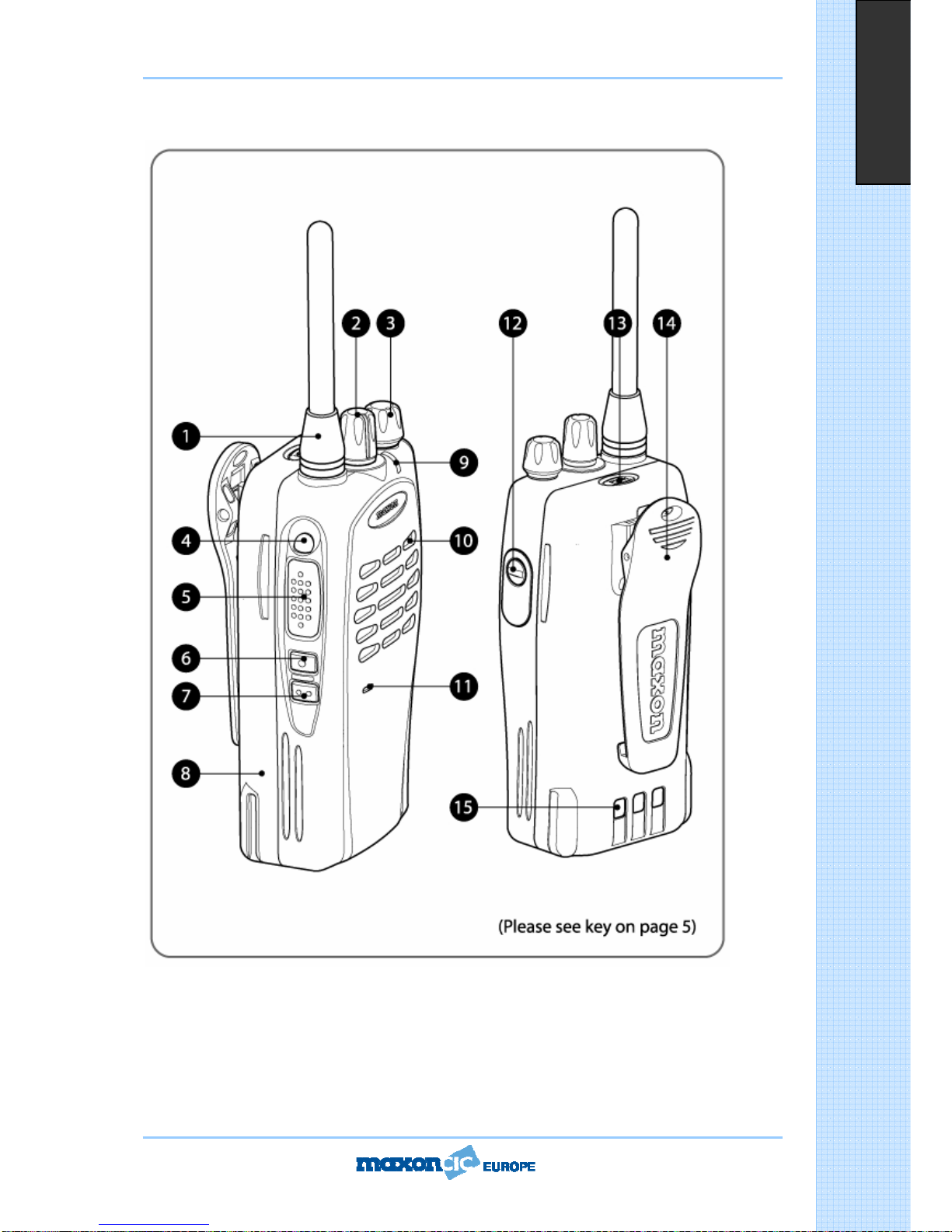
...........................................................................................6Description of Radio Components
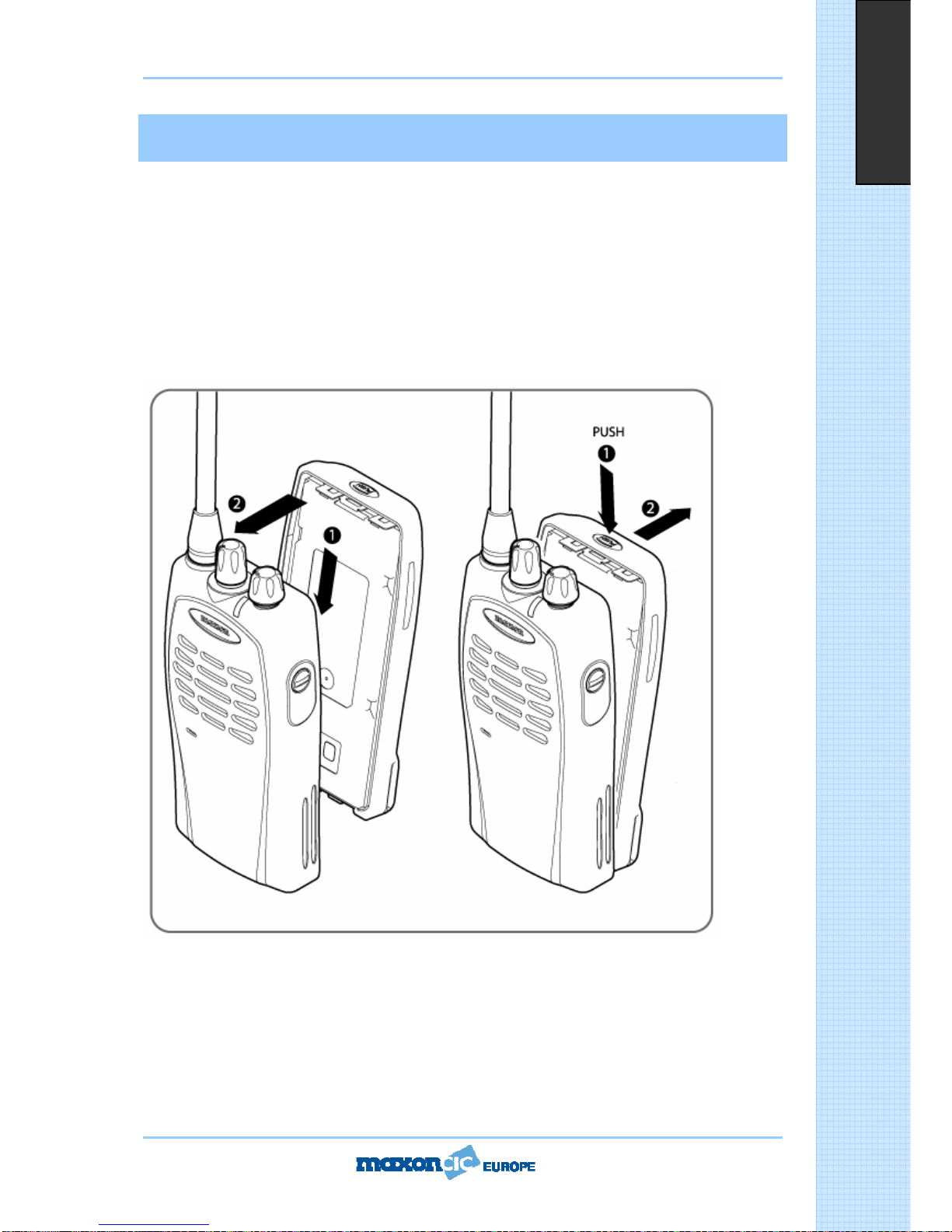
...............................................................................8Installing and Removing the Battery Pack
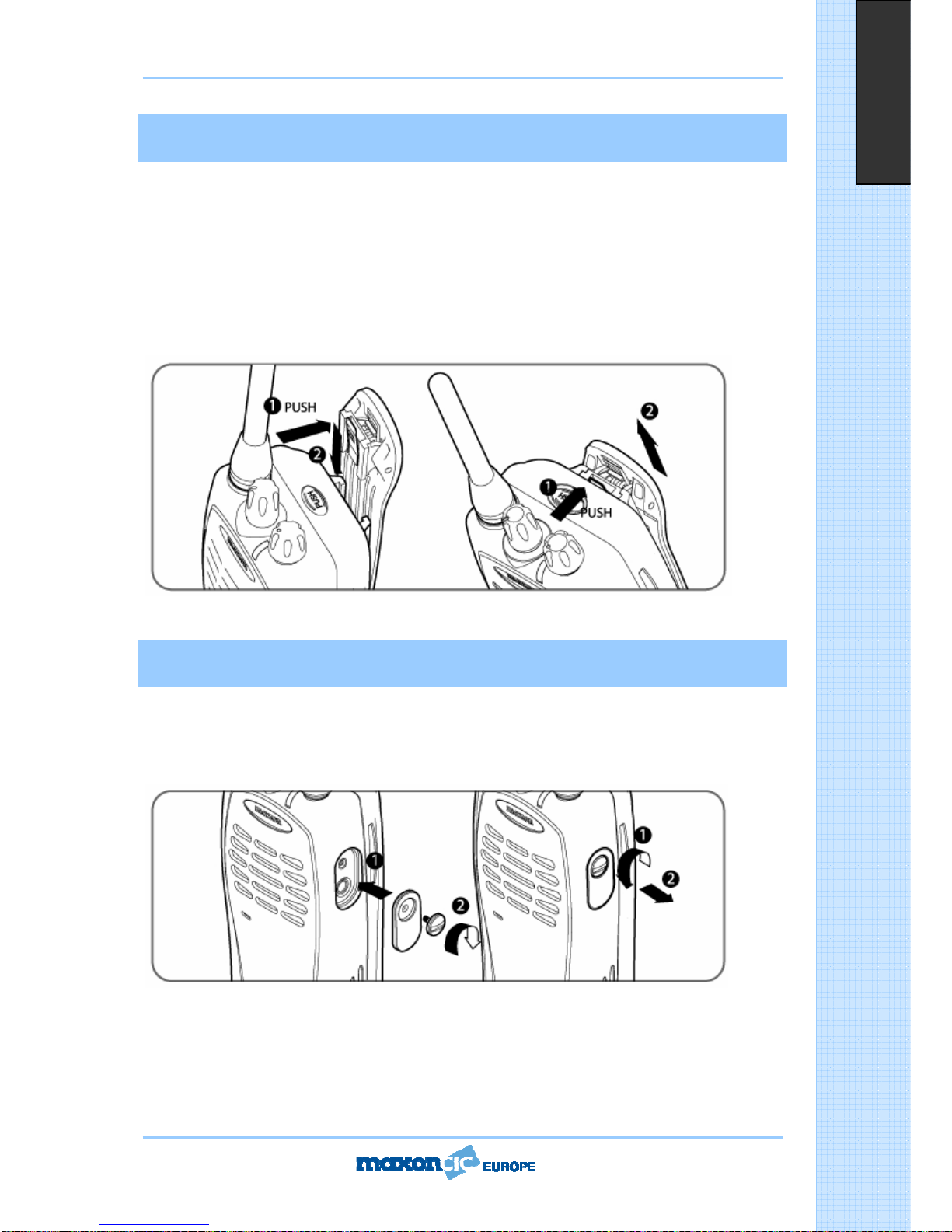
.....................................................................................9Attaching and Removing the Belt Clip
..................................................................................9Attaching and Removing the Jack Cover
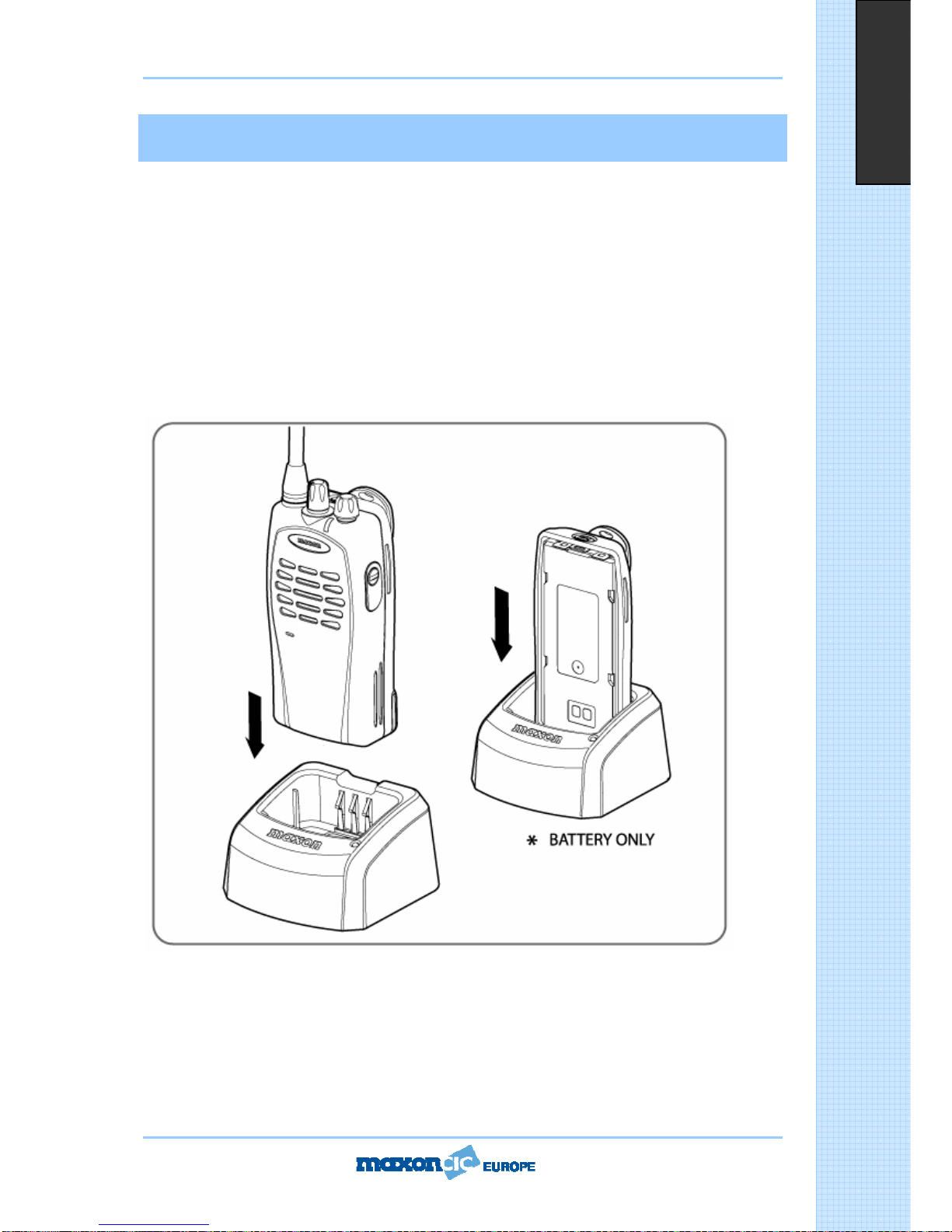
...................................................................................................10Battery Charging and Care
.............................................................................11Status Indicators and Audible Alert Tones
..................................................................................................................12Operation Mode
..................................................................................................................12Power Off Mode
..................................................................................................................12Power On Mode
..............................................................................................................................12Cloning
...........................................................................................................................12Password
............................................................................................................................12Scanning
...........................................................................................................................13Fixed Key
....................................................................................................13PTT (Press to Talk)
..................................................................................................................13MONITOR
..........................................................................................................................13EMG
.............................................................................................................14Service Information
CH-SL1000-02 Desktop Charger...........................................................................................17
User Statement………………………………………………………….........................................................62