manuals.online logo
Brands
  1. Home
  2. •
  3. Brands
  4. •
  5. McIntosh
  6. •
  7. DVD Player
  8. •
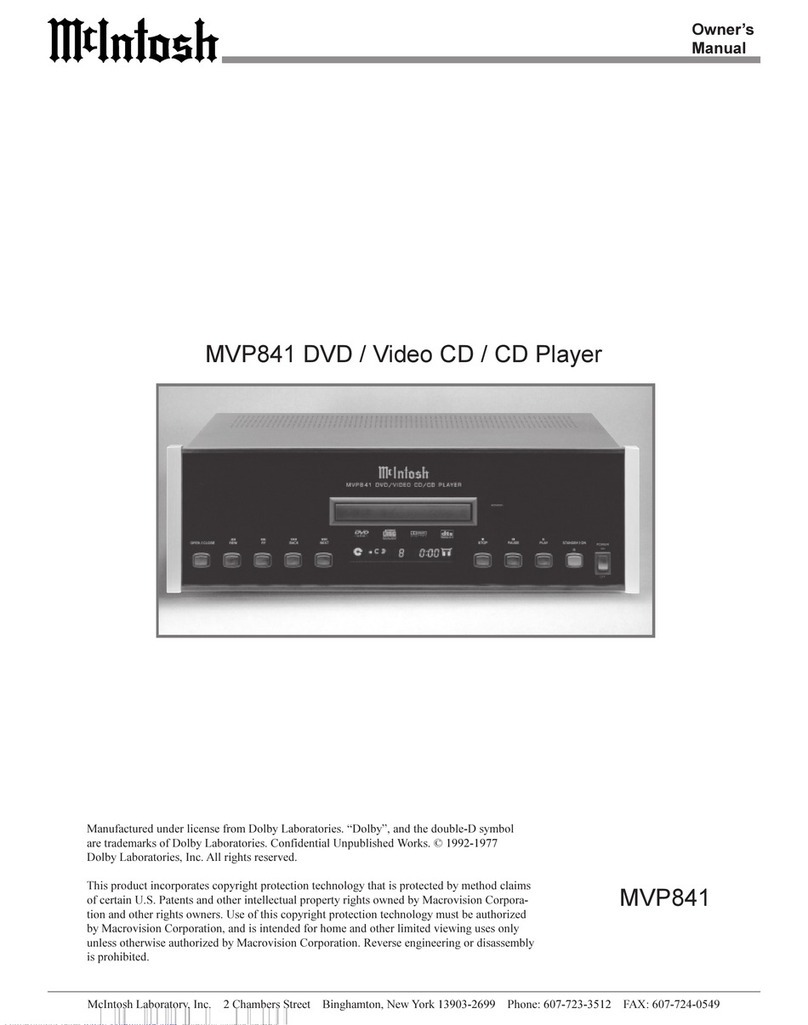
  9. McIntosh MVP841 User manual

McIntosh MVP841 User manual

Other manuals for MVP841

2

Other McIntosh DVD Player manuals

McIntosh MVP851 User manual

McIntosh

McIntosh MVP851 User manual

McIntosh MVP841 User manual

McIntosh

McIntosh MVP841 User manual

McIntosh MVP851 User manual

McIntosh

McIntosh MVP851 User manual

McIntosh MVP841 User manual

McIntosh

McIntosh MVP841 User manual

McIntosh MVP871 User manual

McIntosh

McIntosh MVP871 User manual

Popular DVD Player manuals by other brands

Yamaha DVD S540 - Progressive Scan DVD Player Service manual

Yamaha

Yamaha DVD S540 - Progressive Scan DVD Player Service manual

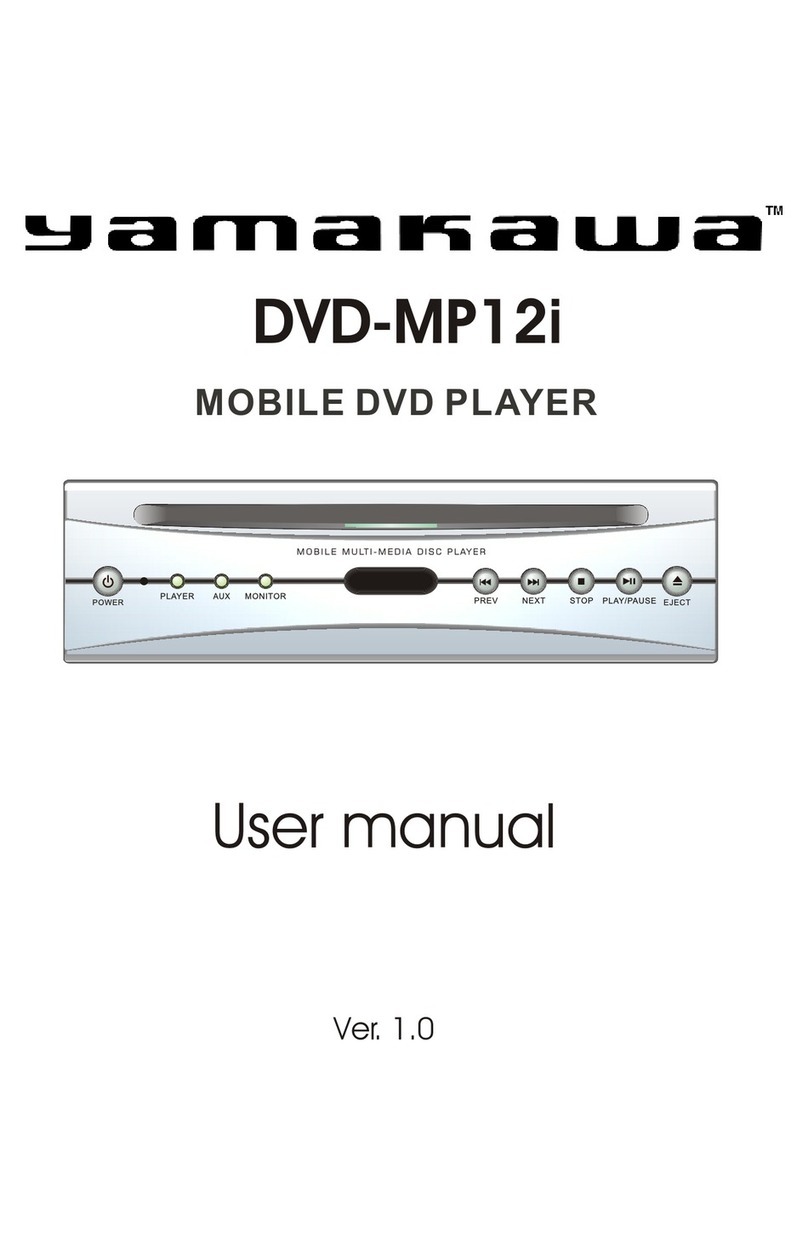
Yamakawa DVD-MP12i user manual

Yamakawa

Yamakawa DVD-MP12i user manual

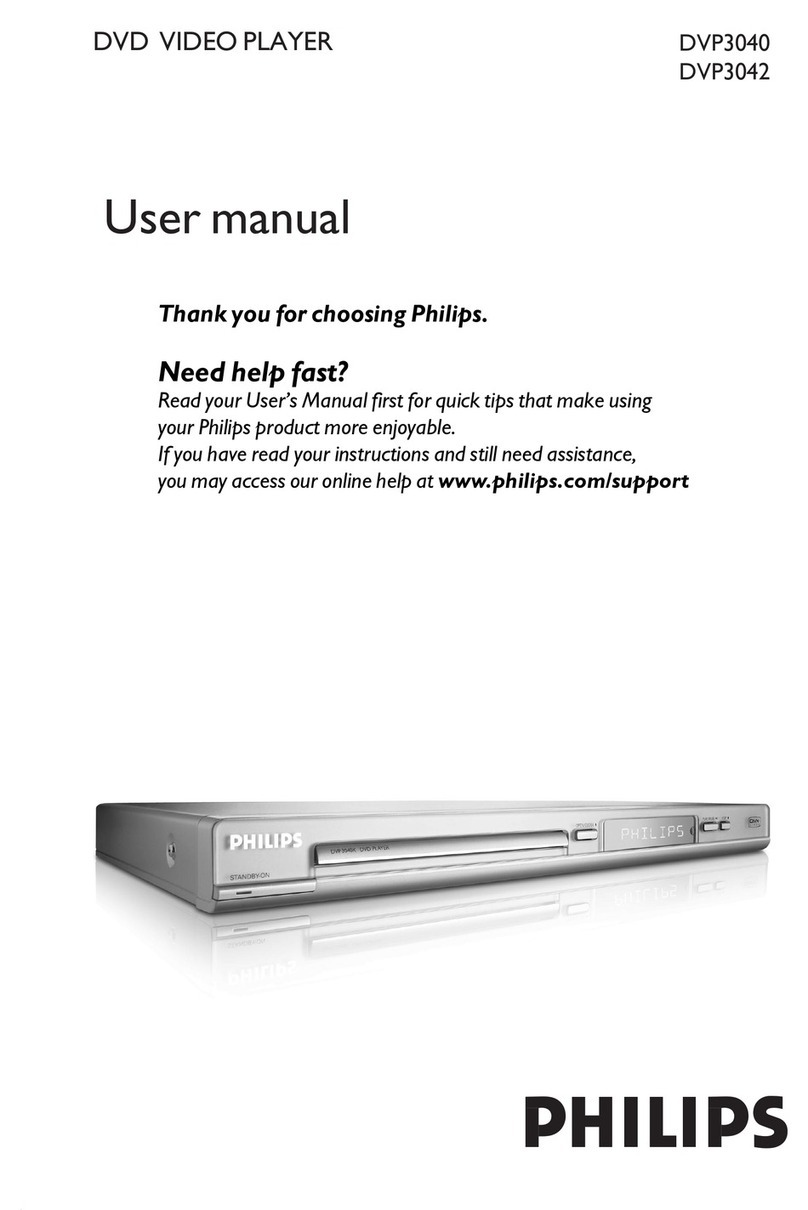
Philips DVP3042/12 user manual

Philips

Philips DVP3042/12 user manual

Philips DVP5900/37B Quick use guide

Philips

Philips DVP5900/37B Quick use guide

Roadstar DVD-2020H Service manual

Roadstar

Roadstar DVD-2020H Service manual

Beko DVD 2006 user manual

Beko

Beko DVD 2006 user manual

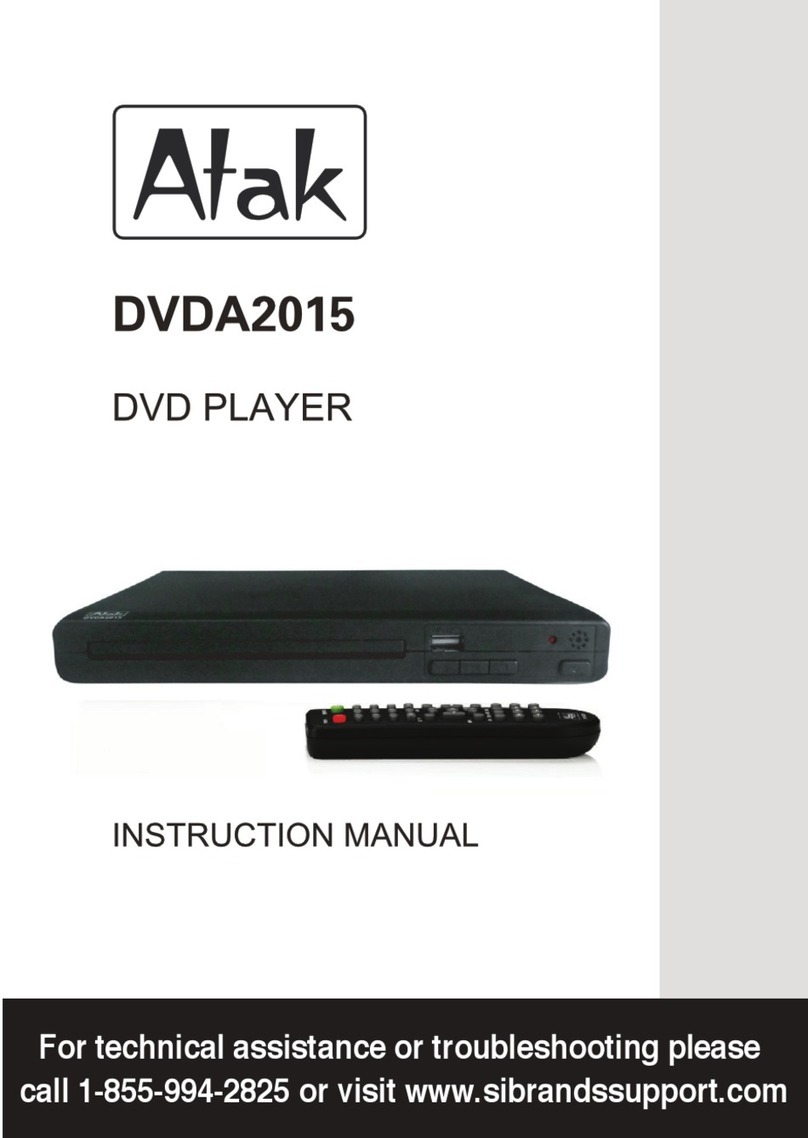
Atak DVDA2015 instruction manual

Atak

Atak DVDA2015 instruction manual

LG DV257K owner's manual

LG

LG DV257K owner's manual

auna 10005069 manual

auna

auna 10005069 manual

Philips MCD700/61 user manual

Philips

Philips MCD700/61 user manual

Sony DVP-F11 Service manual

Sony

Sony DVP-F11 Service manual

Toshiba SD-2300U owner's manual

Toshiba

Toshiba SD-2300U owner's manual

LENCO DVP-740 X2 user manual

LENCO

LENCO DVP-740 X2 user manual

Tevion 44330 user guide

Tevion

Tevion 44330 user guide

Aiwa XD-DV370 operating instructions

Aiwa

Aiwa XD-DV370 operating instructions

Sony DVP S530D operating instructions

Sony

Sony DVP S530D operating instructions

Denon DVM-1805 - DVD Changer operating instructions

Denon

Denon DVM-1805 - DVD Changer operating instructions

Toshiba SD-3815 owner's manual

Toshiba

Toshiba SD-3815 owner's manual

manuals.online logo
manuals.online logoBrands
  • About & Mission
  • Contact us
  • Privacy Policy
  • Terms and Conditions

Copyright 2025 Manuals.Online. All Rights Reserved.

McIntosh Laboratory, Inc. 2 Chambers Street Binghamton, New York 139 3-2699 Phone: 6 7-723-3512 FAX: 6 7-724- 549
Owners
Manual
MVP841
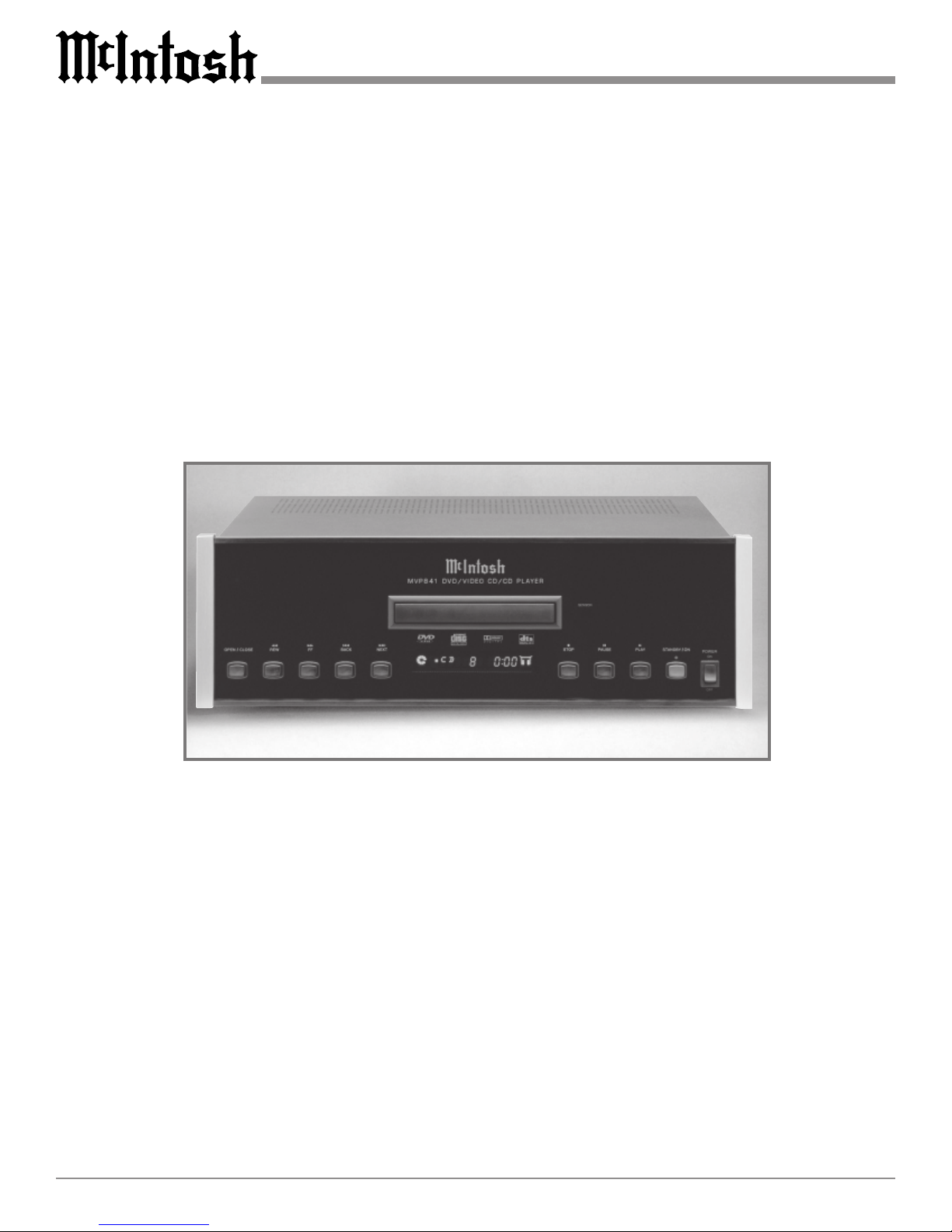
MVP841 DVD / Video CD / CD Player
This product incorporates copyright protection technology that is protected by method claims
of certain U.S. Patents and other intellectual property rights owned by Macrovision Corpora-
tion and other rights owners. Use of this copyright protection technology must be authorized
by Macrovision Corporation, and is intended for home and other limited viewing uses only
unless otherwise authorized by Macrovision Corporation. Reverse engineering or disassembly
is prohibited.
Manufactured under license from Dolby Laboratories. Dolby, and the double-D symbol
are trademarks of Dolby Laboratories. Confidential Unpublished Works. © 1992-1977
Dolby Laboratories, Inc. All rights reserved.
2
Thank You ......................................................................... 2
Please Take a Moment ...................................................... 2
Technical Assistance and Customer Service .................... 2
Table of Contents .............................................................. 2
Safety Instructions ............................................................ 3
Introduction and Performance eatures ............................ 5
Dimensions ....................................................................... 6
Installation ........................................................................ 7
Rear Panel Connections and Switch ................................. 8
How to Connect Control, Analog and Digital Audio ....... 9
How to Connect Video and AC Power ........................... 10
ront Panel Display, Indicators, Push-Buttons
and Switch ...................................................................... 11
Remote Control Push-Buttons ........................................ 12
How to Operate the Remote Control .............................. 13
How to Operate the Setup Mode .................................... 14
How to Operate the MVP841 ......................................... 24
Specifications ................................................................. 30
Packing Instruction ......................................................... 31
Table of Contents
Customer Service
Technical Assistance
Please Take A Moment
Thank You
Copyright 2000 ã by McIntosh Laboratory, Inc.
The serial number, purchase date and McIntosh dealer
name are important to you for possible insurance claim or
future service. The spaces below have been provided for
you to record that information:
Your decision to own this McIntosh MVP841 DVD/Video
CD/CD Player ranks you at the very top among discrimi-
nating music listeners. You now have The Best. The
McIntosh dedication to Quality, is assurance that you
will receive many years of musical enjoyment from this
unit.
Please take a short time to read the information in this
manual. We want you to be as familiar as possible with all
the features and functions of your new McIntosh.
Serial Number:
Purchase Date:
Dealer Name:
If it is determined that your McIntosh product is in need of
repair, you can return it to your dealer. You can also return
it to the McIntosh Laboratory Service Repair Department.
or assistance on factory repair return procedure, contact
the McIntosh Repair Department at:
McIntosh Laboratory, Inc.
2 Chambers Street
Binghamton, New York 13903
Phone: 607-723-3515
ax: 607-723-1917
If at any time you have questions about your McIntosh
product, contact your McIntosh dealer who is familiar with
your McIntosh equipment and any other brands that may
be part of your system. If you or your dealer wish addi-
tional help concerning a suspected problem, you can re-
ceive technical assistance for all McIntosh products at:
McIntosh Laboratory, Inc.
2 Chambers Street
Binghamton, New York 13903
Phone: 607-723-3512
ax: 607-723-3636
1. The following Connecting Cable is available from the
McIntosh Parts Department:
Data and Power Control Cable Part No. 170-202
Six foot, shiel e 2 con uctor, with 1/8 inch stereo mini
phone plugs on each en .
2. For a itional connection information, refer to the owners
manual(s) for any component(s) connecte to the MVP841
Vi eo Disc Player.
3. The MVP841 has a built-in 24 Bit 96kHz DAC (Digital to
Analog Converter) to allow playing of DVDs recor e with
a higher bit an sample rate by using the Analog Au io
Outputs.
4. Several of the DVD performance features available on the
MVP841 are active only if the DVD inclu es the supporting
enco e information.
5. The translucent Remote Control push-button, except for the
Setup push-button, will illuminate for approximately 3
secon s when activate .
6. When AC power is turne off, the MVP841 front panel
nomenclature will remain On for a few secon s.
7. The MVP841 will automatically power own to a STANDBY
Mo e 30 minutes after a isc has stoppe playing.
8. The MVP841 will play manufacture DVD, Vi eo CD an
CD Au io Discs. CD-R Discs that are recor e have a
ifferent color reflective layer, from the stan ar
manufacture iscs, an may not play in the MVP841.
9. The MVP841 basic transport functions may also be
controlle by using the remote control that comes with a
McIntosh Control Center or Preamp. McIntosh Keypa s
connecte to a McIntosh Control Center or Preamp will also
allow remote operation of the MVP841.
eneral Notes
3
IMPORTANT SAFETY
INSTRUCTIONS!
PLEASE READ THEM BEFORE
OPERATING THIS EQUIPMENT.
Safety Instructions
General:
1. Read all the safety and operating instructions, con-
tained in this owners manual, before operating this
equipment.
2. Retain this owners manual for future reference about
safety and operating instructions.
3. Adhere to all warnings and operating instructions.
4. ollow all operating and use instructions.
5. Warning: To reduce risk of fire or electrical shock,
do not expose this equipment to rain or moisture.
This unit is capable of producing high sound pres-
sure levels. ontinued exposure to high sound pres-
sure levels can cause permanent hearing impair-
ment or loss. User caution is advised and ear protec-
tion is recommended when playing at high volumes.
6. aution: to prevent electrical shock do not use this
(polarized) plug with an extension cord, receptacle
or other outlet unless the blades can be fully in-
serted to prevent blade exposure.
WARNING SHOCK HAZARD -
DO NOT OPEN
The lightning flash with arrowhead, within an equilateral
triangle, is intended to alert the user to the presence of
uninsulated dangerous voltage within the products
enclosure that may be of sufficient magnitude to consti-
tute a risk of electric shock to persons.
AVIS RISQUE DE CHOC -
NE PAS OUVRIR
The exclamation point within an equilateral triangle is
intended to alert the user to the presence of important
operating and maintenance servicing) instructions in
the literature accompanying the appliance.
NO USER-SERVICEABLE
PARTS INSIDE. REFER
SERVICING TO QUALIFIED
PERSONNEL
To prevent the risk of electric shock, do not remove
cover or back). No user serviceable parts inside. Refer
servicing to qualified personnel.
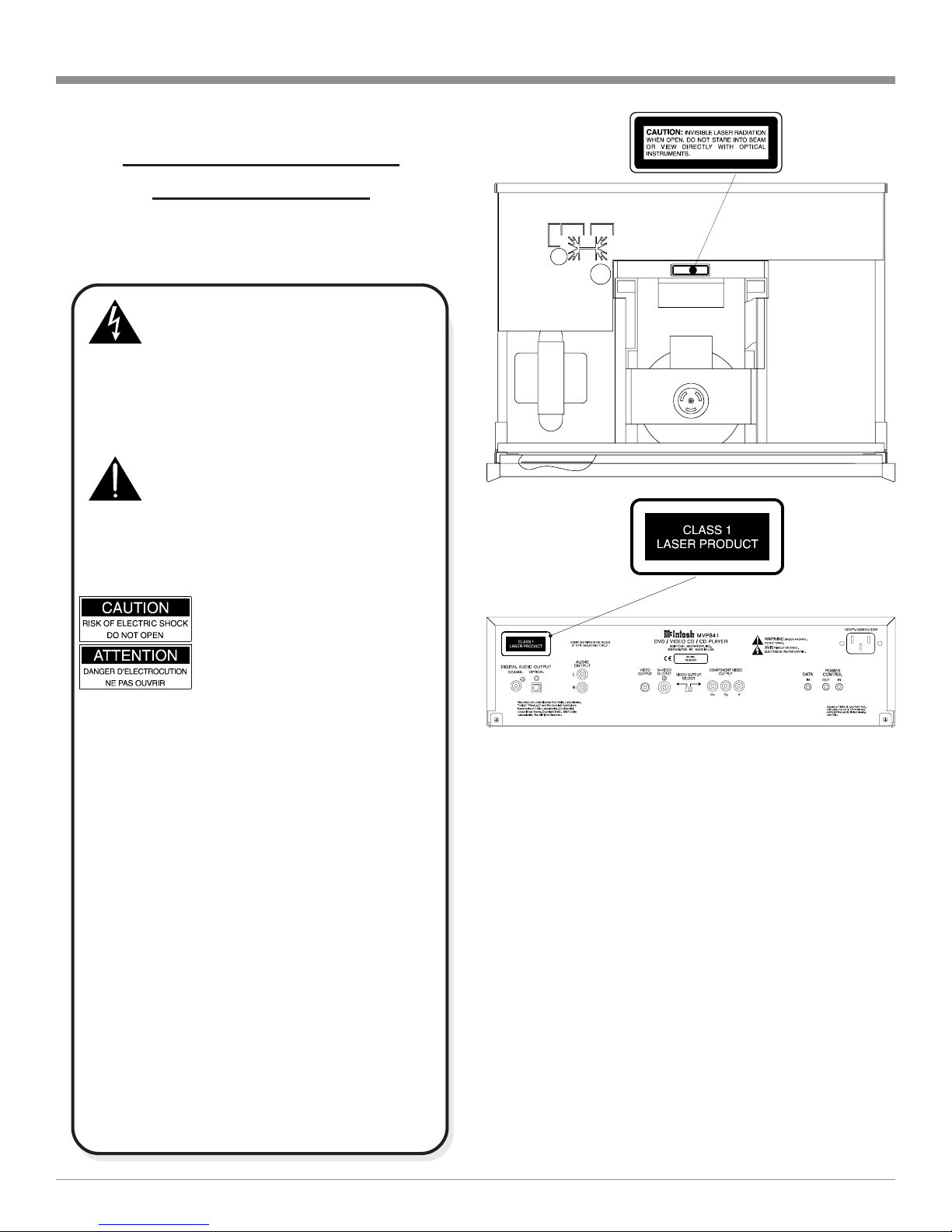
This product incorporates an embedded
CLASS 2 Laser (IEC 825).
CAUTION - Invisible Laser Radiation when open. DO
NOT stare into the beam or view directly
with optical instruments. Use of controls or
adjustment or performance of procedures
other than those specified in the Owners
Manual may result in Hazardous Radiation
Exposure.
LUOKAN 1 LASERLAITE
KLASS 1 LASER APPARAT
VAROITUS! Laitteen kayttaminen muulla kuin tassa
kayttoohjeessa mainitulla tavalla saattaa
altistaa kayttajan turvallisuusluokan 1
ylittavalle nakymattomalle lasersateiiylle.
VARNING! Om apparaten anvands pa annat satt an i
denna bruksanvisning specificerats, kan
anvandaren utsattas for osynbg
laserstraining, som overskrider gransen for
laserklass 1.
4
Safety Instructions cont
Attention: pour pevenir les chocs elecriques pas
utiliser cette fiche polarisee avec un prolongateur,
une prise de courant ou un autre sortie de courant,
sauf si les lames peuvent etre inserees afond ans en
laisser aucune partie a decouvert.
7. or added protection for this product during a lightning
storm, or when it is left unattended and unused for long
periods of time, unplug it from the wall outlet. This
will prevent damage to the product due to lightning or
power line surges.
8. Do not use attachments not recommended in this
owners manual as they may cause hazards.
Installation:
9. Locate the equipment for proper ventilation. or ex-
ample, the equipment should not be placed on a bed,
sofa, rug, or similar surface that may block ventilation
openings; or, placed in a built-in installation, such as a
bookcase or cabinet, that may impede the flow of air
through the ventilation openings.
10. Locate the equipment away from heat sources such as
radiators, heat registers, stoves, or other appliance(s)
(including amplifiers) that produce heat.
11. Mount the equipment in a wall or cabinet only as de-
scribed in this owners manual.
12. Do not use this equipment near water; for example,
near a bathtub, washbowl, kitchen sink, laundry tub, in
a wet basement or near a swimming pool, etc.
13. Do not place this product on an unstable cart, stand,
tripod, bracket, or table. The equipment may fall, caus-
ing serious injury to a person, and serious damage to
the product.
onnection:
14. Connect this equipment only to the type of AC power
source as marked on the unit.
15. Route AC power cords so that they are not likely to be
walked on or pinched by items placed upon or against
them, paying particular attention to cords at plugs, con-
venience receptacles, and the point where they exit
from the instrument.
16. Do not defeat the inherent design features of the polar-
ized plug. Non-polarized line cord adapters will defeat
the safety provided by the polarized AC plug. If the
plug should fail to fit, contact your electrician to re-
place your obsolete outlet. Do not defeat the safety
purpose of the grounding-type plug.
17. Do not overload wall outlets, extension cords or inte-
gral convenience receptacles as this can result in a risk
of fire or electric shock.
are of Equipment:
18. Clean the instrument by dusting with a dry cloth. Un-
plug this equipment from the wall outlet and clean the
panel with a cloth moistened with a window cleaner.
Do not use liquid cleaners or aerosol cleaners.
19. Do not permit objects or liquids of any kind to be
pushed, spilled and/or fall into the equipment through
enclosure openings.
20. Unplug the power cord from the AC power outlet
when left unused for a long period of time.
Repair of Equipment:
21. Unplug this equipment from the wall outlet and refer
servicing to a qualified service personnel under the fol-
lowing conditions:
A. The AC power cord or the plug has been damaged.
B. Objects have fallen, or liquid has been spilled into
the equipment.
C. The equipment has been exposed to rain or water.
D. The equipment does not operate normally by fol-
lowing the operating instructions contained within
this owners manual. Adjust only those controls
that are covered by the operating instructions, as an
improper adjustment of other controls may result
in damage and will often require extensive work by
a qualified technician to restore the product to its
normal operation.
E. The equipment has been dropped or damaged in any
way.
. The equipment exhibits a distinct change in perfor-
mance - this indicates a need for service.
22. Do not attempt to service beyond that described in the
operating instructions. All other service should be re-
ferred to qualified service personnel.
23. When replacement parts are required, be sure the ser-
vice technician has used replacement parts specified by
McIntosh or have the same characteristics as the origi-
nal part. Unauthorized substitutions may result in fire,
electric shock, or other hazards.
24. Upon completion of any service or repairs to this prod-
uct, ask the service technician to perform safety checks
to determine that the product is in proper operating
condition.

5
 Dual-Focus Hologram Laser Lens
The MVP841 incorporates a dual-focus hologram lens that
splits the beam of the already superfine laser so it can read
two disc layers simultaneously. This unique design elimi-
nates the need for two separate laser systems and ensures
full compatibility with your existing CD library. The
unique MVP841 Red Laser has a thinner beam with a
shorter wavelength to more accurately read the densely-
packed 4.7 gigabytes of information on a single layer of a
DVD disc.
 Advanced Transport
The MVP841 has a new mechanism with the advanced
digital servo for faster, quieter and accurate operation.The
transport has side suspension dampers for improved
trackability and lower bit error rate. Also included is a new
hydrodynamic bearing spindle motor. These mechanical
innovations ensure greater stability for playback even with
high sound pressure levels in the home theater room.
 Advanced Video DA
An advanced technology 10-Bit DAC (Digital Analog Con-
verter) performs video signal processing at a faster rate
than ever for enhanced DVD picture quality. A DVD can
generate pictures in amazing detail, thanks to 500 lines of
horizontal resolution capability, which is more than twice
that of VHS video tapes.
 96kHz 24 BIT Burr Brown Audio DA
The MVP841 built-in Burr Brown 96kHz 24 Bit Digital to
Analog Converter ensures future compatibility with the
higher rate audio formats. This advanced audio DAC can
handle high fidelity 96KHz/24-bit sound, one of the high-
est qualities in the DVD format.
Introduction
Performance Features
The McIntosh MVP841 DVD/Video CD/CD Player offers
the latest in audio/video technology to provide state of the
art reproduction of digital video and audio program
sources. A full complement of performance features gives
you the opportunity to enjoy all the special audio and video
formats available on a DVD. Audio CDs are also repro-
duced with flawless realism. The advanced mechanical de-
sign of the transport ensures many years of smooth trouble
free operation.
 Dolby Digital and DTS Digital Output
The MVP841 provides either the Dolby Digital or the DTS
Digital Output for an external decoder, both coaxial and
optical outputs are provided.
 omponent, S and omposite Video Output
The MVP841 has Component, S and Composite Video
Outputs for variety of applications. The Component Video
Output offers highest possible picture quality.
 Still Picture Display
The Still Picture Display Mode allows selection of three
different Still Picure Image qualities. The I Image offers
the best picture quality, the P and B Images are gener-
ated from the differences between successive I Images.
 hapter Review
The Chapter Review feature can automatically show you
the first three seconds of each chapter that was previously
viewed and then starts playing were you left off viewing
the movie.
 Hi-Speed Smooth Motion Scan
This feature provides quality scan in five speeds, ranging
from slow motion to high speed of 100 times, in both for-
ward and reverse.
 Quick Start
Once a disc has been inserted into a player, and the play
button has been pressed, a picture will appear on screen in
a matter of seconds.
 On Screen Menu Icons
This feature allows you to control a variety of settings via
remote control.
Introduction and Performance Features
6
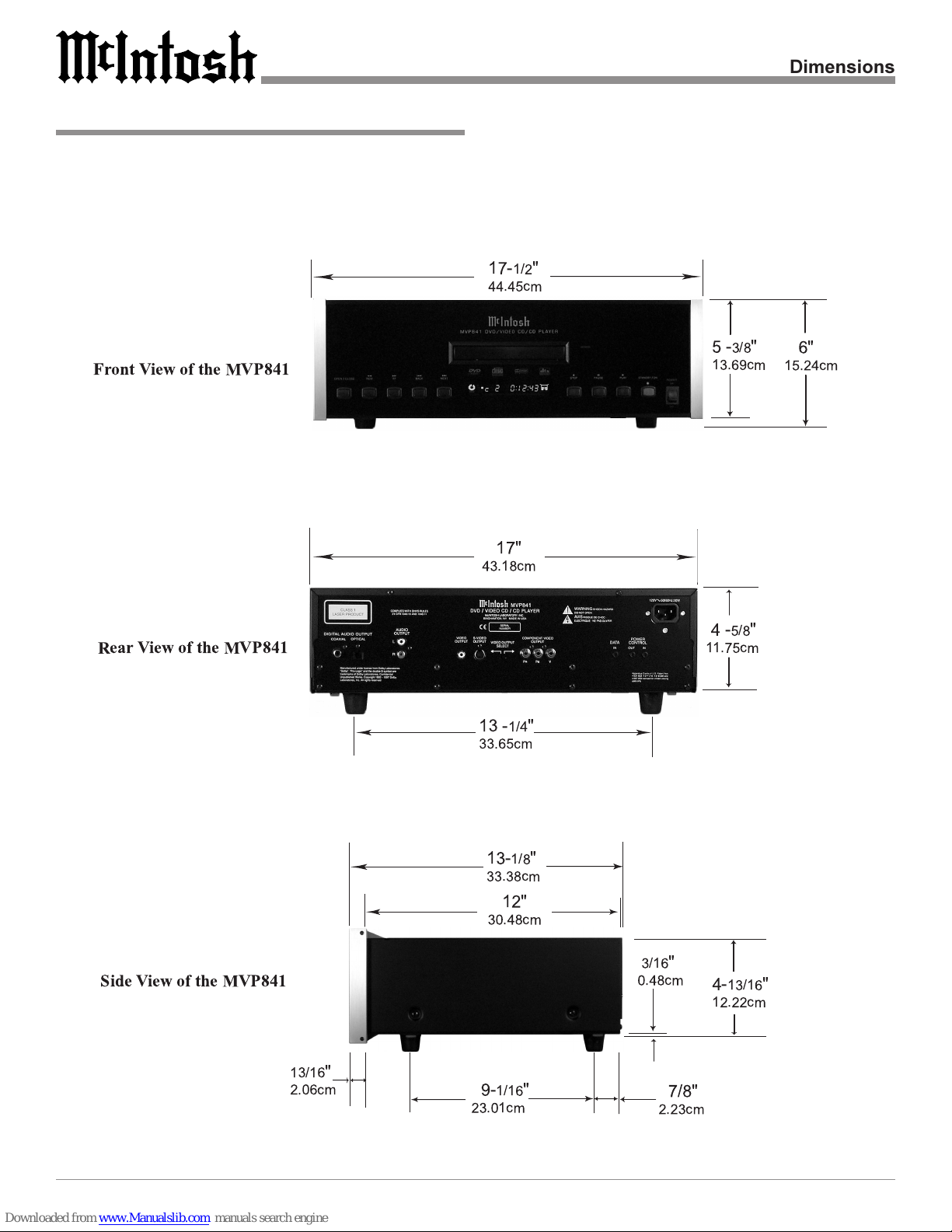
The following dimensions can assist in determining the
best location for your MVP841. There is additional infor-
mation on the next page pertaining to installing the
MVP841 into cabinets.
MVP841 Dimensions
17-1/2"
44.45cm
4-5/8"
11.75cm
6"
15.24cm
12"
30.48cm
13-1/8"
33.38cm
3/16"
0.48cm 4-13/16"
12.22cm
9-1/16"
23.01cm 7/8"
2.23cm
13 -1/4"
33.65cm
17"
43.18cm
Front View of the MVP841
Rear View of the MVP841
Side View of the MVP841
5-3/8"
13.69cm
13/16"
2.06cm
Dimensions
7
Installation
The MVP841 can be placed upright on a table or shelf,
standing on its four feet. It also can be custom installed in a
piece of furniture or cabinet of your choice. The required
panel cutout, ventilation cutout and unit dimensions are
shown.
Always provide adequate ventilation for your MVP841.
Cool operation ensures the longest possible operating life
for any electronic instrument. Do not install the MVP841
directly above a heat generating component such as a high
powered amplifier. If all the components are installed in a
single cabinet,
a quiet run-
ning ventila-
tion fan can be
a definite asset
in maintaining
all the system
components at
the coolest
possible oper-
ating tempera-
ture.
A custom
cabinet instal-
lation should
provide the
following
minimum
spacing di-
mensions for
cool operation.
Allow at least
2 inches (5.08
cm) above the
top, 2 inches
(5.08cm) be-
low the bot-
tom and 1 inch
(2.54 cm) on
each side of
the DVD
Player, so that
airflow is not
obstructed.
Allow 15
inches (38.1
cm) depth be-
Installation
6"
15.24cm
4-
7/8
"
12.38cm
17-
1/16
"
43.34cm
Cutout Opening for Custom Mounting
MVP841 Front Panel
Custom Cabinet Cutout
8-
1/2
"
21.6cm
13-
1/4
"
33.65cm
5"
12.7cm
Cutout Opening
for Ventilation
Cutout Opening for Ventilation
Support
Shelf
Cabinet
Front
Panel
Chassis
Spacers
MVP841 Side View
in Custom Cabinet
MVP841 Bottom View
in Custom Cabinet
3
-1/2
"
8.89cm
hind the front panel. Allow 1 inch (2.54 cm) in front of the
mounting panel for clearance. When the DVD/CD tray is
opened, the panel clearance required in front of mounting
panel is 6-3/4 inches (17.2cm). Be sure to cut out a ventila-
tion hole in the mounting shelf according to the dimensions
in the drawing.
8
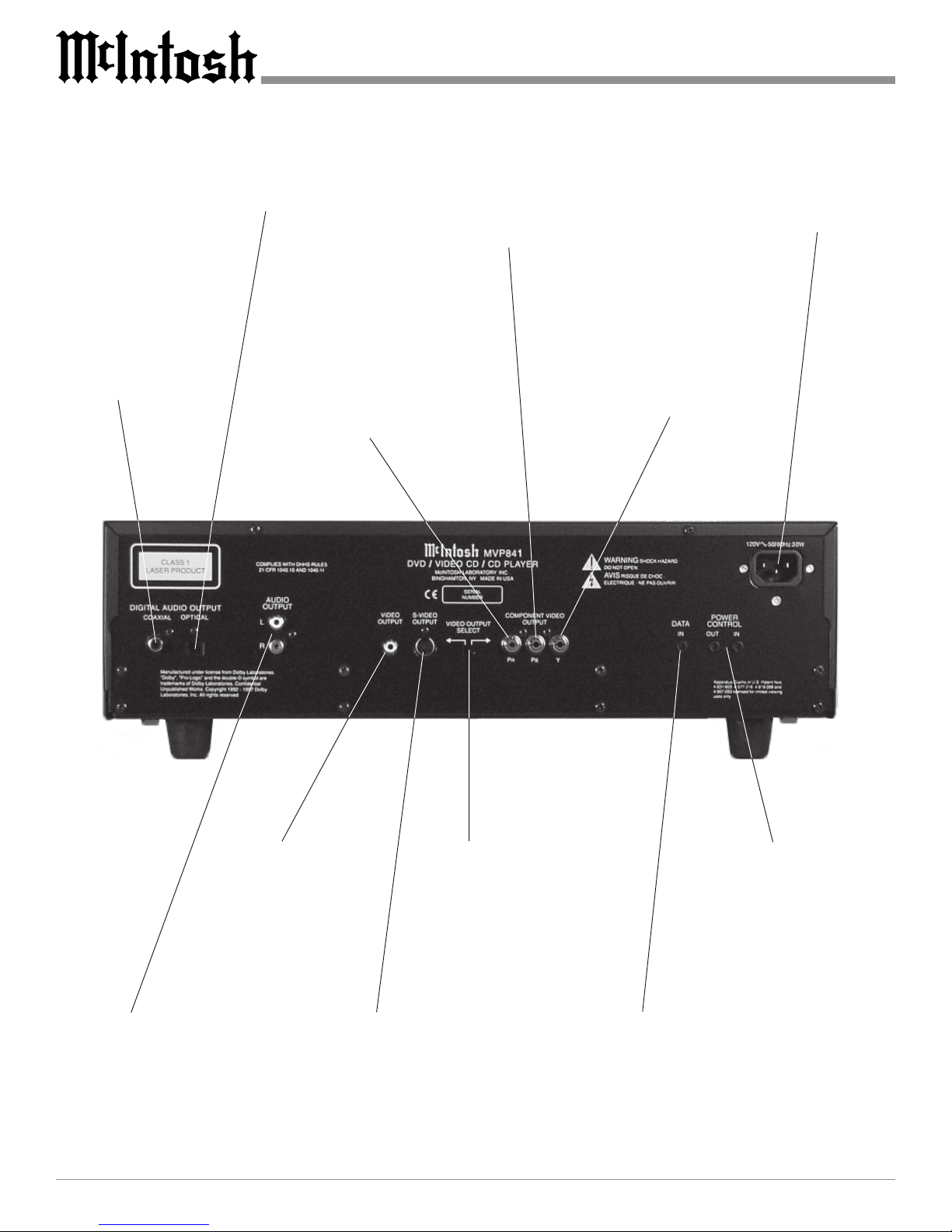
MVP841 Rear Panel Connections
Connect the MVP841 power
cord to a live AC outlet. Refer
to information on the back
panel of your MVP841 to deter
mine the correct voltage for
your unit
POWER CONTROL IN
receives turn on signals
from a McIntosh compo
nent and POWER CON
TROL OUT sends turn on
signals on to another McIn
tosh Component
DIGITAL OPTICAL
OUTPUT sends signals
to a Control Center with
a D/A Converter
DATA IN receives
operating data from
a McIntosh Control
Center
DIGITAL COAXIAL
OUTPUT sends signals
to a Control Center with
a D/A Converter
VIDEO OUTPUT
supplies video sig
nals to connect to a
Composite Input of
an A/V Control Cen
ter or other video
component
S VIDEO OUTPUT sup
plies video signals to con
nect to an S Input of an A/V
Control Center or other
video component
VIDEO OUTPUT
SELECTOR acti
vates either the
Composite Video /
S Video Output or
the Component
Video Output
AUDIO OUTPUT supplies
analog audio signals to con
nect to the Analog Input of
an A/V Control Center
Y OUTPUT supplies the
Luminance Video Signal
and connects to the Y
Component Input of the
TV/Monitor or other video
component
PR OUTPUT supplies the
Red minus Luminance
Video Signal and connects
to the PR Component Input
of the TV/Monitor or other
video component
PB OUTPUT supplies the
Blue minus Luminance
Video Signal and connects to
the PB Component Input of
the TV/Monitor or other
video component
9
How to Connect Control, Analog and Digital Audio
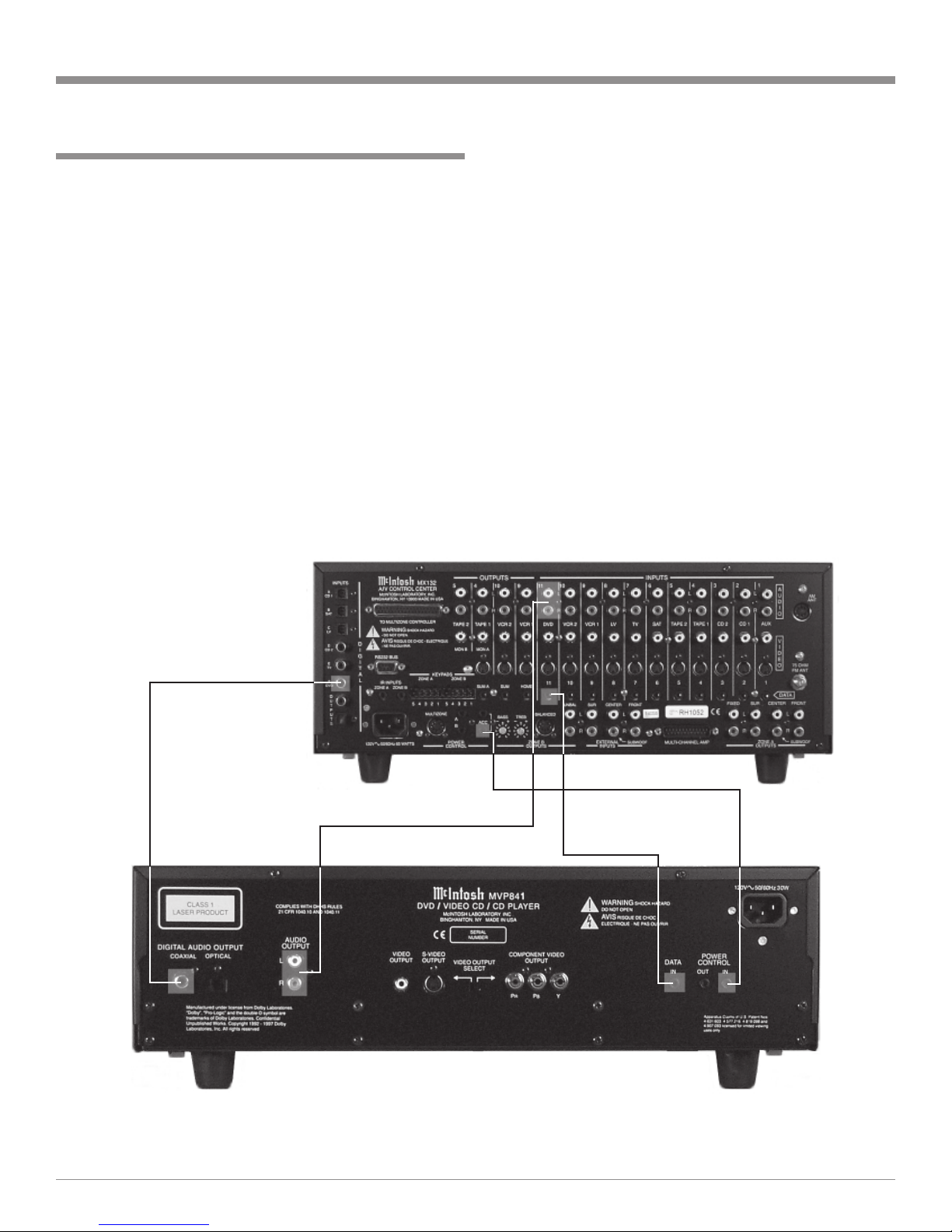
1. Connect a Power Control Cable from the MVP841
POWER CONTROL IN to the POWER CONTROL A
Output jack of a McIntosh MX132 A/V Control Center.
2. Connect a Data Cable from the MVP841 DATA IN
jack to the DVD DATA (11) jack on the McIntosh
MX132 A/V Control Center.
3. Connect a Coaxial Cable from the MVP841 COAXIAL
DIGITAL OUT to the DVD COAXIAL DIGITAL IN-
PUT of a McIntosh MX132 A/V Control Center.
Note: An optional connecting method is to use an optical
cable from the MVP841 OPTI AL DIGITAL OUTPUT
to the Optical Digital Input of a McIntosh MX132 A/V
ontrol enter.
4. Connect Audio Cables from the MVP841 L and R AU-
DIO OUTPUTS to the DVD ANALOG AUDIO IN-
PUTS on a McIntosh MX132 A/V Control Center.
Optional Connecting Information
If the MVP841 is connected in a system consisting of a
McIntosh C39 or MX130 Control Center together with a
CR12 Multizone Controller, then the following two addi-
tional connections need to be made.
1. Connect Data cables, using Y connectors, from the
MVP841 DATA IN to the CR12 VAUX DATA IN and
the C39/MX130 V-AUX DATA PORT.
2. Connect cables, using Y connectors, from the MVP841
Analog AUDIO OUTPUTs to the C39/MX130 V-AUX
Audio Inputs and the CR12 V-AUX Audio Inputs.
McIntosh A/V Control Center
How to Connect Control, Analog and Digital
Audio
1
1. Select either Component Video Output or the Compos-
ite Video / S-Video Outputs with the VIDEO OUTPUT
SELECTOR SWITCH located on the rear panel of the
MVP841.
Note: In order to produce the best picture quality available
from DVD Discs today, it was necessary to optimize the
circuitry for either the omponent Video Output or the
omposite Video / S-Video Outputs which is switch
selectable.
2. Connect an S-Video Cable from the MVP841 S-
VIDEO OUTPUT to the DVD S-VIDEO INPUT on a
McIntosh MX132 A/V Control Center.
3. Connect a video cable from the MVP841 Composite
VIDEO OUTPUT to the CR12 V-AUX Video Input.
Connect a video cable from the CR12 V-AUX VIDEO
OUTPUT to the MX132 DVD Composite DVD
VIDEO INPUT.
How to Connect Video and AC Power
Note: If a McIntosh R12 is not used then connect MVP841
omposite VIDEO OUTPUT to the MX132 DVD
omposite DVD VIDEO INPUT.
4. If you have a TV/Monitor and/or other Video Compo-
nent with Component Video Inputs then connect as fol-
lows:
A. Connect a video cable from the MVP841 Y OUT-
PUT to the Y Component Video Input of the TV/
Monitor or other video component.
B. Connect a video cable from the MVP841 PB OUT-
PUT to the PB Component Video Input of the TV/
Monitor or other video component.
C. Connect a video cable from the MVP841 PR OUT-
PUT to the PR Component Video Input of the TV/
Monitor or other video component.
5. Connect the MVP841 power cord to a live AC outlet.
Connect to
AC Outlet
McIntosh Multizone Controller
McIntosh A/V Control Center
TV/Monitor