7
Quick Setup
Setup and pairing is really easy.
The following instructions will help you connect the
receiver to your music system and pair with your tablet,
computer or smartphone.
7KLVLVDWUDQVFHLYHU,QWKH7;PRGHWKHSURGXFWFDQ
EHXVHGDVD%OXHWRRWKWUDQVPLWWHU,QWKH5;PRGHWKH
product can be used as a Bluetooth receiver.
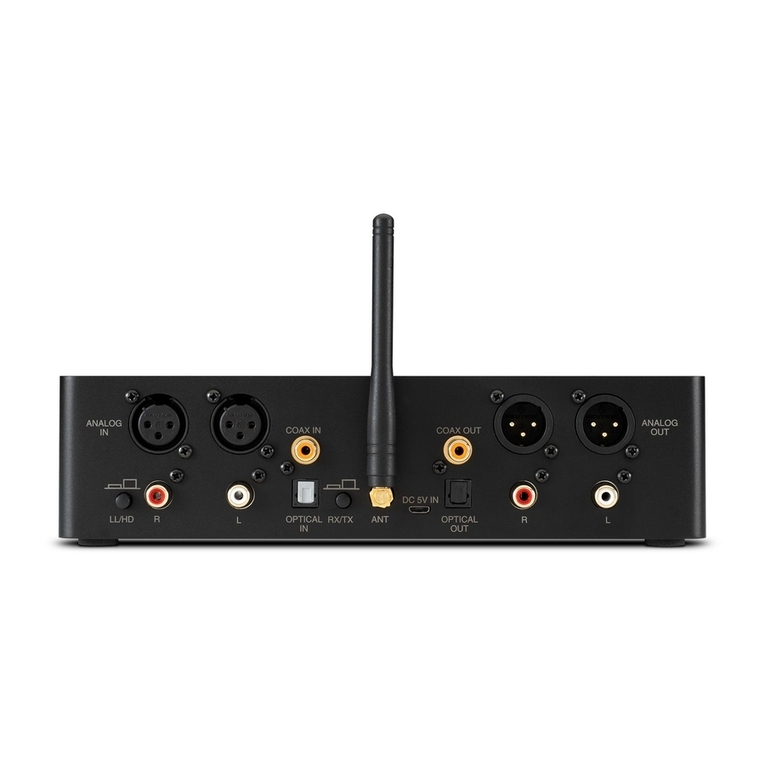
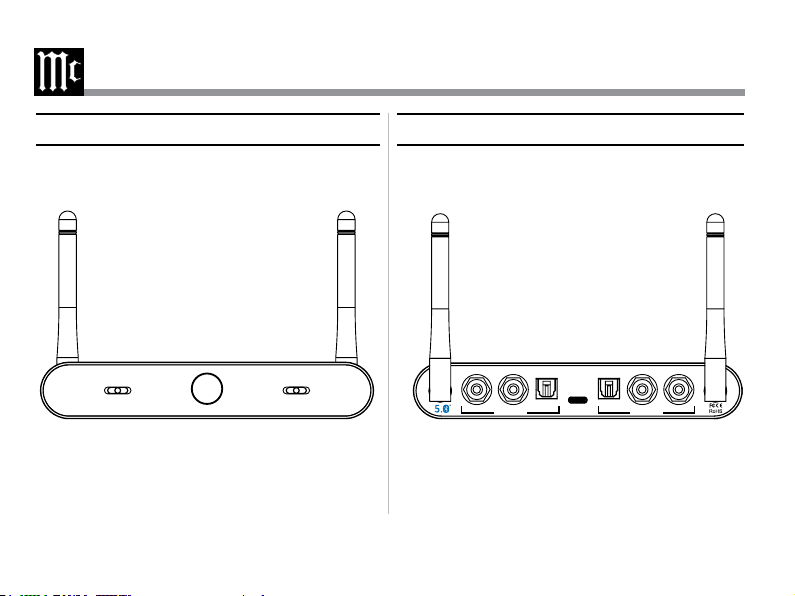
Step 1: Connect audio cables from the receiver rear
SDQHOWRDXGLRRXWSXW7;PRGHRUDXGLRSOD\EDFN
GHYLFH5;PRGH
Step 2: Connect a power adapter to the bluetooth
receiver with the provided power cord and plug the
power adapter into an AC outlet.
The receiver will automatically go into pair mode. The
/('OLJKWZLOOVWDUWÁDVKLQJWRLQGLFDWHWKHXQLWLVQRZ
ready to be paired.
Step 3: To enter pairing mode, please double click the
SRZHUSDLULQJEXWWRQZKHQWKH/('EOLQNV
6WHS7;PRGH3DLUDQGFRQQHFWWR%OXHWRRWK'HYLFH
(i.e. Bluetooth earbuds, speakers, etc)
5;PRGHWKH%OXHWRRWKDGDSWHUFRXOGEHXVHGDVD
Bluetooth receiver and work with your smart device.
6WHS7;PRGH3URGXFWZLOODXWRPDWLFDOO\VFDQWKH
bluetooth receiver. Once successfully paired, the LED
will turn SOLID.
5;PRGH<RXUVPDUWGHYLFHZLOOVFDQDOOWKHDYDLODEOH
bluetooth devices, select “MB12HD” to pair and
connect. Once successfully paired, the LED will turn
SOLID.
Step 6: Select a correct audio channel on your product
(set the front channel switch to OPTICAL when
connecting to optical output or input; set the front
channel switch to ANALOG when connecting to Analog
output or input)