en
CZ
DE
DK
EE
ES
FI
FR
GB
HR
HU
IT
LT
LV
NL
NO
PL
RO
RU
SE
SI
SK
UA
SE
SI
SK
TR
UA
- In the event of a storm.
► AVOID OVER-TWISTING, -COILING, -PULLING THE
POWER CORD, NEVER USE NYLON OR IRON WIRE TO
TIDE THE POWER CORD.
► DO NOT USE EXTENSION CORDS.
► THE APPLIANCE SHALL BE INSTALLED IN ACCOR-
DANCE WITH NATIONAL WIRING REGULATIONS.
► NEVER REACH TO RETRIEVE THE UNIT IF IT HAS
FALLEN IN WATER. IN SUCH CASE, IMMEDIATELY
PULL THE PLUG. HAVE THE UNIT CHECKED BEFORE
USING IT AGAIN.
► If the supply cord is damaged, it must be replaced by
an approved service representative or a similar qualied
person in order to avoid a hazard.
► Never use the plug to start and stop the unit. Always
use switch on the control panel.
► Don’t use bug sprays or other ammable cleaners on
the unit.
► Never pour or spray water over the unit.
► THIS APPLIANCE IS NOT INTENDED FOR USE BY
PERSONS (INCLUDING CHILDREN) WITH REDUCED
PHYSICAL , SENSORY OR MENTAL CAPABILITIES, OR
LACK OF EXPERIENCE AND KNOWLEDGE , UNLESS
THEY HAVE BEEN GIVEN SUPERVISION OR INSTRUC-
TION CONCERNING USE OF THE APPLIANCE BY A
PERSON RESPONSIBLE FOR THEIR SAFETY. CHILD-
REN SHOULD BE SUPERVISED TO ENSURE THAT
THEY DO NOT PLAY WITH APPLIANCE.
► SUGGEST TO SEND THE UNIT FOR PROFESSIO-
NAL MAINTENANCE PERIODICALLY.
IMPORTANT!
Do not use this unit at ambient temperatures below 5OC, to
prevent the possibility of a heavily ice up evaporating coil.
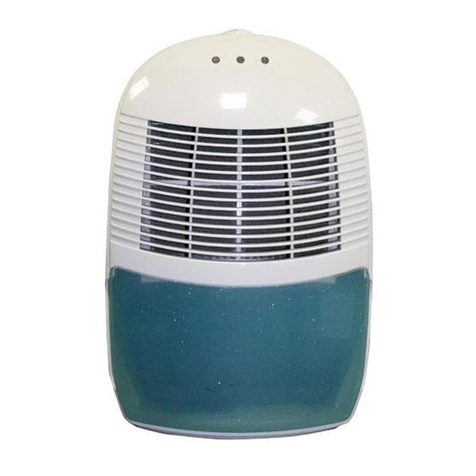
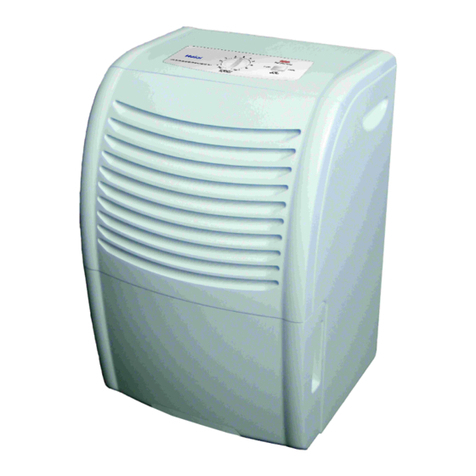
►4. PARTS
► Front FIG. 1
1. Control panel
2. Air outlet
3. Front plate
4. Rear plate
► Rear FIG. 2
5. Air inlet / Filters
6. Water tank
7. Handle
►5. OPERATION
► Control panel FIG. 3
► 1. Power indicator
►2. ON/OFF (power) button
► 3. “Full Water” indicator
►4. Humidity setting button
► 5. Working mode indicator (continuous working, hu-
midity 40%, 50%, 60%, 70%)
►6. Timer operation indicator
►7. Timer button
►OPERATION
1. Plug the unit into a correct mains socket. (Please refer
to the rating label at the rear of the unit for correct vol-
tage/frequency.)
2. Press ON/OFF button to turn on the unit. The power
indicator will light on and the compressor will start to
work.
3. Press humidity setting button to set the working model
you need: continuous working, humidity 40%, 50%,
60% or 70%. The relative indicator will light on.
4. Press the TIMER button to set the operating hour you
need. There are 4 hour indicators above the TIMER
button: 1H, 2H, 4H, 8H, however, the working house
could be accumulated, so it’s not just 4 different hours
you could set. For example, choose 1H and 2H at
the same time, the unit will work 3 hours continuous-
ly, choose 1H, 2H and 4H at the same, it will work
7hours. Thus, the max. working hours you could set
is 15 hours, in case all these 4 hour indicators light on.
As the set time has been reached, the compressor will
stop working automatically.
5. To turn off the unit, press ON/OFF button again.
6. Pre-setting function By pressing TIMER button but wit-
hout turning on the other functions (including ON/OFF
button), you can PRE-SET the time for the machine to
work. For example, if you press the timer to 2H, the
unit will work automatically after 2 hours
7. When the water tank is full, the “Full Water” indicator
will light on for alarm, the compressor will stop for self-
protection
►6. DRAINAGE
While the water tank is full, the compressor will stop for
self-protection and the water full indicator will turn into red.
To move the water tank, pull it out squarely from the unit.
After empting the water tank, place the water tank into spa-
ce. Make sure it is properly positioned, in order for the ’wa-
ter full’ sign to go out and your dehumidier is operating.
Please note, in case, the water tank has not been positio-
ned well, the water full indicator will turn into red.
►CONTINUOUS DRAINAGE
When the dehumidier is operated at very high humidity
levels, the water tank will require more frequent drainage.
In this situation, it may be more convenient to set the unit
up for continuous drainage with the following procedures:
1. Pull out the water tank (FIG. 5).
2. Connect the drain hole with water tube of inner diame-
ter: 11 mm. The water tube is not supplied with the unit
(FIG. 6).
3. Ensure the water will always drain away freely and the
tube will remain in right place. Note! In very cold weather
conditions, precautions should be taken to prevent the wa-
ter tube from freezing.
4. Put the water tank back to its position.
►7. MAINTENANCE
Always unplug the unit from the mains before carrying out
any maintenance or cleaning of the unit.
CLEANING THE BODY
Use soft cloth to wipe the unit clean.
Don’t ever use volatile chemicals, gasoline, detergents,
chemically treated clothes, or other cleansing solutions.
These all could possibly hurt the cabinet.
CLEANING THE FILTER
This dehumidier is equipped with 2 lters (FIG. 4):
1. ANTI-DUST FILTER
Extract the lter holder, remove the active carbon lter.
Use a vacuum cleaner or tap the lter lightly for easy clea-