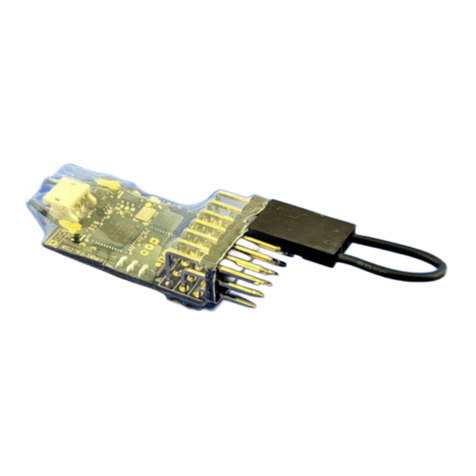
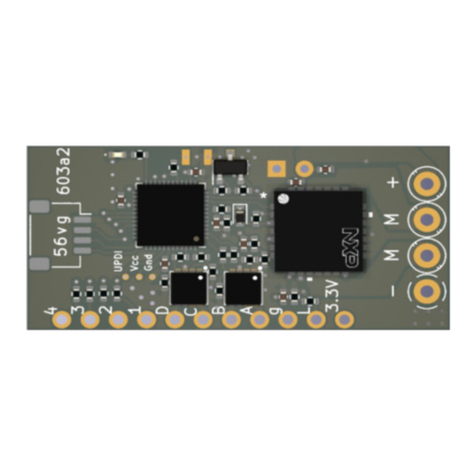
within 5 seconds, move the control for the output being adjusted to the end that needs adjustment
increase or decrease the servo end-point:
on Micron or stick type transmitters, use the throttle control if a servo on R/C channel 3 is being
adjusted:
hold throttle knob fully CCW or throttle stick at low throttle to decrease travel
hold throttle knob fully CW or throttle stick at high throttle to increase travel
use the direction toggle, reverser control or elevator stick for servos on all other R/C channels:
hold toggle down, reverser to REV or elevator stick down to decrease travel
hold toggle up, reverser to FWD or elevator stick up to increase travel
The receiver LED will flash twice per second as the servo travel is being adjusted and stop flashing
when the limit is reached. Take care: the servo may reach its mechanical stop before the increase
side adjustment limit is reached.
move the servo control to the opposite side if you also need to adjust that end-point
centre both controls to finish the adjustment, the receiver will return to normal operating mode
after the control corresponding to the P port being adjusted has been centred for 5 seconds.
Go through the above steps to adjust a different servo output pin.
Input/Output - GPIO
Receivers have a number of general purpose input and outputs (GPIO) ports, mostly used for output. There
are 2 types:
P - these are logic level outputs that can supply a low current (typically 20mA max), 0V when off and
3.3V when on. They can be used to power LEDs via a series resistor suitable for the desired LED current
and for driving servos where the P pad provides the control signal to the white or yellow wire of the
servo lead. Some receivers are able to provide 3.3V to micro servos, larger servos must be powered
from a separate source - e.g. a 5V regulator connected to the battery. P pads can also be used for input
- e.g. shuttle control, remote sensors; see the receiver user manual for information.
F - these are switches and can control up to 2A; they are open when off and connected to negative
when on. For programming, F switches are given numbers sequentially after all P outputs, e.g. if a
receiver has 6 x P and 4 x F, the F outputs are numbered 7 to 10. For compatibility with Deltang
receivers, F outputs are also labeled with letters, e.g. F1 is A, F2 is B, etc.
MOMENTARY ACTION
Momentary outputs are activated when a transmitter control is at the specified value. They can be set
normally on or normally off and switched to the opposite by the transmitter control, e.g.:
prog 3,4,1,5,1 = P4, normally off, on when Ch5 is low
prog 3,6,1,3,6 = P6, normally on, off when Ch3 is high
LATCHING ACTION - TYPE 1
Outputs switch state (toggle on and off) each time the transmitter control is actioned. Most transmitter
controls may be set to low, mid and high values and this allows them to control 2 outputs - one toggled at
low and the other toggled at high. The initial output state can be set to on or off.
LATCHING ACTION - TYPE 2
This feature uses time as well as control value to toggle up to 4 outputs: 2 outputs are toggled by control
actions < 1 second and another 2 outputs by control actions > 2 seconds. The initial state of all outputs is
off.
AUTO LIGHTS
Outputs may be assigned as front, rear, brake and reversing lights. They are controlled by the state of the
speed controller (or servo output for type SERVO-ESC).
Front and rear lights are switched based on motor direction. Both start off and either the front or rear light is
switched on when the throttle is opened for the first time and stays on when the loco/vehicle stops, changing
when the motor direction is changed.
The brake light comes on briefly when the motor stops. The on duration defaults to 1 second and can be set
using one of the General Configuration program options.
The reverse light is similar to the rear light and is on when the motor is moving in reverse. It goes off when
the vehicle stops.