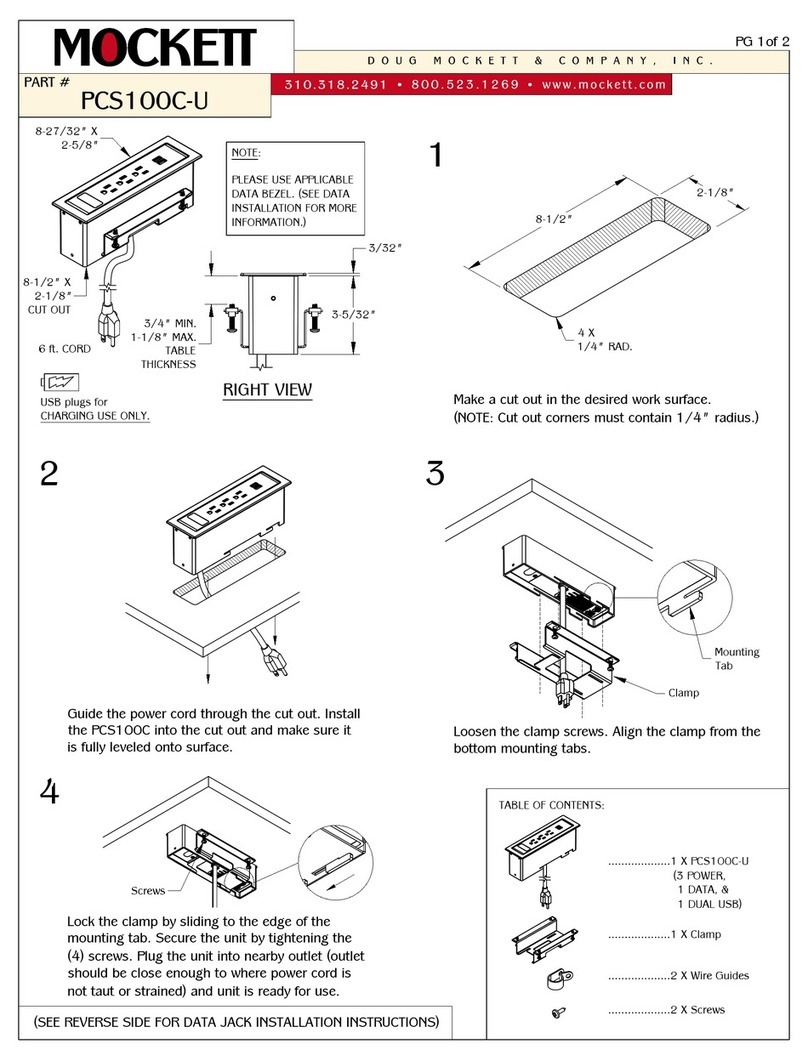
Mockett PCS87/M/USB User manual

USER MANUAL
MODEL:
PCS87/M/USB
Flip-Up Power Grommet

Contents
Introduction 1
Getting Started 1
Overview 2
2
3
Typical Applications
Product Overview
Installation 5
5
5
6
7
Drilling a Hole in the Table
Mounting the PCS87/M/USB in a Table
Connecting the Cables and Wires
Operating Instructions
Technical Specifications
8
Getting Started
We recommend that you:
•Unpack the equipment carefully.
•Review the contents of this user manual.
Achieving the Best Performance
•Use only good quality connection cables to avoid interference, deterioration in signal
quality due to poor matching, and elevated noise levels (often associated with low
quality cables).
•Do not secure the cables in tight bundles or roll the slack into tight coils.
•Avoid interference from neighboring electrical appliances that may adversely influence
signal quality.
•Position your PCS87/M/USB away from moisture, excessive sunlight and dust.
This equipment is to be used only inside a building. It may only be connected to other
equipment that is installed inside a building.
1

2
Safety Instructions
Caution:
There are no operator serviceable parts inside the unit.
Warning:
Use only the power cord that is supplied with the unit.
Warning:
Do not open the unit. High voltages can cause electrical shock! Servicing by
qualified personnel only.
Warning:
Disconnect the power and unplug the unit from the wall before installing.
Overview
The PCS87/M/USB is an elegant furniture-mounted, flush round power grommet.
The unit features a pneumatic mechanism for pneumatic lifting and smooth closing of its
lid. It is easily installed into a table or podium top, and its interface enables you to
connect any equipment to systems installed in a room via the following connectors:
•Two US power sockets (5A when connecting a single power socket and a total of 6A
when connecting both sockets).
•Two 2A USB ports for charging devices.
•One HDMI connector (supporting HDMI with Deep Color, x.v.Color™, Lip Sync, HDMI
Uncompressed Audio Channels, Dolby TrueHD, DTS-HD, and CEC).
•One C14 power socket and one HDMI connector on the underside of the unit.

3
Product Overview
#
Feature
Function
Pop-up Lid
Covers the connecting surface, leaving the table surface neat and
tidy.
Outer Rim
Fits over a table surface.
Pneumatic Mechanism
Enables automatic lifting and smooth closing of the lid.
Connecting Surface
See Figure 2.
Rubber Protectors (x2)
Protect the table surface when mounting the unit.
Locking Butterfly Nuts (x2)
Tighten to lock the mounting butterfly screw.
Mounting Screws (x2)
For securing the PCS87/M/USB to the table.
Mounting Butterfly Nuts (x2)
Tighten to secure the unit to the table surface.

4
#
Feature
Function
Mounting Brackets (x2)
Place in the bracket slits after inserting the enclosure into the table,
for securing the unit to the table surface
Mounting Bracket Slits (two slits
on each side)
Insert the mounting brackets to the slits when installing the
PCS87/M/USB .
HDMI Cable
Connect to an HDMI acceptor.
Unit Features
Figure 2: PCS87/M/USB Connecting Surface
#
Feature
Function
5A/125V Power Connector (x2) Connect to a US power consuming device.
When a single power socket is connected,
consumption should not exceed 5A.
When both power sockets are connected, the total
consumption should not exceed 6A.
5V-2A USB CHARGING Port (x2) Use to charge up to two devices simultaneously.
Lid Latch For safely closing the lid.
HDMI Connector Connect to an HDMI source.

5
Installing the PCS87/M/USB
Drilling a Hole in the Table
To drill an opening in a table:
1. Using any standard cup bit drill with a diameter ranging from 111mm to 114mm (4.37”to
4.49”), drill a hole in the table in the desired location.
The thickness of the table should be 76mm (3”) or less.
2. Clean the table surface.
Take care not to damage the table. Mockett is not responsible for any damage caused to
the table.
Mounting the PCS87/M/USB in a Table
To mount the unit, follow these steps:
Step 1: Insert the PCS87/M/USB into the
hole cut into the table, making sure the
outer rim is firm against the surface of the
table.

6
Step 2: From underneath the table, slide the
mounting brackets into the appropriate slots.
Step 3: Tighten the butterfly mounting screws
securely upward against the table.
Step 4: Lock the mounting screws into position
with the locking butterfly screws.
Connecting the Cables and Wires
Following installation connect the cables to the underside of the unit:
•Connect the power cable to a power source.
•If applicable, connect the HDMI connector to an HDMI acceptor.
Make sure that when:
• A single power socket is connected, consumption should not exceed 5A.
• Both power sockets are connected, the total consumption should not exceed 6A.

7
Using the PCS87/M/USB
Once the PCS87/M/USB is installed, you can easily customize it to your own needs by
directly plugging in the required AV equipment.
Figure 3: Connecting PCS87/M/USB

8
Technical Specifications
Ports
1 HDMI
On an HDMI connector
2 USB Ports
5V, 2A on female USB-B connectors
for charging devices
2 US Power Sockets
For powering devices
Power
Consumption
125V AC, 50/60Hz, 6.3A
Fuse Rating
T 6.3A 250V
Environmental
Conditions Operating Temperature 0° to +40°C (32° to 104°F)
Storage Temperature -40° to +70°C (-40° to 158°F)
Humidity 10% to 90%, RHL non-condensing
Regulatory
Compliance Safety CE, UL
Environmental RoHs, WEEE
Enclosure Type Aluminum
Accessories Included Clamps
When a single power socket is connected,
consumption should not exceed 5A.
When both power sockets are connected, the total
consumption should not exceed 6A.
Table of contents
Other Mockett Accessories manuals