1. Power supply status indicator
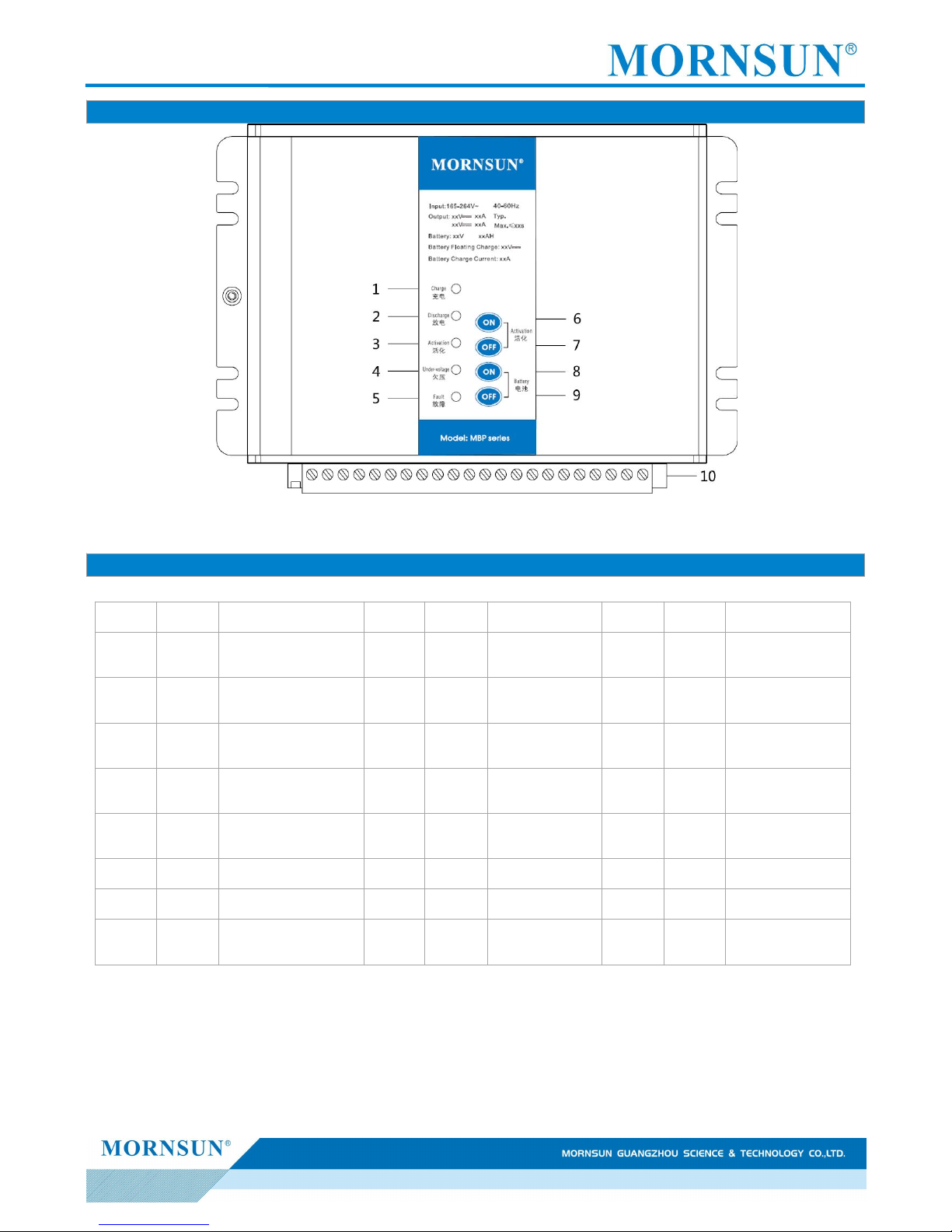
Charge, lights Green, Battery Charge indication, It lights when the battery is charging and off when the battery is discharging or
activated.
Discharge, lights Red, Battery Discharge indication, It lights when the battery is discharging or activated. It goes off when the battery is
charging or complete discharging.
Activate, lights Red, It lights when the battery is activated. If not, it goes off.
Under Voltage, lights Red, It lights when the battery or the output converter under-voltage output. If not, it goes off.
Fault, lights Red, In the fail case of over-voltage output, over-current, short circuit, It lights after the output is cut-off. If not, it goes off.
2. Button functions and use
Activation Start, Press-button, Battery activation manually start.
Activation Stop, Press-button, Battery activation manually quit.
Battery Start, Press-button, Battery manually put into.
Battery Stop, Press-button, Battery manually quit.
Activated button, press the activated start-button then the converter will get into the battery activated state, and the discharged and
activated indication lights on, and the battery discharge to the load and the discharged resistance. It is able to quit battery activated
state when press the activated stop-button. If not, the converter will automatically finish battery activation
Battery button, Press the battery start-button when project debugging or firstly connect the battery but no output, then the battery is
used to supply power to the load. Now the discharge indication lights. It is able to manually press the battery stop-button 5 seconds to cut
off the battery, or the battery will be automatically cut off after the battery discharge into the under-voltage breakpoint. Hold the battery
start-button can urgently force the battery to output for the load when the battery voltage is lower than the under-voltage breakpoint.
Note: The function of battery touch-button does not work when AC power. The time of forcing output should not be too long, so as not to damage the battery.
3. Use of Power
The power supply can work when input is AC the alternating current. The power input current to load is powered by power supply,
meanwhile charge battery in constant current and voltage. After the battery is charged, power supply to floating charge state
automatically, this moment, the power supply float voltage and current to normal self discharge of battery.
When AC power down, the battery can also supply power, 0 switch time. When the battery discharge to under voltage alarm, output
battery under voltage signal point, at the same time under voltage indicator lamp light. When the battery discharge is lower than the
under-voltage protection, the power shut off load output automatically. If need to shut off battery output in advance, can press the
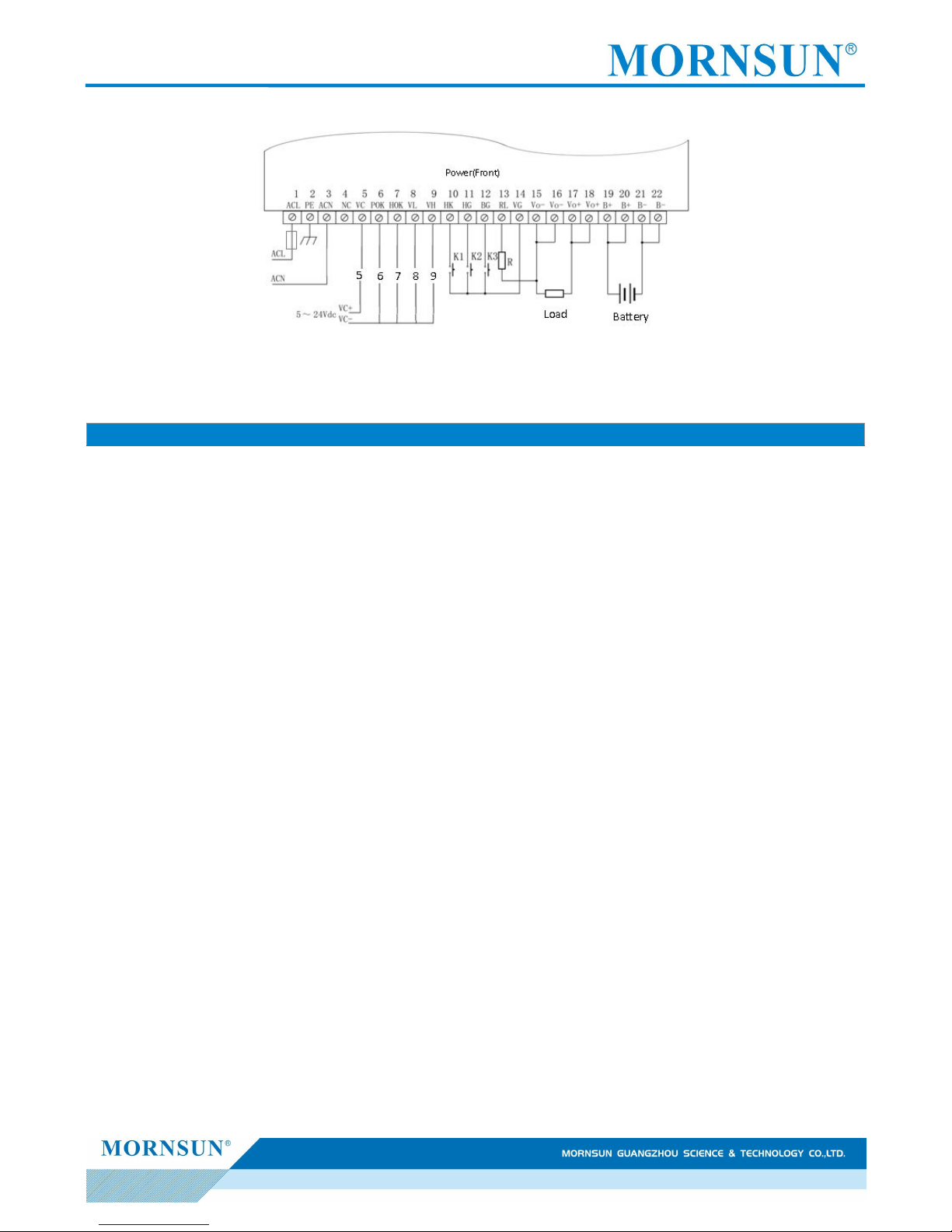
Manual battery quit button of the battery for manual operation in 5 seconds or remote control the relay controlled by the CPU to make the
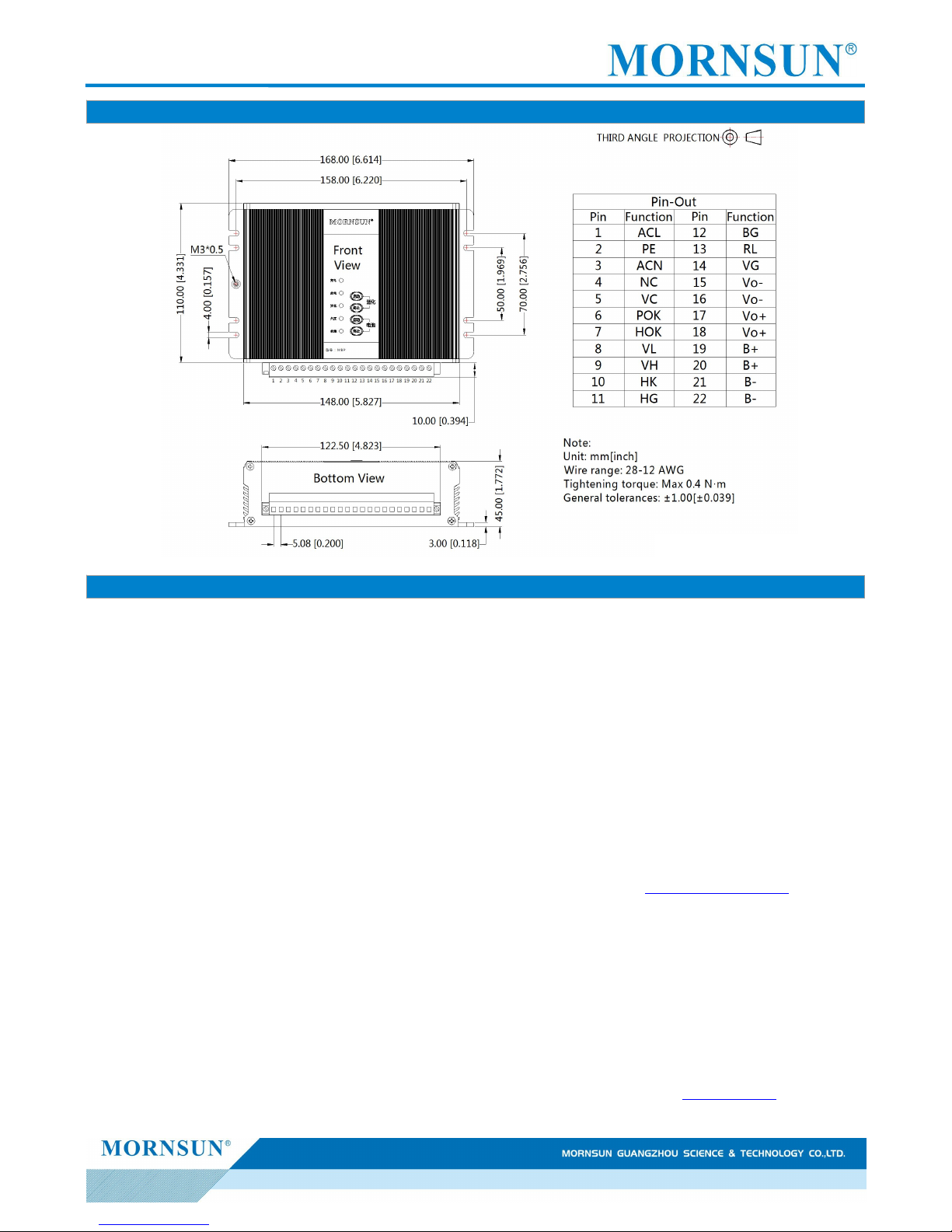
battery remote pin BG and VG in short circuit (not less than 5 seconds), then the battery shut off in advance.
4. Activation of Battery
When the battery is in floating charge state for a long time, the battery should to be activated to avoid battery plate passivation. It
can use the relay controlled by the CPU to make the power activation pin HK and VG in short circuit (not less than 0.5 seconds), then the
power into activation state, the battery discharge and supply power to the load. When the battery discharged to the battery activation,