ADVANCED
LINE IN & DAISY CHAIN/LINE OUT
LINE IN
To connect DECK to play music from a non-Bluetooth®enabled
deviceusingtheincluded3.5mm to3.5mmaudiocable.Bluetooth®
connectivity is disabled while an audio cable is plugged into
the “IN” port.
DAISY CHAIN/ LINE OUT
ConnectmultipleDECKStogetherbyinsertingthesupplied
audio cable into the Line Out jack on your DECK then into the
LineInon anotherDECK.Connectasmany togetheras you
want. Only devices connected to the rst DECK will play music.
You can also connect DECK to an external speaker or receiver
usingtheincluded3.5mm to 3.5mm audio cable. To mute DECK
but still allow audio output, just press the + /– buttons.
BATTERY READOUT
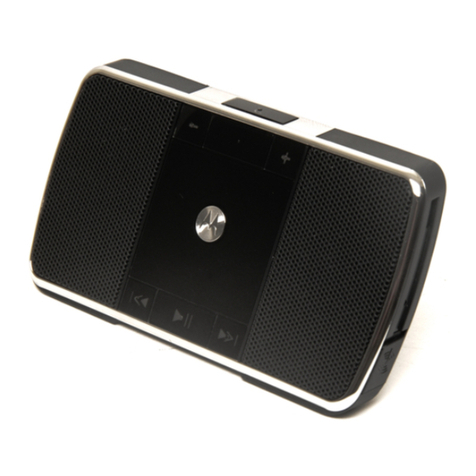
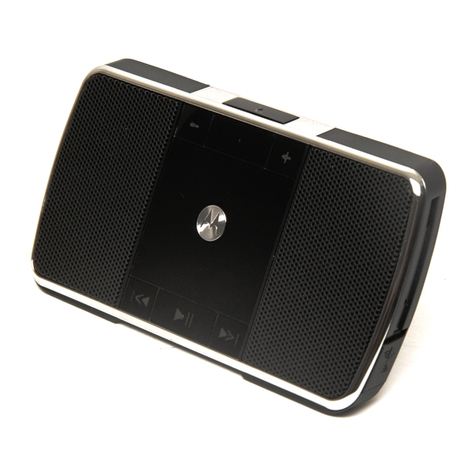
To see how much music play-time is left on your speaker, press
theVolumeUp andVolumeDownbuttons.
SETTINGS
Press andhold the button while turning onDECK,
then follow the voice prompts to turn these select
features on/o:
RESTORE FACTORY SETTINGS
Resetdefaultfactorysettings onDECK.
TROUBLE
DECK DOESN’T ENTER PAIRING MODE
Turn DECK o then on again.
MY PHONE DOESN’T FIND DECK WHEN SEARCHING
Turn DECK o then on again, or when in Heist Mode™, slide the
switch tothe .
DECKCONNECTEDBEFORE, BUTNOWIT’S NOTWORKING
Makesureyourphoneison and thephone’sBluetooth®feature
is turned on. If the Bluetooth®feature was turned off or was
turnedon onlytemporarily,tryrestartingtheBluetooth®feature
and pair your phone and speaker again.
CAUTION
This feature erases all device pairing
informationstoredon DECK.
Stillnot working?
Gotmore questions?
Give Us a Shout
We’re here to help.
CONNECT WITH MOTOROLA
Answers: Guides, online help, and more at
www.motorola.com/support.
Support: visit www.motorola.com/support
orcontact theMotorolaCustomerSupport
Center at: 1-800-331-6456 (UnitedStates),
1-888-390-6456 (TTY/TDDUnitedStatesfor
hearing impaired),or 1-800-461-4575 (Canada).
Bluetooth: If you have questions or need
assistance, contact us at 1-877-MOTOBLU,
orvisit www.motorola.com/bluetoothsupport
orwww.bluetoothconnect.