www.multispanindia.com
SET
SET
SET
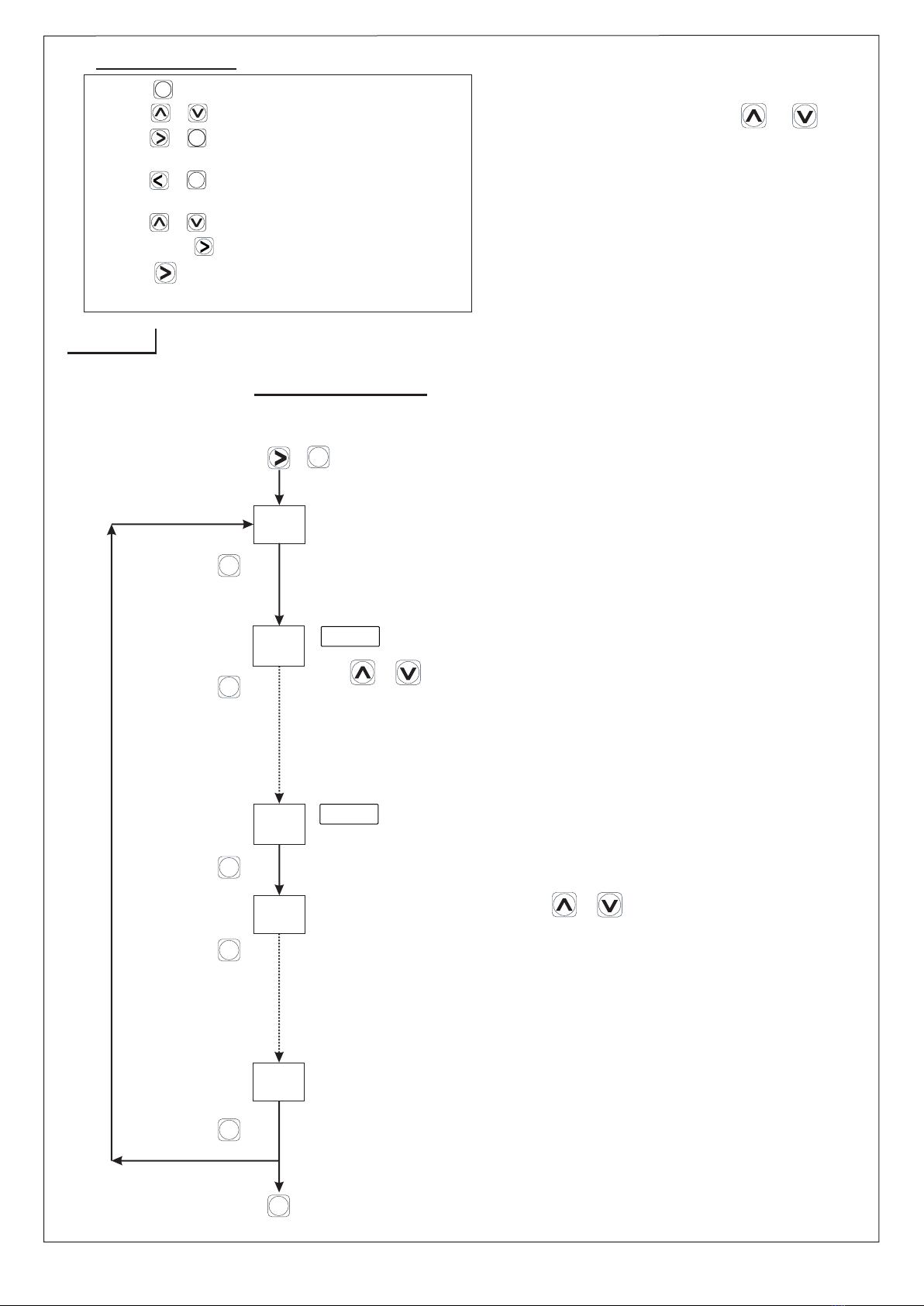
2) Press & Key to change the parameter setting.
5) Press + Key to set OFFSET.
6) Press & hold key to enter in scroll & hold mode.
3) Press + Key to enter in parameter menu
4) Press + Key to enter in group menu for relay
(Input selection, skip-unskip selection)
mode selection.
1) Press key to enter in set value menu.
SET
SET
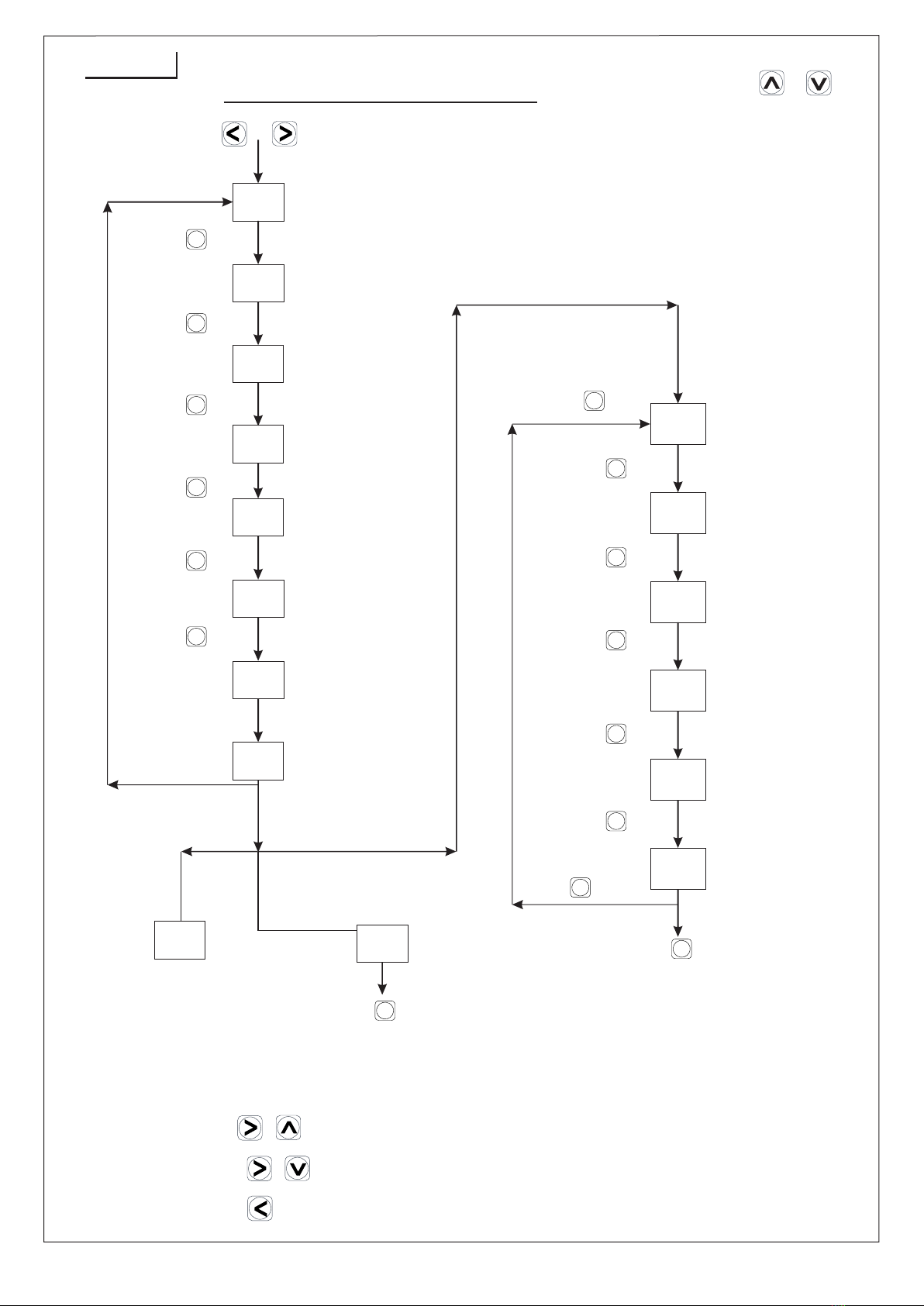
Key Operation
Page-5
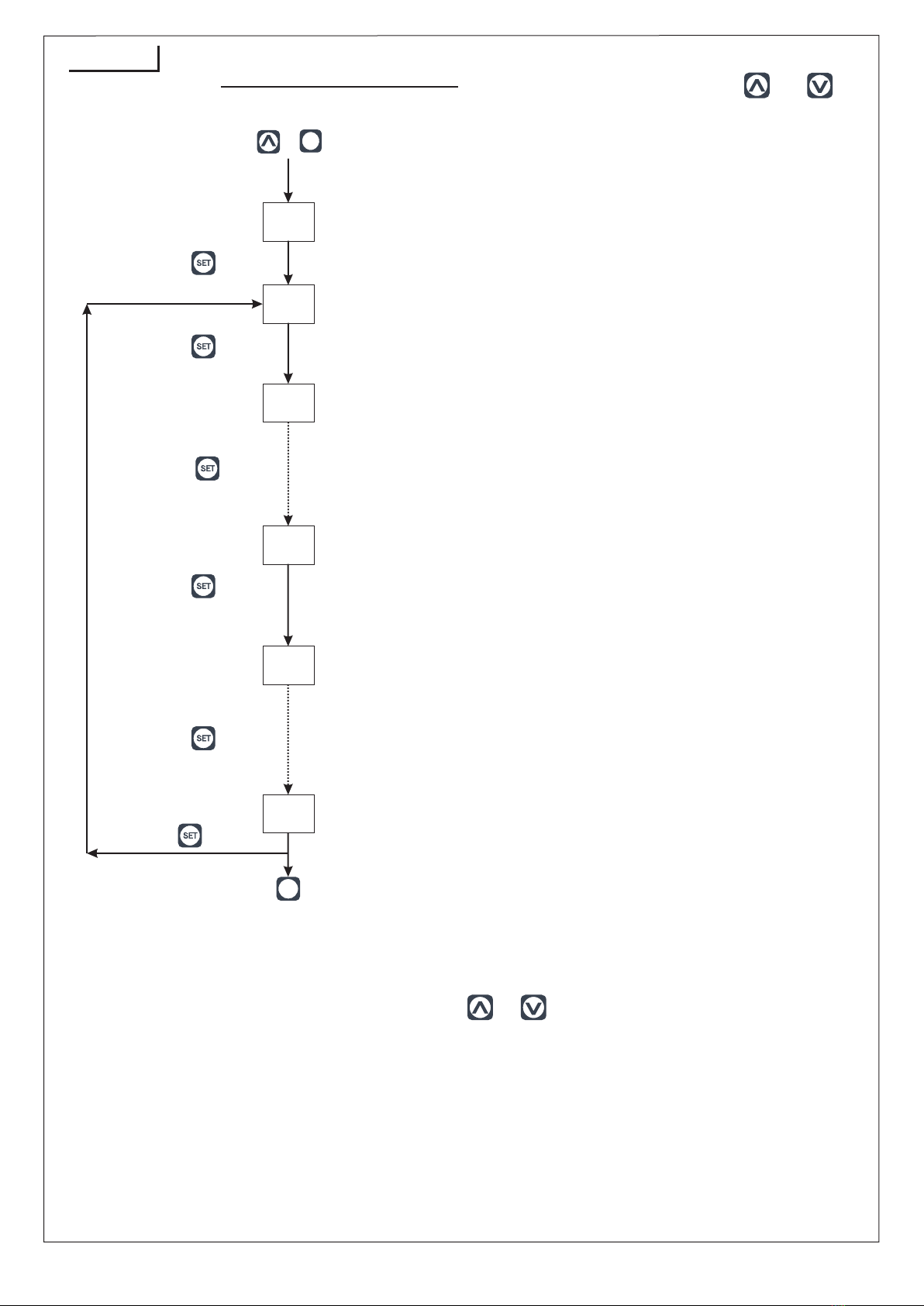
To configurable no.of channel per group. (User can define maximum
4 group & maximum 8 channel/group), relay mode
Menu: 2
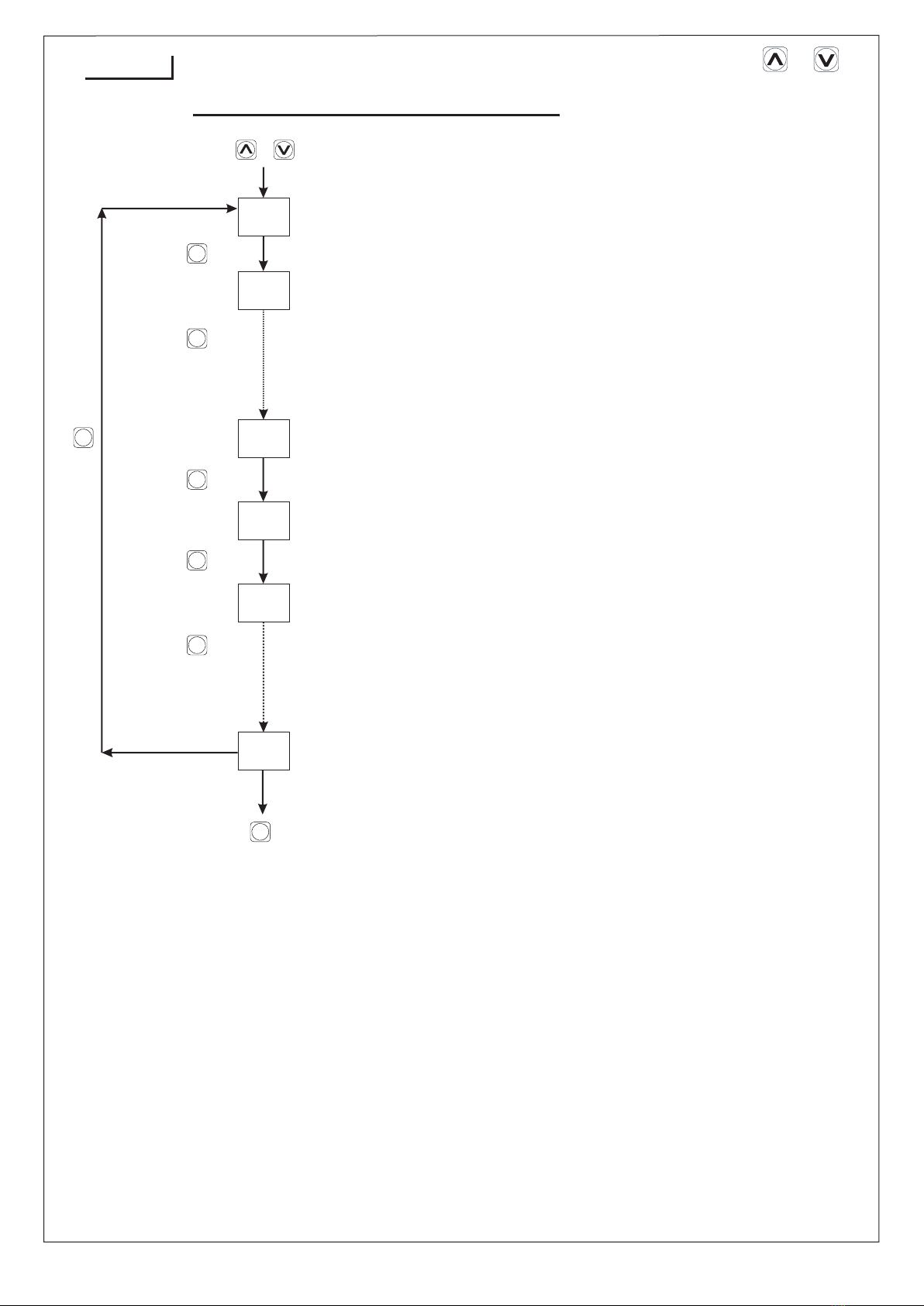
Press key to go to next parameter
Press key
to go to next
parameter
Press key
to go to next
parameter
Press key to output relay select.
Press key to next group (if relay exist)
Set yes or no for channel by press or key.
Repeat for 8
Channel
Select no of output relay by
press & key.
Set output of relay
1 Relay Low & 2 Relay High
1 Relay High & 2 Relay Trip
nd
nd
or
ST
ST
Press key to exit
Relay menu
High
Low
High and Low
Low and High
High and Trip
by press or key
OUT1 OUT1
RLY RLY
RLY
1 YES
1 RLY 2 RLY
1 LOW 2 LnH
2 HIg
IL O W
1 H N L
2 L N H
2 H N T
Note :- Values can be changed
by pressing or keys.
SET
SET
SET SET
SET
ENT
rp1
MSU-1248U-M1
7) Press key for 3 Sec to Change continuous
scrolling or manual scrolling.
In Group No 1, If 1st channel, have a set point as a high alarm, 1 relay.
In Group No 2 If 2nd channel, have a set point as a low alarm, 1 relay.
For, 3rd, 4th, 5th, 6th, 7th, 8th channel have a set point as high & low alarm, 2 relay.
For Example:
Press+key
SETSET