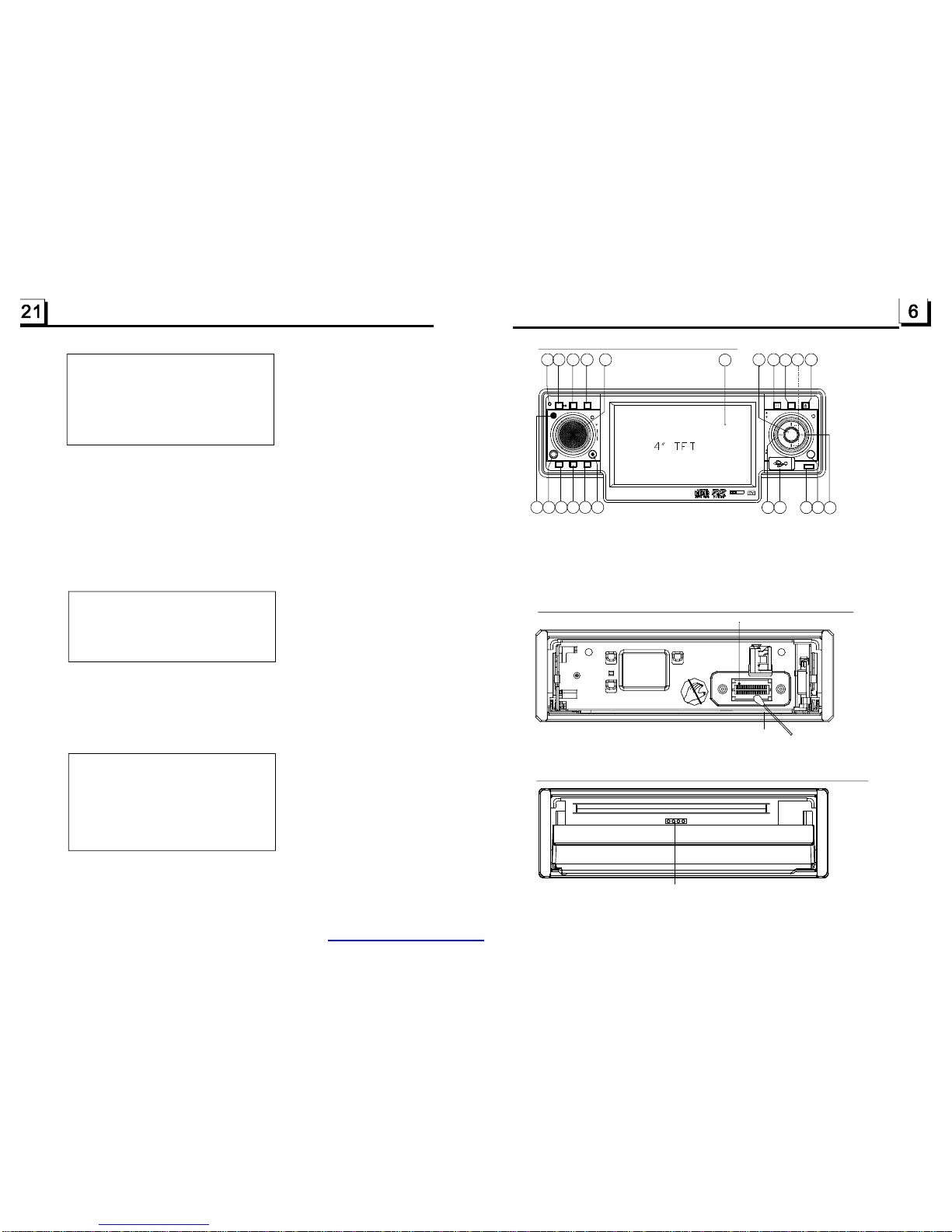
2.CommonOperation
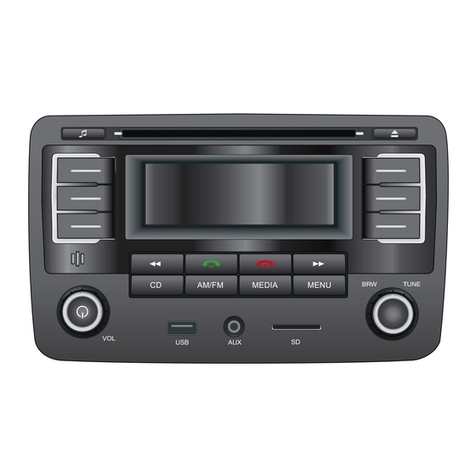
1.Toturnon/offtheunit
Underpoweroffmode,pressthePOWERbuttontoturnontheunit.
Underpoweronmode,longpressthePOWERbuttononthefrontpanelor
brieflypressthePOWERbuttonontheremotecontroltoturnofftheunit.
2.Toselectfunctionmode
PresstheMODEbuttontoselectTUNER,DISC(Afterinsertingadisc),USB
(AfterinsertingaUSBstorage),Card(AfterinsertingaMMCorSDcard),
AUXorTVmode.
3.Toadjustsoundlevel
RotatetheVOLknobonthefrontpanelorpressorholdthe+or-buttonon
theremotecontroltodirectlyadjustthevolumelevel.
4.Tomutesound
PresstheMUTEbuttonontheremotecontroltoturnon/offMUTEmode.
BrieflypressingthePOWERbuttononthefrontpanelalsocanturnon/off
MUTEmode.
InMUTEmode,theMUTEmodecanbereleasedbypressingthefollowing
buttons:MUTE,EJECT,VOLor+/-,SEL,POWER(onthefrontpanel),MODE.
5.Todisplayandadjusttheclocktime
PresstheCLKbuttontodisplayclocktimeonthesmallmonitorofthefront
panel.
ThenlongpresstheCLKbuttontochangethecolorofthehouroftheclock,
thenrotatetheVOLknobonthefrontpanelorpressthe+or-buttononthe
remotecontroltoadjustthehour;andthenbrieflypresstheSELbuttonto
changethecoloroftheminuteoftheclock,thenrotatetheVOLknobonthe
frontpanelorpressthe+or-buttonontheremotecontroltoadjustthe
minute.
6.ToselectapresetEQmode
PresstheEQbuttontoselectthepresetmusicequalizercurves:POP,ROCK,
CLAS,FLAT.Thesoundeffectwillbechanged.
7.Totakeawaythefrontpanel
PresstheRELEASEbuttononthefrontpaneltodetachthefrontpanelfrom
theunit,thenyoucanremoveawaythefrontpanel.
8.Toselectaoptimalangleofthefrontpanel
PresstheTILTbuttonrepeatedlytoselectaoptimalangleasfollows:
-->ANGLE0-->ANGLE1-->ANGLE2-->ANGLE3-->ANGLE4-->
9.Toturnon/offLOUDmode
PresstheLOUDbuttonontheremotecontroltoturnon/offLOUDmode.
WhenturningonLOUDmode,itwillenhancebasslevelimmediatelywhen
thebassisnotenough.
10.Toresettheunit
PresstheRESETbuttontorehabilitatethedistortedprogramtozerowhen
thedisplayiswrongorthefunctionbuttonsarenoteffective.
11.Toadjustthesoundequalizercurves
Toadjustthesoundequalizercurves,brieflyandrepeatedlypresstheSEL
buttontoselectthesoundequalizercurvesofVOL,BAS(withoutpresetEQ),
TRE(withoutpresetEQ),BAL,FAD,thenrotatetheVOLknobonthefront
panelorpressthe+or-buttontoadjustlevel.
6
Itallowsyoutoentertheorderinwhichyouwantsomechapters/tracksin
DVD/VCD/MP3/WMA/CDdisctoplay.
1Duringplayback,pressthePROGbuttontoenteraprograminterfaceas
follows:
forDVDdiscsforVCD/MP3/WMA/CDdiscs
2Usethedirectionbuttonstomovecursorontothedesiredplaceforinputting
thesequencenumber.
3Usethenumberbuttontoinputdesiredsequencenumberoftitle/chapter/
trackwithdesiredsequence.
4UsethedirectionbuttontomovecursorontoPlayitem,thenpresstheOK
buttontoplaytheprogrammedtitles/chapters/tracksinprogrammedorder;
onlypressingthePLAYbuttonalsocanplaytheprogrammedtitles/chapters
/tracksinprogrammedorder.
*Toexitprogramplayback,firstlypresstheSTOPbutton,thenpressthePLAY
buttontoentersequenceplayback;orpressthePROGbuttontwiceagain.
*Toremovetheallprogrammedsequencenumbers,movethecursoronto
Clearitem,thenpresstheOKbutton.
*Tochangetheprogrammedsequence,movethecursorontotheitemyou
wanttochange,inputthedesiredsequencenumber.
*DuringVCDplayback,ifitisinPBCONmode,atthesametimeofentering
thestateofprogramplayback,itturnsoffPBCmode.
6
1.TherootmenuisdisplayedonthemonitorwhenbeginningtoswitchonDISC
mode.Atthetime,itplaysMP3/WMAfile.(theTITLEorMENUbuttonisnot
available).
Intherootmenu,theleftfilesorticonisforMP3/WMAfile;themiddlefilesort
iconisforJPEGfile;therightfilesorticonisforVIDEOfile.Ifoneofthese3
filesortdoesnotexist,youcannotmovecursorontothefilesorticon.
2.Whendisplayingtherootmenu,pressthedirectionbuttonstoselectyour
desiredFOLDER,fileorfilesorticon,thenpresstheOKorPLAYbuttonto
opentheFOLDER,orplaytheselectedfile,orplayonlythissortoffile.
Whendisplayingtherootmenu,youcanalsousethenumberbuttonsto
selecttheserialnumberofthefileandplaythefile.
WhenyouselectaJPEGfilesorticon,pressthe^or>buttontoselectthe
firstJPEGfile,thenpressthevbuttontoselectthedesiredJPEGfile,finally
presstheOKorPLAY/PAUSEbuttontodisplaytheJPEGpictureinfullscreen
fromtheselectedJPEGpicture.
.14ProgramPlayback
.15PlaybackthePictureCDinJPEGFormat
PROG
TCTCTCTC
1__:__5__:__9__:__13__:__
2
3
4
PlayClear
__:__6__:__10__:__14__:__
__:__7__:__11__:__15__:__
__:__8__:__12__:__16__:__
PROG
1____5____9____13____
2
3
4
PlayClear
____6____10____14____
____7____11____15____
____8____12____16____
PDF created with FinePrint pdfFactorytrial version http://www.pdffactory.com