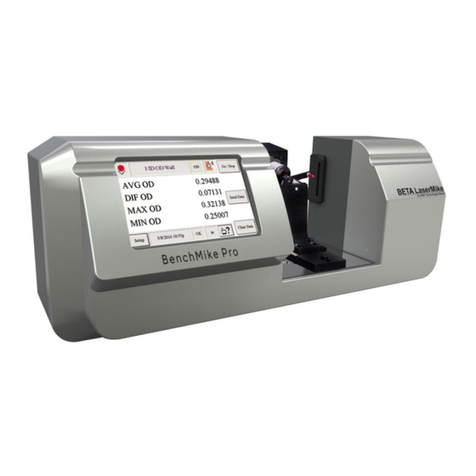
BenchMike Pro 2025/2050 & Z-Mike Pro 4025/4050 Instruction Handbook: Table of Contents iii
2.3.7USB Printer Connector.................................................................................................. 2-10
2.3.8 USB Serial Connector ................................................................................................... 2-10
2.3.9 Ethernet RJ45 Connector.............................................................................................. 2-10
2.3.10 Fixture Connector.......................................................................................................... 2-10
2.3.11 Connecting to a Quadrature Encoder............................................................................ 2-11
2.4 ADDING A NETWORK PRINTER .................................................................................................. 2-12
2.4.1 Requirements ................................................................................................................ 2-12
2.4.2 Procedure...................................................................................................................... 2-12
2.5 ADDING A USB PRINTER .......................................................................................................... 2-17
2.5.1 Requirements ................................................................................................................ 2-17
2.5.2 Procedure...................................................................................................................... 2-17
3WORKHOLDING FIXTURES ............................................................................................................. 3-1
3.1 ERROR SIGNALS ........................................................................................................................ 3-1
3.2 INTELLIGENT AND NON-INTELLIGENT FIXTURES............................................................................ 3-1
3.2.1 Non-Intelligent Fixture: Linear (Slide) Position................................................................ 3-1
3.2.2 Intelligent Fixture: Rotary/Linear Fixture Position............................................................ 3-2
3.3 DESCRIPTION OF FIXTURES ........................................................................................................ 3-2
3.3.1 General Purpose Fixed V-Block Fixture.......................................................................... 3-2
3.3.2 Universal Slide Fixture..................................................................................................... 3-3
3.3.3 Digital Readout (DRO) Slide Fixture ............................................................................... 3-7
4SETUP ................................................................................................................................................ 4-1
4.1 SETTING UP THE BENCHMIKE PRO ............................................................................................. 4-1
4.1.1 Turning Power On ........................................................................................................... 4-1
4.1.2 Using the Three Data Buttons......................................................................................... 4-1
4.1.3 Touch Screen Layout ...................................................................................................... 4-1
4.2 MODE ICON AND MENU............................................................................................................... 4-4
4.3 FEATURE ICON........................................................................................................................... 4-5
4.4 MEASUREMENT ICON.................................................................................................................. 4-6
4.5 SETUP MENU............................................................................................................................. 4-7
4.6 SYSTEM FUNCTIONS .................................................................................................................. 4-7
4.6.1 Communication Ports .................................................................................................... 4-11
4.6.2 Sleep and Shutdown functions...................................................................................... 4-13
4.7 LIBRARY FUNCTIONS................................................................................................................ 4-14
4.8 SETTINGS FUNCTIONS.............................................................................................................. 4-16
4.8.1Sample Report............................................................................................................... 4-18
4.8.2 Batch Report.................................................................................................................. 4-19