manuals.online logo
Brands
  1. Home
  2. β€’
  3. Brands
  4. β€’
  5. ON Semiconductor
  6. β€’
  7. Motherboard
  8. β€’
  9. ON Semiconductor MT9V117PACSTCH-GEVB User manual

ON Semiconductor MT9V117PACSTCH-GEVB User manual

Other ON Semiconductor Motherboard manuals

ON Semiconductor AR1820HS User manual

ON Semiconductor

ON Semiconductor AR1820HS User manual

ON Semiconductor LC717A10ARGPGEVB User manual

ON Semiconductor

ON Semiconductor LC717A10ARGPGEVB User manual

ON Semiconductor NCS2632 User manual

ON Semiconductor

ON Semiconductor NCS2632 User manual

ON Semiconductor AR0835HS User manual

ON Semiconductor

ON Semiconductor AR0835HS User manual

ON Semiconductor MT9V011P11STCH-B-GEVB User manual

ON Semiconductor

ON Semiconductor MT9V011P11STCH-B-GEVB User manual

ON Semiconductor AR0134CSSM25SUEAH3-GEVB User manual

ON Semiconductor

ON Semiconductor AR0134CSSM25SUEAH3-GEVB User manual

ON Semiconductor CAT4139 User manual

ON Semiconductor

ON Semiconductor CAT4139 User manual

ON Semiconductor KAI-2093 User manual

ON Semiconductor

ON Semiconductor KAI-2093 User manual

ON Semiconductor AR0230CS User manual

ON Semiconductor

ON Semiconductor AR0230CS User manual

ON Semiconductor AR0841CS User manual

ON Semiconductor

ON Semiconductor AR0841CS User manual

ON Semiconductor MT9V022 User manual

ON Semiconductor

ON Semiconductor MT9V022 User manual

ON Semiconductor AP0100AT2L00XUGAH3-GEVB User manual

ON Semiconductor

ON Semiconductor AP0100AT2L00XUGAH3-GEVB User manual

ON Semiconductor NCP51705 User manual

ON Semiconductor

ON Semiconductor NCP51705 User manual

ON Semiconductor NB7NPQ1002MAMTGEVB User manual

ON Semiconductor

ON Semiconductor NB7NPQ1002MAMTGEVB User manual

ON Semiconductor AR0140AT3C00XUEAH3-GEVB User manual

ON Semiconductor

ON Semiconductor AR0140AT3C00XUEAH3-GEVB User manual

ON Semiconductor MT9M114 User manual

ON Semiconductor

ON Semiconductor MT9M114 User manual

ON Semiconductor FlexRay NCV7381 Series User manual

ON Semiconductor

ON Semiconductor FlexRay NCV7381 Series User manual

ON Semiconductor AP0100AT User manual

ON Semiconductor

ON Semiconductor AP0100AT User manual

ON Semiconductor NCL30082SMRTGEVB User manual

ON Semiconductor

ON Semiconductor NCL30082SMRTGEVB User manual

ON Semiconductor CAT872EVB User manual

ON Semiconductor

ON Semiconductor CAT872EVB User manual

ON Semiconductor LV8811GEVB User manual

ON Semiconductor

ON Semiconductor LV8811GEVB User manual

ON Semiconductor ASX344ATSC00XUEAH3-GEVB User manual

ON Semiconductor

ON Semiconductor ASX344ATSC00XUEAH3-GEVB User manual

ON Semiconductor MT9V127IA3XTCH-GEVB User manual

ON Semiconductor

ON Semiconductor MT9V127IA3XTCH-GEVB User manual

ON Semiconductor AMIS-49587 User manual

ON Semiconductor

ON Semiconductor AMIS-49587 User manual

Popular Motherboard manuals by other brands

Gigabyte MNJ190I-FH user manual

Gigabyte

Gigabyte MNJ190I-FH user manual

Biostar HI-FI-Z87X-3D Setup manual

Biostar

Biostar HI-FI-Z87X-3D Setup manual

Atmel SAM9753PIA-DK user guide

Atmel

Atmel SAM9753PIA-DK user guide

Coapt GEN2 Handbook

Coapt

Coapt GEN2 Handbook

Supero SUPER P4DL6 user manual

Supero

Supero SUPER P4DL6 user manual

Cypress CY3210-PSoCEVAL1 quick start guide

Cypress

Cypress CY3210-PSoCEVAL1 quick start guide

ASROCK B660M-HDV manual

ASROCK

ASROCK B660M-HDV manual

Fujitsu D2831 Short description

Fujitsu

Fujitsu D2831 Short description

Industrial Computers ADE-6050 user manual

Industrial Computers

Industrial Computers ADE-6050 user manual

Asus TUF Z270 MARK 2 manual

Asus

Asus TUF Z270 MARK 2 manual

DFI NB71-BC user manual

DFI

DFI NB71-BC user manual

ASROCK H61 Pro BTC user manual

ASROCK

ASROCK H61 Pro BTC user manual

Norco POS-7893 user manual

Norco

Norco POS-7893 user manual

Intel DG965MS specification

Intel

Intel DG965MS specification

Asus B85M-VIEW PAKER user manual

Asus

Asus B85M-VIEW PAKER user manual

Asus P5G41T-M LX V2 user manual

Asus

Asus P5G41T-M LX V2 user manual

Gigabyte GA-K8VT800-RH user manual

Gigabyte

Gigabyte GA-K8VT800-RH user manual

Gigabyte Z790M AORUS ELITE user manual

Gigabyte

Gigabyte Z790M AORUS ELITE user manual

manuals.online logo
manuals.online logoBrands
  • About & Mission
  • Contact us
  • Privacy Policy
  • Terms and Conditions

Copyright 2025 Manuals.Online. All Rights Reserved.

Β©Semiconductor Components Industries, LLC, 2016
July, 2016 βˆ’Rev. 0
1Publication Order Number:
EVBUM2467/D
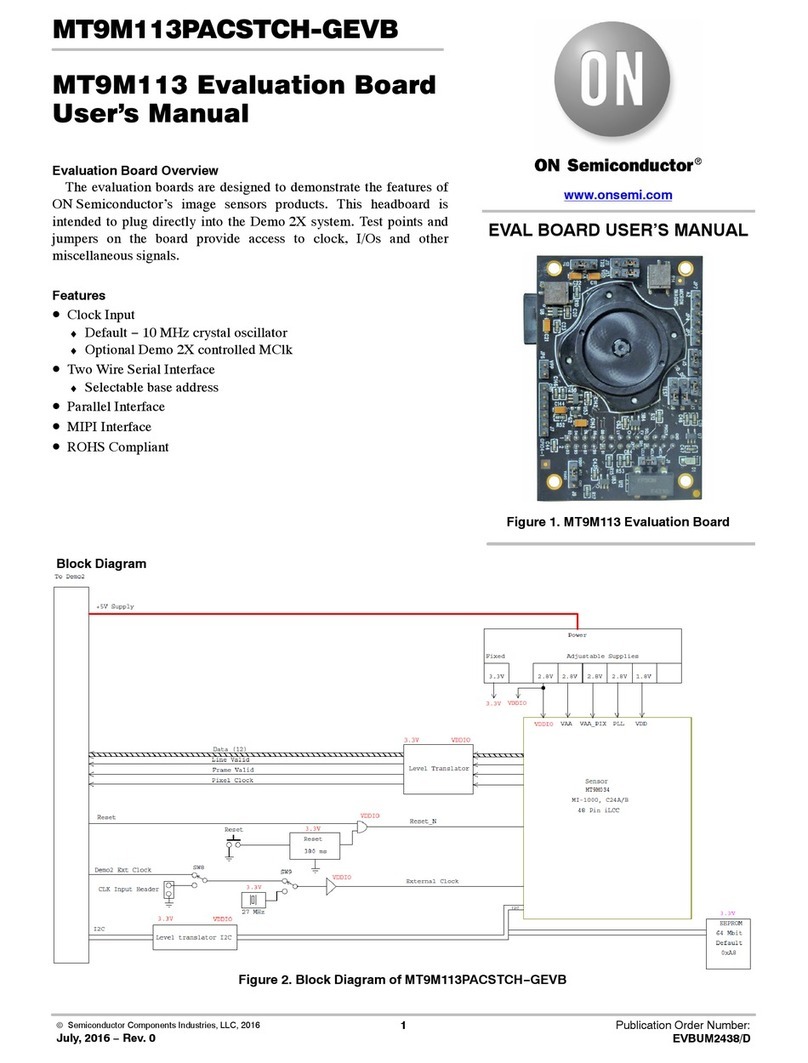
MT9V117PACSTCH-GEVB
MT9V117 Evaluation Board
User's Manual
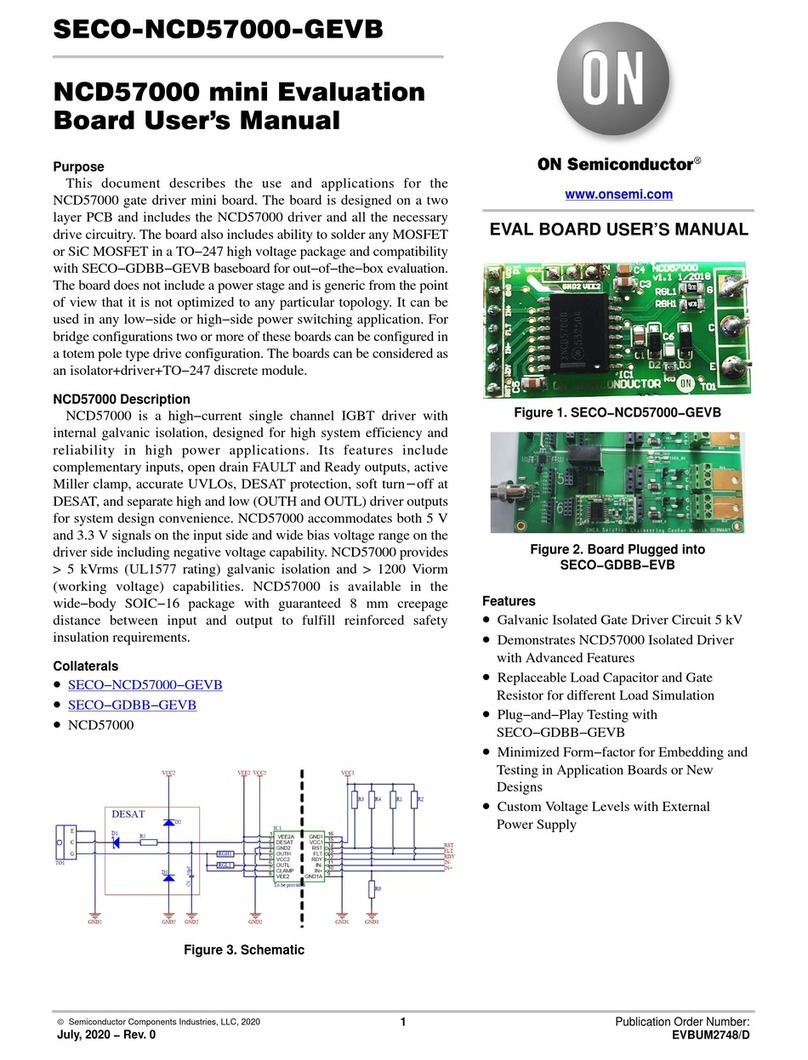
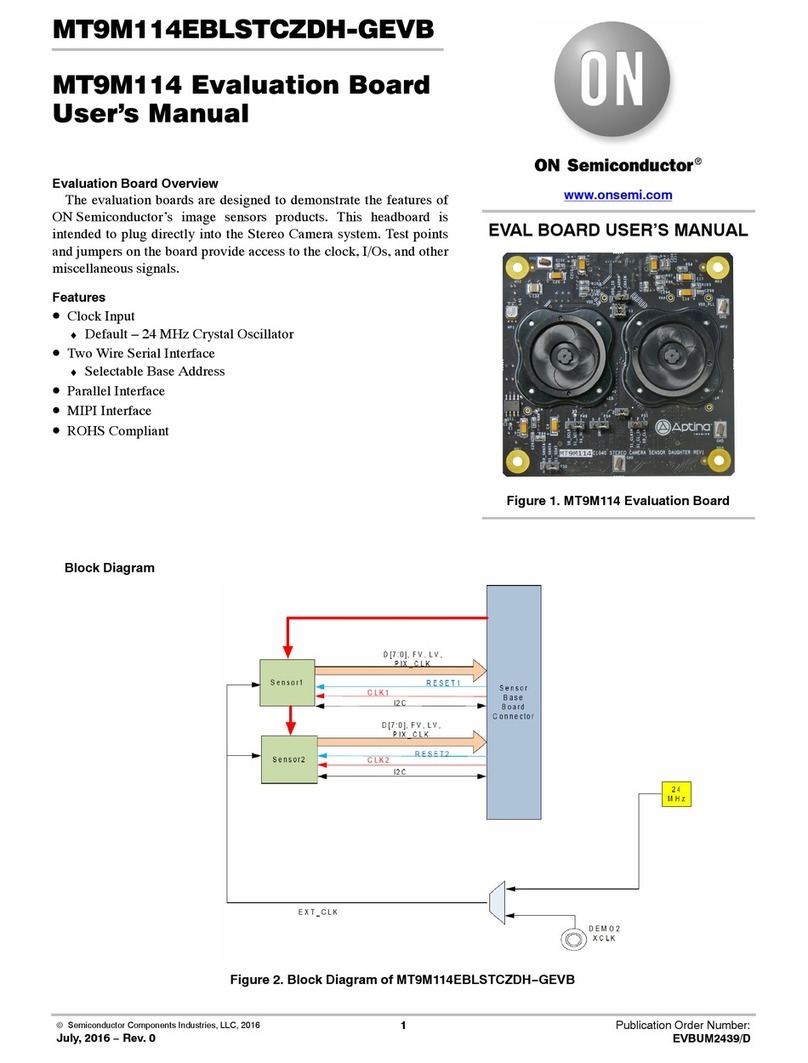
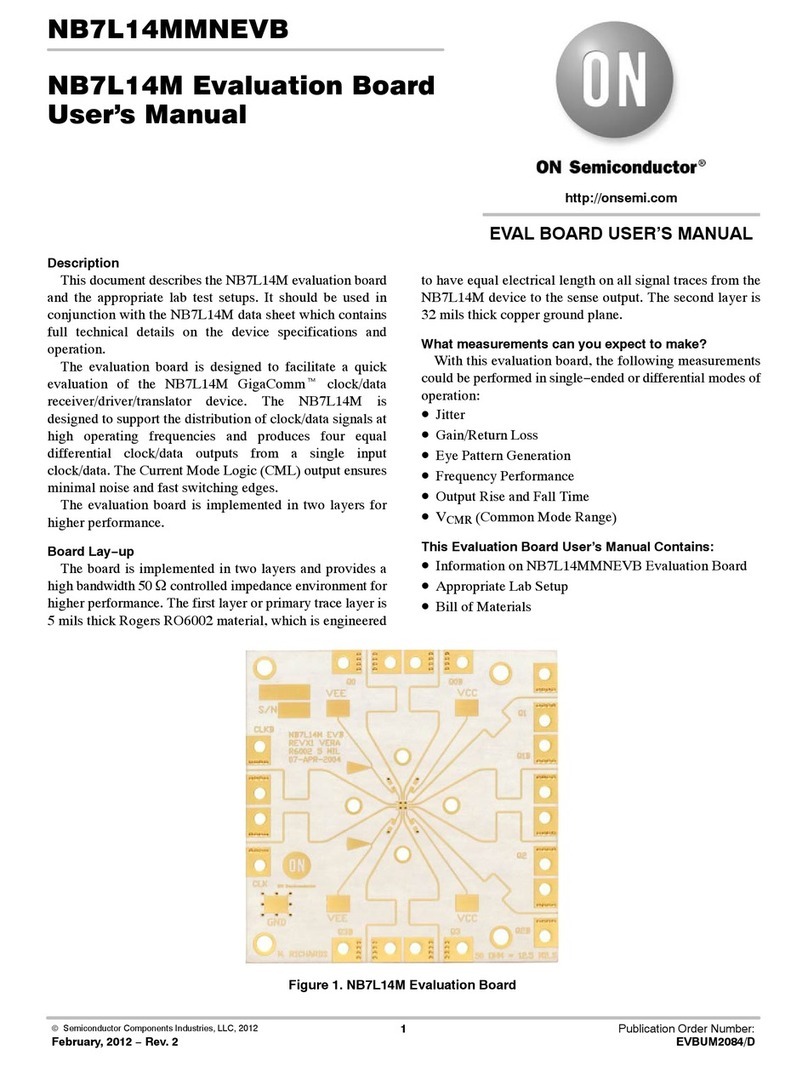
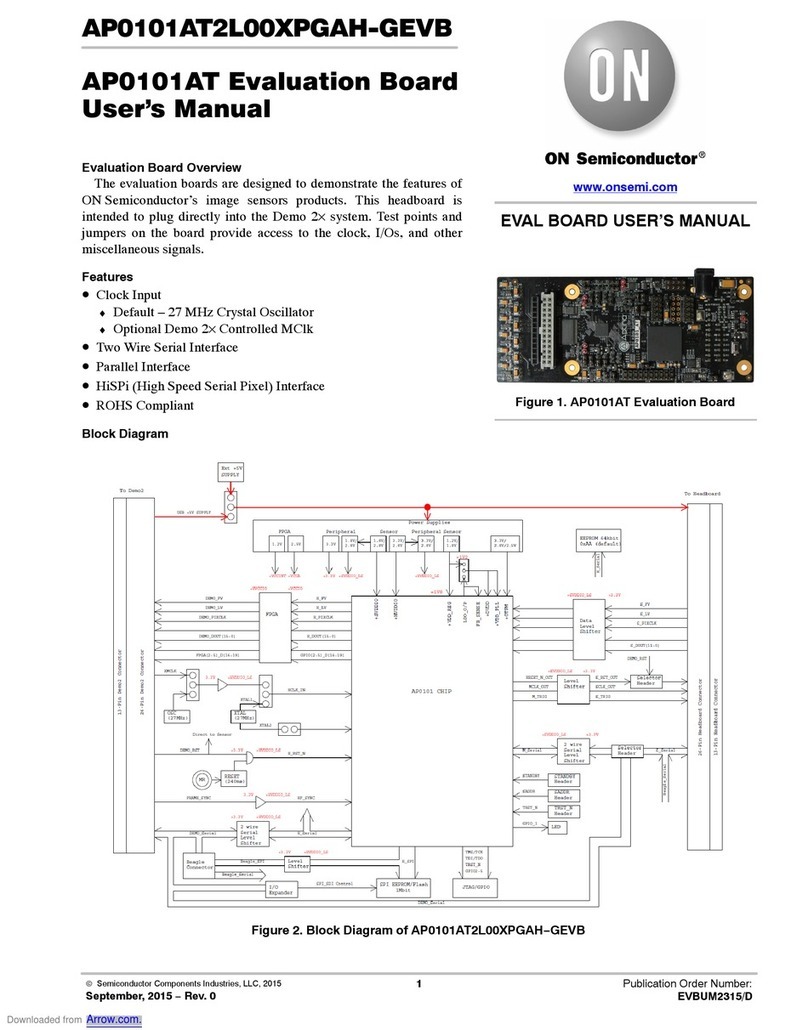
Evaluation Board Overview
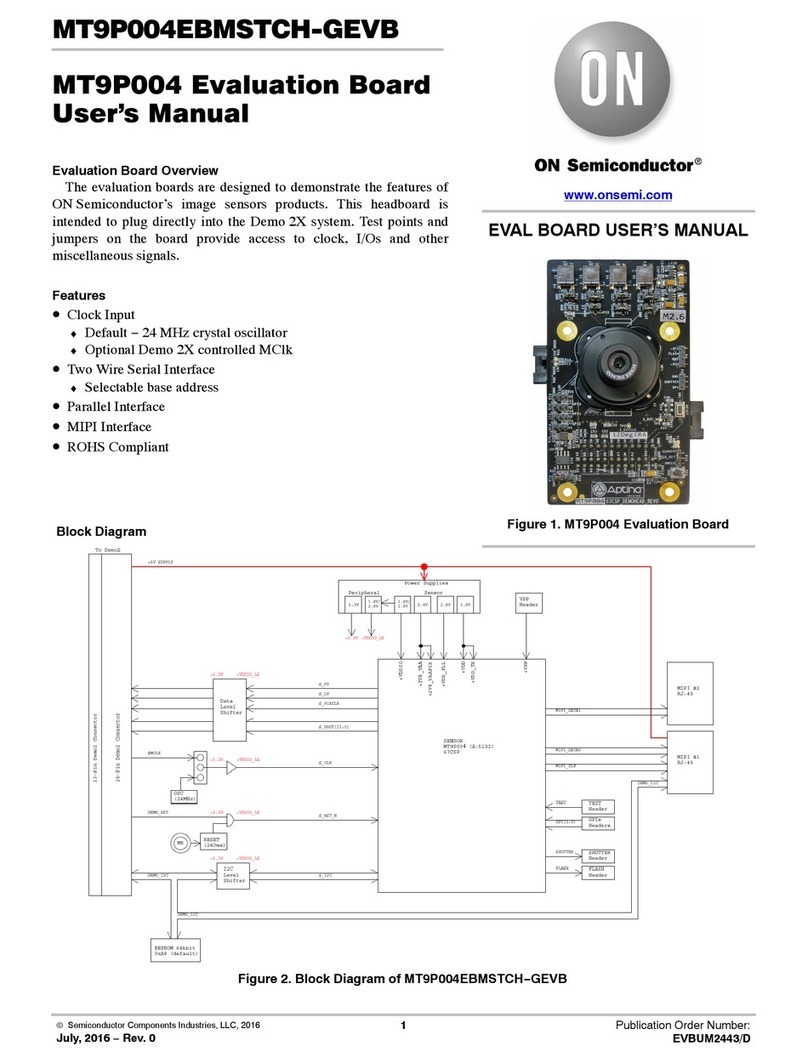
The evaluation boards are designed to demonstrate the features of
ON Semiconductor’s image sensors products. This headboard is
intended to plug directly into the Demo 2X system. Test points and
jumpers on the board provide access to clock, I/Os and other
miscellaneous signals.
Features
β€’Clock Input
♦Default βˆ’54 MHz crystal oscillator
♦Optional Demo 2X controlled MClk
β€’Two Wire Serial Interface
♦Selectable base address
β€’Parallel Interface
β€’ROHS Compliant
Block Diagram
Figure 2. Block Diagram of MT9V117PACSTCHβˆ’GEVB
MT9T117
OSC
STANDBY
SAADR
CLKN
ON Semiconductor
Demo 2
Power
Supply
+3.3 V
+2.8 V/+1.8 V
+1.8 V
+5.0 V
IMG_OUT
DOUT
RS232 RJ11
Reset
Supervisor
+2.8 V
+1.8 V
+1.8 V +2.8 V/+1.8 V
SYSRST_L
RST_L
D_RST_L
ON Semi
Demo 2
LSB[1:0]
RESET_N
JTAG
JTAG JTAG
SADDR
CLK
I2C ON Semi Demo 2
I2C
AND
Gate
JTAG_RST_L
www.onsemi.com
EVAL BOARD USER’S MANUAL
Figure 1. MT9V117 Evaluation Board
MT9V117PACSTCHβˆ’GEVB
www.onsemi.com
2
Top View
Figure 3. Top View of Evaluation Board βˆ’Default Jumpers
UART Control JP9
ON_LED JP6
Configuration Switch SW2
+1V8_VDD JP3
+2V8_VAA JP1
Parallel O/P P6
ATEST JP8
RESET Switch SW1
+VDDIO_SEL JP4
+VDDIO JP5
EEPROM ADDR SW3
+VAAPIX JP2
CLK_SELECT JP7
Bottom View
Figure 4. Bottom View of the Evaluation Board βˆ’Connector
Baseboard Connector P2
MT9V117PACSTCHβˆ’GEVB
www.onsemi.com
3
Jumper Pin Locations
The jumpers on headboards start with Pin 1 on the leftmost
side of the pin. Grouped jumpers increase in pin size with
each jumper added.
Figure 5. Pin Locations for a Single Jumper.
Pin 1 is Located at the Leftmost Side and Increases as it Moves to the Right
Pin 1 Pins 1βˆ’4
Figure 6. Pin Locations and Assignments of Grouped Jumpers.
Pin 1 is Located at the Top-Left Corner and Increases in a Zigzag Fashion Shown in the Picture
Pins 1 and 2
Pins 3 and 4
Pins 5 and 6
Pins 7 and 8
Pins 9 and 10
Pin 1
Figure 7. Switches of Configuration Switch SW2 in Their Default Positions.
SAADR (SW2.1), OE_N (SW2.2), and TRST_N (SW2.3) are All OFF by Default
SW2.1
SW2.2
SW2.3
Figure 8. Address Switch Locations in their Default Positions.
The First Switch (ADR0) and the Second Switch (ADR1) of SW3 are Set to ON
A0
A1
A2
WP
Jumper/Header Functions & Default Positions
Table 1. JUMPERS AND HEADERS
Jumper/Header No. Jumper/Header Name Pins Description
JP1 +2V8_VAA 1βˆ’2 (Default) Connects to on-board +2V8_VAA power supply
2βˆ’3External power supply connection
JP2 +VAAPIX 1βˆ’2 (Default) Connects to on-board +VAAPIX power supply
2βˆ’3External power supply connection
MT9V117PACSTCHβˆ’GEVB
www.onsemi.com
4
Table 1. JUMPERS AND HEADERS (continued)
Jumper/Header No. DescriptionPinsJumper/Header Name
JP3 +1V8_VDD 1βˆ’2 (Default) Connects to on-board +1V8_VDD power supply
2βˆ’3External power supply connection
JP4 +VDDIO_SEL 1βˆ’2 (Default) Sets +VDDIO to 2.8 V
2βˆ’3Sets +VDDIO to 1.8 V
JP5 +VDDIO 1βˆ’2 (Default) Connection to on-board +VDDIO power supply
2βˆ’3External power supply connection
JP6 ON_LED 1βˆ’2 (Default) Connects LED to indicate power on
JP7 CLK_SELECT 1βˆ’2 (Default) Connects to on-board 54 MHz oscillator
2βˆ’3Connects to XMCLK from Demo 2X board
JP8 ATEST Open (Default) For Debug/Test
JP9 UART Control Open (Default) UART shutdown (Tri-State)
1βˆ’2UART active
SW1 RESET N/A When pushed, 400 ms reset signal will be sent to MT9V117
SW2 Configuration Switch SW2.1 ON (Default) I2C address set to 0x90
SW2.1 OFF I2C address set to 0xBA
SW2.2 ON (Default) Normal Operation
SW2.2 OFF Tri-State Output
SW2.3 ON (Default) Normal Operation
SW2.3 OFF JTAG Mode
SW3 EEPROM ADDR A2 ON, A1 ON,
A2 OFF, WP ON
(Default)
EEPROM Address set to 0xA8
A0 OFF, A1 OFF,
A2 OFF, WP ON
EEPROM Address set to 0xAC
A0 ON, A1 OFF,
A2 ON, WP ON
EEPROM Address set to 0xA4
A0 ON, A1 ON,
A2 ON, WP ON
EEPROM Address set to 0xA0
Interfacing to ON Semiconductor Demo 2X Baseboard
The ON Semiconductor Demo 2X baseboard has
a similar 26-pin connector which mates with P2 of the
headboard. The four mounting holes secure the baseboard
and the headboard with spacers and screws.
www.onsemi.com
1
onsemi, , and other names, marks, and brands are registered and/or common law trademarks of Semiconductor Components Industries, LLC dba β€œonsemi” or its affiliates
and/or subsidiaries in the United States and/or other countries. onsemi owns the rights to a number of patents, trademarks, copyrights, trade secrets, and other intellectual property. A
listing of onsemi’s product/patent coverage may be accessed at www.onsemi.com/site/pdf/Patentβˆ’Marking.pdf. onsemi is an Equal Opportunity/Affirmative Action Employer. This
literature is subject to all applicable copyright laws and is not for resale in any manner.
The evaluation board/kit (research and development board/kit) (hereinafter the β€œboard”) is not a finished product and is not available for sale to consumers. The board is only intended
for research, development, demonstration and evaluation purposes and will only be used in laboratory/development areas by persons with an engineering/technical training and familiar
with the risks associated with handling electrical/mechanical components, systems and subsystems. This person assumes full responsibility/liability for proper and safe handling. Any
other use, resale or redistribution for any other purpose is strictly prohibited.
THE BOARD IS PROVIDED BY ONSEMI TO YOU β€œAS IS” AND WITHOUT ANY REPRESENTATIONS OR WARRANTIES WHATSOEVER. WITHOUT LIMITING THE FOREGOING,
ONSEMI (AND ITS LICENSORS/SUPPLIERS) HEREBY DISCLAIMS ANY AND ALL REPRESENTATIONS AND WARRANTIES IN RELATION TO THE BOARD, ANY
MODIFICATIONS, OR THIS AGREEMENT, WHETHER EXPRESS, IMPLIED, STATUTORY OR OTHERWISE, INCLUDING WITHOUT LIMITATION ANY AND ALL
REPRESENTATIONS AND WARRANTIES OF MERCHANTABILITY, FITNESS FOR A PARTICULAR PURPOSE, TITLE, NONβˆ’INFRINGEMENT, AND THOSE ARISING FROM A
COURSE OF DEALING, TRADE USAGE, TRADE CUSTOM OR TRADE PRACTICE.
onsemi reserves the right to make changes without further notice to any board.
You are responsible for determining whether the board will be suitable for your intended use or application or will achieve your intended results. Prior to using or distributing any systems
that have been evaluated, designed or tested using the board, you agree to test and validate your design to confirm the functionality for your application. Any technical, applications or
design information or advice, quality characterization, reliability data or other services provided by onsemi shall not constitute any representation or warranty by onsemi, and no additional
obligations or liabilities shall arise from onsemi having provided such information or services.
onsemi products including the boards are not designed, intended, or authorized for use in life support systems, or any FDA Class 3 medical devices or medical devices with a similar
or equivalent classification in a foreign jurisdiction, or any devices intended for implantation in the human body. You agree to indemnify, defend and hold harmless onsemi, its directors,
officers, employees, representatives, agents, subsidiaries, affiliates, distributors, and assigns, against any and all liabilities, losses, costs, damages, judgments, and expenses, arising
out of any claim, demand, investigation, lawsuit, regulatory action or cause of action arising out of or associated with any unauthorized use, even if such claim alleges that onsemi was
negligent regarding the design or manufacture of any products and/or the board.
This evaluation board/kit does not fall within the scope of the European Union directives regarding electromagnetic compatibility, restricted substances (RoHS), recycling (WEEE), FCC,
CE or UL, and may not meet the technical requirements of these or other related directives.
FCC WARNING – This evaluation board/kit is intended for use for engineering development, demonstration, or evaluation purposes only and is not considered by onsemi to be a finished
end product fit for general consumer use. It may generate, use, or radiate radio frequency energy and has not been tested for compliance with the limits of computing devices pursuant
to part 15 of FCC rules, which are designed to provide reasonable protection against radio frequency interference. Operation of this equipment may cause interference with radio
communications, in which case the user shall be responsible, at its expense, to take whatever measures may be required to correct this interference.
onsemi does not convey any license under its patent rights nor the rights of others.
LIMITATIONS OF LIABILITY: onsemi shall not be liable for any special, consequential, incidental, indirect or punitive damages, including, but not limited to the costs of requalification,
delay, loss of profits or goodwill, arising out of or in connection with the board, even if onsemi is advised of the possibility of such damages. In no event shall onsemi’s aggregate liability
from any obligation arising out of or in connection with the board, under any theory of liability, exceed the purchase price paid for the board, if any.
The board is provided to you subject to the license and other terms per onsemi’s standard terms and conditions of sale. For more information and documentation, please visit
www.onsemi.com.
PUBLICATION ORDERING INFORMATION
TECHNICAL SUPPORT
North American Technical Support:
Voice Mail: 1 800βˆ’282βˆ’9855 Toll Free USA/Canada
Phone: 011 421 33 790 2910
LITERATURE FULFILLMENT:
Email Requests to: [email protected]
onsemi Website: www.onsemi.com
Europe, Middle East and Africa Technical Support:
Phone: 00421 33 790 2910
For additional information, please contact your local Sales Representative
β—Š