5EN
3 Get started
Always follow the instructions in this chapter in
sequence.
Power supply
Either AC power or battery can be used as
power supply of this product.
Option 1:AC power
Caution
• Risk of product damage! Make sure that the power
voltage corresponds to the voltage printed on the back
or underside of the speaker.
• Risk of electric shock! When you unplug the AC
adapter, always pull the plug from the socket. Never
pull the cord.
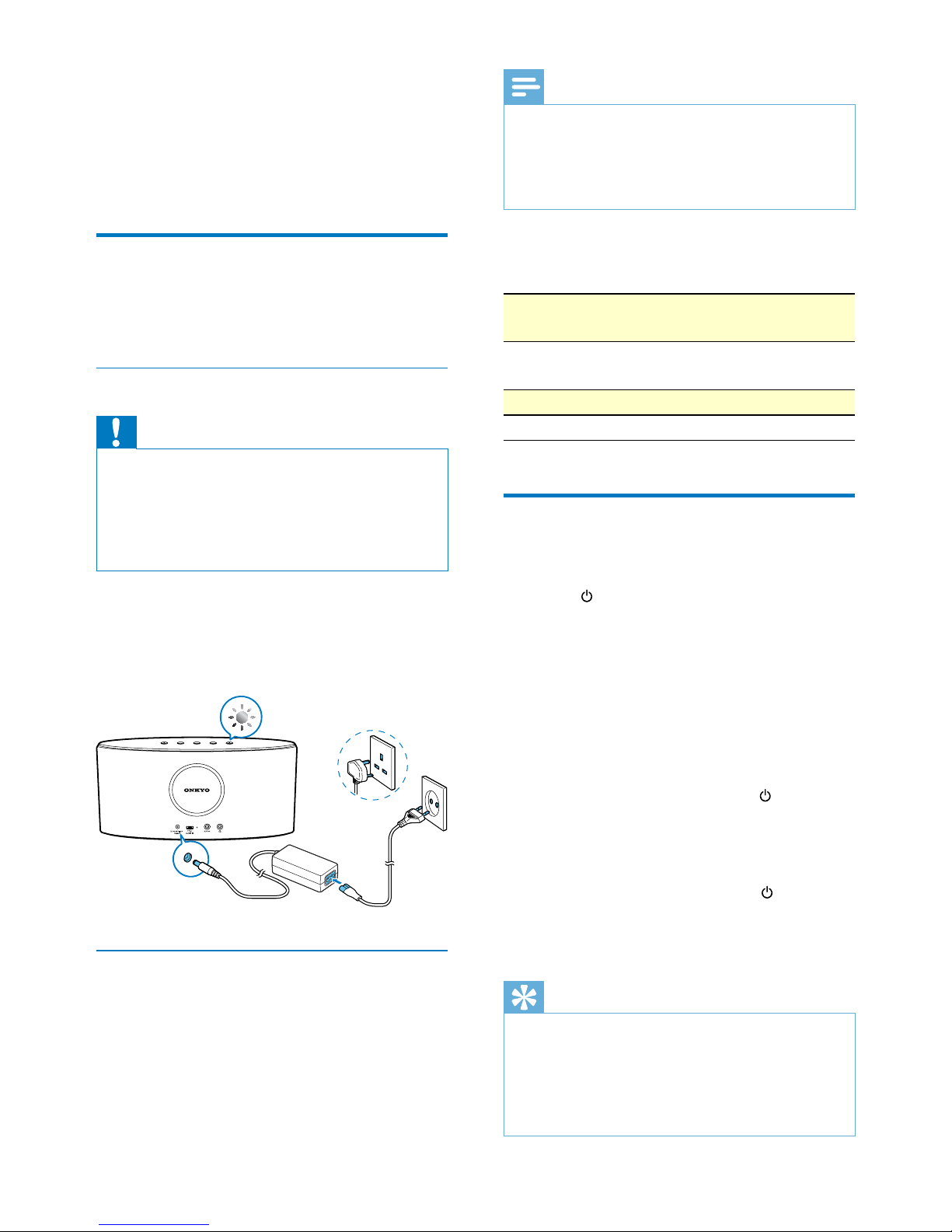
• Connect the power adaptor to:
• the DC IN socket at the back of the
speaker.
• the wall outlet.
Option 2: Battery power
The speaker can also be powered by the built-
in rechargeable battery.
Note
System
status
Battery status Power LED
status
On/off Low power (less
than 10%)
Flashing red
On Under charging Flashing white
On Fully charged Solid white
Switch on or go to standby
mode
• Press to switch the speaker on.
» If the speaker is fully charged, the
power indicator turns solid white.
» If the speaker is being charged, the
powerindicatorasheswhite.
» If the speaker is in low battery (with
less than 10% power), the power
indicatorashesred.
• To enter standby mode, press briey.
» The power indicator is dimmed in
white.
• To switch off when the speaker is on or in
standby mode, press and hold for two
seconds.
» The power indicator turns off.
Tip
• In Bluetooth mode, if Bluetooth connection is invalid or
music playback is stopped for 15 minutes, this speaker
switches to standby mode automatically.
• In AUX IN mode, if the audio-in cable is disconnected
or music playback is stopped for 15 minutes, this
speaker switches to standby mode automatically.
• Rechargeable battery has a limited number of charge
cycles.The battery life and number of charge cycles
vary by use and settings.
• It takes you approximately three hours to fully charge
the battery.
To charge the built-in battery:
• Connect to AC power supply.