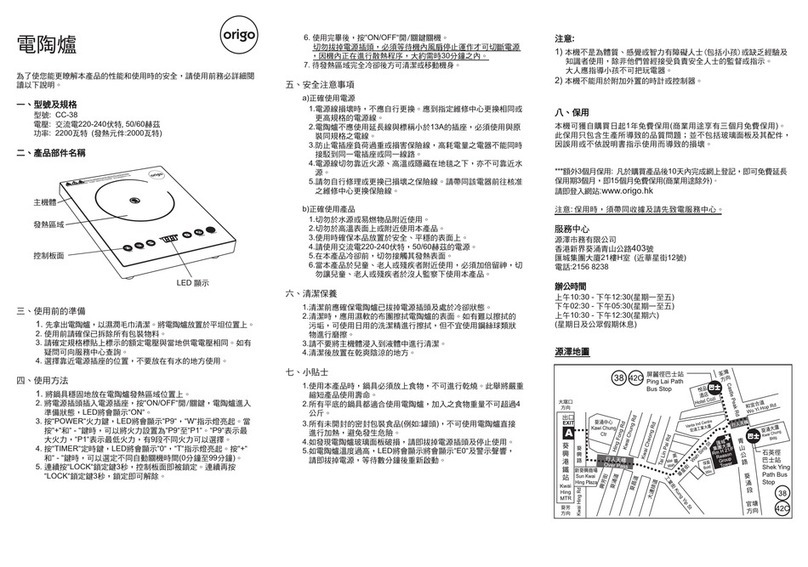
Model : CC69
Voltage : 220-240V~50/60Hz
Power : 2200W (Heating element: 2000W)
MAIN PARTS
PREPARATION BEFORE USE
1. Take apart the Cooker clean with a soft damp cloth. Place your
Cooker on the level and stable surfure.
2. Make sure that all packing materials are removed before use.
3. Choose the near part of socket during use. Do not use it near any
sources with water.
OPERATIONS
1. Place the cookware on the heating zone and make sure the bottom fully
contacts with the glass plate of main body.
2. Connect this Cooker to the power supply and press “ON/OFF“ key, the
cooker is on stand-by mode.
3. Press “Function“ key, “Hot Pot“ indicator light on, choose “Fry“, “Steam“,
“Heating“, “BBQ“ and “Warm“ function by pressing the “Function“ key
again.
When choosing “Hot Pot“ function, the LED will display “2000W“, press
“ “ and “ “ key to set the power. There are 7 power intervals.
When choosing “Fry“ function, the LED will display “700℃“, press “ “
and “ “ key to set the temperature from “60℃“ to “700℃“.
When choosing “Steam“ function, the LED will display “1800W“, then the
cooker will automatically enter into 30 minutes timer status.
When choosing “Heating“ function, the LED will display “60℃“, press “ “
and “ “ key to set the temperature from “60℃“ to “700℃“.
Remark: For any repair service, please contact and bring with the
invoice or receipt to the Service Centre.
***Extra 3 months warranty: just complete Online Warranty
Registration within 10 days from the date of receipt, free warranty
will be extended to 15 months (not applicable to commercial use).
Please enter our website: www.origin.hk
11. Ensure the appliance is placed on a stable, secure surface to
eliminate the possibility of tipping over or avoid any water in the set.
12. DO NOT OPERATE this appliance near water sources or flammable
liquids.
13. DO NOT OPERATE this appliance on or near any hot surface.
(Hot plate, electric stoves etc).
14.
This appliance cannot be used beside the stove and other high
temperature objects.
15. DO NOT PUT the cord under the carpet, blankets. Always keep the
power cable away from the walk way in room.
16.
Do not hang the power cord on the edge of table or touch the surface
with high temperature in order to avoid damage to the power cord.
17.
Do not allow to turn on this appliance if you have not place any food
on it.
18. All flat bottom pots are available and please limit the food within 4kg.
19. To avoid any danger of explosion, please do not heat the canned
goods before remove their cover.
20. If the temperature is too high, LED display will show"E0"with alarm.
Please cut off the power and restart after several minutes.
21.
Never try to touch the hot surface of this appliance before it is cool
down.
MAINTENANCE & CARE
1. Make sure the plug is removed from the power supply socket. After
the appliance is completely cooled down, clean i t with the mild
cleaner or gel-like cleaner by using soft cloth.
2. PLEASE DO NO T CLEAN THE SET WHEN IT IS STILL HOT
DO NOT USE hard brushes, scratchy materials and/or alcohol,
petrol or any organic cleaner for the cleaning purpose.
3. Do not immerse the main body in water to clean.
4. Put the appliance on the cool place right after the cleaning.
WARRANTY
This product is guaranteed for 1 year (commercial use for 3 months)
from the date of receipt against manufacturing defect. The warranty
does not cover the glass surface and its accessories, damage or
defect caused by negligence or use not according to this instruction
manual.
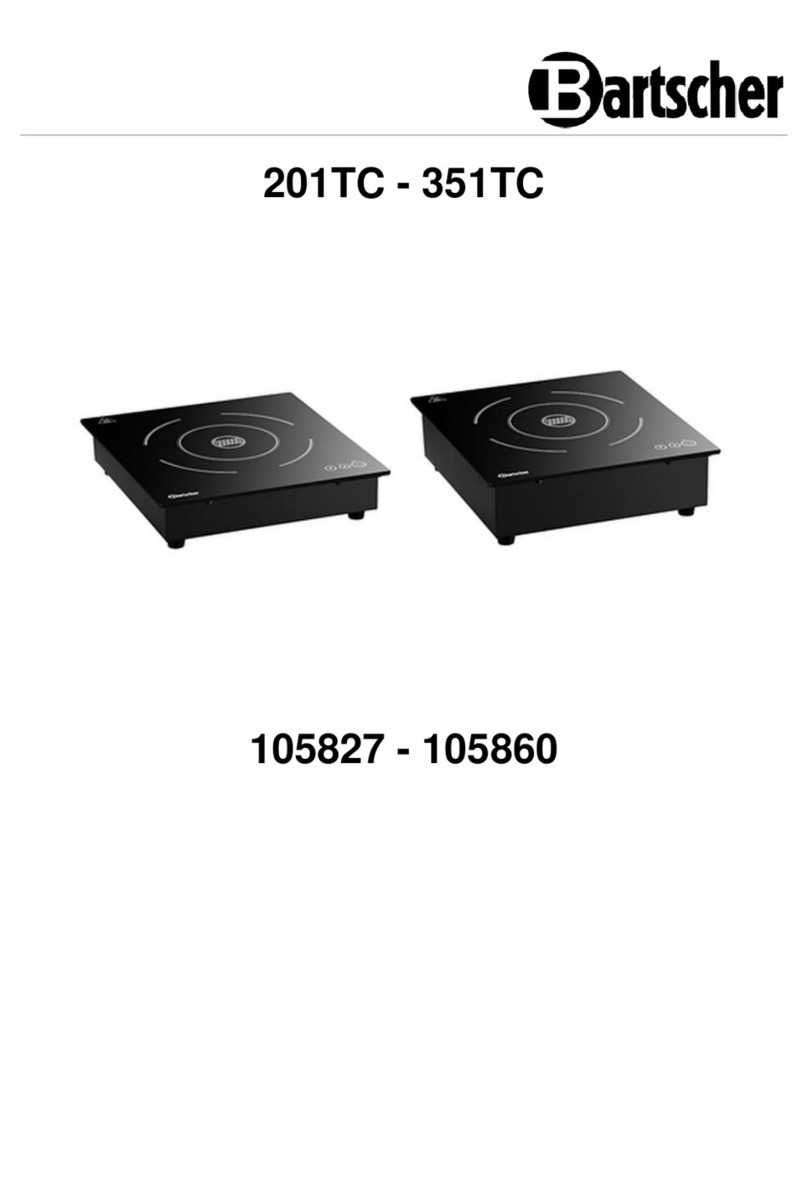
Electric Ceramic Cooker
白底黑字, 中英各一面, 風琴
摺, A4 SIZE, 90g紙或以上
7. Wait until the heating zone is completely cool down before moving or
cleaning the cooker.
Service Centre
ORIGIN MARKETING LIMITED
Unit H,21/F, Reason Group Tower
(nearby 12 Wah Sing Street), 403 Castle Peak Road,
Kwai Chung, N.T., Hong Kong.
Tel: 2156 8238
Office Hours
10.30am - 12:30pm (Mon ~ Fri)
02:30pm - 05:30pm (Mon ~ Fri)
10:30am - 12:30pm (Sat)
(Closed on Sunday and Holiday)
www.origo.hk
When choosing "Warm“ function, the LED will display “60℃“, press “+“
and “-“ to set the temperature from “60℃“ to “700℃“.
4. Press “Timer“ key, then press “+“ and “-“ key to set desired auto power
off time (0 to 99 minutes).
5. Press “Lock“ key and hold on for 3 seconds to lock control panel.
To release child lock function, press “Lock“ key again and hold on for 3
seconds.
The picture is for reference only, everything in kind shall prevail.
Origin Map
LED Display
Control Panel
Heating Zone
Main Body
IMPORTANT SAFETY INFORM ATION
Read all instructions carefully before using the appliance.
Appropriately keep it for future reference when necessary.
***This instruction manual can be acquired at www.origin.hk.
This appliance is not intended for use by persons (including children)
with reduced physical, sensory or mental capabilities, or lack of
experience and knowledge, unless they have been given supervision or
instruction concerning use of the appliance by a person responsible or
their safety. Children should be supervised to ensure that they do not
play with the appliance.
This appliance is intended to be used in household and similar
applications such as: staff kitchen areas in shops, office and other
working environments; farm houses; by clients in hotels; motels and
other residential type environments; bed and breakfast type
environments.
Before using the appliance, check if the voltage marked on the rating
label corresponds to the mains at your home.
Appliances are not intended to be operated by means of an external
timer or separate remote-control system.
To prevent the risk of electric shock, DO NOT USE the set with broken
power supply wires, broken fuse or broken plug. All repair works must
be made by a professional (authorized distributor). NEVER TRY TO
REPAIR the cable or plug by yourself. Please take the damaged set to
your local authorized maintenance center.
If the glass surface is cracked, pull out the plug to prevent the risk of
electric shock.
Use of an extension cord is not recommended as it may overheat and
cause risk of fire. Must use the same specification power cord with the
original power cord.
To prevent overloading and blowing fuses, ensure that no other high
power appliance is plugged into the same socket, or another socket
which is connected in the same circuit.
Open the package and ensure that the appliance is undamaged.In
case of doubt, do not use and contact your service centre.
When choosing “BBQ“ function, the LED will display “600℃“, press “ “
and “ “ key to set the temperature from “60℃“ to “700℃“.
1.
2.
3.
4.
5.
6.
7.
8.
9.
10. 6. To stop using the cooker, press “ON/OFF“ key again.
Don't pull out plug immediately, wait for air ventilation works for
within 30 minutes to cool down the Cooker, until the fan stops
completely.