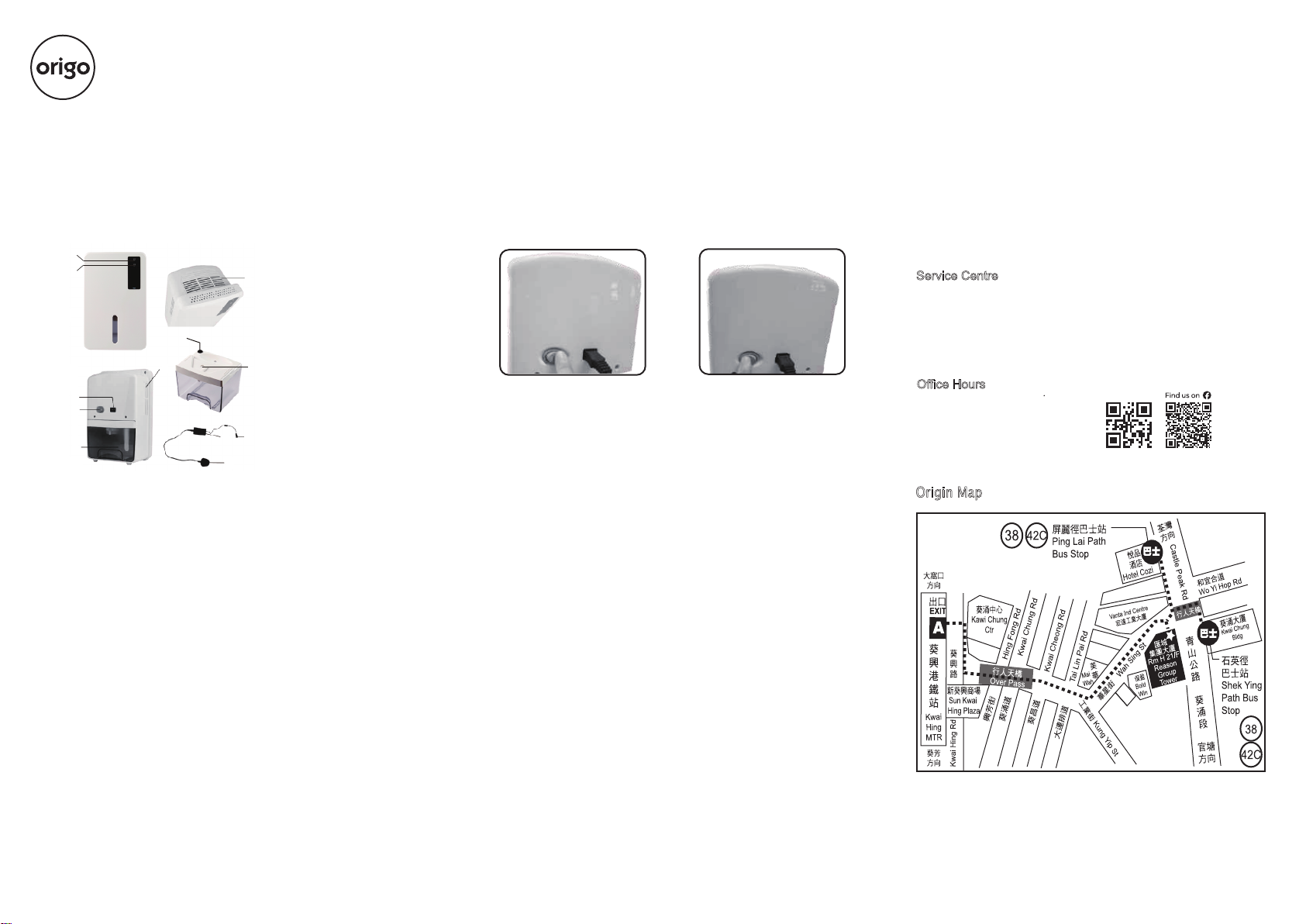
OPERATION
- After removing the packing materials, there should be two items:
a. Mini Dehumidifier
b. AC/DC Power adaptor
- Plug the DC power jack of AC/DC power adaptor to the DC power
socket, then connect the AC/DC power adaptor to the appropriate
main socket.
- Press the "On/Off" button to " On" position, the Mini Dehumidifier
will begin to operate. The green LED will be turned on. Listen and
feel for the air blowing from dry air outlet. [as Fig.1]
- To switch off the unit, press "On/Off" button to " Off" position, the
Mini Dehumidifier will be turned off. [as Fig.2]
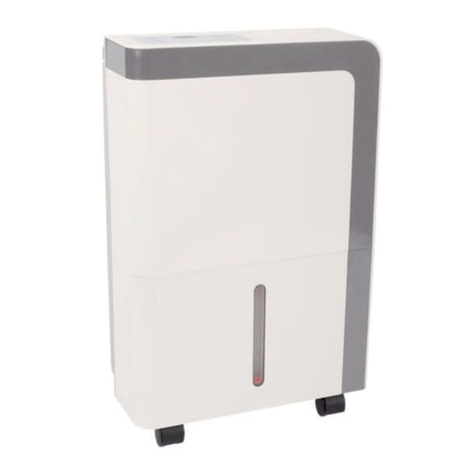
Mini Dehumidifier
Thank you for your purchase of origo Mini Dehumidifier. The mini
Dehumidifier uses Peltier technology (no compressor), which makes
it light, quiet and environmental friendly. It is perfect for small rooms.
Poor ventilation causes musty odour and fungus in wardrobes, larder,
cabinet or storage room...etc. The Petite Dehumidifier eliminates this
problem by keeping them free of unwanted moisture.
Origin Map
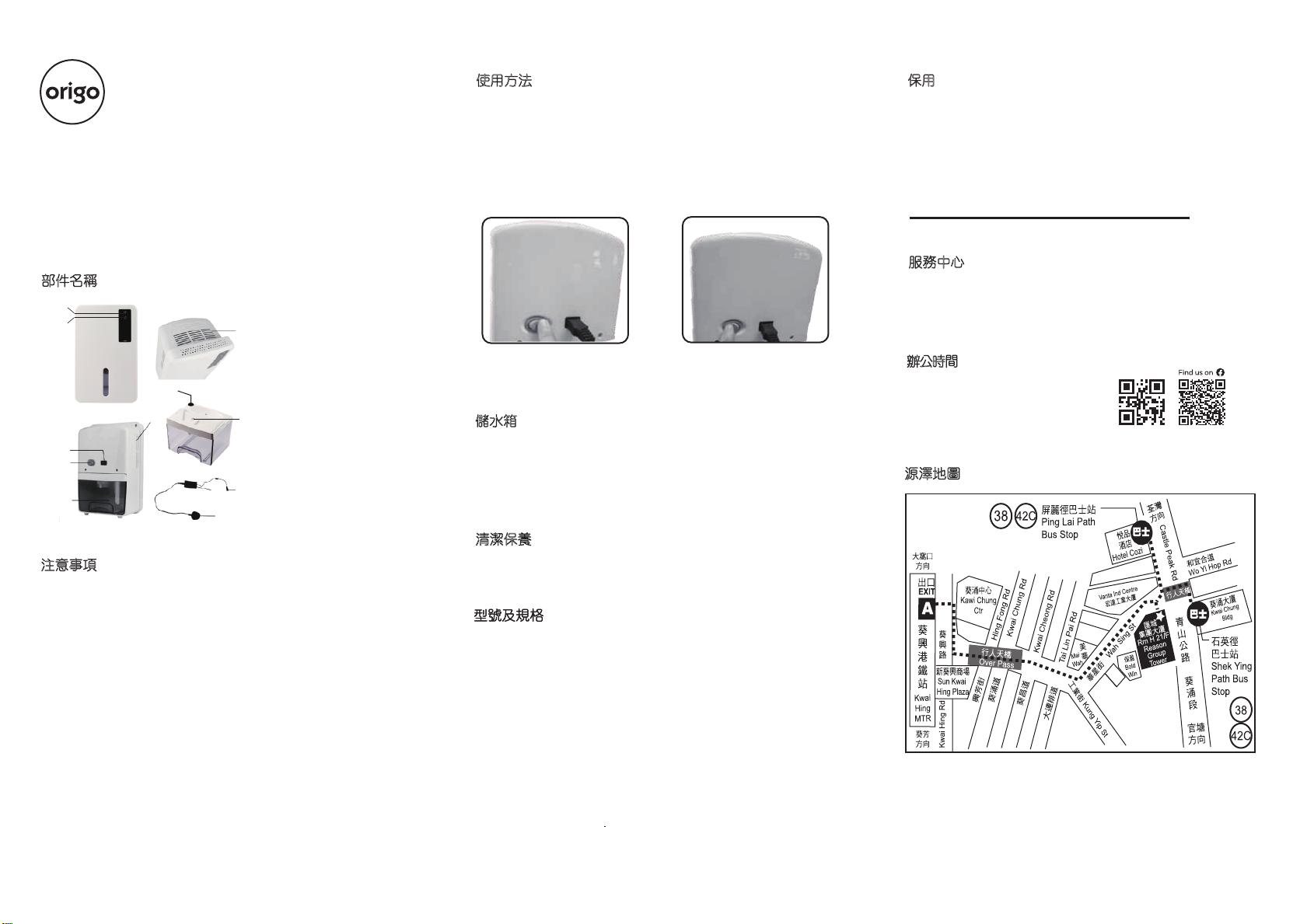
MAIN PARTS
1. On/Off Button
2. Green LED - On
3. Yellow LED - Full
4. Air Inlet
5. Water Tank
6. Dry Air Outlet
7. DC Power Socket
8. AC/DC Power Adaptor
9. DC Power Jack
10. AC Plug with Power Cord
11. Water Displacement Hole
12.Flooat Switch
ATTENTION
- Read all instructions and warnings carefully before use.
- This product is for indoor use only.
- This product is not a toy. Do not allow children to play it.
- This product is designed for household use only.
- Always keep the unit at upright position to avoid water leakage.
- Keep the front air inlet and the top air outlet free from air blocking
materials such as clothing, plastic bag or papers.
- Avoid using the AC/DC power adaptor in wet or damp place, and
position it in areas where the air ventilation is good.
- After using the Dehumidifier, the user should switch the unit off by
pressing the "On/Off" button to "Off" position.
- If the unit has been properly connected and no power is flowing,
have the AC/DC power adaptor and the Dehumidifier unit checked
by Service Centre.
- To avoid electric shock, do not open the unit. There are no user
serviceable parts inside.
- Any repair work must be done by qualified technician appointed by
our distributors.
- This appliance is not intended for use by persons (including children)
with reduced physical, sensory or mental capabilities, or lack of
experience and knowledge, unless they have been given supervision
or instruction concerning use of the appliance by a person responsible
or their safety. Children should be supervised to ensure that they do
not play with the appliance.
MODEL & SPECIFICATION
Model : DH-400
Capacity : Approx. 400ml/day at 30°C, 80% RH
Cooling element : Thermo-electric Peltier module
Fan : 90mm x 90mm DC Brushless motor
Power adaptor : 12V d.c. 5Amp
Power consumption : 60W
Removable water tank : 1.5Litres
Water level detector : Automatic switch off with "Yellow" LED
Indicator when water tank is full
Product dimension : 180(W) x 282(H) x 129(D) mm
Working environment : Over 15°C, over 40% RHCapacity
Service Centre
ORIGIN MARKETING LIMITED
Unit H,21/F, Reason Group Tower
(nearby 12 Wah Sing Street), 403 Castle Peak Road,
Kwai Chung, N.T., Hong Kong.
Tel: 2156 8238
Office Hours
10.30am - 12:30pm (Mon ~ Fri)
02:30pm - 05:30pm (Mon ~ Fri)
10:30am - 12:30pm (Sat)
(Closed on Sunday and Holiday)
This product is guaranteed for 1 year (commercial use for 3
months)from the date of receipt against manufacturing defect.
The warranty does not cover housing and water tank, damage
or defect caused by negligence or use not according to this
instruction manual.
Remark: For any repair service, please contact and bring with
the invoice or receipt to the Service Centre.
***Extra 3 months warranty: just complete Online Warranty
Registration within 10 days from the date of receipt, free warranty
will be extended to 15 months (not applicable to commercial use).
Please enter our website: www.origo.hk
WARRANTY
Fig.1 Fig.2
WATER TANK
- When the water tank is full, with approximately 1.5 litres of water
collected, the unit will be switched off automatically and the "Yellow"
LED will be on.
- To remove the water tank, first switch off the Mini Dehumidifier, press
"On/Off" button to the "Off" position. Then, remove the water tank from
the unit and pour the water out to the toilet or bathroom. Put the water
tank back into the unit. To continue dehumidifying, press the "On/Off"
button to "On" position again.
MAINTENANCE
- Before cleaning the unit, turn off the Mini Dehumidifier and unplug the
adaptor from the main socket first. Use a piece of soft cloth to clean the
surface of the product or use a brush to wipe the dust off the grills of the
air inlet.
1
2
3
7
4
6
11
12
9
8
10
5
www.origo.hk
The picture is for reference only, everything in kind shall prevail.
The picture is for reference only, everything in kind shall prevail.