www.pagergenius.comUser manual 8
T9005/W6010
W6010 PAGER GENIUS WATCH PAGER
SETTING THE ALERTS
Pager Genius Watch Pagers can
do one or all the following: beep,
vibrate, and ash. To change these
settings do the following steps:
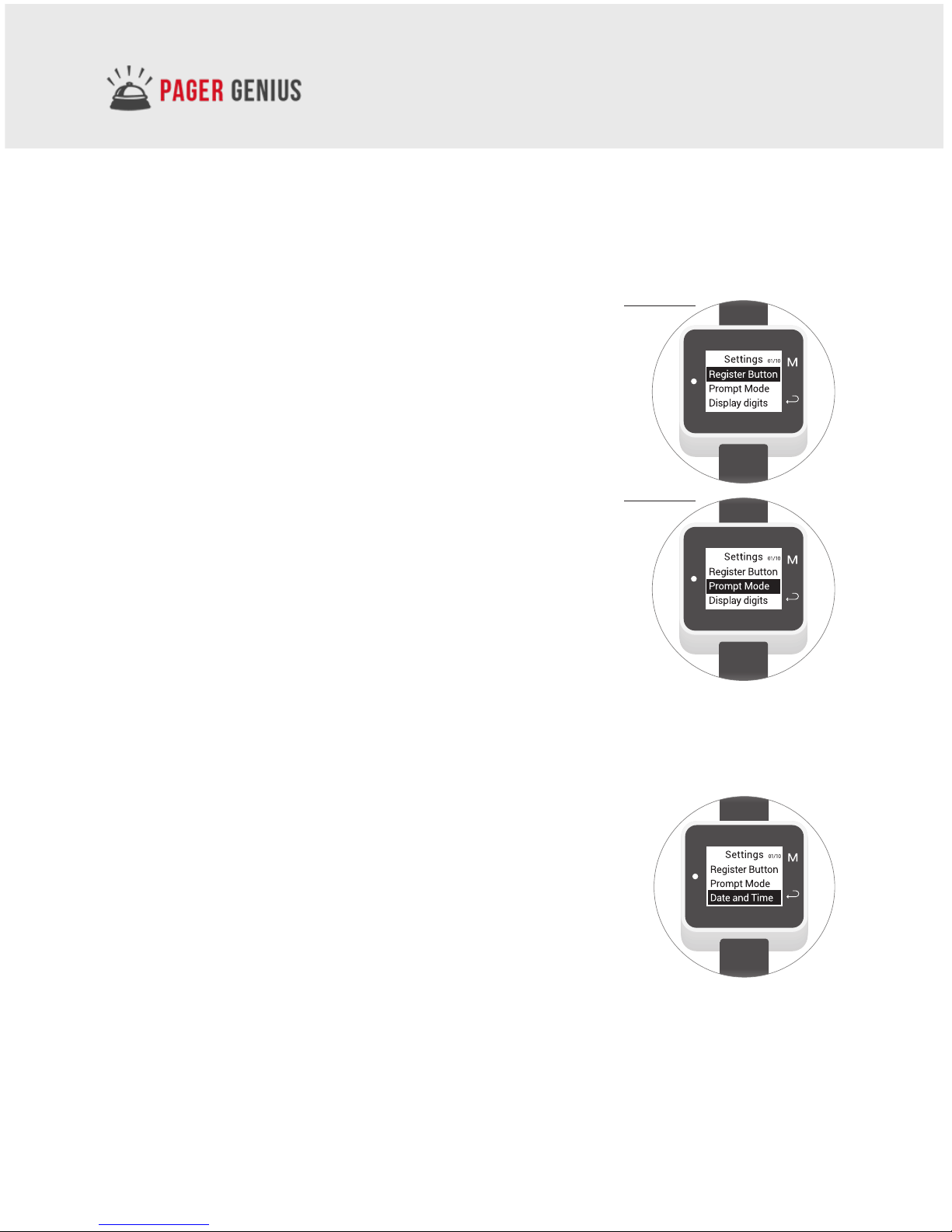
Step 1: Press the M button and the
arrow button at the same time to
bring up the Settings menu.
Step 2: Highlight the Prompt Mode,
and press the M Button.
Step 3: Highlight the boxes of the
alerts you want, and press the M
button and the arrow button to
return back to the settings menu.
W6010 PAGER GENIUS WATCH PAGER
SETTING THE DATE AND TIME
Pager Genius watch pagers can display time of day,
date, and the day of the week. Below are the steps to
change these settings:
Step 1: Press the M button and the arrow button at
the same time to bring up the Settings menu.
Step 2: Highlight the Date & Time icon, and press the
M Button.
Step 3: Change the numbers and the days using the M button,
and use the arrow buttons to advance to the next setting.
Press the M key
and the arrow
key at the same
time to bring
up the settings
menu
Highlight the
Prompt Mode,
and press
the M Button