manuals.online logo
Brands
  1. Home
  2. •
  3. Brands
  4. •
  5. Panasonic
  6. •
  7. Adapter
  8. •
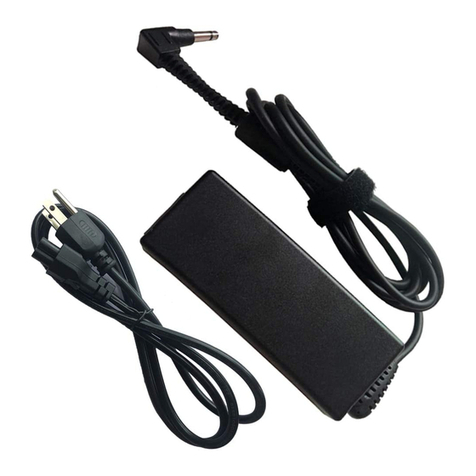
  9. Panasonic CF-AA1653A2 User manual

Panasonic CF-AA1653A2 User manual

Other Panasonic Adapter manuals

Panasonic DVCPRO AJ-CA901P User manual

Panasonic

Panasonic DVCPRO AJ-CA901P User manual

Panasonic CF-AA6503A Series User manual

Panasonic

Panasonic CF-AA6503A Series User manual

Panasonic CZ-CFUSCC1 User manual

Panasonic

Panasonic CZ-CFUSCC1 User manual

Panasonic WV-PS03 User manual

Panasonic

Panasonic WV-PS03 User manual

Panasonic KX-TGA575 User manual

Panasonic

Panasonic KX-TGA575 User manual

Panasonic CYZAC50N User manual

Panasonic

Panasonic CYZAC50N User manual

Panasonic BB-HCA7 User manual

Panasonic

Panasonic BB-HCA7 User manual

Panasonic DBUB-P705 User manual

Panasonic

Panasonic DBUB-P705 User manual

Panasonic AW-PS301 User manual

Panasonic

Panasonic AW-PS301 User manual

Panasonic ET-WML100U User manual

Panasonic

Panasonic ET-WML100U User manual

Panasonic BLPA300A - HD-PLC ETHERNET ADAPTOR User manual

Panasonic

Panasonic BLPA300A - HD-PLC ETHERNET ADAPTOR User manual

Panasonic CF-AA5713A Series User manual

Panasonic

Panasonic CF-AA5713A Series User manual

Panasonic DBUB-P207 User manual

Panasonic

Panasonic DBUB-P207 User manual

Panasonic DMW-DCC12 User manual

Panasonic

Panasonic DMW-DCC12 User manual

Panasonic BL-PA300KTA - High Definition Power Line Communication Ethernet Adaptor... User manual

Panasonic

Panasonic BL-PA300KTA - High Definition Power Line Communication Ethernet Adaptor... User manual

Panasonic AW-PS301 User manual

Panasonic

Panasonic AW-PS301 User manual

Panasonic WV-QT70 User manual

Panasonic

Panasonic WV-QT70 User manual

Panasonic AG-MYA30G - XLR Mic Adaptor User manual

Panasonic

Panasonic AG-MYA30G - XLR Mic Adaptor User manual

Panasonic CZ-TAW1 User manual

Panasonic

Panasonic CZ-TAW1 User manual

Panasonic BB-HCA7A User manual

Panasonic

Panasonic BB-HCA7A User manual

Panasonic ET-UW100 User manual

Panasonic

Panasonic ET-UW100 User manual

Panasonic AK-HBA3500G User manual

Panasonic

Panasonic AK-HBA3500G User manual

Panasonic TYTAD20 User manual

Panasonic

Panasonic TYTAD20 User manual

Panasonic CF-AA6373A User manual

Panasonic

Panasonic CF-AA6373A User manual

Popular Adapter manuals by other brands

Mini Gadgets BB2Outlet user manual

Mini Gadgets

Mini Gadgets BB2Outlet user manual

LSI LSISAS3442E-R Quick installation guide

LSI

LSI LSISAS3442E-R Quick installation guide

Moeller BBA -16 Series installation instructions

Moeller

Moeller BBA -16 Series installation instructions

Acer MWA3 quick start guide

Acer

Acer MWA3 quick start guide

Connect Tech ADG095 user guide

Connect Tech

Connect Tech ADG095 user guide

cable matters 604002 user manual

cable matters

cable matters 604002 user manual

Solwise PL-85PEW Easy start

Solwise

Solwise PL-85PEW Easy start

HP Photosmart 7100 user guide

HP

HP Photosmart 7100 user guide

HP E2494A installation guide

HP

HP E2494A installation guide

StarTech.com USB150WN1X1 quick start guide

StarTech.com

StarTech.com USB150WN1X1 quick start guide

Lindy 43198 user manual

Lindy

Lindy 43198 user manual

A&D AD-8527 instruction manual

A&D

A&D AD-8527 instruction manual

Motorola WU830G user guide

Motorola

Motorola WU830G user guide

Hawking HUF2 Specifications

Hawking

Hawking HUF2 Specifications

Allen-Bradley E3 Plus installation instructions

Allen-Bradley

Allen-Bradley E3 Plus installation instructions

Trust BT-2210Tp manual

Trust

Trust BT-2210Tp manual

HP NC7170 overview

HP

HP NC7170 overview

Uconnect BLE-485C user manual

Uconnect

Uconnect BLE-485C user manual

manuals.online logo
manuals.online logoBrands
  • About & Mission
  • Contact us
  • Privacy Policy
  • Terms and Conditions

Copyright 2025 Manuals.Online. All Rights Reserved.

If a new plug is to be fitted please observe the wiring code as
shown below.
If in any doubt please consult a qualified electrician.
Warning: THIS APPLIANCE MUST BE EARTHED.
Important
The wires in this mains lead are coloured in accordance with
the following code:
Green-and-yellow: Earth
Blue: Neutral
Brown: Live
As the colours of the wires in the mains lead of this apparatus
may not correspond with the coloured markings identifying the
terminals in your plug, proceed as follows:
The wire which is coloured GREEN-and-YELLOW must be
connected to the terminal in the plug which is marked by the
letter E or by the safety earth symbol coloured GREEN or
GREEN-and-YELLOW.
The wire which is coloured Blue must be connected to the ter-
minal which is marked with the letter N or coloured BLACK.
The wire which is coloured Brown must be connected to the
terminal which is marked with the letter L or coloured RED.
The mains plug on this equipment must be used to disconnect
the mains power.
Please ensure that a socket outlet is available near the equip-
ment and shall be easily accessible.
How to replace the fuse
Open the fuse compartment with a
screwdriver and replace the fuse.
Warnings
This equipment is not designed for connection to an IT power
system.
(An IT system is a system having no direct connections be-
tween live parts and Earth; the exposed-conductive-parts of
the electrical installation are earthed.
An IT system is not permitted where the computer is directly
connected to public supply systems in the U.K.)
Disconnect the mains plug from the supply socket when the
computer is not in use.
This equipment is produced to BS800/1983.
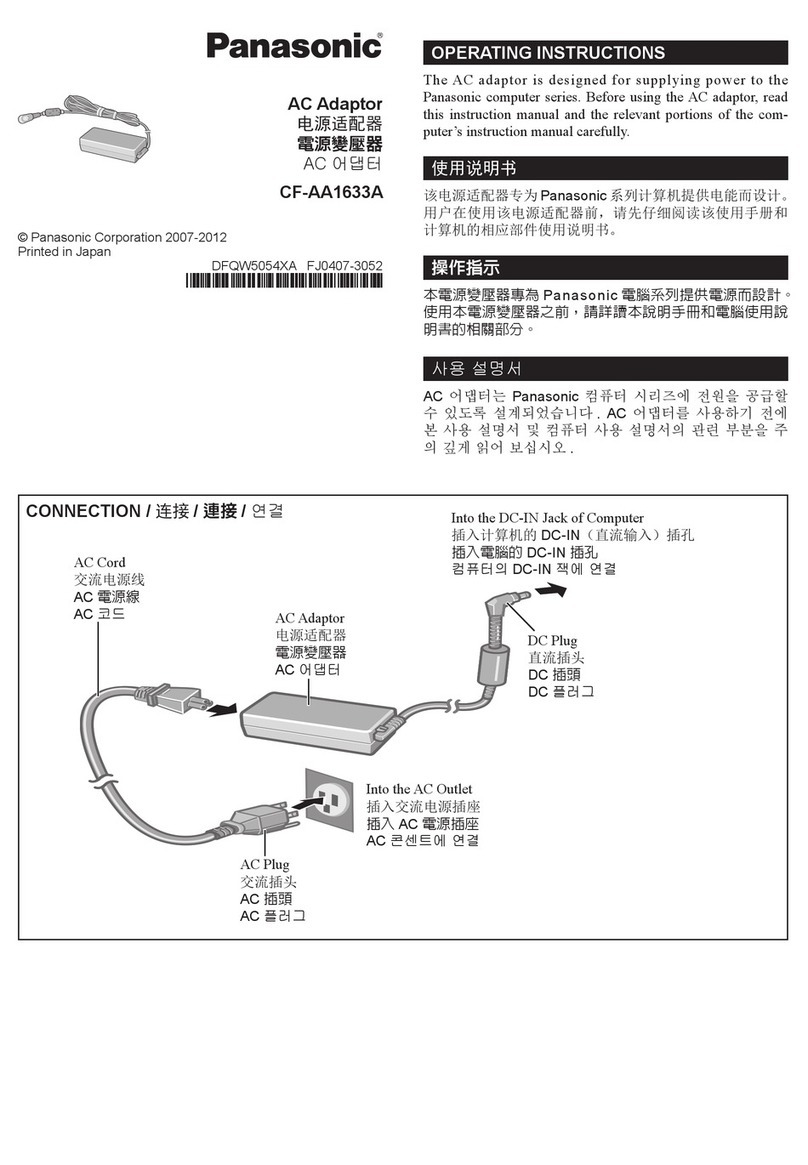
The AC adaptor is designed for supplying power to the Panasonic
computer series. Before using the AC adaptor, read this instruc-
tion manual and the relevant portions of the computer’s instruc-
tion manual carefully.
Dieser Netzadapter ist für die Versorgung von Panasonic
Produkten vorgesehen. Vor dem Einsatz des Netzadapters lesen
Sie bitte diese Anleitung genau durch, und informieren Sie sich in
den entsprechenden Abschnitten des Computerhandbuches.
L’adaptateur secteur a été conçu pour l’alimentation électrique
de la gamme d’ordinateurs Panasonic. Avant d’utiliser cet
adaptateur, veuillez lire attentivement ce manuel d’instructions
et la partie correspondante dans le mode d’emploi de l’ordinateur.

For U.K.
Printed in Japan DFQX5588XA FJ1205-3032
Warning
This apparatus must be earthed for your safety.
To ensure safe operation the three-pin plug must be inserted
only into a standard three-pin power point which is effectively
earthed through the normal household wiring.
Extension cords used with the equipment must be three-core
and be correctly wired to provide connection to earth. Wrongly
wired extension cords are a major cause of fatalities.
The fact that the equipment operates satisfactorily does not im-
ply that the power point is earthed and that the installation is
completely safe.
For your safety, if you have any doubt about the effective
earthing of the power point, consult a qualified electrician.
FOR YOUR SAFETY PLEASE READ THE FOLLOWING
TEXT CAREFULLY
This appliance is supplied with a moulded three pin mains plug
for your safety and convenience.
A 3 amp fuse is fitted in this plug.
Should the fuse need to be replaced please ensure that the re-
placement fuse has a rating of 3 amps and that it is approved by
ASTA or BSI to BS 1362.
Check for the ASTA mark A S A or the BSI mark on the body
of the fuse.
If the plug contains a removable fuse cover you must ensure
that it is refitted when the fuse is replaced.
If you lose the fuse cover the plug must not be used until a
replacement cover is obtained.
A replacement fuse cover can be purchased from your local
Panasonic Dealer.
IF THE FITTED MOULDED PLUG IS UNSUITABLE FOR
THE SOCKET OUTLET IN YOUR HOME THEN THE FUSE
SHOULD BE REMOVED AND THE PLUG CUT OFF AND
DISPOSED OF SAFELY.
THERE IS A DANGER OF SEVERE ELECTRICAL SHOCK
IF THE CUT OFF PLUG IS INSERTED INTO ANY 13 AMP
SOCKET.
OPERATING INSTRUCTIONS
BEDIENUNGSANLEITUNG
INSTRUCTIONS D’UTILISATION
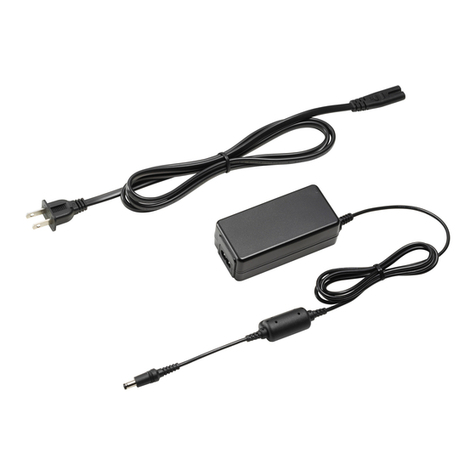
AC Adaptor
CF-AA1653A2
DFQX5588YA2029.indd 1 2012/03/05 15:19:03
Information on Disposal for Users of Waste Electrical
& Electronic Equipment (private households)
T h i s sy m b ol o n t h e p r o d u ct s a nd /o r
accompanying documents means that used
electrical and electronic products should not be
mixed with general household waste.
Please dispose of this item only in designated
national waste electronic collection schemes, and
not in the ordinary dust bin.
Benutzerinformationen zur Entsorgung von elektrischen und
elektronischen Geräten (private Haushalte)
Entsprechend der grundlegenden
Firmengrundsätzen der Panasonic-Gruppe wurde
ihr Produkt aus hochwertigen Materialien und
Komponenten entwickelt und hergestellt, die
recycelbar und wieder verwendbar sind.
Dieses Symbol auf Produkten und/oder
begleitenden Dokumenten bedeutet, dass
elektrische und elektronische Produkte am Ende ihrer
Lebensdauer vom Hausmüll getrennt entsorgt werden müssen.
Bringen Sie bitte diese Produkte für die Behandlung,
Rohstoffrückgewinnung und Recycling zu den eingerichteten
kommunalen Sammelstellen bzw.
Wertstoffsammelhöfen, die diese Geräte kostenlos entgegenneh-
men.
Die ordnungsgemäße Entsorgung dieses Produkts dient dem
Umweltschutz und verhindert mögliche schädliche Auswirkungen
Informations relatives à l’évacuation des déchets,
destinées aux utilisateurs d’appareils électriques et
électroniques (appareils ménagers domestiques)
Lorsque ce symbole figure sur les produits et/ou
les documents qui les accompagnent, cela signifie
que les appareils électriques et électroniques ne
doivent pas être jetés avec les ordures ménagères.
Pour que ces produits subissent un traitement, une
récupération et un recyclage appropriés, envoyez-
les dans les points de collecte désignés, où ils
peuvent être déposés gratuitement.
Dans certains pays, il est possible de renvoyer les produits au
revendeur local en cas d’achat d’un produit équivalent.
En éliminant correctement ce produit, vous contribuerez à la
conservation des ressources vitales et à la prévention des éventuels
effets négatifs sur l’environnement et la santé humaine qui
pourraient survenir dans le cas contraire.
For business users in the European Union
If you wish to discard electrical and electronic equipment, please
contact your dealer or supplier for further information.
Information on Disposal in other Countries outside the
European Union
This symbol is only valid in the European Union.
If you wish to discard this product, please contact your local
authorities or dealer and ask for the correct method of disposal.
Afin de connaître le point de collecte le plus proche, veuillez
contacter vos autorités locales.
Des sanctions peuvent être appliquées en cas d’élimination
incorrecte de ces déchets, conformément à la législation nationale.
Utilisateurs professionnels de l’Union européenne
Pour en savoir plus sur l’élimination des appareils électriques et
électroniques, contactez votre revendeur ou fournisseur.

Informations sur l’évacuation des déchets dans les pays
ne faisant pas partie de l’Union européenne
Ce symbole n’est reconnu que dans l’Union européenne.
Pour supprimer ce produit, contactez les autorités locales ou votre
revendeur afin de connaître la procédure d’élimination à suivre.
ENGLISH
DEUTSCH
FRANÇAIS
auf Mensch und Umwelt, die sich aus einer unsachgemäßen
Handhabung der Geräte am Ende Ihrer Lebensdauer ergeben
könnten.
Genauere Informationen zur nächstgelegenen Sammelstelle bzw.
Recyclinghof erhalten Sie bei Ihrer Gemeindeverwaltung.
Für Geschäftskunden in der Europäischen Union
Bitte treten Sie mit Ihrem Händler oder Lieferanten in Kontakt,
wenn Sie elektrische und elektronische Geräte entsorgen möchten.
Er hält weitere Informationen für sie bereit.
Informationen zur Entsorgung in anderen Ländern
außerhalb der Europäischen Union
Dieses Symbol ist nur in der Europäischen Union gültig.
Bitte treten Sie mit Ihrer Gemeindeverwaltung oder Ihrem Händ-
ler in Kontakt, wenn Sie dieses Produkt entsorgen möchten, und
fragen Sie nach einer Entsorgungsmöglichkeit.
Panasonic Corporation
Panasonic System Communications Company of
North America
3 Panasonic Way, Panazip 2F-5, Secaucus, NJ 07094
Panasonic Canada Inc.
5770 Ambler Drive Mississauga, Ontario L4W 2T3
Importer’s name & address pursuant to the EU GPSD (General
Product Safety Directive) 2001/95/EC Art.5
Panasonic System Communications Company
Europe,Panasonic Marketing Europe GmbH
Hagenauer Straße 43, 65203 Wiesbaden, Germany
Web Site : http://panasonic.net/
DFQX5588YA2029.indd 2 2012/03/05 15:19:05
ENGLISH
Specifications
Caution
Warnung: Zur Trennung vom Netz ist der Netzstecker aus der Steckdose zu ziehen (welche sich in der Nähe des Gerätes
befinden muß und leicht zugänglich sein soll).
AC Plug
Netzstecker
Fiche CA
CONNECTION / ANSCHLUß / CONNEXION
Into the computer’s DC-IN Jack
In die Gleichstromeingangsbuchse des Computers
Dans la fiche DC-IN de l’ordinateur
Into the AC Outlet
In die Netzsteckdose
Dans la prise électrique
AC Cord
Netzkabel
Cordon d’alimentation
AC Adaptor
Netzadapter
Adaptateur secteur
<when is printed near the computer’s DC-IN Jack>
<wenn auf der Gleichstromeingangsbuchse des
Computers abgebildet ist>
<lorsque est imprimé près de la fiche DC-IN
de l’ordinateur>
Conversion Cable (included)
Konversionskabel (mitgeliefert)
Câble convertisseur (fourni)
If a Malfunction Occurs, Immediately Unplug the AC Cord
Computer is damaged•
Foreign object inside computer•
Smoke emitted•
Unusual smell emitted•
Unusually hot•
Continuing to use the computer while any of the above conditions are
present may result in fire or electric shock.
If a malfunction occurs, immediately turn the power off and unplug•
the AC cord.
Do Not Touch the Computer and Cable When It Starts Thun-
dering
Electric shock may result.
Do Not Connect the AC Adaptor to a Power Source Other
Than a Standard Household AC Outlet
Otherwise, a fire due to overheating may result. Connecting to a DC/
AC converter (inverter) may damage the AC adaptor. On an airplane,
only connect the AC adaptor/charger to an AC outlet specifically ap-
proved for such use.
Do Not Do Anything That May Damage the AC Cord, the DC
Plug, or the AC Adaptor
Do not damage or modify the cord, place it near hot tools, bend, twist,
or pull it forcefully, place heavy objects on it, or bundle it tightly.
Continuing to use a damaged cord may result in fire, short circuit, or
electric shock.
Do Not Pull or Insert the DC Plug If Your Hands Are Wet
Electric shock may result.
Clean the DC Plug of Dust and Other Debris Regularly
If dust or other debris accumulates on the plug, humidity, etc. may cause
a defect in the insulation, which may result in a fire.
Pull the plug, and wipe it with a dry cloth.•
Pull the plug if the computer is not being used for a long period of time.
Insert the AC Plug Completely
If the plug is not inserted completely, fire due to overheating or electric
shock may result.
Do not use a damaged plug or loose AC outlet.•
Hold the Plug When Unplugging the AC Cord
Pulling on the cord may damage the cord, resulting in a fire or electric
shock.
Do Not Move the Computer While the DC Plug Is Connected
The AC cord may be damaged, resulting in fire or electric shock.
If the AC cord is damaged, unplug the DC plug immediately.•
Be Absolutely Sure to Use the AC Adaptor With the Speci-
fied Computer.*1
Use with any other computer may result in a fire.
*1For information about the computer(s) for which the AC adaptor can be used,
refer to the Operating Instructions of your computer or various sources.
Voltage Input 100 V - 240 V AC*2
Output 15.6 V DC, 5.0 A
Dimensions
(W X H X D)
Approx. 140 mm X 56 mm X 28 mm
{5.5" X 2.2" X 1.1"}
Weight
(Except AC Cord)
Approx. 380 g {Approx. 0.84 lb.}
*2Use only the supplied AC cord for this AC adaptor.
The AC cord for North America is compatible up to 125V.
FRANÇAIS
DEUTSCH
Achtung
Technische Daten
Spécifications
Précautions
Bei Auftreten von Fehlfunktionen sofort das Netzkabel
ausstecken
Computer ist beschädigt• Fremdkörper im Computer• Rauchentwicklung• Ungewöhnlicher Geruch• Ungewöhnlich heiß•
Bei Weiterverwendung des Computers unter den oben aufgeführten
Bedingungen besteht Brand- oder Stromschlaggefahr.
Bei Auftreten von Fehlfunktionen, schalten Sie das Gerät sofort aus,• entfernen Sie das Netzkabel.
Berühren Sie bei Gewittern weder den Computer noch daran
angeschlossene Kabel
Es besteht Stromschlaggefahr.
Schließen Sie das Netzteil auf keinen Fall an einer anderen
Stromquelle als einer normalen Wechselstrom-Steckdose an
Andernfalls kann es durch Überhitzung zu einem Brand kommen. Durch
Anschluss an einen Gleichstrom-/Wechselstromkonverter
(Wechselrichter) kann das Netzteil beschädigt werden. Schließen Sie in
einem Flugzeug das Netzteil/Ladegerät nur an Wechselstromanschlüssen
an, die für derartige Verwendung zugelassen sind.
Achten Sie darauf, dass Netzkabel, Netzanschluss oder
Netzteil nicht beschädigt werden
Beschädigen oder verändern Sie das Kabel nicht, bringen Sie es nicht
in die Nähe von heißen Werkzeugen, biegen oder verdrehen Sie es nicht,
ziehen Sie nicht gewaltsam daran, stellen Sie keine schweren
Gegenstände darauf und wickeln Sie es nicht zu eng zusammen. Die
Weiterverwendung eines beschädigten Kabels kann zu Bränden,
Kurzschlüssen oder Stromschlägen führen.
Das Ein- oder Ausstecken des Netzsteckers darf nicht mit
nassen Händen erfolgen
Es besteht Stromschlaggefahr.
Befreien Sie den Netzstecker regelmäßig von Staub und
anderen Rückständen
Wenn Staub oder andere Rückstände sich auf dem Stecker ansammeln,
kann es durch Feuchtigkeit usw. zu Schäden an der Isolierung kommen,
die zu einem Brand führen können.
Stecken Sie den Netzstecker aus und wischen Sie ihn mit einem• trockenen Tuch ab. Ziehen Sie den Netzstecker ab, wenn der Com-
puter über längere Zeit nicht verwendet wird.
Stecken Sie den Netzstecker bis zum Anschlag ein
Wenn der Stecker nicht ganz eingesteckt ist, kann es durch Überhitzung
oder Stromschläge zu einem Brand kommen.
Verwenden Sie keine beschädigten oder lockeren Steckdosen.•
Beim Ausstecken des Netzkabels am Stecker ziehen
Durch Ziehen am Kabel kann dieses beschädigt werden, was zu einem
Brand oder elektrischen Schlägen führen kann.
Den Computer bei angeschlossenem Netzkabel nicht
bewegen
Das Netzkabel kann beschädigt werden, was zu einem Brand oder
elektrischen Schlägen führen kann.
Bei beschädigtem Netzkabel den Netzstecker sofort ausstecken.•
Unbedingt darauf achten, dass das Netzteil mit dem
angegebenen Computer verwendet wird*3
Die Verwendung mit einem anderen Computer kann zu einem Brand
führen.
*3Informationen zu den Computern, die zusammen mit dem Netzteil verwendet
werden können, finden Sie in der Betriebsanleitung Ihres Computers oder
verschiedenen anderen Quellen.
En cas de dysfonctionnement, débrancher immédiatement
le cordon d’alimentation
L’ordinateur est endommagé• Présence de corps étrangers dans l’ordinateur• Émission de fumée• Émission d’une odeur inhabituelle• Dégagement de chaleur inhabituelle•
Continuer à utiliser l’ordinateur si l’une des conditions ci-dessus est
remplie peut provoquer un incendie ou une décharge électrique.
En cas de dysfonctionnement, mettre immédiatement l’ordinateur hors
•
tension et déconnecter le cordon d’alimentation.
Ne pas toucher l’ordinateur ni les câbles en cas d’orage
Un choc électrique risque de se produire.
Ne pas brancher l’adaptateur secteur à une source
d’alimentation autre qu’une prise secteur domestique stan-
dard
Sinon, un incendie dû à une surchauffe risque de se produire. L’adaptateur
secteur risque d’être endommagé s’il est connecté à un convertisseur
C.C./C.A. (inverseur). En avion, ne brancher l’adaptateur secteur/
chargeur que sur une prise secteur spécifiquement adaptée à un tel
usage.
Ne rien tenter qui puisse endommager le cordon
d’alimentation, la fiche C.C. ou l’adaptateur secteur
Ne pas endommager ni modifier le cordon, ne pas le placer à proximité
d’objets chauds, le plier, le tordre, ou tirer dessus avec force, ne pas y
placer d’objets lourds, ni même le serrer de manière excessive.
Continuer à utiliser un cordon endommagé pourrait provoquer un
incendie, un court-circuit ou une décharge électrique.
Ne pas insérer ni retirer la fiche C.C. les mains mouillées
Un choc électrique risque de se produire.
Débarrasser régulièrement la fiche C.C. de la poussière et
autres résidus
Si de la poussière ou d’autres résidus s’accumulent sur la fiche, si celle-
ci est humide, par exemple, cela pourrait entraîner une défaillance de
l’isolation et provoquer un incendie.
Retirer la fiche et l’essuyer avec un chiffon sec.• Retirer la fiche si l’ordinateur n’est pas utilisé pendant une longue
période.
Insérer complètement la fiche secteur
Si la fiche n’est pas complètement insérée, un incendie dû à une
surchauffe ou une décharge électrique sont possibles.
Ne pas utiliser de fiche endommagée ni de prise secteur détachée.•
Tenir le cordon d’alimentation par la fiche lors de son retrait
Tirer sur le cordon risque de l’endommager, ce qui peut provoquer un
incendie ou une décharge électrique.
Ne pas déplacer l’ordinateur tant que la fiche C.C. est connectée
Le cordon d’alimentation risque d’être endommagé, ce qui peut
provoquer un incendie ou une décharge électrique.
Si c’est le cas, déconnecter immédiatement la fiche C.C.•
Veiller à utiliser l’adaptateur secteur avec l’ordinateur
spécifié*5
Sinon, un incendie risque de se produire.
*5Pour plus d’informations sur les ordinateurs compatibles avec l’adaptateur
secteur, se reporter entre autre aux Instructions d’utilisation de votre ordinateur.

Spannung Eingang 10 0 V bis 240 V AC*4
Ausgang 15.6 V DC, 5.0 A
Abmessungen (B X H X T)
ca. 140 mm X 56 mm X 28 mm
Gewicht (ohne Netzkabel)
ca. 380 g
*4Verwenden Sie nur das mitgelieferte Netzkabel für diesen Netzadapter.

Voltage Entrée 100 V à 240 V AC*6
Sortie 15.6 V DC, 5.0 A
Dimensions (L X H X P) Environ 140 mm X 56 mm X 28 mm
Poids (sans le cordon) Environ 380 g
*6Utilisez uniquement le cordon d’alimentation fourni pour cet adaptateur
secteur.