3
Quick & Easy
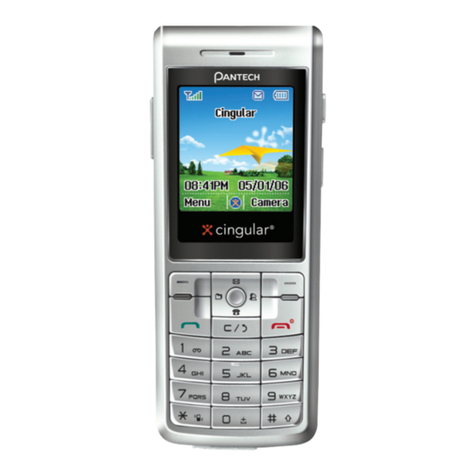
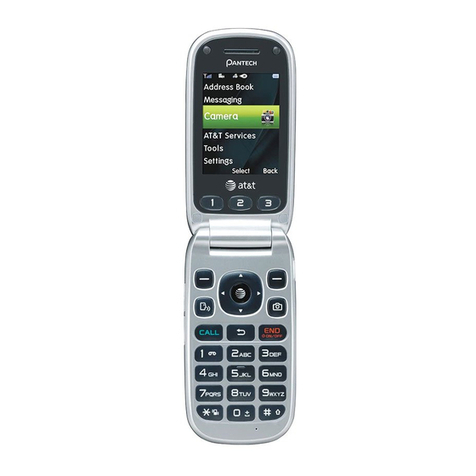
Keys Functions
Perform the functions indicated by the text above
them, on the bottom line of the display.
In Menu Mode, scroll through the menu options.
In the idle mode, the Left key ( ) enters the
Favorite list screen, the Right key ( ) enters
the Text Message Menu screen, the Up key
() enters the Profile setting menu for
changing your sounds, and the Down key ( )
enters the Contacts view names screen to search
your contacts names.
For further details, see “Using the shortcut key in
the idle mode”.
When pressed shortly in the idle mode, enters the
WAP (Wireless Application Protocol) menu list.
When pressed long in the idle mode, launches the
WAP browser directly.
In Menu Mode, selects menu function or stores
information that you have entered, such as a name
in the phone or SIM memory, and also works as
confirmation.
Turns the camera capture mode on.
Deletes characters from the display, or returns to
previous menu.
When pressed shortly in the idle mode, enters the
Calendar view.
Makes or answers a call.
In the idle mode, accesses the recent call list.
When pressed long in the idle mode, redial Last
call number.
Ends a current call.
When pressed long, switches the phone on or off.
In Menu Mode, cancels your input and returns to
Idle Mode.
When pressed long in the idle mode, quickly
accesses your voice mail server.
~
Enter numbers, letters and some special
characters.
Go to dial screen when press in the idle mode.
Used for various purposes in different functions.
When pressed long in the idle mode, the key
enters or exits the Etiquette Mode.
When pressed long in Text Input Mode, display