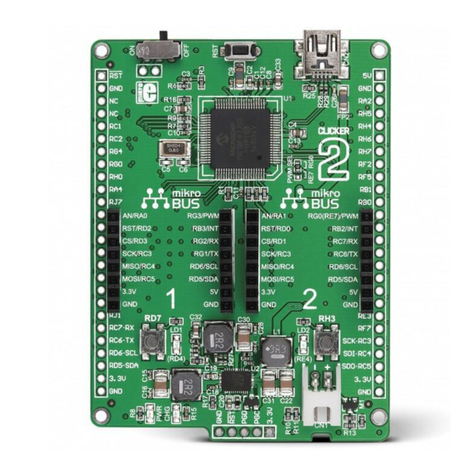
Thereareseveraloptionsforpoweringthecarrierboard:
TheMCUUSBconnector(USB-C).IfusingalaptopwithaUSB-AtoUSB-Ccableanda500mAUSB
port,youshouldalsousetheLiPobattery.WithantrueUSB-Cportandcable,ora2Atablet
charger,youcanpoweronlybyUSB.
TheVINconnector(6to30VDCat2AontheM8connector,or6to90VDCat2AtotheB8B-PH
connectorontheboard).Thisisusefulwithanexternalpowersupply.
TheLiPoconnector.ThisistypicallyusedwithaLiPobattery.
TherearetwoUSBconnectorsonthecarrierboard,howeveryoumostcommonlywillonlyusethe
MCUUSBconnector.
TheMCUUSBconnectorisconnectedtothenRF52MCUandcanbeusedforSerialdebugging,
flashingcode,andsetupbyUSB.ItcanalsopowertheAssetTrackerSoM.Ifusingalaptopwitha
500mAUSBport,youshouldalsousetheLiPobattery.Witha2Atabletcharger,youcanpower
onlybyUSB.
TheGNSSUSBconnectorisconnectedtotheu-bloxNEO-M8UGNSS.Itcanbeusedforfirmware
upgradesorwiththeu-bloxu-centerapplication.
TheRGBLEDdefaultbehavioris:
Redbreathing:Attemptingtoconnecttothecellularnetwork
Yellowbreathing:Connectingtothecloud,weakercellularsignal
Greenbreathing:Connectingtothecloud,goodcellularsignal
Yellowsolid:Connectedtothecloud,weakercellularsignal
Greensolid:Connectedtothecloud,goodcellularsignal
AlternativelytheLEDcanbeconfiguredtothetypicalParticlecolorscheme(blinkinggreen,
blinkingcyan,breathingcyan)viadeviceorcloudconfiguration.Customdevicefirmwarecan
provideothercolorschemesifdesired.
TheCHRGLEDindicatesthechargestatus:
Off:Notchargingornopower
On:Charging
Blinking:Chargefault
Flickering:Nobattery
TheGNSSLEDindicatestheGNSSfixstatus:
Off:GNSSispoweredoff.
Blinking(1Hz):AttemptingtogetaGNSSfix
On:HasaGNSSfix.
POWERINGTHETRACKERCARRIERBOARD
USBCONNECTORS
LEDINDICATORS