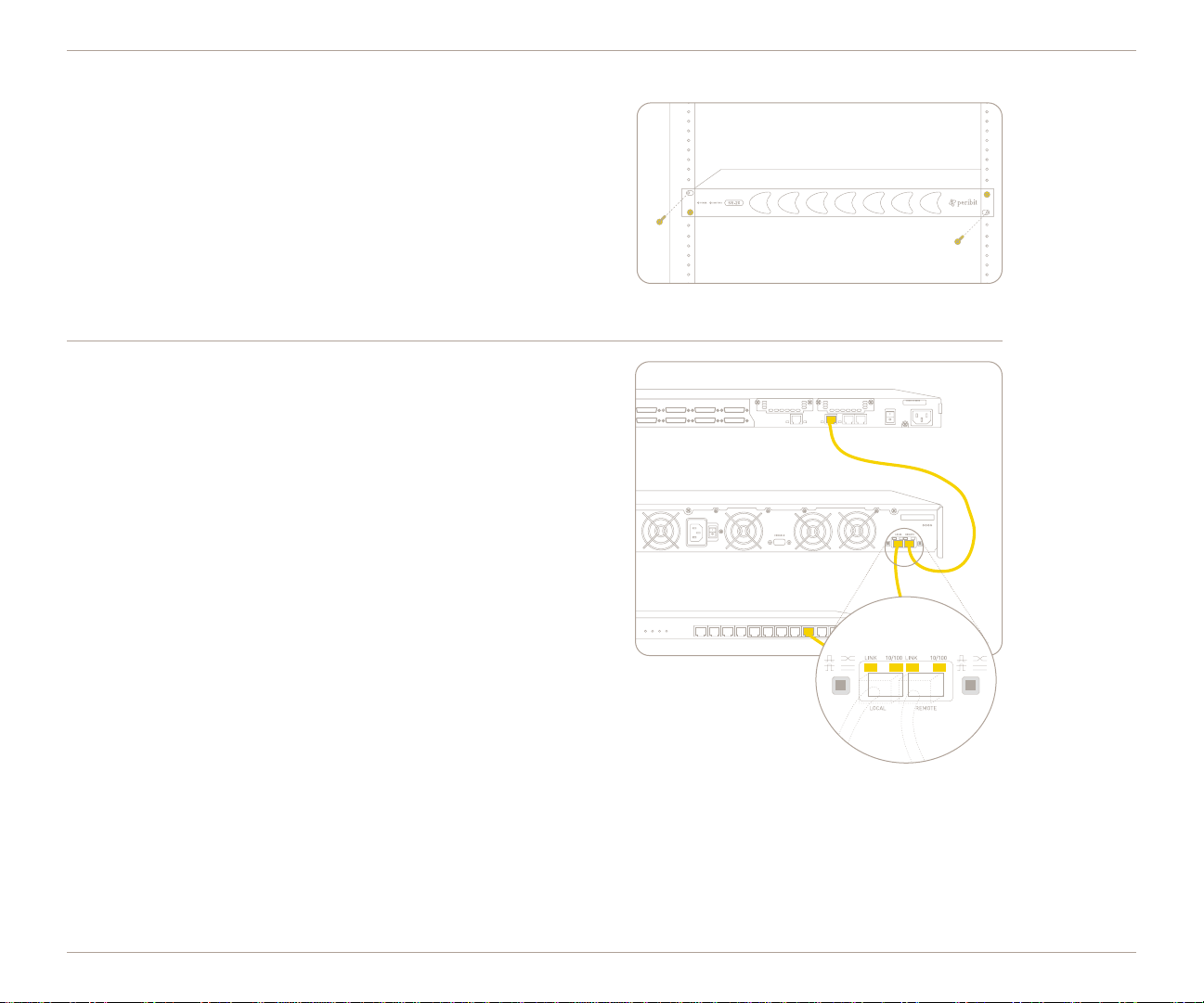
➍Connect the power.
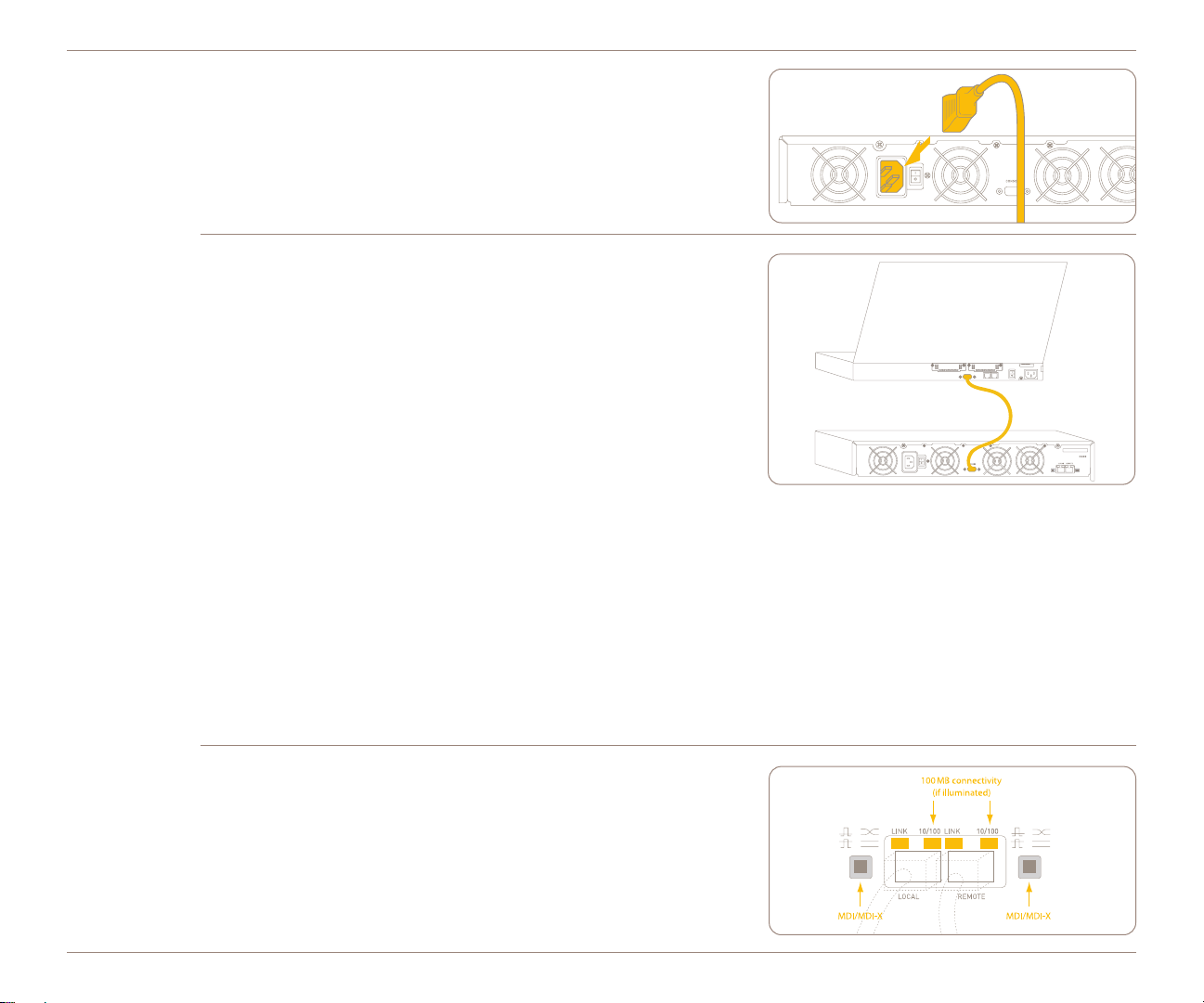
Connect the power cable to the back of the SR-20 chassis, and then con-
nect the other end of the power cable to your local power source.
NOTE: The Sequence Reducer’s power usage is 150 Watts Max
or 510 BTU/hr.
➎Configure SR-20 Network Settings.
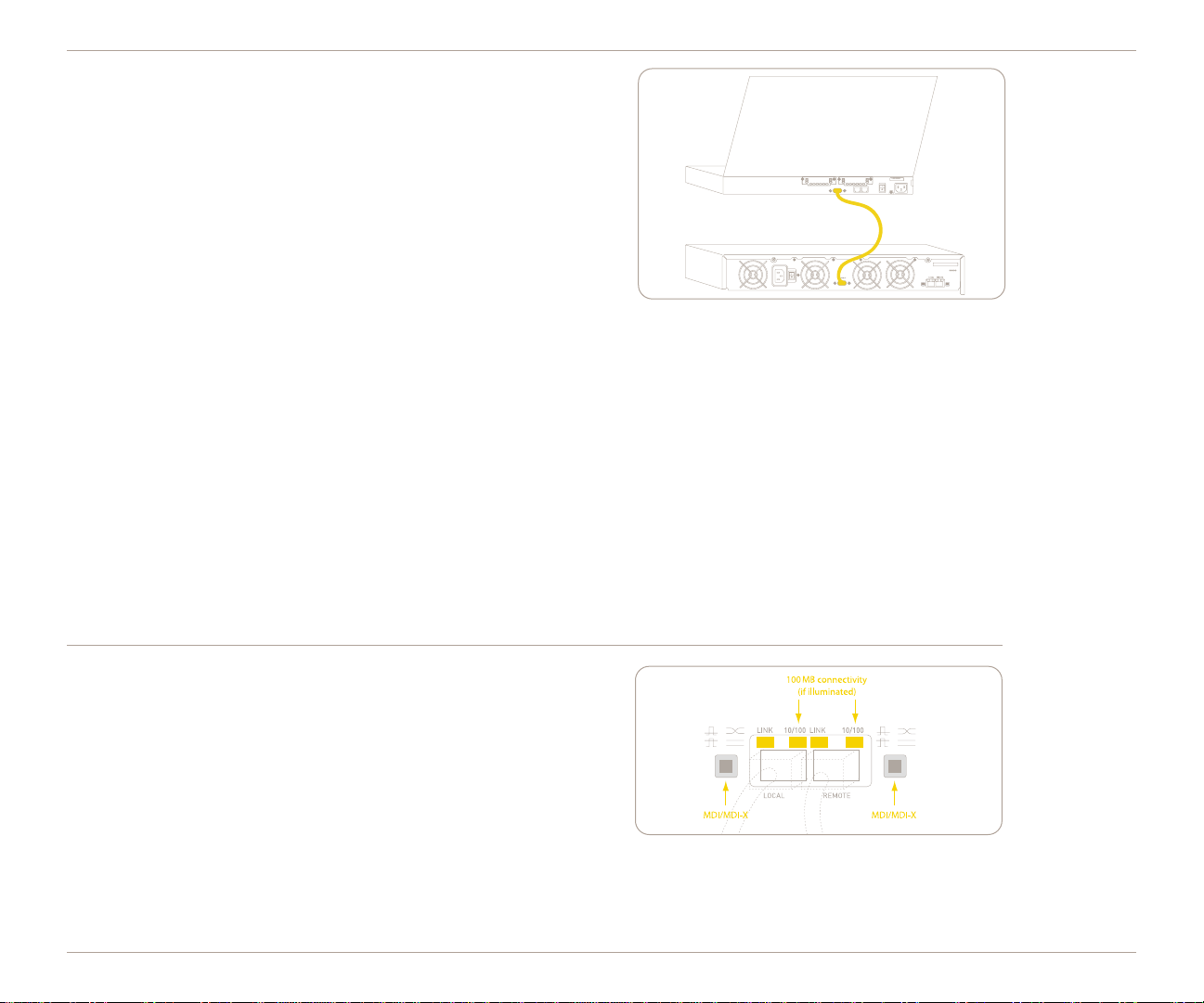
To configure the network settings for the SR-20, you connect an
ANSI compatible terminal to the Sequence Reducer’s serial port
and use a terminal emulation program (e.g., HyperTerminal) to log
in to the Sequence Reducer’s CLI.
Note the following serial port settings:
Baud Rate: 9600, Data Bits: 8, Parity: NONE, Stop Bits: 1,
Flow Control: NONE, Smooth-Scroll: DISABLED
5•Start the terminal emulation program, and choose to connect via the
serial port.
5•At the User name and Password prompts, type admin for the user name and peribit for the password.
5•Type an IP address, and then press Enter. Next, type the subnet mask for the network, and then press Enter. Finally, type
the default gateway for this device, and then press Enter.
5•To save the configuration file with the default name and location, type save-config. Type “y” to confirm saving the running
configuration as the startup configuration. (You can safely bypass the other configuration questions at this time.)
NOTE: By default, the Sequence Reducer’s 10/100 interfaces are set to auto-negotiate the speed and duplex mode. However,
you may want to set the interface speed and duplex mode for the Sequence Reducer. The SR-20’s LOCAL port settings
should match the interface settings of the switch, and the REMOTE port settings should match the interface settings of the
router. For more information, refer to the
Sequence Reducer Operator’s Guide
.
➏Check the LEDs next to the 10/100 Ethernet ports.
5•If the LINK LEDs light, the device is properly connected.
5•If the LINK LEDs do not light, toggle the MDI/MDI-X button(s).
5•The 100M LEDs indicate 100 Mb connectivity.
After checking the LEDs, you should verify connectivity between the
devices on both sides of the SR-20 again (as described in Step 3).
SR-20 QUICK START