Perle IDS-509C Manual

IDS-509C Hardware Installation Guide
Managed Industrial Ethernet Switches
Updated: ctober 2016
Revision 1.10
Document Part#:5500385-10
www.perle.com

IDS-409-SFP Hardware Installation Guide
THE SPECIFICATIONS AND INFORMATION REGARDING THE PRODUCTS IN THIS GUIDE ARE SUBJECT TO CHANGE
WITHOUT NOTICE. ALL STATEMENTS, INFORMATION, AND RECOMMENDATIONS IN THIS GUIDE ARE BELIEVED TO BE
ACCURATE BUT ARE PRESENTED WITHOUT WARRANTY OF ANY KIND, EXPRESS OR IMPLIED. USERS MUST TAKE
FULL RESPONSIBILITY FOR THEIR APPLICATION OF ANY PRODUCTS.
This e uipment has been tested and found to comply with the limits for a Class A digital device, pursuant to part 15 of the FCC
rules. These limits are designed to provide reasonable protection against harmful interference when the e uipment is operated in a
commercial environment. This e uipment generates, uses, and can radiate radio-fre uency energy and, if not installed and used in
accordance with this hardware guide may cause harmful interference to radio communications. Operation of this e uipment in a
residential area is likely to cause harmful interference, in which case users will be re uired to correct the interference at their own
expense.
Modifications to this product not authorized by Perle could void the FCC approval and negate your authority to operate the product.
Perle reserves the right to make changes without further notice, to any products to improve reliability, function, or design.
Perle, the Perle logo, and IDS Switch are trademarks of Perle Systems Limited.
©2016. Perle Systems Limited.

Table of Contents
Preface . . . . . . . . . . . . . . . . . . . . . . . . . . . . . . . . . . . . . . . . . . . . . . . . . . . . . . . . . . . . . . . . . . . . . . . . . . . . . . . . . . . . . . . . . . . . . . . . . . . . . . . . 2
Overview . . . . . . . . . . . . . . . . . . . . . . . . . . . . . . . . . . . . . . . . . . . . . . . . . . . . . . . . . . . . . . . . . . . . . . . . . . . . . . . . . . . . . . . . . . . . . . . . . . . . . .3
Switch Models Views . . . . . . . . . . . . . . . . . . . . . . . . . . . . . . . . . . . . . . . . . . . . . . . . . . . . . . . . . . . . . . . . . . . . . . . . . . . . . . . . . . . . . . .4
LED Indicators . . . . . . . . . . . . . . . . . . . . . . . . . . . . . . . . . . . . . . . . . . . . . . . . . . . . . . . . . . . . . . . . . . . . . . . . . . . . . . . . . . . . . . . . . . . . . 5
Ports . . . . . . . . . . . . . . . . . . . . . . . . . . . . . . . . . . . . . . . . . . . . . . . . . . . . . . . . . . . . . . . . . . . . . . . . . . . . . . . . . . . . . . . . . . . . . . . . . . . . . . 7
Port Stat s Indicators . . . . . . . . . . . . . . . . . . . . . . . . . . . . . . . . . . . . . . . . . . . . . . . . . . . . . . . . . . . . . . . . . . . . . . . . . . . . . . . . . . . . . . 8
Terminal Block Connectors . . . . . . . . . . . . . . . . . . . . . . . . . . . . . . . . . . . . . . . . . . . . . . . . . . . . . . . . . . . . . . . . . . . . . . . . . . . . . . . . . 9
DIP Switches . . . . . . . . . . . . . . . . . . . . . . . . . . . . . . . . . . . . . . . . . . . . . . . . . . . . . . . . . . . . . . . . . . . . . . . . . . . . . . . . . . . . . . . . . . . . . .10
Installation . . . . . . . . . . . . . . . . . . . . . . . . . . . . . . . . . . . . . . . . . . . . . . . . . . . . . . . . . . . . . . . . . . . . . . . . . . . . . . . . . . . . . . . . . . . . . . . . . . .12
Ca tions and Warnings . . . . . . . . . . . . . . . . . . . . . . . . . . . . . . . . . . . . . . . . . . . . . . . . . . . . . . . . . . . . . . . . . . . . . . . . . . . . . . . . . . .12
Terminal Block-Power Connectors . . . . . . . . . . . . . . . . . . . . . . . . . . . . . . . . . . . . . . . . . . . . . . . . . . . . . . . . . . . . . . . . . . . . . . . . .13
Gro nding the IDS switch . . . . . . . . . . . . . . . . . . . . . . . . . . . . . . . . . . . . . . . . . . . . . . . . . . . . . . . . . . . . . . . . . . . . . . . . . . . . . . . . .13
Connecting Power to the IDS Switch . . . . . . . . . . . . . . . . . . . . . . . . . . . . . . . . . . . . . . . . . . . . . . . . . . . . . . . . . . . . . . . . . . . . . .13
Wiring the Relay Alarm . . . . . . . . . . . . . . . . . . . . . . . . . . . . . . . . . . . . . . . . . . . . . . . . . . . . . . . . . . . . . . . . . . . . . . . . . . . . . . . . . . . .14
Wiring Digital Inp ts . . . . . . . . . . . . . . . . . . . . . . . . . . . . . . . . . . . . . . . . . . . . . . . . . . . . . . . . . . . . . . . . . . . . . . . . . . . . . . . . . . . . . .15
Connecting the Console Port . . . . . . . . . . . . . . . . . . . . . . . . . . . . . . . . . . . . . . . . . . . . . . . . . . . . . . . . . . . . . . . . . . . . . . . . . . . . . .16
Connecting Data Ports . . . . . . . . . . . . . . . . . . . . . . . . . . . . . . . . . . . . . . . . . . . . . . . . . . . . . . . . . . . . . . . . . . . . . . . . . . . . . . . . . . . .18
Resetting the Switch . . . . . . . . . . . . . . . . . . . . . . . . . . . . . . . . . . . . . . . . . . . . . . . . . . . . . . . . . . . . . . . . . . . . . . . . . . . . . . . . . . . . . .20
Config ring the IDS Switch . . . . . . . . . . . . . . . . . . . . . . . . . . . . . . . . . . . . . . . . . . . . . . . . . . . . . . . . . . . . . . . . . . . . . . . . . . . . . . . .22
Appendix A - Technical Specifications . . . . . . . . . . . . . . . . . . . . . . . . . . . . . . . . . . . . . . . . . . . . . . . . . . . . . . . . . . . . . . . . . . . . . . . . .23
Appendix B - Sample Labels . . . . . . . . . . . . . . . . . . . . . . . . . . . . . . . . . . . . . . . . . . . . . . . . . . . . . . . . . . . . . . . . . . . . . . . . . . . . . . . . . . .26
Appendix C - Mechanical Drawings . . . . . . . . . . . . . . . . . . . . . . . . . . . . . . . . . . . . . . . . . . . . . . . . . . . . . . . . . . . . . . . . . . . . . . . . . . .27
Appendix D - DIN Rail and Wall Mo nting . . . . . . . . . . . . . . . . . . . . . . . . . . . . . . . . . . . . . . . . . . . . . . . . . . . . . . . . . . . . . . . . . . . . .28
Appendix E - IDS Maintenance . . . . . . . . . . . . . . . . . . . . . . . . . . . . . . . . . . . . . . . . . . . . . . . . . . . . . . . . . . . . . . . . . . . . . . . . . . . . . . . .30
Appendix F - Cables and Connectors . . . . . . . . . . . . . . . . . . . . . . . . . . . . . . . . . . . . . . . . . . . . . . . . . . . . . . . . . . . . . . . . . . . . . . . . . .31

2
IDS-509C Hardware Installation Guide
Preface
Audience
This guide is for the network or computer technician responsible for installing Perle IDS
series switches. Familiarity with the concepts and terminology of Ethernet and local area
networks is required.
Purpose
This document describes the hardware and physical characteristics of the Perle IDS
switch. It co ers hardware features as well as installation and operation of the switch. This
document does not co er how to configure your Perle IDS switch. Information to config-
ure your Perle IDS switch can be found in the User’s Guide
Package Contents
• IDS switch with attached DIN rail mounting bracket
• Quick Start Guide
Document Conventions
This document contains the following con entions:
Most text is presented in the typeface used in this paragraph. Other typefaces are used to
help you identify certain types of information. The other typefaces are:
Note: Means reader take note: notes contain helpful suggestions.
Caution: Means reader be careful. In this situation, you might perform an action that
could result in equipment damage or loss of data.
Warning: IMPORTANT SAFETY INSTRUCTIONS
Means danger. You are in a situation that could cause bodily injury. Before you work on
any equipment, be aware of the hazards in ol ed with electrical circuitry and be familiar
with standard practices for pre enting accidents. Only qualified personnel should connect
power to this unit.

verview 3
IDS-509C Hardware Installation Guide
verview
This chapter discusses the following topics:
• LED Indicators
• Switch Model View
• Ports
• Port Status Indicators
The table below gi es a brief o er iew of the models co ered in this guide. For more
details and for the most up-to-date list of models, please refer to the product pages at
www.perle.com.
Standard Models 10/100/1000Base-T
Ports
Combo
Ports Temp
IDS-509C 4 4 Standard
IDS-509C-XT 4 4 Industrial

verview 4
IDS-509C Hardware Installation Guide
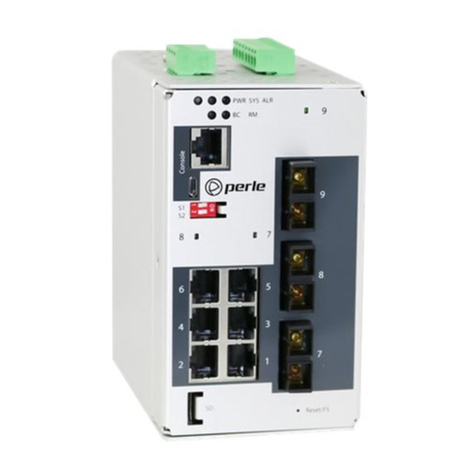
Switch Models Views
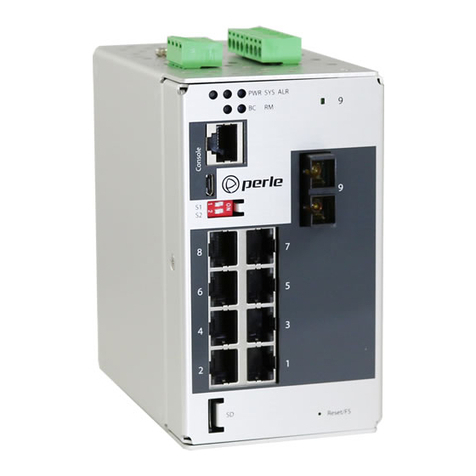
IDS-509C
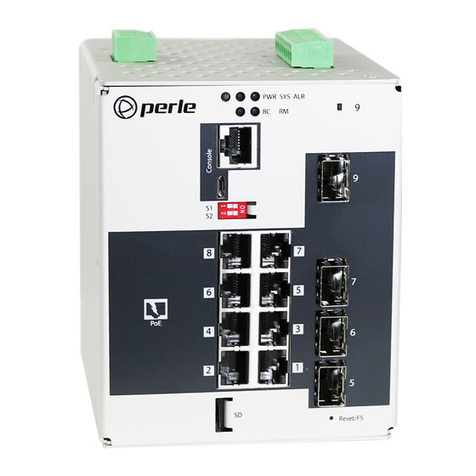
IDS-509C-XT
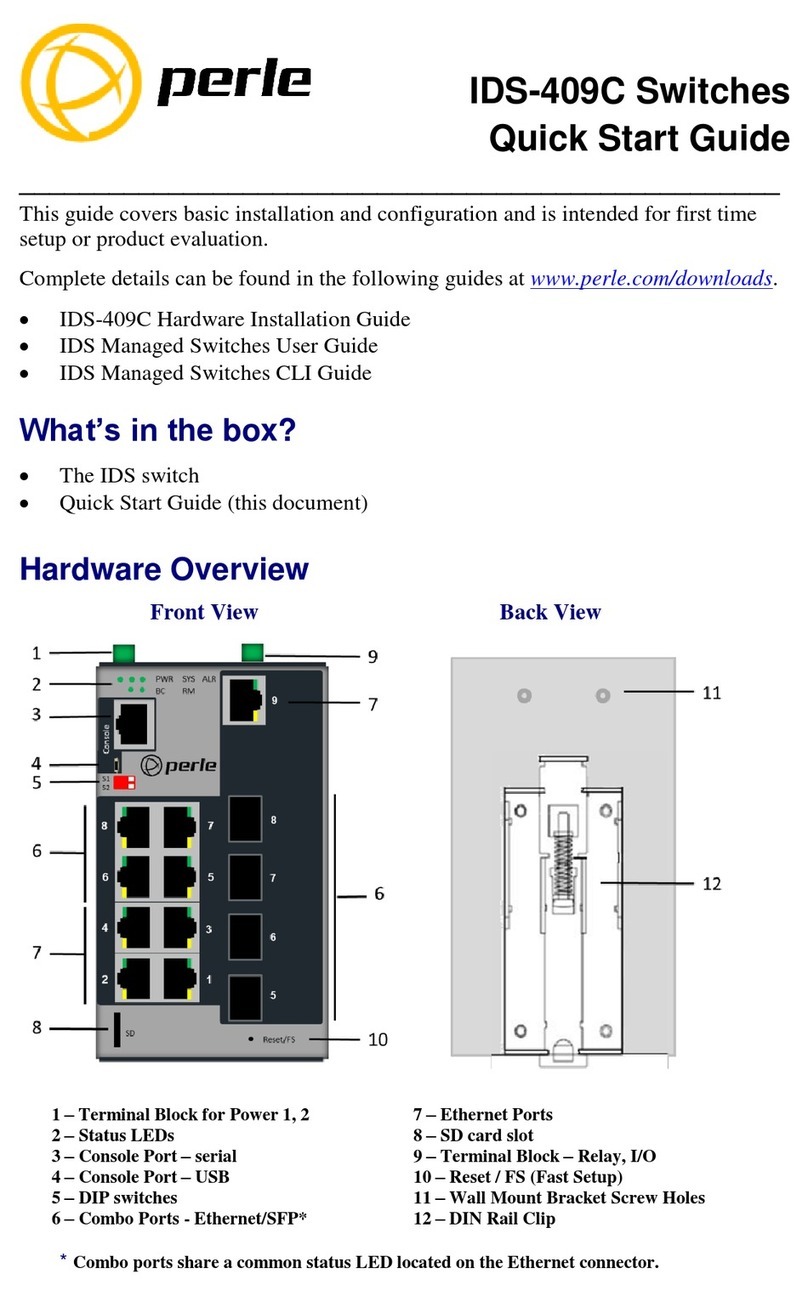
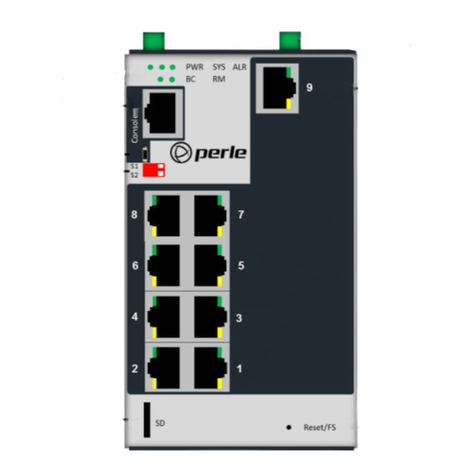
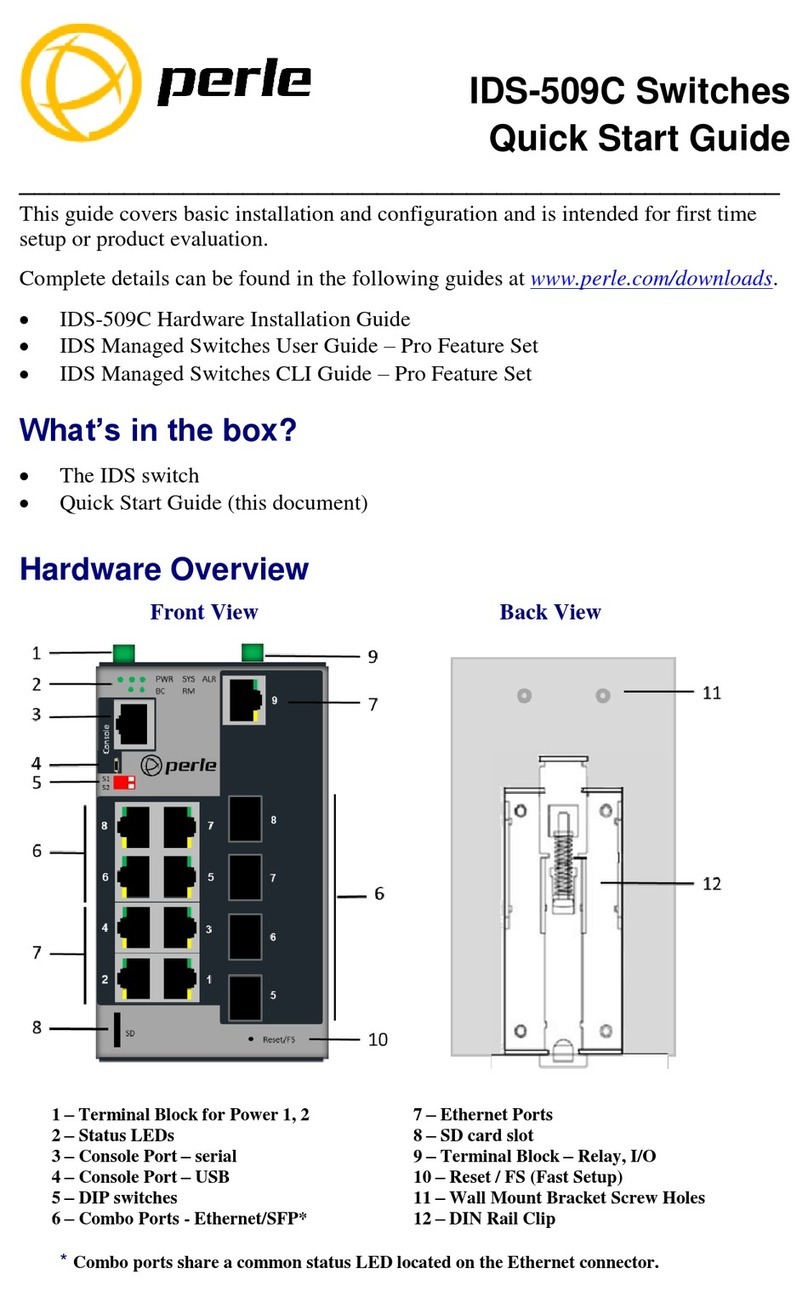
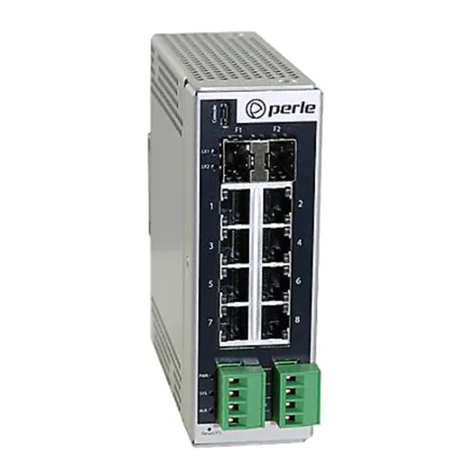
1 – Terminal Block for Power 1, 2 7 – 10/100/1000Base-T Ports
2 – Status LEDs – SD Card Slot
3 – Console Port – serial 9 – Terminal Block – Relay, I/O
4 – Console Port – USB 10 - Reset / FS (Fast Setup)
5 – DIP switches 11 -Wall Mount Bracket Screw Holes
6 – Ethernet/Fiber Combo Ports 12 - DIN Rail Clip

verview 5
IDS-509C Hardware Installation Guide
LED Indicators
P (Power Inputs)
Sys (System Status)
Alr (Alarm)
BC (Backup Coupling)
State Description
Green
P1 and P2 Power inputs within specifications
Yellow
P1 or P2 Pro iding power within specifications
Red
Neither P1 or P2 pro iding power within specifications
State Description
Green - blinking (after power on)
System booting
Green - solid
System ready/operating normally
Green - blinking slowly
Fast Setup Mode acti ated/port a ailable
Green - blinking fast
Fast Setup Mode acti ated/no port a ail-
able
Red
Hardware fault or firmware load error
State Description
Off
No alarms configured
Green - solid
Alarms configured, but no alarms detected
Red - solid
Alarm condition detected
Red - blinking
Alarm condition detected and Alarm Relay acti ated
State Description
Off
Backup Coupling not enabled
Green - solid
Backup Coupling Link enabled

verview 6
IDS-509C Hardware Installation Guide
RM (Ring Master)
State Description
Off
Ring Master not acti ated
Green - solid
Ring Master Acti e, redundant port blocked. Coupling
Link enabled
Green - flashing
Ring Master unable to establish a ring due to missing
link on one of the Ring ports
Yellow - solid
Ring Master Acti e, redundant port unblocked - indi-
cates a break in the Ring

verview 7
IDS-509C Hardware Installation Guide
Ports
10/100/1000Base-T Ports
These ports pro ide the standard gigabit Ethernet interface. They pro ide speeds of 10/
100 or 1000 Mb/s through twisted pair (UTP) cables of up to 100 meters (328ft) in length.
Combo ports (Dual purpose)
Through configuration or through auto-detection Combo ports pro ide two physical port
options for one logical switch port. A link may be established on either the SFP module
inserted in the slot or on the 10/100/1000Base-T port associated with it. If both ports are
occupied (Ethernet and SFP module), the SFP module will take priority
100/1000 Mb/s SFP Slots
The SFP slots can accommodate industry standard SFP’s from Perle or other suppliers.
These SFP’s can be 100 or 1000 Mb/s or can be SGMII models including 1000Base-T
Copper SFP’s.
RJ-45 Console Port
This is a console management port pro iding access to the switch management function
using the industry standard CLI command set. This port has an RJ-45 connector. See RJ-
45-Console Port Pinouts.
USB Console Port
The MicroUSB port is an alternati e connection to the switch’s console. This pro ides
access to the switch management function using the industry standard CLI command set.
When connected the port presents a serial interface that can be used from a PC Terminal
emulation program (such as PuTTY).
Power Connector
The power input connector has pro isions for dual inputs. Two independent power
sources can be used to power the switch. If one power input fails, the other power input
will power the switch.
Alarm Relay Connector
The Alarm Relay can be energized by the software or hardware under certain conditions.
It can then be used to trigger an external alarm circuit such as a light or sounding de ice.
This connector pro ides both Normally opened (NO) and Normally Closed (NC) dry con-
tact on the connector block, both are associated with the same relay.
Digital Input Connector
Two Digital Inputs are pro ided that can be used for the generation of alarms (SNMP trap,
energizing of on board Alarm Relay etc.).

verview 8
IDS-509C Hardware Installation Guide
Port Status Indicators
Ethernet Port Status Indicators
Port Link / Speed (Green and Yellow LEDs)
SFP Status Indicators
Located on the associated Ethernet port connector
Port Link
State Description
Green
1000 Mbps
Green / Yellow
100 Mbps
Yellow
10 Mbps
On solid
Port Link
Random blinking
Port Link and Acti ity
Slow blinking
Error disabled
Rapid blinking
Port in Fast Setup Mode
State Description
Green
Link
Green Flashing
Link/Acti ity
Other manuals for IDS-509C
1
This manual suits for next models
1
Table of contents
Other Perle Switch manuals