EN
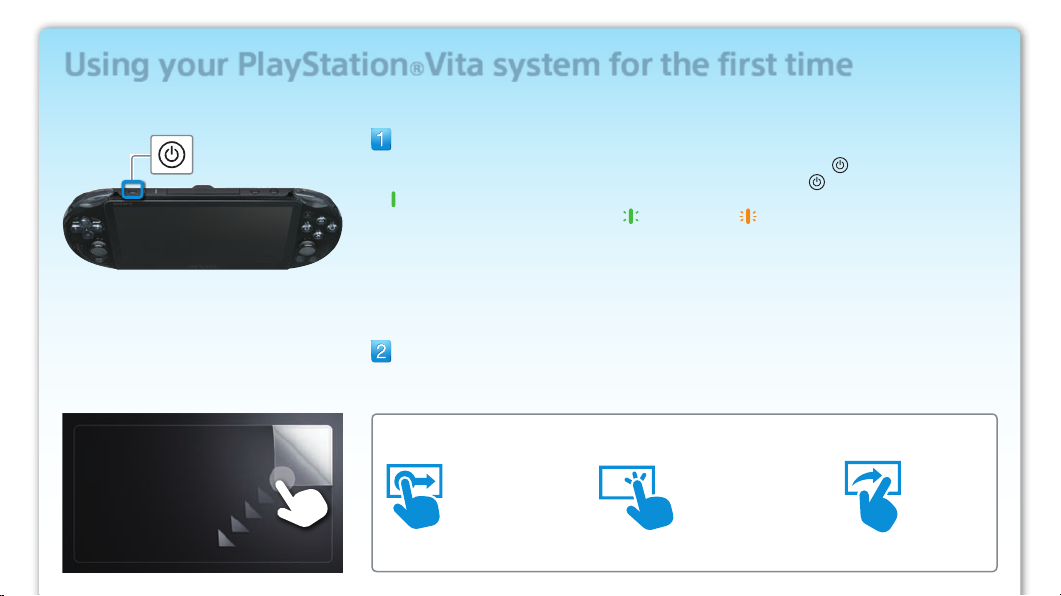
Select your language, time zone, and the date and time.
Drag lists of items to scroll and find your choice.
Tap an item to select it, and then tap [Next].
To scroll quickly, flick the list of items.
Link your Sony Entertainment Network account to your
PS Vita system.
If you already have an account
You need an Internet connection to link your Sony Entertainment Network account to your PS Vita
system and access PSNSM services. If you cannot connect to the Internet, you must set up your
system as explained in “If you do not have an account, or if you want to sign up for an account
later”.
Tap [Yes, I do], [Use], and then tap [Next].
Connect to the Internet by selecting an access point on the Wi-Fi settings screen.
Enter your Sony Entertainment Network account information.
Tap the text entry field, and then enter text using the keyboard that appears.
If a system software update is required after step , select [Set Later] and tap [Next].
Follow the on-screen instructions to continue the setup.
Connecting to the Internet
When an Internet connection is required, your system automatically searches for Wi-Fi access
points, and then the Wi-Fi Settings screen appears. Connect to the Internet in a location that has a
Wi-Fi access point you can use. For details about connecting to a Wi-Fi access point, refer to the
access point documentation or contact the service provider or person who set it up.
Access points found