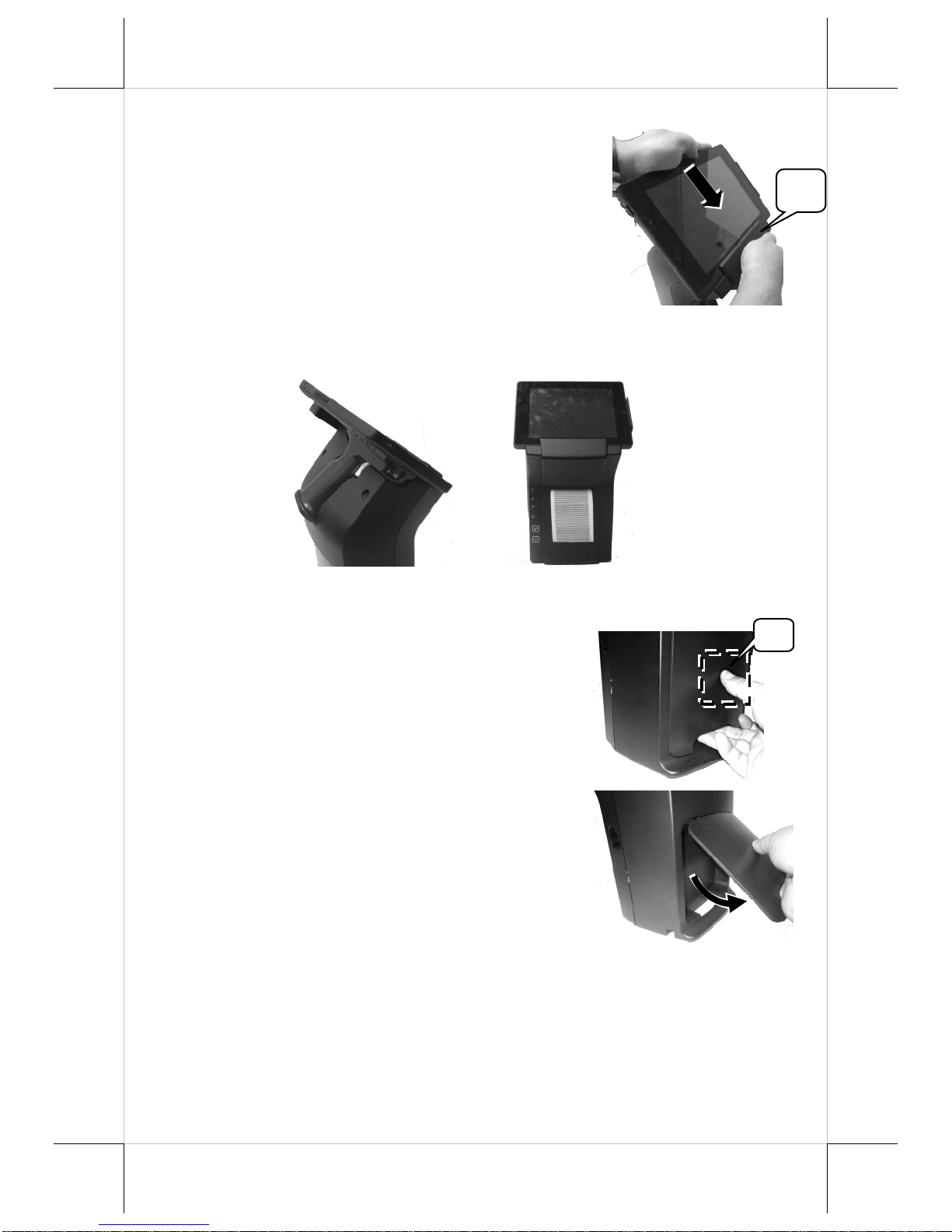
3. Push hard the dock station backward along the 2 tracks of the bracket on
the table to firmly secure the dock station.
Charging the PG-200/E Battery Pack and the MT Series Tablet
After completing in placing the MT series tablet on the dock station and then
in plugging the power adaptor into the power jack on the dock station, as
described above, plug the AC power adaptor cord into an electrical outlet for
starting to charge the PG-200/E battery pack and the MT series tablet.
CAUTION!
1. When the MT series tablet operates for a period of time, the battery of
tablet will be consumed. When the tablet gives you a message
indicating it will run out of power, please place the tablet immediately
on the dock station to fully charge the battery to avoid data loss.
2. Use only the power adapter that comes with your device. Using a
different power adapter may damage your device.
At this time, the battery of MT series tablet will be immediately charged and
the battery pack loaded in the pistol grip on the DS-200/210/220 is also
charged.
When the battery pack in the pistol grip on the DS-200/210/220 is being
charged, the 4 LED indicators start to flash in green one by one from the
“LOW”level to the “FULL”level; when the battery pack is fully charged, the
4 levels of LED indicators stay solid green.
When the MT series tablet operates for a period of time, because the battery
pack loaded in the pistol grip constantly supplies power to the MT series tablet,
the battery will be consumed. When the LED indicator on the pistol grip stays
at the “LOW” level of power capacity, connect the pistol grip to the MT series
tablet and then place the pistol grip on the DS-200/210/220 for power charging,
immediately.