Documentation Center
Example: To set the polling cycle to 60 seconds, use this command:
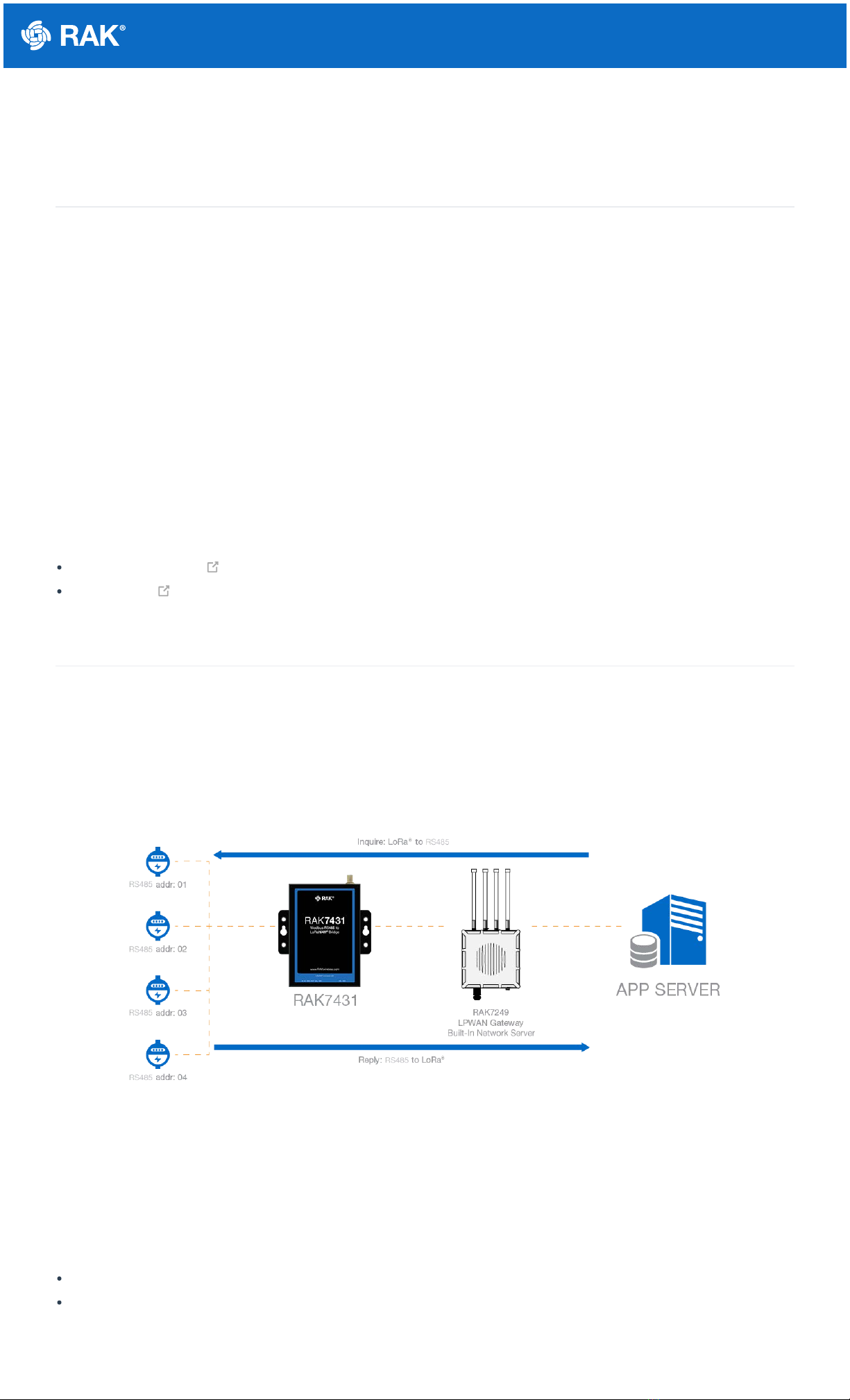
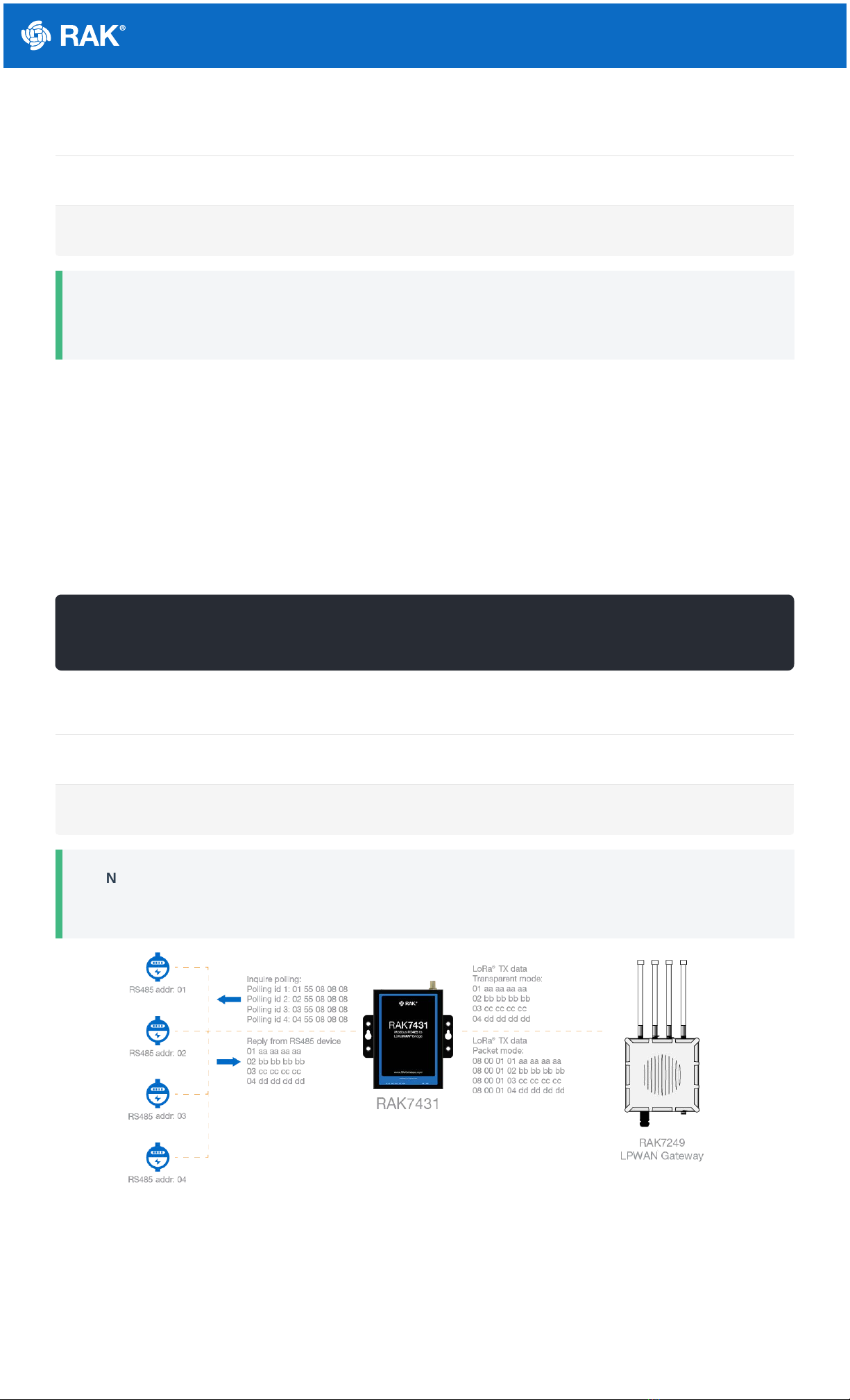
RAK7431 supports polling mode, which stores up to 32 query instructions at a maximum length of 128 bytes per
instruction. Polling intervals and wait times can be adjusted as needed. RAK7431 converts the data returned by
the RS485 node into a LoRaWAN message, which can be sent to the LoRaWAN gateway as is or encapsulated. In
transparent mode, the data for the RS485 is sent in the payload of the LoRa message as is, and in non-
transparent mode, the data of RS485 is encapsulated in the LoRa message with a header and validation.
Add Polling Instructions
To add polling instruction, execute the AT command:
According to the temperature and humidity register address of the temperature and humidity sensor in the
example and the RS485 address, the polling instruction should be:
Example: If you have added multiple RS485 temperature and humidity sensors, continue to increase the polling
instructions based on the RS485 address and register address, for example:
RS485 Temperature and humidity sensor addr: 01, Polling 1: 010300000002C40B
RS485 Temperature and humidity sensor addr: 04, Polling 2: 040300000002C45E
RS485 Temperature and humidity sensor addr: 08, Polling 3: 080300000002C492
RS485 Temperature and humidity sensor addr: 0F, Polling 4: 0F0300000002C525
You will need to increase the polling instruction by the following AT commands:
Parameter Description Value Range
n polling instruction ID 1 to 127
xxxx polling instruction content; hexadecimal string 128 bytes max
AT+ADDPOLL=1:010300000002C40B
AT+ADDPOLL=1:010300000002C40B
AT+ADDPOLL=2:040300000002C45E
AT+ADDPOLL=3:080300000002C492
sh
sh
sh
sh
sh
sh