Manual-1
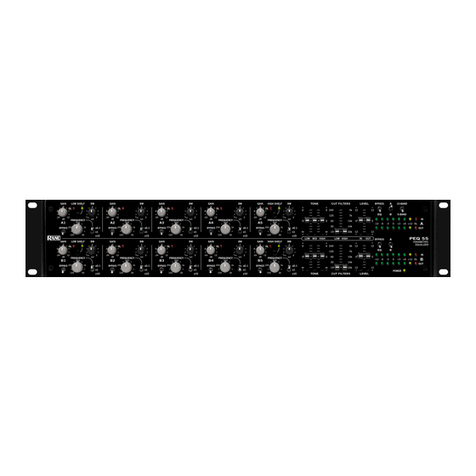
PEQ 55
PARAMETRIC EQUALIZER
OPERATORS MANUAL
WEAR PARTS: This product contains no wear parts.
PARAMETRIC
EQUALIZER
∞
∞
∞
∞
66
20k
7k
14k
5k
10k
15
120
30
240
60
66
20k
7k
14k
5k
10k
15
120
30
240
60
+6-12 -6 -3 0 +3 +12 OL
12
12
12
12
12
12
12
12
++
0
+
0
+
00
++
0
+
0
+
00
+6-12 -6 -3 0 +3 +12 OL
2
octdB
1
.5 1.5
Hz
125
500
250
2k
1k
1
/
12
12
0
-6 6
-24
2
1
.5 1.5
125
500
250
2k
1k
1
/
12
12
0
-6 6
-24
octdB
Hz
2
octdB
1
.5 1.5
Hz
125
500
250
2k
1k
1
/
12
12
0
-6 6
-24
2
1
.5 1.5
125
500
250
2k
1k
1
/
12
12
0
-6 6
-24
octdB
Hz
2
octdB
1
.5 1.5
Hz
125
500
250
2k
1k
1
/
12
12
0
-6 6
-24
2
1
.5 1.5
125
500
250
2k
1k
1
/
12
12
0
-6 6
-24
octdB
Hz
2
octdB
1
.5 1.5
Hz
125
500
250
2k
1k
1
/
12
12
0
-6 6
-24
2
1
.5 1.5
125
500
250
2k
1k
1
/
12
12
0
-6 6
-24
octdB
Hz
2
octdB
1
.5 1.5
Hz
125
500
250
2k
1k
1
/
12
12
0
-6 6
-24
2
1
.5 1.5
125
500
250
2k
1k
1
/
12
12
0
-6 6
-24
octdB
Hz
PEQ 55
BYPASS
GAIN BWLOW SHELF
x1
x10
x0.1
FREQUENCY
A1
LOW MID HIGH LOW HIGH IN OUT
POWER
BEQ
5-BAND
OUT
IN
10-BANDBYPASS
A
CUT FILTERSTONE LEVEL
CUT FILTERSTONE LEVEL
A
BEQ
OUT
IN
BYPASS
A
B
OL
OL
BYPASS
GAIN BWLOW SHELF
x1
x10
x0.1
FREQUENCY
B1
BYPASS
GAIN BWHIGH SHELF
x1
x10
x0.1
FREQUENCY
A5
OL
OL
BYPASS
GAIN BWHIGH SHELF
x1
x10
x0.1
FREQUENCY
B5
BYPASS
GAIN BW
x1
x10
x0.1
FREQUENCY
A2
OL
OL
BYPASS
GAIN BW
x1
x10
x0.1
FREQUENCY
B2
BYPASS
GAIN BW
x1
x10
x0.1
FREQUENCY
A3
OL
OL
BYPASS
GAIN BW
x1
x10
x0.1
FREQUENCY
B3
BYPASS
GAIN BW
x1
x10
x0.1
FREQUENCY
A4
OL
OL
BYPASS
GAIN BW
x1
x10
x0.1
FREQUENCY
B4
Quick Start
Everyone knows how to use a parametric equalizer right? You set the filter GAIN to its maximum and turn the FRE-
QUENCY control until you find a pesky resonance that, when excited by a few extra dB, blows up your speaker or causes
permanent hearing damage to the listening audience. There. Problem solved. What did you say?
Connect the PEQ’s Inputs and Outputs to virtually any type of audio device using XLR, ¼" TRS or Euroblock connec-
tors. You may use any combination of Outputs simultaneously if desired, but don’t try to save a few bucks by plugging
multiple sources into the Inputs and expecting them to mix — they won’t. It will simply sound bad and no amount of EQ
will fix it. Polarity convention on the XLR jacks is pin 2 positive, pin 3 negative and pin 1 shield (chassis ground).
With the wiring out of the way it’s time to polish your golden ears and start making adjustments. Fire up some music
and adjust the input and output LEVELs for good headroom and optimum signal-to-noise. Always heed the OL (overload)
indicator! And check to make sure the channel BYPASS/EQ and individual filter BYPASS switches are properly engaged,
and that the FREQUENCY multiplier switch (x0.1, x1, x10) is in the desired position.
Filter bands A1 and B1 feature a switchable LOW SHELF response. Bands A5 and B5 feature a switchable HIGH
SHELF response. Further flavor the mix using the channel TONE controls and CUT FILTERS.
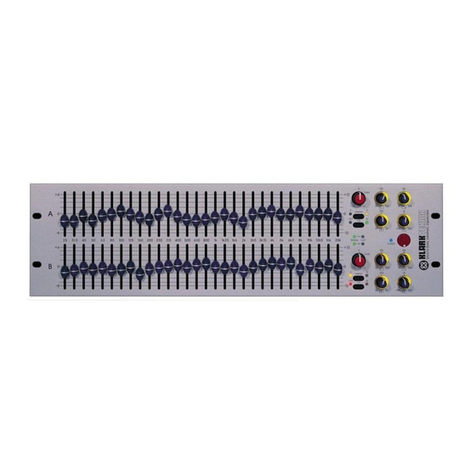
The PEQ’s A/B switches are an especially unique feature. Understand their use and you’ll unlock some of the device’s
analog-controlled digital magic. Misunderstand their use and you’re in for a few surprises. Repeat after me: either audio
channel can follow either set of filters, as set by the A/B switch.
For example, in normal dual 5-BAND mode set the top row switch to A(the Left channel), and the bottom row switch
to B(the Right channel). These switches also affect the CUT FILTERS, TONE controls and LEVELS.
Or perhaps you want to equalize both sides of a stereo system identically using one set of controls. Set both switches to
Aand now the top row of filters controls both audio channels. Set both switches to B and use the bottom row of filters to
create a totally different EQ curve. Do an A/B comparison of the two curves by toggling the (you guessed it) A/B switches.
Try doing that with an analog EQ.
Need more filters? Switch to 10-BAND mode and you now have ten fully overlapping filters to use on a stereo or mono
source. The outputs mute momentarily when switching between 5- and 10-BAND modes.
Contents
Quick Start ................................................................................................................................................................... 1
Controls and Operation ............................................................................................................................................ 2
Rear Panel Connections ........................................................................................................................................... 4
Applications ................................................................................................................................................................. 4
Dual Mono 5-Band Operation .............................................................................................................................. 4
Linked Stereo 5-Band Operation ........................................................................................................................ 5
Mono or Linked Stereo 10-Band Operation .................................................................................................... 5
Inserting the PEQ 55 on an Instrument Channel or Group Output ........................................................... 6
Using the A / B Controls to Switch Between Two Different EQ Settings ............................................... 6
PEQ 55 Settings Templates ..................................................................................................................................... 7
Additional Resources ................................................................................................................................................ 8