OWL 640 II/USER MANUAL/08-20/REV1.1
CONTENTS
1. INTRODUCTION .............................................................................................................. 4
1.1 Scope ......................................................................................................................... 4
2. CAMERA CARE ............................................................................................................... 5
2.1 Cleaning the Sensor Window ................................................................................... 5
3. SPECIFICATION .............................................................................................................. 6
3.1 Camera Overview ...................................................................................................... 6
3.2 Datasheet ................................................................................................................... 6
4. DESIGN OVERVIEW ........................................................................................................ 7
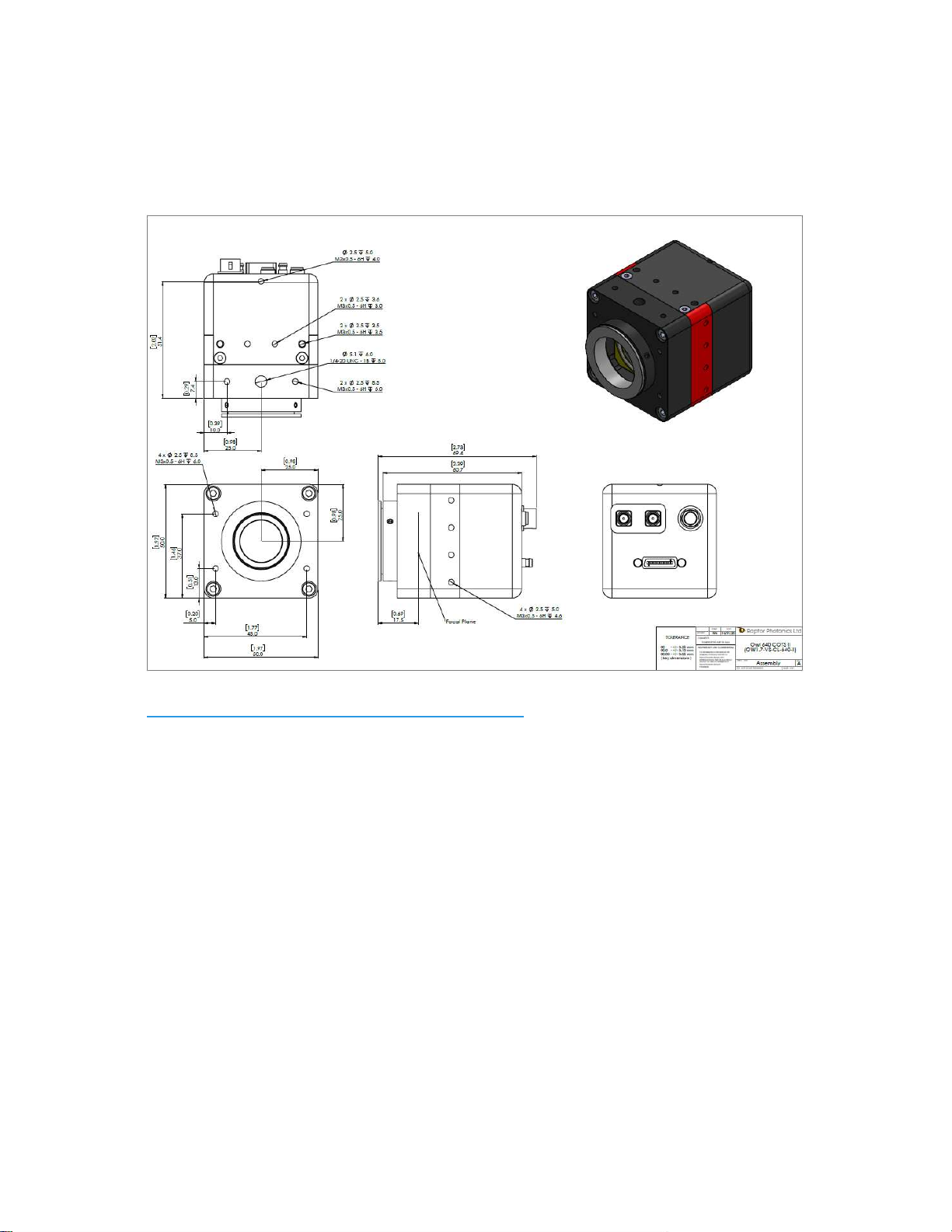
4.1 Mechanical Model ...................................................................................................... 7
4.2 Physical Interface ...................................................................................................... 8
4.3 Power Consumption .................................................................................................. 8
4.4 Mounting to a Microscope ........................................................................................ 8
4.5 Mounting to a Tripod or Optical Table ..................................................................... 8
5. SOFTWARE COMPATIBILITY ......................................................................................... 9
5.1 XCAP Compatibility ................................................................................................... 9
5.2 Micro-Manager Compatibility .................................................................................... 9
5.3 LabView Compatibility .............................................................................................. 9
5.4 Custom Software Interfacing .................................................................................... 9
6. CAMERA SETUP AND REQUIRMENTS ........................................................................ 10
6.1 Connecting the Camera to the Frame Grabber ...................................................... 10
6.2 Computer/Laptop System Requirements ............................................................... 10
6.3 Frame Grabber Requirements ................................................................................ 10
6.4 CameraLink Cables ................................................................................................. 10
7. XCAP IMAGING SOFTWARE ........................................................................................ 11
7.1 Downloading XCAP ................................................................................................. 11
7.2 Opening the Camera Configuration ....................................................................... 11
7.3 Acquiring a Live Image Sequence .......................................................................... 13
8. CONTROLLING THE CAMERA (XCAP) ........................................................................ 14
8.1 Exposure Time ......................................................................................................... 14
8.2 Automatic Light Control Adjustment ..................................................................... 16
8.2.1 Automatic Light Control Parameters ........................................................................ 16
8.2.2 Automatic Light Control Region of Interest ............................................................ 17
8.2 Gain Mode ................................................................................................................ 18
8.3 Trigger Mode and Frame Rate ................................................................................ 19
8.4 Non-Uniformity Correction (NUC) ........................................................................... 20