8
Switch Box Operation
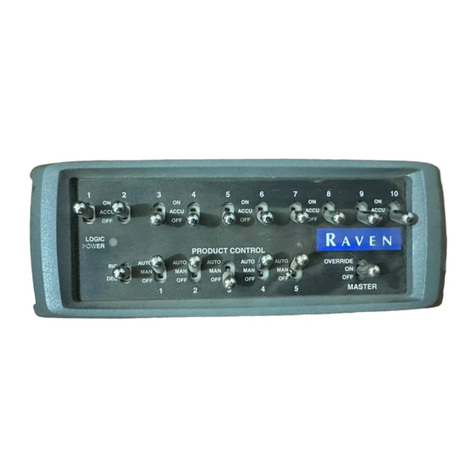
The Raven Switch Box for use with ISOBUS systems puts the section control
modes right at the operator’s finger tips.
Important: Make sure to toggle the master switch to the off position when
closing or exiting a job to avoid unintentional product application
once the virtual terminal closes application management functions. It
is also good practice to shut off section switches when the application
system is not being used.
Refer to the following sections for detailed operation of the switch box:
Power LED
This LED indicates the status of power into the Raven Switch Box for use with
ISOBUS systems. This LED should be on (solid) during normal operation. If this
LED is not lit when the ignition switch is turned on, troubleshoot the ISOBUS
system before starting any system operations. Refer to the “Troubleshooting”
section on page 9 for troubleshooting information.
Master/Override Switch
Note: The master switch should be toggled off when powering the Raven Switch
Box for use with ISOBUS systems. If the master switch is on when the unit
is powered on, cycle the master switch off then back on to ensure that
boom sections will enable as anticipated during operations.
The master switch toggles all section switches on or off. When the master switch
is in the ‘ON’ position, each section will function according to the corresponding
section switch (see the “2-Way Selectable Section Switches” below). Toggle the
master switch to the ‘OFF’ position to turn all boom or implement sections off.
Hold the master switch to the ‘OVERRIDE’ position to temporarily override any
sections controlled by an optional section control system on.
2-Way Selectable Section Switches
Each of the six section switches may be toggled individually to toggle sections on
or off:
• ON - control the section on. Section switches must be toggled to the on position
to allow any available automatic section control features to automatically control
section status.
• OFF - manually control the section off. This section will remain off regardless of
section control features.
Note: Leave the section switch in the off position for any sections not controlled
by or configured on the VT display.
Section
Switches
Power LED
Master/Override
Switch
Rate
Increase/
Decrease