Remote Controller
8
Univer sal rem ote cod e
This is the code for rem ot e cont rol of
RLD ED V3255-F ,if you want to change to a
uni vers al remot e cont rol ,you can edi t
thi s code into your uni vers al rem ot e cont rol .
(1)Open the battery compartment cover
on the back side
(2)Insert two 1.5V batteries of AAA type
with correct polarity
(3)Close the battery compartment cover
on the back side
Universal Remote Control code:007F
(Universal Remote control is not included)
MENU SO UR CE
ENT ER
EXIT
SLEE P
P.MOD E S.MO DE
DISPLAY
MTS / MP3PROG
ZOOM
D.MENU D.TITLE
ANGLE
EPG
D.DISP
REV FWD PREV
FAV-
GOTO
AUDIO SUBTITLE
FAV FAV+
PROG STEP REPEAT A-B
NEXT
D.setup
D.Menu D.Title Goto D.Disp
PROG STEP REPEAT A-B
Zoom Angle Subtitle
Audio
D.TITLE:
A-B Durin g the pl ayba ck,p ress this button to repeat
playb ack of a s peci fic se ction on a disc.
SLEEP: Select amount of time before TV turn
off
automatically.
S.MODE: Press to cycle through the different sound settings
P.MODE: Press to cycle through the different picture settings
D.DISP:
D.MENU:
Press " -" to en ter a program num ber fo r multipl e prog ram
chann el, su ch as 2-1 etc.
GOTO:
STEP:Play for si ngle frame im age
ZOOM In DVD source adjust DVD picture size
MTS / MP3PROG:
Press t o sele ct the a udio m ode,you can select stereo ,Mon o,
or SAP( seco nd aud io pro gram )./When playing mp3 d isc,
press M P3 PRO G and ad d the fa vorite music to playlist,
press P ROG tw o time s to see t he programmed playl ist.
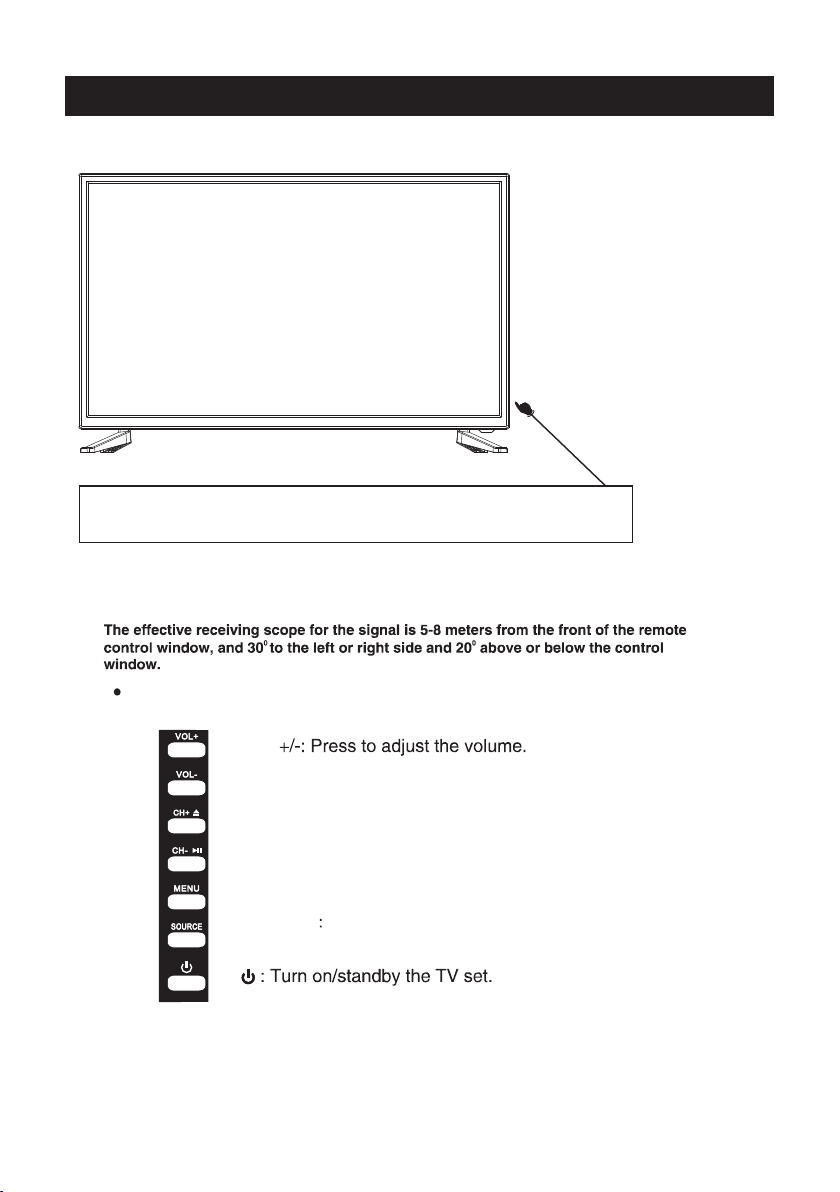
CH +/- : Press to sc an through or t o select a channel.
V +/-: Press to in crease / decr ease the sound leve l.
EPG:
D.Setup:
AVTV HDMI PC
YPbPr DVD