10
INSTALLING/CHARGING BATTERIES
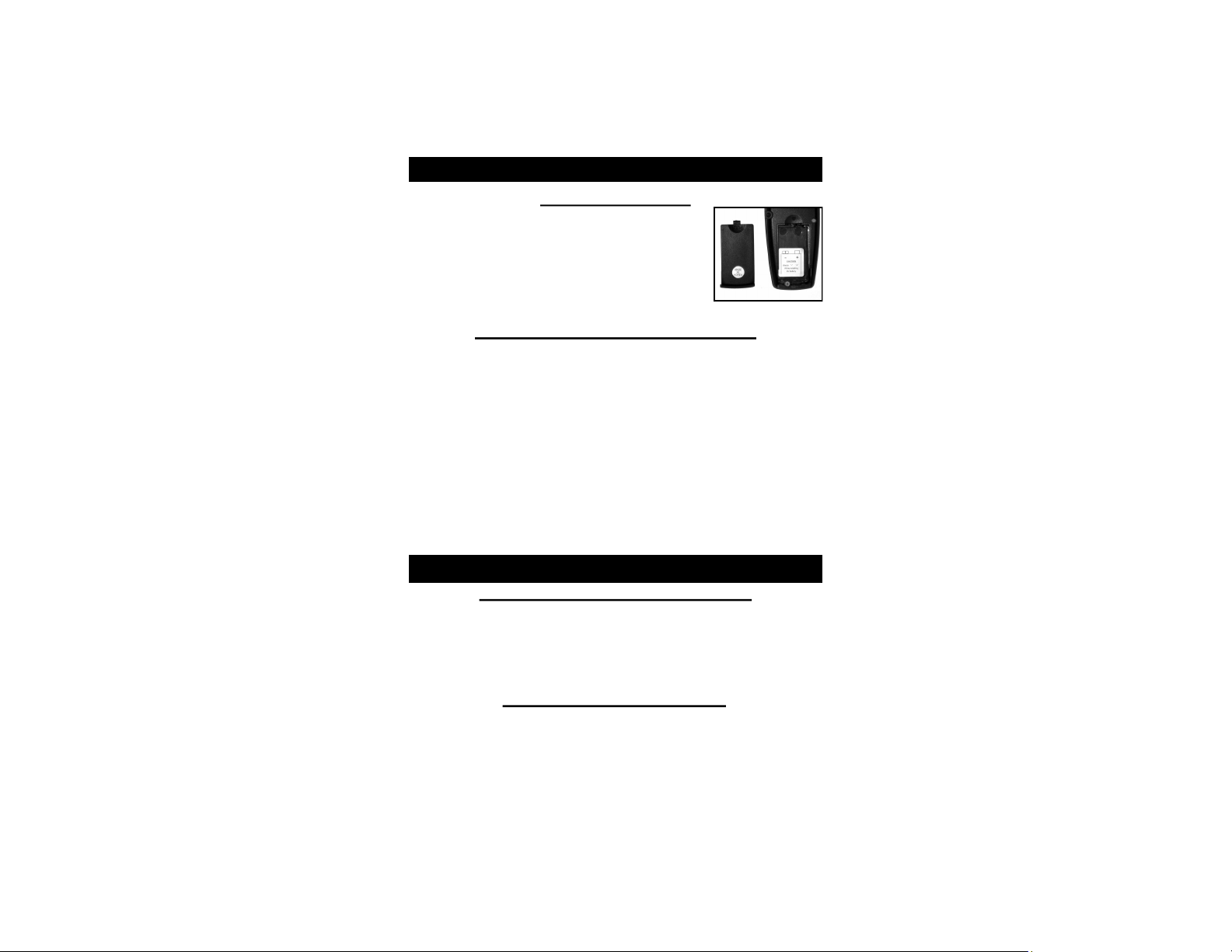
Transmitter Battery
1. Open Battery Cap on back of
Transmitter.
2. Install new 9V battery with ‘-’ terminal
on left and ‘+’ terminal on right.
3. Slide the Battery Compartment cover
back into place until it clicks.
Collar Battery Charging Procedure
1. Make sure the collar unit is off.
2. Plug the charger into a standard electrical outlet and
connect charger into collar unit. The SmartLED
should light solid red while charging.*
3. Charging is complete when the SmartLED turns
green (may take from 2.5 to 5 hours).
4. As soon as charging is complete, disconnect the
battery charging cable from the receptacle, securely
replace the rubber receptacle cover, and test unit.
WARNING: DO NOT CHARGE WHILE UNIT IS WET!
SmartLED
When the Collar Unit is Charging:
• The SmartLED lights red while the battery is
charging, and green when charging is complete.
• The SmartLED has a long red blink once every other
second when there is a charging error.*
When the Collar Unit is ON:
• Green LED: 51-100%. Charge.
• Red LED: 21% - 50% Charge.
• Quick Flashing Red LED every second: Low Battery.