manuals.online logo
Brands
  1. Home
  2. •
  3. Brands
  4. •
  5. Renkus-Heinz
  6. •
  7. Speakers System
  8. •
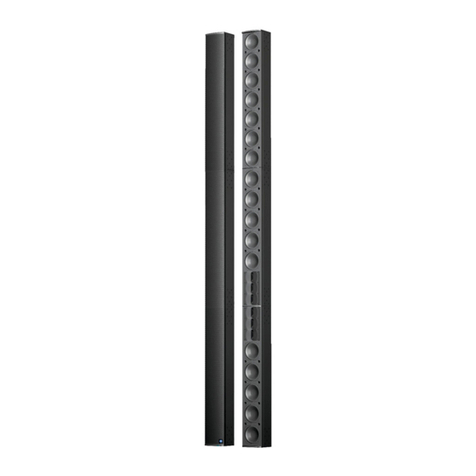
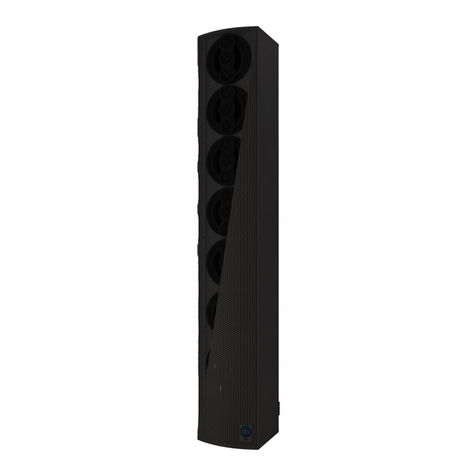
  9. Renkus-Heinz PCX Series User manual

Renkus-Heinz PCX Series User manual

This manual suits for next models

3

Other Renkus-Heinz Speakers System manuals

Renkus-Heinz ICL-R User manual

Renkus-Heinz

Renkus-Heinz ICL-R User manual

Renkus-Heinz iConyx IC Live X Series User manual

Renkus-Heinz

Renkus-Heinz iConyx IC Live X Series User manual

Renkus-Heinz VARIA VA101-7 User manual

Renkus-Heinz

Renkus-Heinz VARIA VA101-7 User manual

Renkus-Heinz ICL-R User manual

Renkus-Heinz

Renkus-Heinz ICL-R User manual

Renkus-Heinz RHAON User manual

Renkus-Heinz

Renkus-Heinz RHAON User manual

Renkus-Heinz iConyx DC12/2 User manual

Renkus-Heinz

Renkus-Heinz iConyx DC12/2 User manual

Renkus-Heinz iConyx IC LIVE ICL-FR User manual

Renkus-Heinz

Renkus-Heinz iConyx IC LIVE ICL-FR User manual

Renkus-Heinz Loudspeaker User manual

Renkus-Heinz

Renkus-Heinz Loudspeaker User manual

Renkus-Heinz STXLA User manual

Renkus-Heinz

Renkus-Heinz STXLA User manual

Renkus-Heinz IC Live FRO Series User manual

Renkus-Heinz

Renkus-Heinz IC Live FRO Series User manual

Renkus-Heinz Iconyx IC8-R User manual

Renkus-Heinz

Renkus-Heinz Iconyx IC8-R User manual

Renkus-Heinz IC Live Fixed NON RHAON ICL-F User manual

Renkus-Heinz

Renkus-Heinz IC Live Fixed NON RHAON ICL-F User manual

Renkus-Heinz Iconyx IC Live ICL-R User manual

Renkus-Heinz

Renkus-Heinz Iconyx IC Live ICL-R User manual

Renkus-Heinz DC12/2 User manual

Renkus-Heinz

Renkus-Heinz DC12/2 User manual

Renkus-Heinz IC Squared User manual

Renkus-Heinz

Renkus-Heinz IC Squared User manual

Renkus-Heinz ICL-FR User manual

Renkus-Heinz

Renkus-Heinz ICL-FR User manual

Renkus-Heinz ICL-F-RN User manual

Renkus-Heinz

Renkus-Heinz ICL-F-RN User manual

Renkus-Heinz Iconyx IC8-R User manual

Renkus-Heinz

Renkus-Heinz Iconyx IC8-R User manual

Renkus-Heinz ICONYX IC8-RN User manual

Renkus-Heinz

Renkus-Heinz ICONYX IC8-RN User manual

Renkus-Heinz RHAON User manual

Renkus-Heinz

Renkus-Heinz RHAON User manual

Popular Speakers System manuals by other brands

Monster MT-SB21 user manual

Monster

Monster MT-SB21 user manual

Monacor ESP-76AB/ WS manual

Monacor

Monacor ESP-76AB/ WS manual

Samsung HW-J430 user manual

Samsung

Samsung HW-J430 user manual

WILSON AUDIO WATT owner's manual

WILSON AUDIO

WILSON AUDIO WATT owner's manual

Hisense AX3125H user manual

Hisense

Hisense AX3125H user manual

EisSound KBSound iSelect user manual

EisSound

EisSound KBSound iSelect user manual

Boston Acoustics VRi793 manual

Boston Acoustics

Boston Acoustics VRi793 manual

Sven SPS-707bL Operation manual

Sven

Sven SPS-707bL Operation manual

Monacor DSM-26LAN instruction manual

Monacor

Monacor DSM-26LAN instruction manual

JVC CS-SR100 instructions

JVC

JVC CS-SR100 instructions

Samsung HW-C450 user manual

Samsung

Samsung HW-C450 user manual

TaoTronics evatronic ET-SK011 user guide

TaoTronics

TaoTronics evatronic ET-SK011 user guide

JVC HX-D7C instructions

JVC

JVC HX-D7C instructions

Pyle PBMSPG190 user manual

Pyle

Pyle PBMSPG190 user manual

Sven SPS-607 Operation manual

Sven

Sven SPS-607 Operation manual

iSP Technologies LT2 series owner's manual

iSP Technologies

iSP Technologies LT2 series owner's manual

Samsung Crystal Surround Air Track HW-F550 user manual

Samsung

Samsung Crystal Surround Air Track HW-F550 user manual

Bose Acoustimass 6 Series II owner's guide

Bose

Bose Acoustimass 6 Series II owner's guide

manuals.online logo
manuals.online logoBrands
  • About & Mission
  • Contact us
  • Privacy Policy
  • Terms and Conditions

Copyright 2025 Manuals.Online. All Rights Reserved.

Passive Column Arrays
featuring Renkus-Heinz’
Passive UniBeam Technology.
PCX Series
User’s Manual
2
19
19201 Cook Street
Foothill Ranch, CA 92610-3501
USA
T +1 949 588-9997
F +1 949 588-9514
www.renkus-heinz.com
EUDECLARATIONOFCONFORMITY

Accordingto:2011/65/EU(RoHSDirective)ontherestrictionoftheuseofcertainhazardoussubstancesinelectrical
andelectronicequipment(EEE).
Forthefollowingequipment:
Product: Passiveaudioloudspeakers,inherentlyinert
Model:  AllmodelsinthePCXSERIES
PCX4,PCX8,PCX16.
PCXmodelsmayincludesuffix‐WTor‐BKtodesignatecolor.Allcolorsareincludedwithinthisdeclarationevenifnot
specificallyidentifiedinthemodelnumber.
Manufacturer: Renkus‐Heinz,Inc.
19201CookStreet
FoothillRanch,CA92610‐3501,USA
Theproductslistedaboveareinconformitywith:
2011/65/EU(RoHSDirective)ontherestrictionoftheuseofcertainhazardoussubstancesin
electricalandelectronicequipment(EEE).
Responsibleformarkingthisdeclaration:
Renkus‐Heinz,Inc.
19201CookStreet
FoothillRanch,CA92610‐3501,USA
Personresponsibleformakingthisdeclaration:
Name  JamesI.Mobley
Position VPOperations
Place OrangeCounty,California,USA

Signature__________________________
Date July21,2022
IMPORTANT SAFETY INSTRUCTIONS
CAUTION
To reiterate the above warnings: servicing instructions are fo
r
use by qualified personnel only. To avoid electric shock, do
not perform any servicing other than that contained in the Ope-
ration Instructions unless you are qualified to do so. Refer all
servicing to qualified personnel.
Eindrigliche Warnung: Wartungsvorschriften dienen nur der
Benutzung durch qualifizieres Personal. Zur Vermeidung eines
elektrischen Schlages keine anderen als die in den Betriebsvor-
schriften beschriebenen Wartungsarbeiten ausführen, es sei denn
Sie sind dafür qualifiziert. Wartungsarbeiten auszuführen.
The lightning flash with arrowhead symbol,
within an equilateral triangle, is intended to
alert the use to the presence of uninsulated
"Dangerous Voltage" within the product's en-
closure that may be of sufficient magnitude
to constitute a risk of electric shock to hu-
mans.
The exclamanation point, within an equilateral
presence of important operating and mainte-
nance (servicing) instructions in the literature
accompanying the product.
VORSICHT
RISK OF ELECTRONIC SHOCK:
OPEN ONLY IF QUALIFIED AS
SERVICE PERSONNEL
GEFAHR EINES ELEKTRISCHEN SCHLAGES:
NUR VON QUALIFIZIEREM WARTUNGSPERSONAL
ZU ÖFFNEN
Der Blitz mit nach untenzielendem Pfeil in
einem gleichseitigen Dreieck weist den
Benutzer auf das Vorhandensein einer
unisolierten, "gefährlichen Spannung" im
Gehäuse hin, die stark genug sein kann, einer
Person einen gefährlichen elektrischen Schlag
zu versetzen.
Das Ausrufezeichen in einem gleichseitigen
Dreieck weist den Benutzer auf wichtige
Betriebs- und Wartungsvorschriften in den
beiliegenden Unterlagen des Gerätes hin.
Erklärung der graphischen SymboleExplanation of Graphical Symbols
IMPORTANT
Your Renkus-Heinz PCX Series Loudspeaker contains no user-serviceable parts, all
service should be referred to qualied service personnel.
1. Read these instructions.
2. Keep these instructions.
3. Heed all warnings.
4. Follow all instructions.
5. Clean with damp rag and light cleaning agents.
6. Do not block any ventilation openings. Install in
accordance with the manufacturer’s instructions.
7. Do not install near any heat sources such as radia-
tors, heat registers, stoves, or other apparatus
(including ampliers) that produce heat.
8. Only use attachments/accessories specied by the
manufacturer.
9. Install all cabling or conduit with drip loops to pre-
vent water wicking.
10. Refer all servicing to qualied service personnel.
Servicing is required when the loudspeaker has
been damaged in any way. If the interior of the
loudspeaker has been exposed to rain or moisture,
if it does not operate normally, or if it has been
dropped.
“CAUTION: THESE SERVICING INSTRUCTIONS ARE
FOR USE BY QUALIFIED SERVICE PERSONNEL ONLY.
TO REDUCE THE RISK OF ELECTRIC SHOCK DO NOT
PERFORM ANY SERVICING OTHER THAN THAT CON-
TAINED IN THE OPERATING INSTRUCTIONS UNLESS
YOU ARE QUALIFIED TO DO SO.”

Introduction
Congratulations on your purchase of a Renkus-Heinz
PCX Series column array loudspeaker featuring
Passive UniBeam Technology. Your Renkus-Heinz
loudspeaker has been designed to provide years of
trouble-free, high performance operation. We hope
you enjoy it.
Your Renkus-Heinz loudspeaker was completely
tested and inspected before leaving our factory and
should have arrived in perfect condition. Please
carefully inspect your loudspeaker and its shipping
carton for any noticeable damage, and if any damage
is found, immediately notify the shipping company.
Only the consignee may institute a claim with the
carrier for any damage incurred during shipping. Be
sure to save the carton and all packing materials for
the carrier’s inspection.
Important:
Your Renkus-Heinz loudspeaker contains no
user-serviceable parts and all service should
be referred to qualied service personnel. We
recommend that it be returned to the factory in
its original packing carton if factory service is
required.
General Information
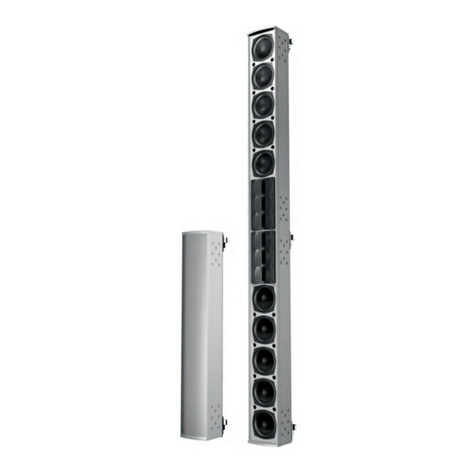
The PCX Series is an incredibly compact, versatile,
weather resistant, multi-operational family of passive
columns featuring Passive UniBeam Technology. The
PCX Series comprises of 3 models, the PCX4, PCX8,
and PCX16. All PCX models feature state of the art,
neodymium 3” full-range transducers and include
high-quality, low insertion loss 70/100 V Transform-
ers and wall-mount brackets as standard features to
simplify integration.
The PCX Series’ new Passive UniBeam Technology
utilizes the same complex steering algorithms from
our industry leading Iconyx style columns, and imple-
ments them in the passive domain. The end result
is a xed, asymmetrical vertical lobe with constant
directivity and inherent downward bias that delivers
unmatched coverage consistency and speech intel-
ligibility.
Heavy-duty aluminum extrusions and covered input
pockets deliver an IP64 rating, and extreme salt/
chlorine and UV resistance ensure your PCX Series
loudspeaker will look as good as it sounds for years
to come.
Contents
Introduction 4
General Information 4
PCX Series Mode Selection Switch 5
PCX Series Wiring and Connections 5
Constant Voltage Operation 7
Out Door Connections 7
Wall Mounting PCX Series 8
Wall Material Instructions 9
Optional Pan/Tilt Wall Bracket 10
PCX Series DSP Settings 11
Design Guidelines for PCX Series 12
5
PCX Series Mode Selection Switch
PCX Series loudspeakers can be installed in many
different ways, and our Mode Selection Switch helps
facilitate easy selection of the desired operating condi-
tions.
All models feature a traditional Low Impedance mode,
and a 70/100 V mode which is ideal for distributed
audio systems with high numbers of loudspeakers.
When operating in Low Impedance Mode, sound qual-
ity can be impacted by the power loss associated with
long cable runs, and the increase in amplier load with
increasing numbers of loudspeakers.
When dealing with very long cable runs, or large
numbers of loudspeakers, Renkus-Heinz recommends
using your PCX Series loudspeaker in 70/100 V mode.
When operating in 70/100 V mode, many loudspeak-
ers can be installed in parallel on each amplier chan-
nel which can greatly simplify installation of larger
systems. Various wattage taps in each voltage range
helps to give additional exibility when deploying large
numbers of loudspeakers.
When operating the Mode Selection Switch please
note that the switch does not rotate 360 degrees and
there are only 6 positions. Position number 1 is Lo-Z,
rotate clock-wise to reach the 5 additional switch po-
sitions. Position number 6 is the highest wattage tap,
either 60 W (PCX4), or 100 W (PCX8 and PCX16), ro-
tate counter-clockwise to return to the other positions.
Do not attempt to rotate past position 1 or position 6
or damage will occur.
PCX4
PCX8 & PCX16
6
PCX Series Wiring and Connections
All PCX Series loudspeakers feature the same style
input connections. Input connections are made via a 4
Conductor (2 pair) Barrier strip, the pairs are internally
paralleled. Polarity of the barrier strip is indicated in
the pocket.
When connecting a PCX Series loudspeaker to an am-
plier, please connect the positive (+) conductor from
the amplier to the positive (+) barrier strip, and the
negative (-) conductor from the amplier to the nega-
tive (-) barrier strip. Many speakers can be connected
together on one amplier channel in parallel or series/
parallel using the second internally paralleled barrier
strip.
Pay careful attention to cable type when selecting
cabling for your PCX Series loudspeakers. Cabling with
too small a cross sectional area relative to impedance
load and cable length can result in greater power loss
and reductions in sound quality. Under the majority of
conditions, 12 AWG cabling will be appropriate, how-
ever when cable runs are very long wire gauge should
be increased.
When selecting an amplier to drive PCX Series
loudspeakers, care should be taken to ensure you
have appropriate output capability. Please select an
amplier with the appropriate amount of power for the
application, typically we recommend at least 3 dB of
amplier headroom. Ensuring that more than enough
power is available will prevent driving the system into
overdrive reducing possible damage to both the ampli-
er, and loudspeaker.
When running multiple PCX Series loudspeakers in
parallel while in Low Impedance mode, pay careful at-
tention to amplier stability under heavy load. Imped-
ance varies by frequency and while nominal imped-
ance is a good indicator of a loudspeakers load some
frequencies will have lower impedance than what is
nominal.
PCX Series Input Pocket
7
Constant Voltage Operation
All PCX Series loudspeakers feature a 70/100 V transformer in-
side the loudspeaker. This transformer allows many same model
PCX loudspeakers to be connected in parallel to a single amplier
channel. The included transformer greatly simplies installation
while reducing cost and complexity of the system.
When connecting PCX Series loudspeakers in Constant Volt-
age mode connect the positive (+) conductor of the amplier, or
prior loudspeaker to the positive (+) terminal of the barrier strip
and connect the negative (-) conductor of the amplier, or prior
loudspeaker to the negative (-) terminal of the barrier strip. The
second paralleled barrier strip inside the input pocket is available
for connecting to additional loudspeakers.
When selecting an amplier for PCX Series loudspeakers in
Constant Voltage mode, the available power per channel must be
greater than the total of all loudspeaker power taps loaded onto
the channel. In order to prevent damage to both the amplier, and
loudspeaker Renkus-Heinz recommends at least a safety margin
with at least 3 dB above the total power requirements per chan-
nel.
The PCX4 features a 60 W Transformer, and the PCX8 and PCX16
both feature 100 W Transformers. The table to the right details
the wattage taps for each transformer type.
PCX4
70 V 100 V
8 W 15 W
15 W 30 W
30 W 60 W
60 W
PCX8 & PCX16
70 V 100 V
12.5 W 25 W
25 W 50 W
50 W 100 W
100 W
Securing Connections Outdoors
All PCX Series loudspeakers include a cover for the input pocket
that features a factory-installed Gland-Nut to seal connections
from the elements. The Gland-Nut has a cable jacket tolerance
range of 0.23” to 0.395” (5.8 mm to 10.0 mm). When installing
PCX Series loudspeakers outdoors using the included Gland-Nut
cover, please ensure there is a drip loop to prevent water wicking
into the pocket.
PCX Series Input Pocket Cover
8
Wall Mounting PCX Series Loudspeakers
The PCX Series and the Passive UniBeam technol-
ogy delivers inherent downward bias, asymmetrical
coverage, and constant directivity deliver incredibly
consistent coverage, even when ush mounted. The
PCX Series was designed to be ush mounted in most
applications, and the included wall mount bracket
enables safe, simple installation.
As the installer you must insure that the wall or other
mounting surface is capable of safely supporting the
weight of the array and wall bracket plus the safety
margin legally required for your territory. Weights for
the PCX Series plus wall bracket is as follows:
• PCX4: 11 lbs./5 kgs.
• PCX8: 17 lbs./7.7 kgs.
• PCX16: 31 lbs./ 14.1 kgs.
PCX Series loudspeakers are too heavy to be supported
by gypsum wallboard alone, you must anchor the
brackets to structure able to support the weights listed
above.
Wall Bracket Instructions
• Disassemble the bracket into the wall and loud-
speaker halves by removing the 12 mm bolts and
star washers. Remove the three, 6 mm Phillips-
head screws from the back of the loudspeaker
using a #3 Phillips screwdriver. Be sure to use a #3
Phillips, using a #2 may damage the screws.
• Mount the loudspeaker half of the bracket to the
loudspeaker cabinet using the three 6 mm Phillips
screws. Use thread locking compound to prevent
the screws from loosening.
• The wall half of the bracket is intended to be
installed with the bolts facing up. This allows the
loudspeaker column to rest on the wall before
tightening the nuts and locking splay angles.
• Follow the instructions on the following page for
the type of wall to which you are mounting. If you
are mounting to a wall type other than those listed
on the next page, you must insure that the method
you use can safely support the weights listed.
PCX8 and Wall Mount Side View
9
Wooden Stud Wall
• Determine the desired mounting location on the
wall. Locate a stud at the desired mounting loca-
tion. If there isn’t a stud at your desired mount-
ing location, you will need to locally reinforce the
wall as the loudspeakers are too heavy to mount
directly to gypsum wall board.
• The mounting bracket is centered on the loud-
speaker, the center hole of the wall bracket is a
good reference point for the center of the mounted
loudspeaker.
• Mark and drill pilot holes for the mounting screws.
• Mount the wall bracket to the wall using /4 in.
diameter x 2 in. long (6 mm dia. x 50 mm long)
lag bolts or equivalent. Use at least two mounting
screws or bolts.
Masonry Walls
• Determine the desired mounting location on the
wall. The mounting bracket is centered on the
loudspeaker, the center hole of the wall bracket
is a good reference point for the center of the
mounted loudspeaker.
• For mounting on concrete, CMU (concrete block)
or brick walls, use masonry sleeve anchors, 1/
4
in.
diameter x 1-1/
2
in. long (6 mm dia. x 38 mm long)
Red Head Dynabolt or equivalent. Use at least two
mounting screws or bolts.
• Mark and drill clearance holes for the mount-
ing anchors following the anchor manufacturer’s
instructions for diameter and depth.
Mounting the loudspeaker to the bracket
• Slide the loudspeaker and it’s bracket half over
the wall bracket, drop down onto the 12 mm bolts,
and secure with the nuts and star washers.
• Select the horizontal aiming and tighten the bolts
securely to lock the aiming angle in place.
• Connect the audio and your loudspeaker is ready
to enjoy.
PCX8 and Wall Mount
10
Optional Pan/Tilt Wall Bracket
The PCX Series was designed to address most
installations with ush mounting via the included
wall bracket. For more extreme applications,
Renkus-Heinz developed an optional Pan/Tilt Wall-
Bracket, part number W-WALL-PCX-PT.
• Disassemble the bracket into the wall and
loudspeaker halves by removing the 12 mm
bolts and star washers. Remove the three, 6
mm Phillips-head screws from the back of the
loudspeaker using a #3 Phillips screwdriver. Be
sure to use a #3 Phillips, using a #2 may dam-
age the screws.
• The speaker half of the bracket must rst be
disassembled into the 2 plates by removing
the two 8 mm Socket Head Screws. The inner
plate can then be attached to the loudspeaker
using a #3 Phillips screwdriver. Be sure to
use a #3 Phillips, using a #2 may damage the
screws. After the inner plate has been attached
to the loudspeaker, the speaker half can be
reassembled, and angle set using the two 8
mm Socket Head Screws.
• The wall half of the bracket is intended to be
installed with the bolts facing up. This allows
the loudspeaker column to rest on the wall
before tightening the nuts and locking splay
angles.
• The table below details the maximum down
angles achievable with optional Pan/Tilt
bracket.
PCX8 and Pan/Tilt Wall Bracket
Model Maximum Angle
PCX4 -15 degrees
PCX8 -15 degrees
PCX16 -10 degrees