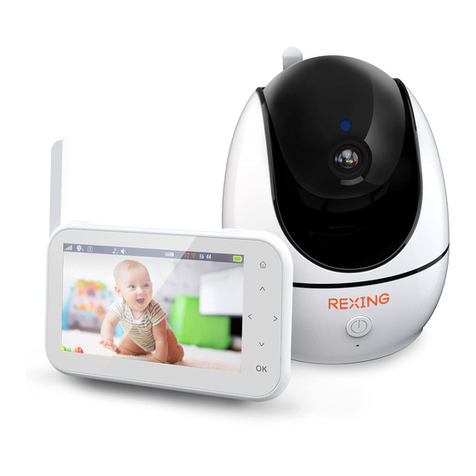
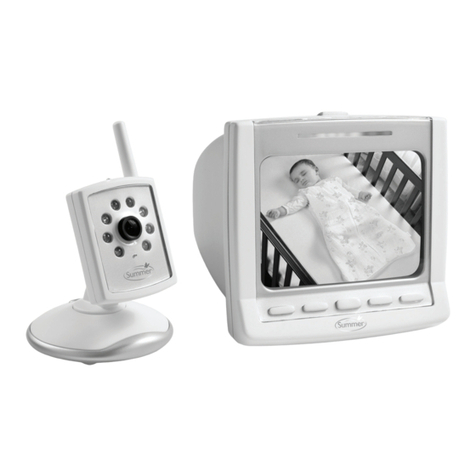
Rexing BM1 User manual

User Manual
BM1
Baby Monitor
The information in this manual is subject to change without notice.
Rexing All Rights Reserved
www.rexingusa.com
We hope you love your new products as much as we do. If you need assistance, or
have any suggestions to improve it, please contact us.
Our support team will respond you as soon as possible.
Always a surprise in Rexing.
•https://www.facebook.com/rexingusa/
•https://www.instagram.com/rexingdashcam/
•https://www.rexingusa.com/support/registration/
Overview
Thank you for choosing REXING!
Check us out here.
Facebook Instagram Site Product Support
(877) 740-8004
1

Safety Instructions
•Adult assembly is required. Keep small parts away from children when assembling.
•This product is not a toy. Do not allow children to play with it.
•This Baby Monitor is not a substitute for responsible adult supervision.
•Keep this User’s Guide for future reference.
•Do not place the Baby Unit or cords in the crib or within reach of the baby (the unit
and cords should be more than 3 feet away)
•Keep the cords out of reach of children.
•Do not cover the Baby Monitor with a towel or blanket.
•Never use extension cords with power adapters. Only use the power adapters
provided.
•Test this monitor and all its functions so that you are familiar with it prior to actual
use.
•Do not use the Baby Monitor near water.
•Do not place the Baby Monitor near a heat source.
•Only use the chargers and power adapters provided. Do not use other
chargers or power adapters as this may damage the device and battery pack.
•Do not touch the plug contacts with sharp or metal objects.
Warning
2
Strangulation Hazard: Children have STRANGLED in cords. Keep this cord out of
the reach of children (more than 3 feet away). Never use extension cords with AC
Adapters. Only use the AC Adapters provided.
The BM1 Baby Monitor is compliant with all relevant standards regarding
electromagnetic fields and is, when handled as described in the User's Guide, safe
to use. Therefore, always read the instructions in this User's Guide carefully before
using the device.
•Risk of explosion if battery is replaced by an unapproved battery type.
•Dispose of used batteries according to their instructions.
•The Unit should be set up and used so that parts of the user's body other than the
hands are maintained at a distance of approximately 8 inches (20 cm) or more.
CAUTION
3
The Parent Unit includes a built-in, lithium-ion rechargeable battery pack, which is
not a user-accessible item. If you think the battery needs replacing, please contact
the helpline. Do not try to replace it yourself.
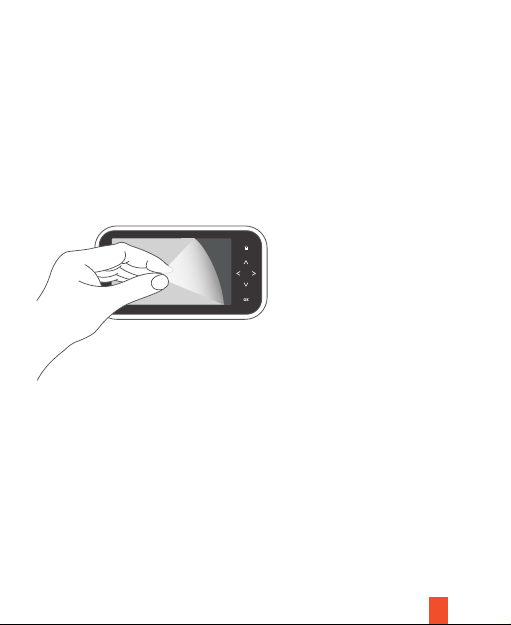
Our parent unit has come with a screen protector which is to protect the monitor.
Please peel the screen protector off before using the unit.
Parents Unit Console Overview
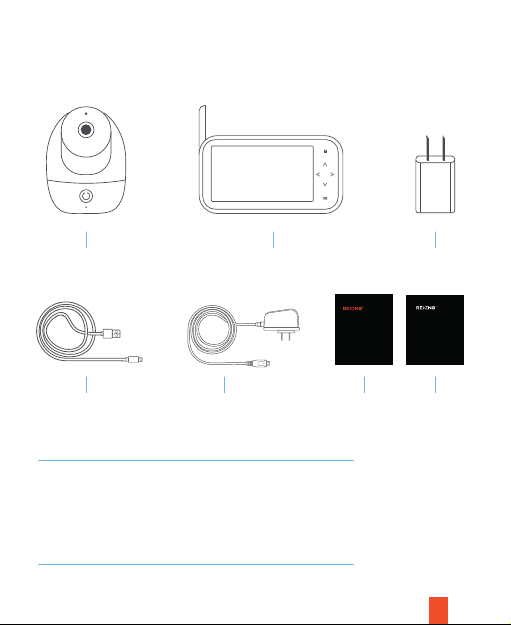
What’s in the box?
1 3
4 65 7
2
4
1. Baby Camera
2. Baby Monitor
3. Monitor Adapter
4. USB Cable
5. Baby Camera Power Adapter
6. User Manual
7. Safety Guide
User Manual
BM1
Baby Monitor
Theinformation in this manual is subject to change without notice.
RexingAll Rights Reserved
www.rexingusa.com
Safety Guide
www.rexingusa.com
安全ガイド
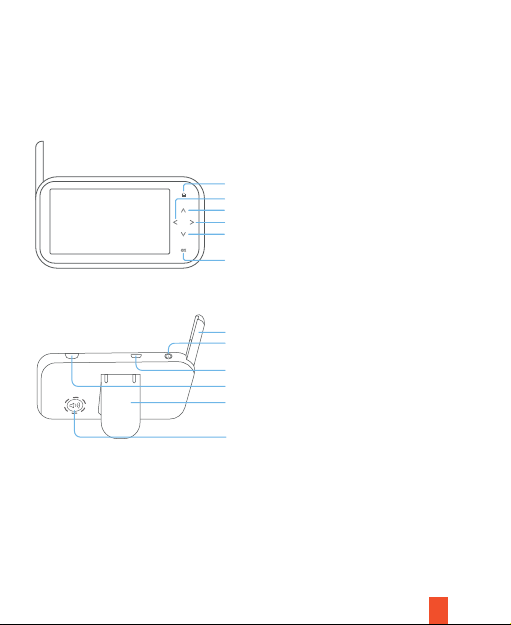
Baby Monitor Overview
Home Button / Menu Button / Exit Button
Left Key / Hold to move the camera horizontally
Antenna
Power Button
Talk Key: Hold to talk
Bracket
Speaker
Micro USB Input (5V/2A)
Up Key / Hold to move the camera vertically
Right Key / Hold to move the camera horizontally
Down Key / Hold to move the camera vertically
Start/Stop video recording
Product Overiew
5
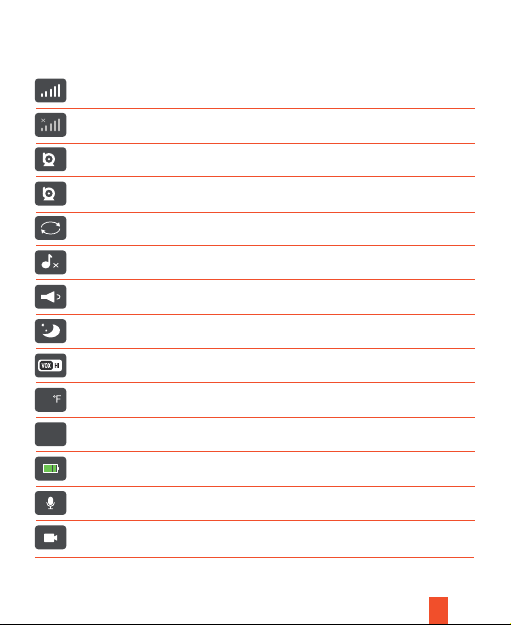
On-Screen Menu Icons
Signal Level (5 Levels)
No Signal
Camera 1
Camera 2 Optional, Sold Separately
Camera Swtich
Lullaby Switch
Volume Level (Level 6)
Night Vision Mode
Cry Detection (High, Medium and Low, 3 Modes)
Baby Room Temperature Display
System Time
Battery Power
Talk Mode
Recording Mode
75
6
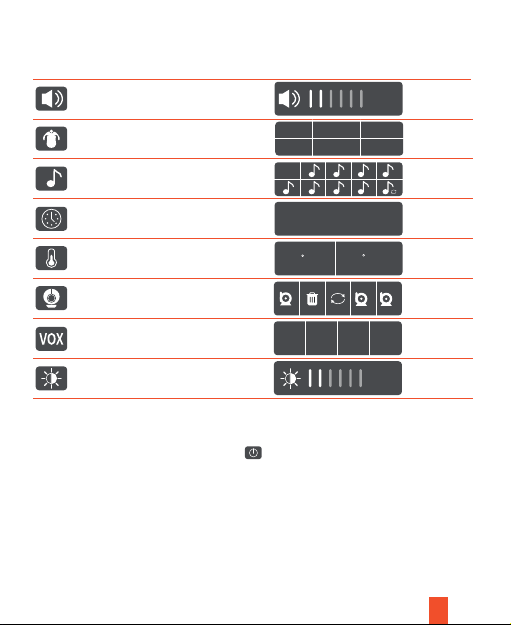
Menu Options
Volume Level Setting
Feed Reminder Time Setting
(Can Set Five Alarms)
Lullaby Selection (8 Lullabies)
System Time Setting
Temperature Mode Setting
(Celsius / Fahrenheit)
Camera Settings
(Add/Delete/Switch)
VOX Sound Detection Settings
Display Brightness Setting
OFF 0:30 1:00
2:00 3:00 4:00
OFF
23 : 40 : 58
C F
OFF LOW MED HIGH
7
Note:
•When the VOX is turned off, press the power button and the display screen
will turn off. You can hear the sound from the camera at all times. This mode is
suitable for when the baby is playing and the adult needs to leave for a while.
•When the VOX mode is turned on: when the ambient sound of the camera is
louder than the set value, the display screen will light up and the speaker will
make a sound alerting you to check in on the baby. This mode is best used at
during bedtime.
8
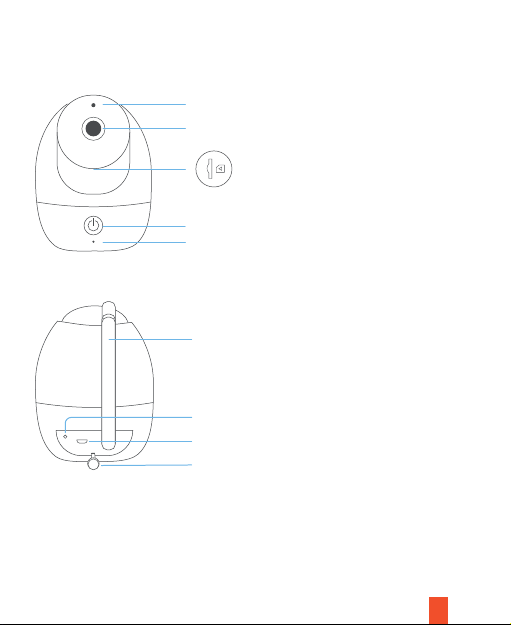
Baby Camera Overview
Antena
Temperature Sensor
Micro USB Input (5V/1A)
Power Indicator
Lens
Micro SD Card Slot
Pairing Button
MIC
IR Sensor
Get Started
Setting Up Camera and Monitor
Connect the Micro USB cord of the power adapter to the camera and the other
end to a power outlet (110 220V AC Outlet).
Once the camera is plugged in, it will automatically turn on and the blue indicator
will be on.
Power On Baby Camera
Note:
Turn On/Off Baby Camera
•Plug in the USB power cable to turn on the camera.
• Unplug the power cable to turn off the camera.
Power On Baby Monitor
Review Live Feed
Press and hold the power button for 3 seconds to switch on/off the baby monitor.
Pull out the receiving antenna on the Monitor to establish a good connection with the
baby camera.
It takes 3-4 hours to fully charge the baby monitor to use wirelessly. If the device is
connected through the USB cable to a power source then it will stay powered.
9
• If the pairing is not successful, please refer to Pairing Instructions on page 10 to
repair the camera;
•If Pairing , you need to press the switch key to switch to view. If you
are pairing , press the switch key to display view. (Optional is
available to purchase separately.)
When the Baby Camera and the Baby Monitor are turned on, live footage from
the camera is showed onto the display (If the display is not normal, check the
camera pairing connection).
Other manuals for BM1
1
Table of contents
Other Rexing Baby Monitor manuals