manuals.online logo
Brands
  1. Home
  2. •
  3. Brands
  4. •
  5. Rice Lake
  6. •
  7. Commercial Food Equipment
  8. •
  9. Rice Lake ISHIDA WM-Nano User manual

Rice Lake ISHIDA WM-Nano User manual

Other manuals for ISHIDA WM-Nano

4

Popular Commercial Food Equipment manuals by other brands
Costco 5P-08WT manual

Costco

Costco 5P-08WT manual

Beper BT.651Y manual

Beper

Beper BT.651Y manual

Blue Seal EF30 Installation & operation manual
Blue Seal

Blue Seal EF30 Installation & operation manual

Tecfrigo Snelle 400 GS installation instructions
Tecfrigo

Tecfrigo Snelle 400 GS installation instructions

Follett PFT Series Operation and maintenance manual
Follett

Follett PFT Series Operation and maintenance manual

MEFE CAT 206 PTR User manual and maintenance
MEFE

MEFE CAT 206 PTR User manual and maintenance

Diamond AL1TB/H2-R2 Installation, Operating and Maintenance Instruction
Diamond

Diamond AL1TB/H2-R2 Installation, Operating and Maintenance Instruction

Salva IVERPAN FC-18 User instructions

Salva

Salva IVERPAN FC-18 User instructions
Allure Melanger JR6t Operator's manual

Allure

Allure Melanger JR6t Operator's manual

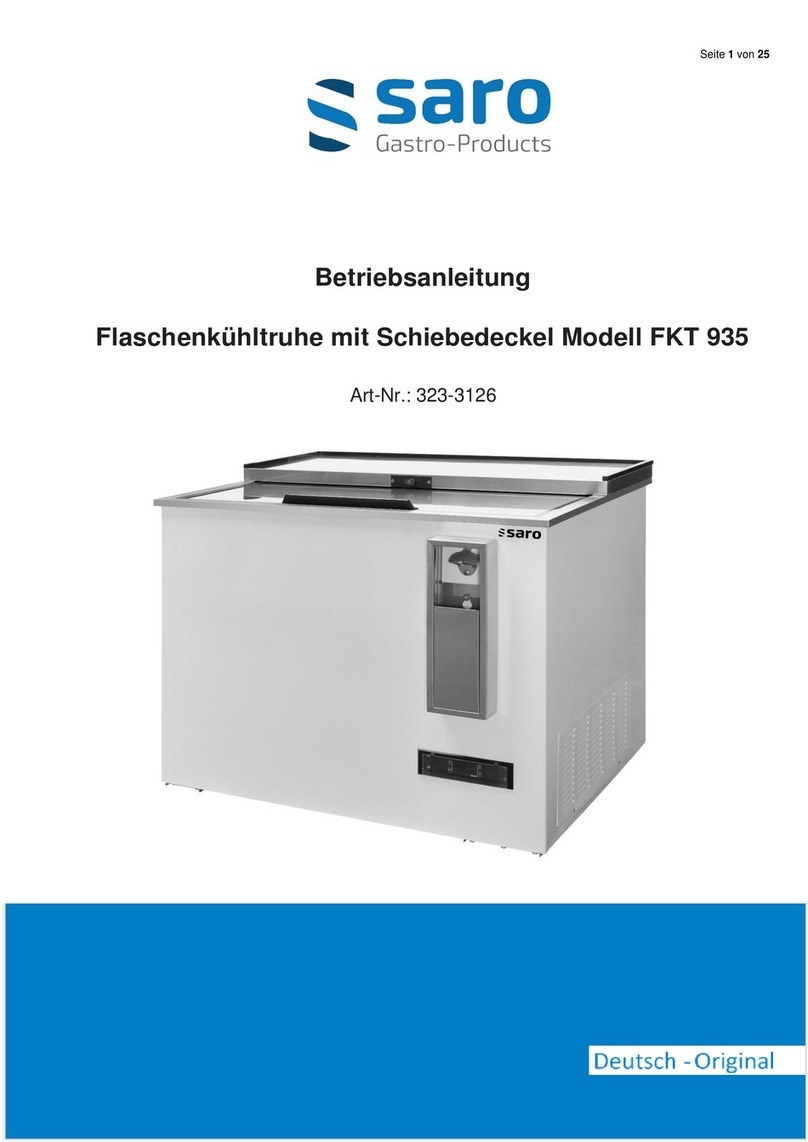
saro FKT 935 operating instructions

saro

saro FKT 935 operating instructions

Hussmann Rear Roll-in Dairy Installation & operation manual
Hussmann

Hussmann Rear Roll-in Dairy Installation & operation manual

Cornelius IDC PRO 255 Service manual

Cornelius

Cornelius IDC PRO 255 Service manual
Moduline HSH E Series Service manual

Moduline

Moduline HSH E Series Service manual
MINERVA OMEGA DERBY 270 operating instructions
MINERVA OMEGA

MINERVA OMEGA DERBY 270 operating instructions

Diamond OPTIMA 700 Installation, use and maintenance instructions

Diamond

Diamond OPTIMA 700 Installation, use and maintenance instructions

Diamond G9/PLCA4 operating instructions

Diamond

Diamond G9/PLCA4 operating instructions

Cuppone BERNINI BRN 280 Installation

Cuppone

Cuppone BERNINI BRN 280 Installation

Arneg Atlanta Direction for Installation and Use

Arneg

Arneg Atlanta Direction for Installation and Use

manuals.online logo
manuals.online logoBrands
  • About & Mission
  • Contact us
  • Privacy Policy
  • Terms and Conditions

Copyright 2025 Manuals.Online. All Rights Reserved.

WM-Nano: Periodical Maintenance ver. 2.2Ishida Co., Ltd. ©2011-2016
Page
2-1
Series:
Manual Title:
PERIODICAL MAINTENANCE
Version:
2.2
Updated:
9.September.2016
ISHIDA CO., LTD. © 2011 -2016
This manual may not be reproduced in any way without the written consent of the manufacturer.
WM-Nano: Periodical Maintenance ver. 2.2Ishida Co., Ltd. ©2011-2016
Page
2-2
2.0
The periodical maintenance consists of the
following:
•Check firmware details
•Clean lifter unit and check all lift heads
•Clean lifter area
•Clean sensor holes in outfeed unit
•Clean left and right folders
•Clean heater and check
•Clean tray pusher and check
•Clean film area
•Clean weighing unit and check
•Clean tray infeeders and check
•Check film roll brake and check
•
Check rear folder
•Check all bolts in cam area
•Check all connectors
•Check tray heater
•Check fan heater area
•Check rubber on tray infeeders
•Check belts’ tension
•Check clamps’ strength
•Check level
•Grease all shafts and moving parts
•Clean cassette printer and check
•Clean thermal head and check
•Perform ‘Unit Test’
•Fine-tune wrapping settings
•Check weight value and calibrate
•Check wrap count and reset
2.1
Check firmware details
a) Go to [MODE] > [4][9][5][3][4][4][PLU] > [ADJUST] > [FIRMWARE DETAILS]
b) Check all the firmware details for any upgrade possibilities
c) If it is necessary to upgrade, please backup all data before upgrading firmware
2.2
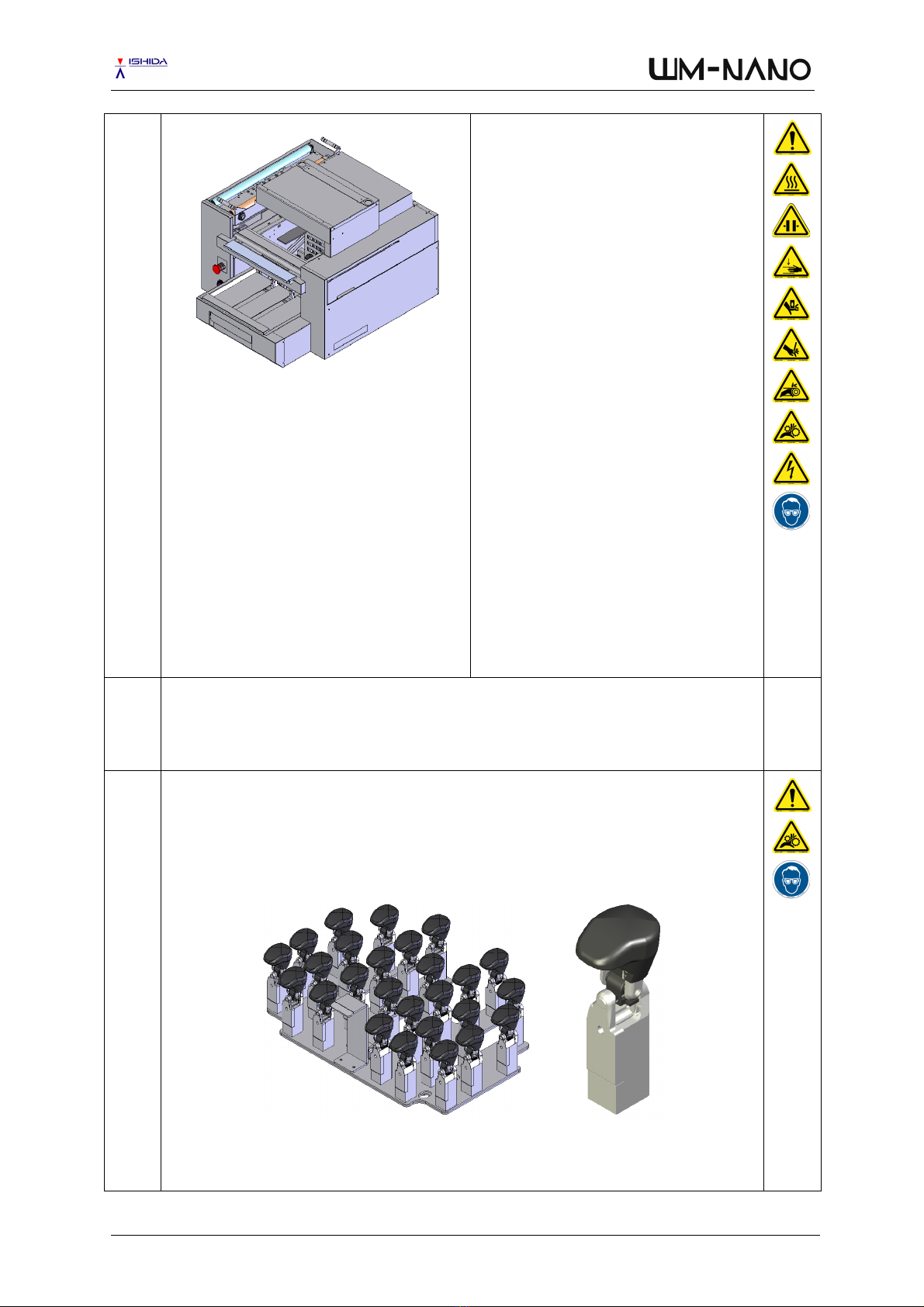
Clean lifter unit and check all lift heads
a) Remove the lifter unit from the machine and clean it with appropriate HACCP approved
detergents and warm water
b) Clean all 27 head surfaces and the rotation movement
c) Dry the complete lifter unit and replace any damaged head
d) Apply food-grade grease to the rotation movement of each head
WM-Nano: Periodical Maintenance ver. 2.2Ishida Co., Ltd. ©2011-2016
Page
2-3
2.3
Clean lifter area
a) Clean all the lifter area
2.4
Clean sensor holes in outfeed unit
a) Clean the sensor holes on the left-hand side of the outfeed unit
b) Clean the sensor holes on the right-hand side of the outfeed unit
2.5
Clean left and right folders
a) Clean the left folder
b) Clean the right folder
WM-Nano: Periodical Maintenance ver. 2.2Ishida Co., Ltd. ©2011-2016
Page
2-4
2.6
Clean heater and check
a) Clean the heater with a damp piece of cloth from left to right and back while rolling the heater
roller gently
2.7
Clean tray pusher and check
a) Clean the (blue) tray pusher
b) Check for any possible scratches
2.8
Clean film area
a) Remove the film roll and store in a cool and dry place
b) Clean the area where the film roll is standing
c) Clean the area where the film roll is loaded and fed into the machine
WM-Nano: Periodical Maintenance ver. 2.2Ishida Co., Ltd. ©2011-2016
Page
2-5
2.9
Clean weighing unit and check
a) Remove the upper cover and wash
b) Clean the weighing platter with a damp cloth
2.10
Clean tray infeeders and check
a) Clean the (green) rubber part of both tray infeeders
b) Replace if damaged
2.11
Clean film roll brake and check
a) Clean the brake from any film residue
b) Check the braking strength and adjust if necessary
WM-Nano: Periodical Maintenance ver. 2.2Ishida Co., Ltd. ©2011-2016
Page
2-6
2.12
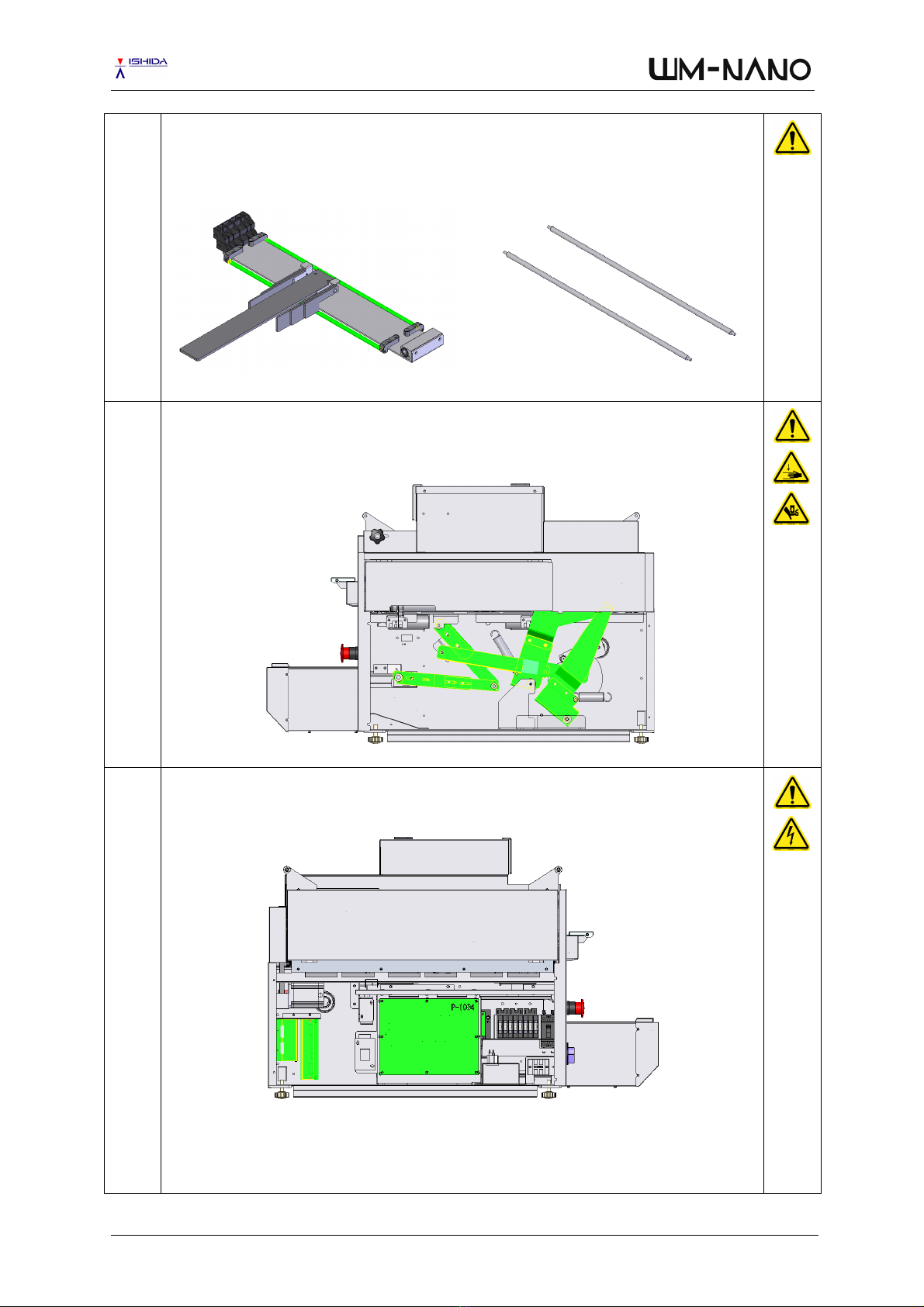
Clean rear folder
a)
Clean both shafts of the rear folder
b) Check movement of the shafts. Shafts must freely rotate, slightly move left and right. Shafts
must not move forward and backwards.
2.13
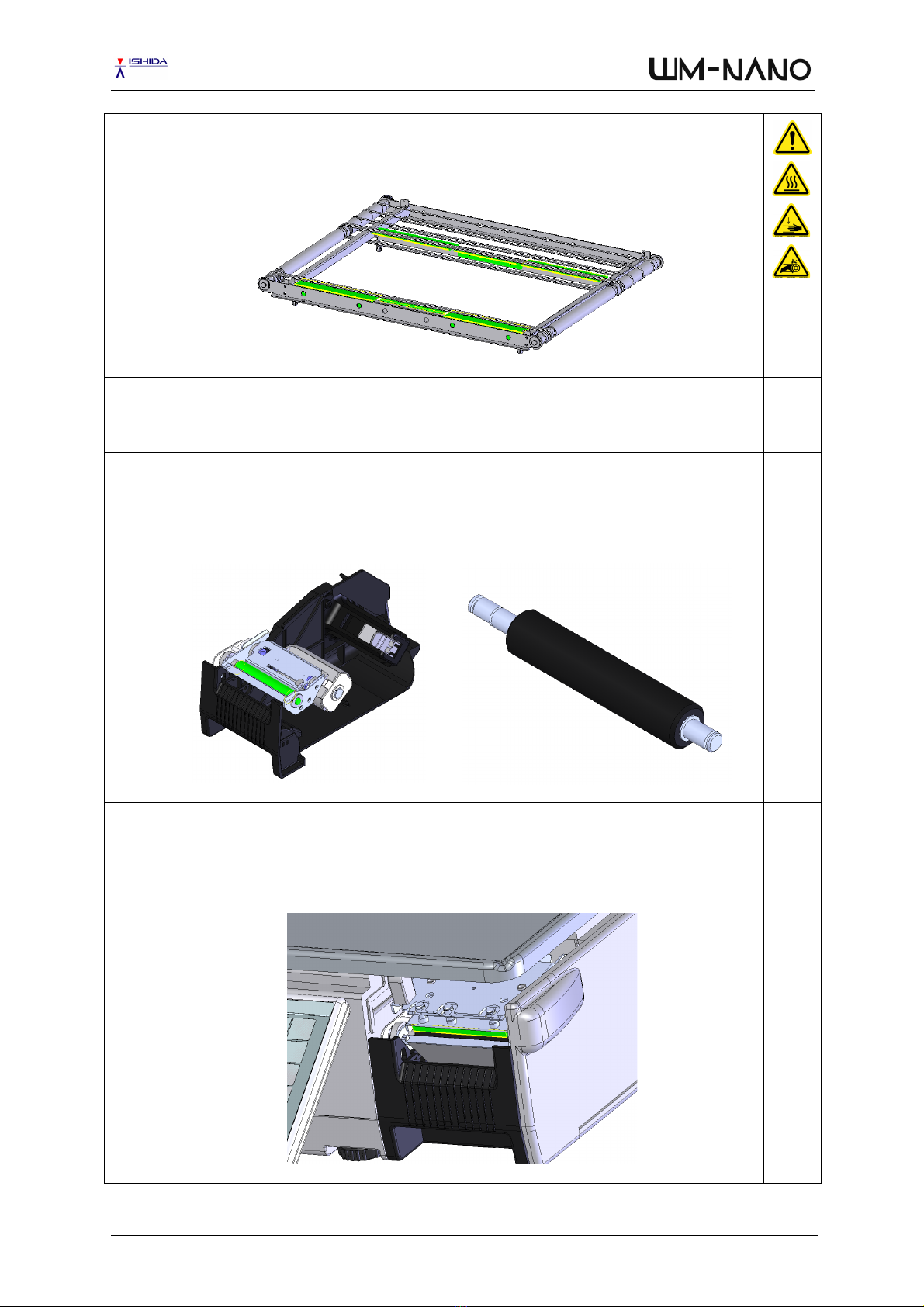
Check all bolts in cam area
a) Check all bolts in the cam area and tighten if food loose due to vibration when machine is
working
2.14
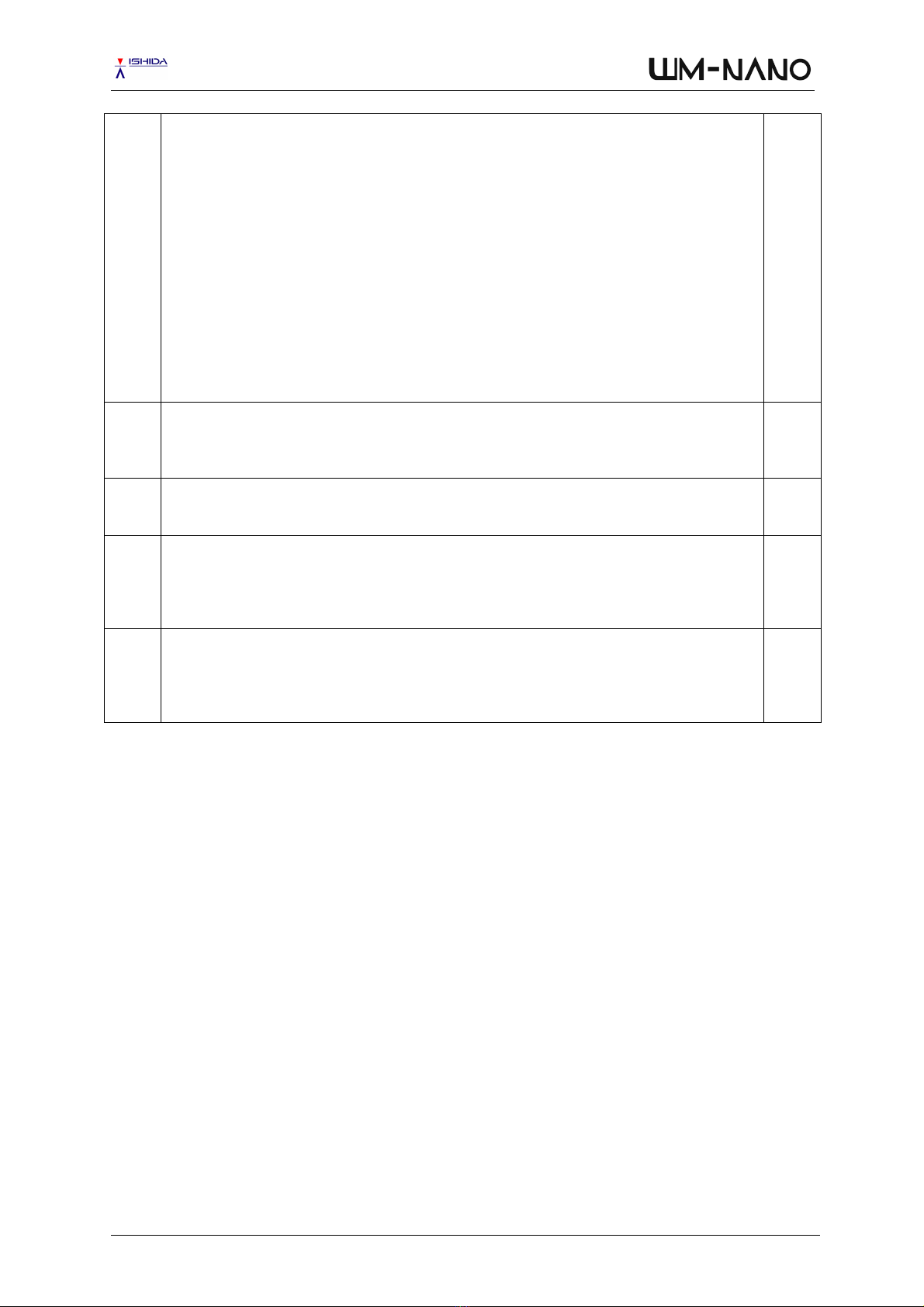
Check all connectors
a) Check all connectors in the electrical area and all other areas too for any loose connection
WM-Nano: Periodical Maintenance ver. 2.2Ishida Co., Ltd. ©2011-2016
Page
2-7
2.15
Check fan heater area
a) Clean the fan heater area
b) Check and clean the fan heater
2.17
Check belt’s tension
a) Check the tension of the left/right folder moving drive belt
b) Check the tension of the left/right folder motor drive belt
c) Check the tension of the film feeder drive belt
WM-Nano: Periodical Maintenance ver. 2.2Ishida Co., Ltd. ©2011-2016
Page
2-8
2.18
Check clamps’ strength
a) Check the rear left, right and centre clamps with a piece of paper
b) Check the front left, right and centre clamps with a piece of paper
2.19
Grease all shafts and moving parts
a)
See Appendix A1 for a list of all lubrication points
2.20
Clean cassette printer and check
a) Clean the roller (DO NOT use sharp objects as this may easily damage the rubber. Use only
soft objects such as cleaning pen and volatile spirit)
b) Clean the cassette (general cleaning)
c) Remove any labels attached to the cassette
2.21
Clean thermal head and check
a) Clean the thermal head (DO NOT use sharp objects such as knife as this may easily damage
the thermal head. Instead use only soft objects such as cleaning pen and volatile spirit)
b) Print a test print (checker print) and check for any scratches
c) If thermal head is scratched, replace with a new thermal head
b) Yellow grease [Y] - p/n 77932, White grease [W] - p/n 77933
WM-Nano: Periodical Maintenance ver. 2.2Ishida Co., Ltd. ©2011-2016
Page
2-9
2.22
Perform ‘UNIT TEST’
a) Go to [MODE] > [ADJUST] > [4][9][5][3][4][4][PLU] > [UNIT TEST]
b) Perform all the tests available in the Unit Test menu
c) 1. All Sensor Check
d) 2. Lifter
e) 3. Film Feeder
f) 4. Left/Right Folders
g) 5. Cutter
h) 6. Film Arm
i) 7. Front Clamps
j) 8. Rear Clamps
k) 9. All Clamps
l) 10. Wrap (No Arm)
m) 11. Wrap
n) 12. Film Feed
2.23
Fine-tune wrapping settings
a) Go to [MODE] > [PROGRAM] > [TRAY] > [ADJUST 1]
b) Fine-tine the tray settings if necessary due to machine/component ageing
2.24
Check level
a) Check the level of the machine and set if necessary.
2.25
Check weight value and calibrate
a) Go to [MODE] > [ADJUST] > [4][9][5][3][4][4][PLU] > [CALIBRATION]
b) Check the weight
c) Perform the ZERO and SPAN adjustments to calibrate the scale
2.26
Check wrap count and reset
a) Go to [MODE] > [ADJUST] > [WRAPPER] > [INITIAL] > WRAP COUNT
b) Take note of the COUNT value
c) Reset the count value
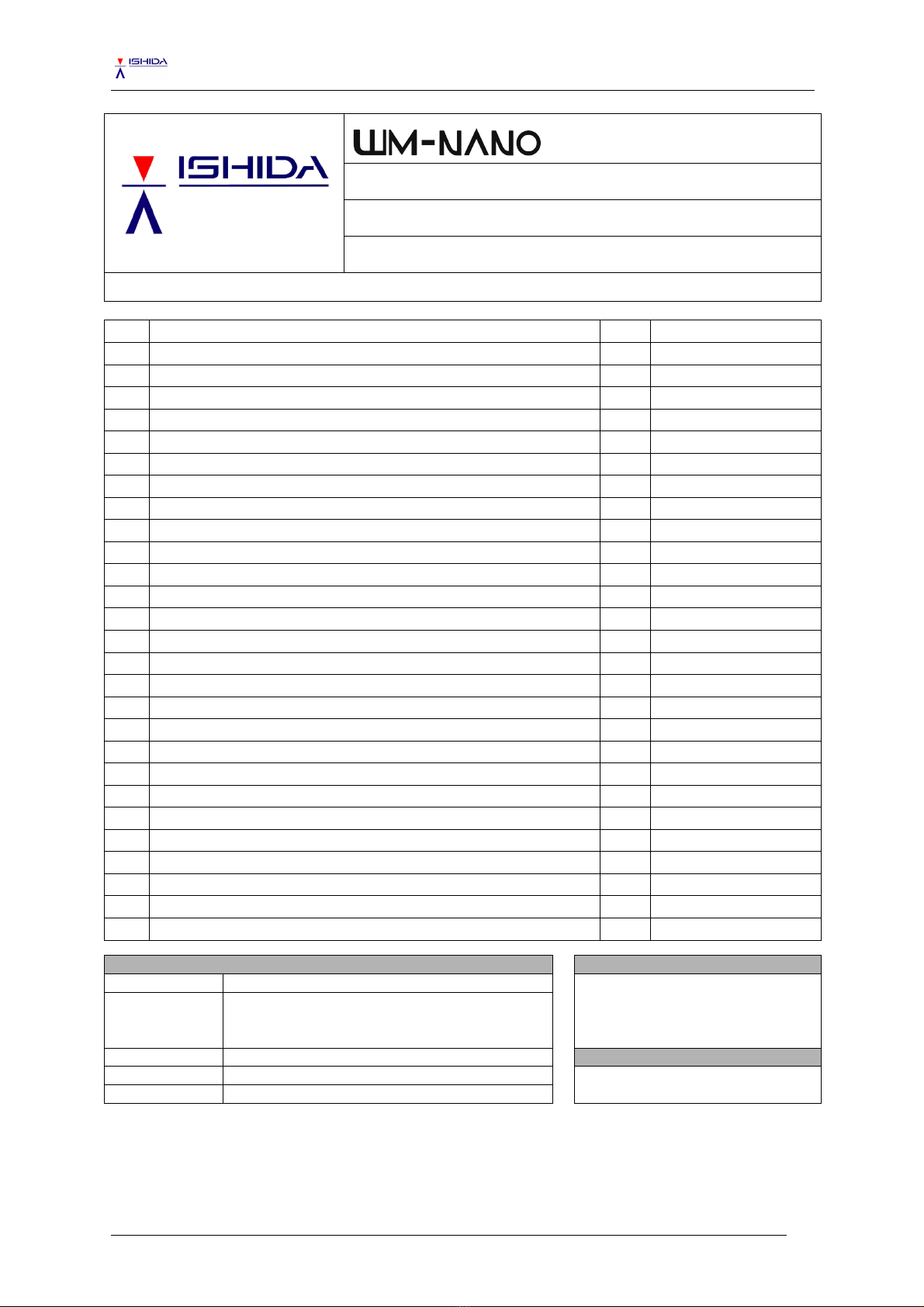
WM-Nano: Checklist: Periodical Maintenance ver. 2.2Ishida Co., Ltd. ©2011-2016
Series:
Manual Title:
CHECKLIST: PERIODICAL MAINTENANCE
Version:
2.2
Updated:
9.September.2016
ISHIDA CO., LTD. © 2011-2016
This document may not be reproduced in any way without the written consent of Ishida Co., Ltd.
No.:
Description:
!"
Remarks:
01
Check firmware details
02
Clean lifter unit and check all liftheads
03
Clean lifter area
04
Clean sensor holes in outfeed unit
05
Clean left and right folders
06
Clean heater and check
07
Clean tray pusher and check
08
Clean film area
09
Clean weighing unit and check
10
Clean tray infeeders and check
11
Clean film roll brake and check
12
Clean rear folder
13
Check all bolts in cam area
14
Check all connectors
15
Check fan heater area
16
Check tray seal heater
17
Check belts’ tension
18
Check clamps’ strength
19
Grease all shafts and moving parts
20
Clean cassette printer and check
21
Clean thermal head and check
22
Perform ‘Unit Test’
23
Fine-tune wrapping settings
24
Check level
25
Check weight value and calibrate
26
Check wrap count and reset
Customer details:
Serviced by:
Name:
Address:
City:
Date:
Postcode:
Country: