The Front Panel
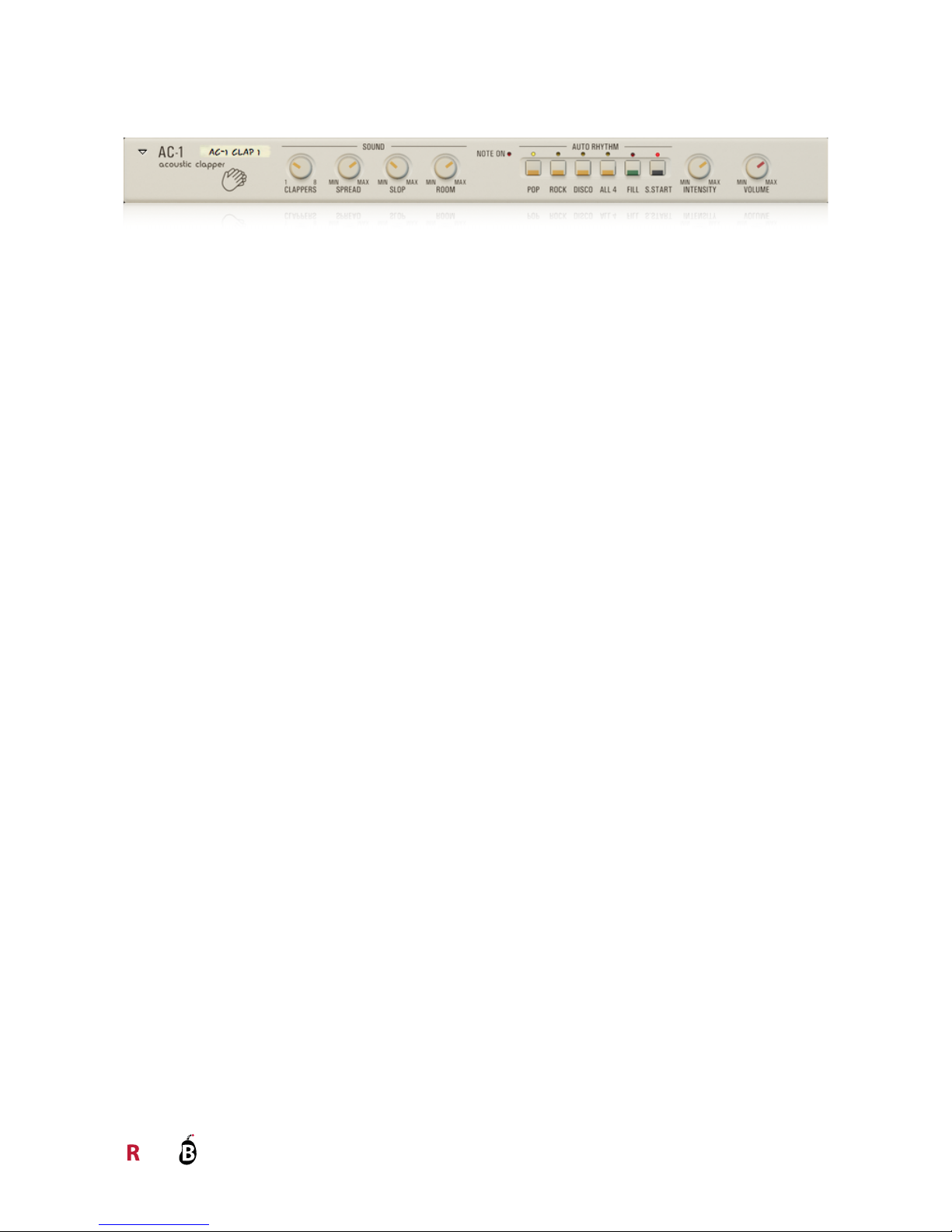
The front panel is divided into three major sections, Sound, Auto Rhythm, and Output.
Sound
There are four controls in the Sound section: Clappers, Spread, Slop and Room Level settings.
Auto Rhythm
The Auto Rhythm section contains 4 different patterns to choose from, and a two bar fill in for each
pattern.
This knob sets how many virtual clappers there are, from 1 to 8. Each clapper has
a minimum of 3 clap variations for each velocity layer (called round-robins), but at
lower settings each clapper "borrows" variations from the other clappers. So if you
set Clappers = 1 it uses 8*3 = 24 variations for each velocity layer.
Sets the spread of the Clappers across the stereo image. At 0% they are all
located in the center of the stereo image, and at 100% they are distributed evenly
from the far left to the far right.
Note that at 0%, the sound from the room mics will still be in stereo, so it’s not the
same as using the Width knob in Reason’s main mixer.
Sets how bad timing the Clappers have. Even at the max setting, at least one
Clapper will always be on the beat. Use this to get a natural sloppiness for the type
of music you are making. The Slop setting scales with the tempo, so you should
not have to adjust it when using tempo automation.
Sets the balance between the two microphones used when recording the
handclaps: one close mono ribbon mic, and a stereo pair of condenser ambience
microphones placed further away in the room.
Selects which pattern to play: Pop, Rock, Disco or All 4.
Triggers a fill-in for the currently selected pattern. The fill-in will continue playing for the
rest of the bar, or for as long as the Fill In button is pressed.
When this is active, the Auto Rhythm is active and plays along with Reason's main
sequencer. If you use MIDI or CV to trigger AC-1, this should probably be switched off.
But you can of course use Auto Rhythm and MIDI/CV trigging in parallel.