2
Contents
Installing the Software . . . . . . . . . . . . . . . . . . . . . . . . . . . . . . . . . . . 3
System Requirements . . . . . . . . . . . . . . . . . . . . . . . . . . . . . . . . . . . . 3
Downloading the Software . . . . . . . . . . . . . . . . . . . . . . . . . . . . . . . . 3
Downloading the DJ-202 USB Driver . . . . . . . . . . . . . . . . . . . 3
Downloading the Serato DJ Intro Software . . . . . . . . . . . . . . 3
Installing the Software . . . . . . . . . . . . . . . . . . . . . . . . . . . . . . . . . . . . 3
Mac OS Users . . . . . . . . . . . . . . . . . . . . . . . . . . . . . . . . . . . . . . 3
Windows Users. . . . . . . . . . . . . . . . . . . . . . . . . . . . . . . . . . . . . 3
Panel Descriptions . . . . . . . . . . . . . . . . . . . . . . . . . . . . . . . . . . . . . . . 4
Browser Section . . . . . . . . . . . . . . . . . . . . . . . . . . . . . . . . . . . . . . . . . 4
Deck Section . . . . . . . . . . . . . . . . . . . . . . . . . . . . . . . . . . . . . . . . . . . . 5
Mixer Section . . . . . . . . . . . . . . . . . . . . . . . . . . . . . . . . . . . . . . . . . . . 7
Front Panel . . . . . . . . . . . . . . . . . . . . . . . . . . . . . . . . . . . . . . . . . . . . . 8
Rear Panel (Connecting Your Equipment). . . . . . . . . . . . . . . . . . . . . 8
Using Serato DJ Intro. . . . . . . . . . . . . . . . . . . . . . . . . . . . . . . . . . . . . 9
Starting Serato DJ Intro . . . . . . . . . . . . . . . . . . . . . . . . . . . . . . . . . . . 9
Basic Operations in Serato DJ Intro . . . . . . . . . . . . . . . . . . . . . . . . . . 9
Importing a Song. . . . . . . . . . . . . . . . . . . . . . . . . . . . . . . . . . . 9
Loading a Song . . . . . . . . . . . . . . . . . . . . . . . . . . . . . . . . . . . . 9
Playing a Song . . . . . . . . . . . . . . . . . . . . . . . . . . . . . . . . . . . . . 10
Monitoring Through Headphones . . . . . . . . . . . . . . . . . . . . . 10
Closing Serato DJ Intro. . . . . . . . . . . . . . . . . . . . . . . . . . . . . . . . . . . . 10
Operating the DJ-202 . . . . . . . . . . . . . . . . . . . . . . . . . . . . . . . . . . . . 11
Performance Pad Operations. . . . . . . . . . . . . . . . . . . . . . . . . . . . . . . 11
Hot Cue Operations (HOT CUE). . . . . . . . . . . . . . . . . . . . . . . . 11
Loop Operations (LOOP) . . . . . . . . . . . . . . . . . . . . . . . . . . . . . 11
Sequencer Operations (SEQUENCER). . . . . . . . . . . . . . . . . . . 11
Pattern Operations (PATTERN) . . . . . . . . . . . . . . . . . . . . . . . . 11
INST PLAY Operations . . . . . . . . . . . . . . . . . . . . . . . . . . . . . . . 11
Sampler Operations (SAMPLER) . . . . . . . . . . . . . . . . . . . . . . . 12
Eect Operations . . . . . . . . . . . . . . . . . . . . . . . . . . . . . . . . . . . . . . . . 12
Changing the Eect Tempo. . . . . . . . . . . . . . . . . . . . . . . . . . . 12
Using the Sequencer . . . . . . . . . . . . . . . . . . . . . . . . . . . . . . . . . . . . . 13
Selecting, Playing, Copying, or Deleting Patterns . . . . . . . . . 13
Editing a Pattern . . . . . . . . . . . . . . . . . . . . . . . . . . . . . . . . . . . 13
Synchronizing the Sequencer Tempo with the Serato DJ Intro
Tempo. . . . . . . . . . . . . . . . . . . . . . . . . . . . . . . . . . . . . . . . . . . . 14
System Settings . . . . . . . . . . . . . . . . . . . . . . . . . . . . . . . . . . . . . . . . . . 15
Backing Up or Restoring Sequencer Data. . . . . . . . . . . . . . . . . . . . . 16
Returning to the Factory Settings (Factory Reset) . . . . . . . . . . . . . . 16
Appendix . . . . . . . . . . . . . . . . . . . . . . . . . . . . . . . . . . . . . . . . . . . . . . . . 17
Troubleshooting . . . . . . . . . . . . . . . . . . . . . . . . . . . . . . . . . . . . . . . . . 17
Main Specications . . . . . . . . . . . . . . . . . . . . . . . . . . . . . . . . . . . . . . 17
About this owner’s manual
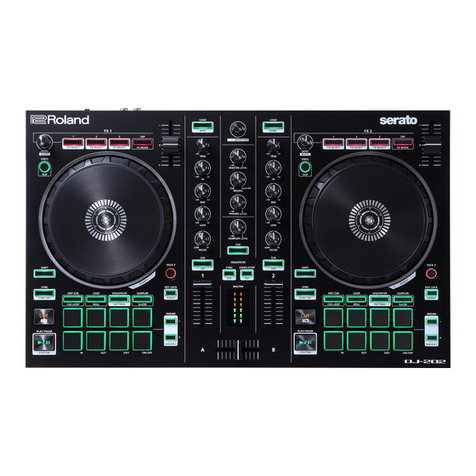
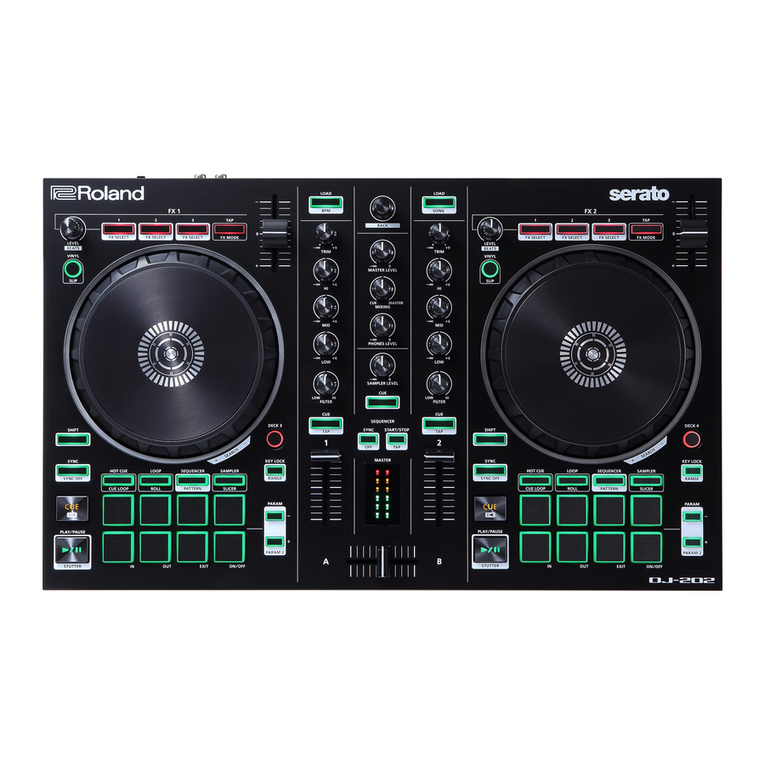
This manual explains basic operation when using the DJ-202 together
with Serato DJ Intro.
Downloading the Serato DJ Intro owner’s manual
1.Start a browser and access the following Serato DJ Intro
webpage.
https://serato.com/dj/downloads
2.Click “Manuals and Downloads.”
3.From“Manuals and Downloads,”download the Serato DJ Intro
owner’s manual.
Upgrading to Serato DJ
You can also upgrade from Serato DJ Intro to Serato DJ and control it
from the DJ-202.