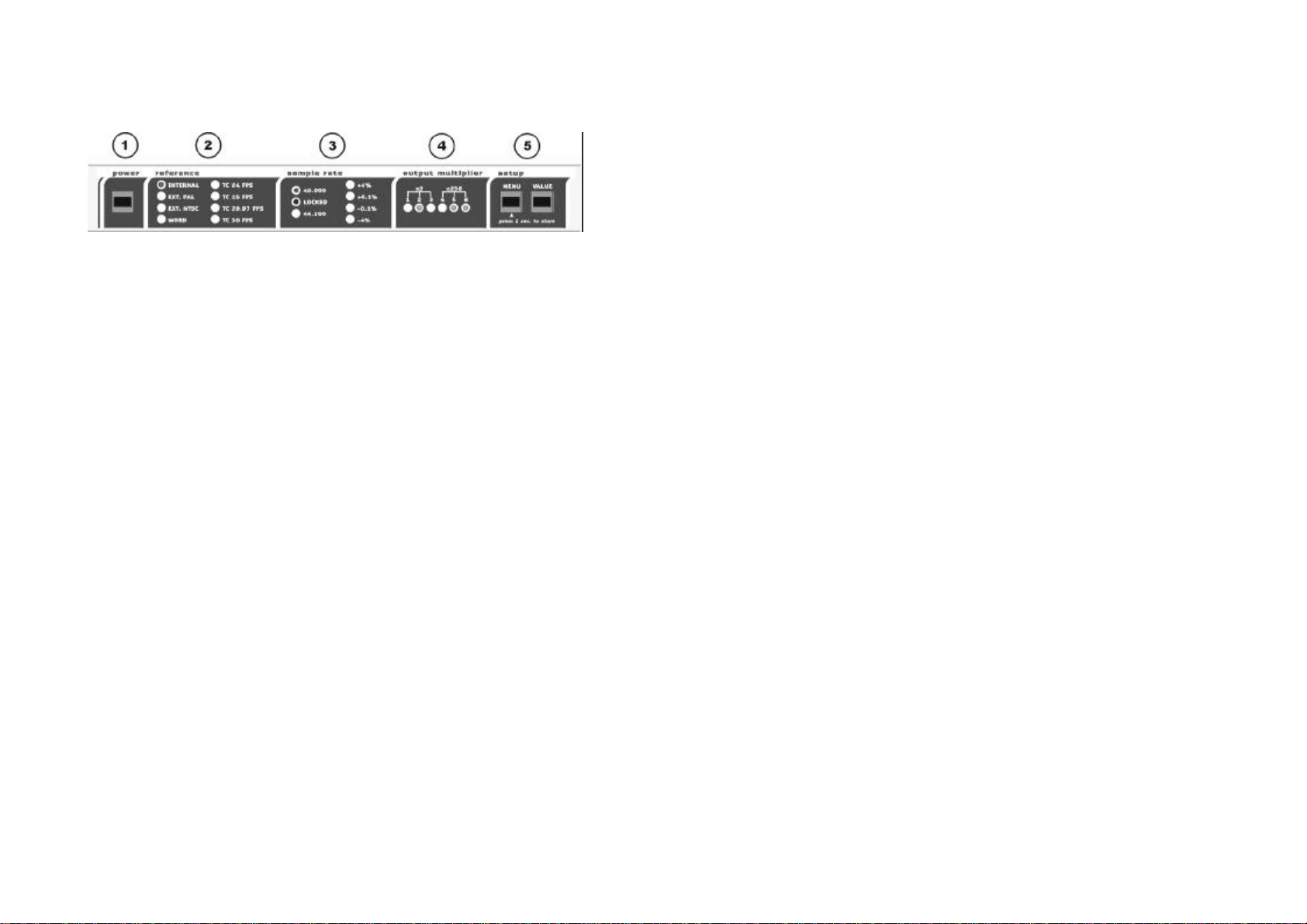
To enter the Setup mode depress the MENU key. The currently selected
reference will start to blink you can be change the reference by using the
SELECT key. Depress the MENU key once more and the currently selected
sample rate will blink. Now you can select the basic sample rate (48 or 44.1
kHz) with the SELECT key. The second section of the sample rate (you get
there by pressing the MENU key) allows you to select pull up / pull down
factors (+4,+0.1,-0.1,-4). These factors change the basic sample rate (+4
will change 48 kHz into 50 kHz for example). These special sample rates
are only for film, video and special audio transfers. In normal operation all
these LED,s should be off.
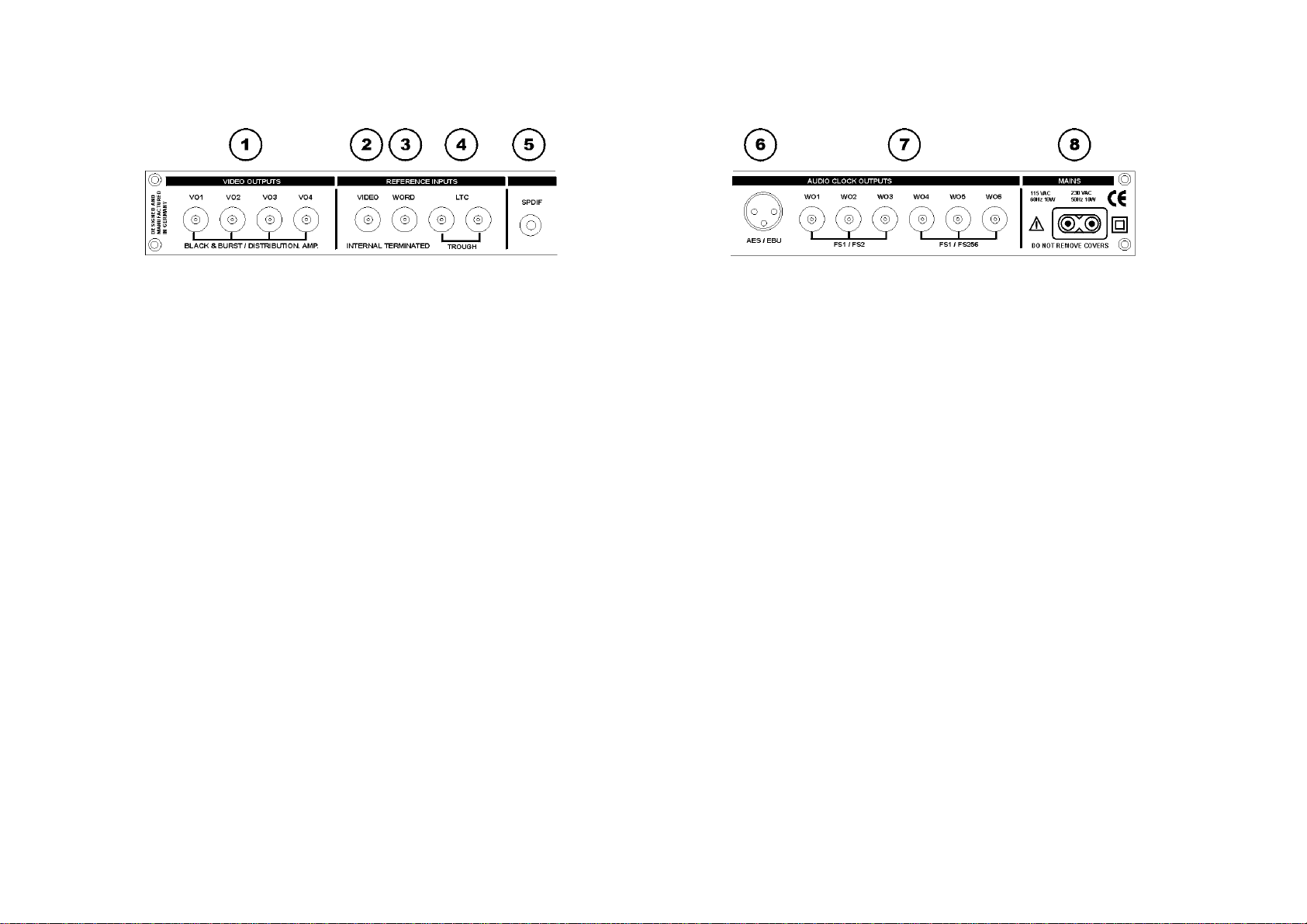
The six output multiplier LEDs show the status of the six word clock
outputs (WO1-WO6). If the LED is off, the corresponding output is at the
selected wordclock frequency. Output 1-3 can be set individually to x2 (88.2
/ 96 kHz), output 4-6 can be set individually to digidesign super clock x256
(256 x word clock).
Press and hold the MENU key for 1 second (until the LEDs stop blinking) to
store your settings and exit the setup mode.
If you do not want to store the settings, you can also stay in setup mode
(blinking). This will not affect the functionality of the unit. Next time when
you power up, the unit will reload the stored settings.
When INTERNAL reference is selected the unit generates black & burst
video and audio clock signals from the internal crystal time base. When
EXT. PAL or EXT. NTSC is selected the unit locks the audio clock signals
to the external video sync reference and distributes the incoming video to
the four video outputs (video distribution amplifier). Note: In all operation
modes other than INTERNAL the four video outputs distribute the incoming
video signal.
When internal or external PAL video reference are selected the unit locks
the x-preambles (AES/EBU Output) and the rising word clock edges to start
of picture. -8-
When WORD is selected as the reference the audio clock signals will
synchronise to an external word clock signal within a range of 40 to 52 kHz.
In this operation mode the incoming signal defines the sample rate and you
cannot convert these frequencies. The LEDs will indicate the corresponding
sample rate. If you leave the WORD mode, the last selected sample rate
will be restored.
When one of the four TC modes is selected the unit resolves the audio
clocks to the external LTC time code. Only forward running timecode within
a +/- 10% window, is used as a reference. Nanosyncs will perform a very
slow calibration to your time code source, which can take up to a half
minute. Once calibrated the Nanosyncs will relock immediately to the same
speed as long as you do not change the sample rate or the reference.
Once calibrated the nanosyncs will flywheel over looping, ramping and low
or high speed time code with no disturbance to the audio clock outputs.
The blue LOCKED LED has six separate states:
LED off = no lock, low brightness = locked within a lock deviation < 1ms,
mid brightness = lock deviation < 230µs, high brightness = lock deviation <
23µs, max brightness = lock deviation < 200ns.
When locked to stable, crystal based sources the Nanosyncs will show a
typical lock deviation less than 25ns.
LTC produced by analoge tape recorders will be flywheeled to produce a
low jitter synchronised audio clock. The output jitter is indicated by the
brightness of the LOCKED LED.
For synchronising a DAW to external LTC sources the Nanosyncs resolves
a phase locked audio reference from the incoming time code. The time code
through connector may be used to feed an LTC to MTC converter (as the
Rosendahl MIF3).
-9-