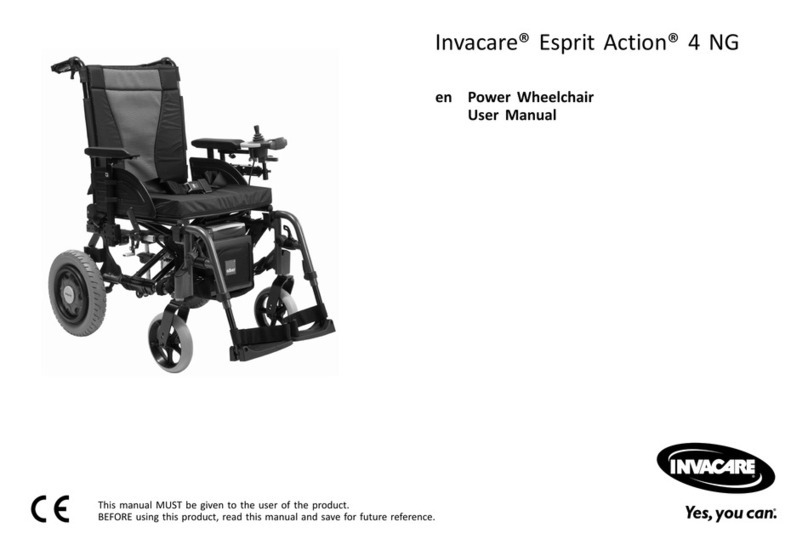
ROVER WHEEL Rover 12 User manual

Rover Wheel™
Rover 12
User Manual
www.roverwheel.com

Page 2
Rover Wheel™
IMPORTANT CONSUMER INFORMATION
This manual contains important instructions that must be made available to the user of this product.
Please do not remove this manual before delivery to the end user.
SUPPLIER: This manual must be included with this product.
USER: Before using this product, review this manual and save for future reference.
Manufactured in China

Page 1
Rover Wheel™
v1.0 - Feb/2023
Contents 1
Rover Wheel Features 4
Introduction 3
Safety Measures and Precautions 6
Rover Wheel Products 2
Rover Wheel Setup 8 - 9
Warnings 7
Folding Frame Installation 10
Fixed Frame Installation 11
Specifications 5
Connecting/Disconnecting Rover Wheel to Wheelchair 12
Warranty Terms and Conditions 17
Warranty Registration 18
Notes 19
Trip Log 20-21
13Operation Instructions
Charging Rover Wheel 14
Maintenance / Maintenance Schedule 15 - 16

Page 2
Rover Wheel™
Rover Wheel Products
MT-01 / MT-02
Rover 12
MT-03 / MT-04
Rover 16
MT-05 / MT-06
Rover 6
MT-02/04/06
Fixed Frame
MT-01/03/05
Folding Frame

Page 3
Rover Wheel™
v1.0 - Feb/2023
Introduction
The Rover Wheel is designed for the intended purpose of providing mobility to wheelchair users for short
distance trips.
Any serious incident that has occurred in relation to this device should be reported to the manufacturer
and the competent authority of the Member State in which the user and/or patient is established.
We want to hear your questions or comments about this manual and the safety and reliability of your
product.
Please feel free to write, email or call us at the contact information below:
Symmetric Designs Ltd
125 Knott Place
Salt Spring Island, BC V8K 2M4
Canada
tel: (+1) 250-537-2177
fax: (+1) 250-537-1998
toll-free: (+1) 800-537-1724
sales@symmetric-designs.com
NOTICE:
This manual for the Rover Wheel is intended to be an informational resource to provide an understanding
of the product and its adjustments to users and caregivers. This manual should always be referenced in
conjunction with a licensed clinician to assure safe use by the user. The Rover Wheel user manual should
be read and fully understood, prior to the installation, set-up, and use of this product.
Rover Wheel
Boldy go...

Page 4
Rover Wheel™
Rover Wheel Features
Battery Charge Indicator
Speedometer
Trip Log/Odometer
Reverse Indicator
Gear Indicator
LCD Screen and Controls
Rover 12 Features
Controls
On/Off
Switch
LED
Screen
Drive/Reverse
Toggle
Headlight/
Gear Shift/
Horn
ThrottleHandlebar
Grip
BrakeReach Bar
Lock/Unlock
Brake
Handlebar Lock
Sleeves
Gear Up
Horn
Gear Up
Headlight
RR
Battery Lock Keyhole Battery Lock Button
Battery
Support Stand
Fender
Quick Release Latch
Chassis
12” Tire
Disc Brake
Reflector
Headlight
• Disc Brake system
• Combination Switch
• Handle Bars
• Speedometer
• Power Button
• 12” Pneumatic Tire
• Quick Release Pin
• Foot Support
• Fender
• Reflectors
• Motors
• Removable Battery
• Battery Lock Button
• Battery Key
• Kickstand

Page 5
Rover Wheel™
v1.0 - Feb/2023
• Brushless DC Motor (350W)
• 12” Pneumatic Tire
• Dual Disc Brakes
• 13AH Lithium-ion Battery (48V)
• Range up to 50-60 km (31-37 miles)
• Power On/Off Toggle
• Three Speed Control
• LCD Display
• Rover Wheel 12 Unit Weight: 14.1kg (46lbs)
• Weight Capacity: 120kg (264lbs)
• Portable 36V Charger (100V~240V AC Input)
• Make sure that the shipping box has not been damaged during transportation.
• If you see any external damage, do not open the box and immediately contact us at
sales@symmetric-designs.com and the authorised dealer where the unit was purchased.
• If the shipping box is undamaged, remove all parts of the Rover Wheel from the cardboard protective
boxes and check that everything is there based on the pictures below.
Specifications
Rover Wheel Delivery Check
• In case there are missing parts, stop further assembly and contact the authorised dealer or Symmetric
Designs.
• Fasteners have been placed into bags and are attached to the corresponding parts for assembling.
• Check that no parts have any damage, deformation, or other defects.
Do not remove the packaging material separating the two plates of the Docking Port (DP)
until after finishing the installation.
Do not use damaged parts. In case of a damaged part(s), contact Symmetric Designs or
any Rover Wheel authorized dealer in your area.
x4 Hex Keys
x1 Reach Barx1 Support Stand x1 Spreader Barx2 Wheelchair Clamps
x1 Charger x2 Battery Keysx1 Rover 6

Page 6
Rover Wheel™
Intended Usage Environment
The Rover Wheel is suitable for outdoor and indoor, hospital, nursing home and home, etc.
Temperature: 5±2- 40±2;
Atmospheric pressure: 860±2%hPa - 1060±2%hPa;
Humidity: 10±3% - 80±3%
Power Condition:
Charging voltage: AC 110±2%V - 240±2%V,50±1%Hz;
Battery voltage: DC 36±2%V;
Safety Measures and Precautions
IMPORTANT
MECHANICAL OPERATION
Read this user manual prior to using the Rover Wheel power add-on.
• The use of the Rover Wheel by a person unfamiliar with this user manual may result in serious injury or
death.
• It is recommended to use the wheelchair anti-tippers during the training period.
• Symmetric Designs is not responsible for any injuries or damages caused by using the Rover Wheel in
contravention of:
1.
2. The direction of an authorised dealer.
3. The technical limitations and recommendations of your wheelchair manufacturer.
• To prevent accidental activation of the Rover Wheel, always completely turn the power OFF when
parked, transferring from/to the wheelchair or loading/unloading.
• Power OFF the Rover Wheel BY KEY and take it out. Using the red button only to power OFF is not safe
enough.
• Regularly check that all connection parts are fastened tightly and not damaged.
• Check the LCD battery status before driving to avoid depleting it while you are away from a recharging
power source. Keep the battery charger with you if your planned trip might take you further than the
• When lifting, loading or unloading the Rover Wheel, do not put your hands between the support stand
and the Power Unit to avoid injury.
• Do not insert any object in the charging port to avoid unit damage or personal injury.
• In case of any malfunction, turn the Rover Wheel OFF and take the key out, then contact your local
dealer or Symmetric Designs for instructions.
• Any modification to the Rover Wheel will void the warranty and may compromise your safety.
Read this User Manual carefully and familiarize yourself with the Rover Wheel in an indoor
environment prior to using the Rover Wheel outdoors. When ready, take your first drive in a non-
crowded area. Always start driving slowly from Speed Mode 1.

Page 7
Rover Wheel™
v1.0 - Feb/2023
• Rover Wheel is intended for use by people with the necessary physical capabilities and healthy mental
state to drive.
• The Rover Wheel should only be used by one driver at a time. Never use the Rover Wheel while
carrying a child.
• The Rover Wheel is not to be driven in poor weather conditions such as strong snow or rain, on ice, or
on slippery soil/mud.
• When driving up or downhill:
1. Avoid stopping or making sharp turns as this may cause you to lose control and tip over.
2. Lean forward towards the front wheel to improve traction when going uphill.
3. Press the handle brakes continuously when going downhill to maintain a slow speed. Do not use
the wheelchair brakes when going downhill as they may lock up.
• Do not drive over curbs higher than 5cm (2”) with the Rover Wheel attached/connected to the
wheelchair. To minimize the risk of tipping over, ensure you drive over obstacles perpendicularly so
that both wheels of the wheelchair go over the obstacle at the same time. Ask for help whenever you
are not sure you will be able to safely drive over any obstacle in your way.
Driving recommendations:
• Always start driving in 1st Speed Mode to maintain traction and reduce wear to tire treads.
• Reduce speed while making turns, and if possible, lean your body into the curve for better stability.
• Hold handlebars firmly with both hands while driving to maintain controlled steering and braking.
• Use ramps when available.
• Never drive the Rover Wheel up or down stairs, on uneven surfaces or on slopes of greater than 10
degrees.
• Adhere to local distracted driving laws. Always come to a complete stop and power off the Rover
Wheel before using any mobile devices.
• Do not sit or stand on the Rover Wheel Adapter.
• Never operate the Rover Wheel in a drowsy or intoxicated state.
IMPORTANT
WARNINGS
Always abide by local traffic rules, laws and regulations.
• Pay attention to your surroundings to avoid collisions with other vehicles or pedestrians.
• Maintain a safe distance from bicycles and pedestrians when riding.
• Stay under the recommended driving speeds when using the Rover Wheel:
1. Limit your speed to 6 km/h (4mph) on the street, pavement and pedestrian areas.
2. Limit your speed to 12 km/h (7mph) in bicycle lanes.

Page 8
Rover Wheel™
Rover Wheel Setup
Connect the top plate of the Support Stand (circled in figure 1) to the Rover Wheels mounting block with
two M6x20 screws with washers, using the provided 5mm hex key. The support stand should be oriented
as shown in figure 2.
The Rover 12 and 16 feature folding handlebars which help make transportation easier.
To set the handlebars into driving position: first clear any wiring from the hinge points, then pull the
handles up to a horizontal position, the Handlebar Lock Sleeves should snap into position, locking the
handlebars into the driving position.
To fold the handlebars: first slide the Handle Lock Sleeves away from the center of the unit to unlock the
handlebars, then rotate the handlebars down into storage position.
Support Stand Installation
Handlebar Setup
Fig. 1
M6x20
Fig. 2
Handlebar Lock Sleeves
This manual suits for next models
5
Table of contents