RVsecure ProtectorX User manual

RVsecure ProtectorX Operang Manual
rvsecure.com.au
Made in Australia

RVsecure Protector Operating Manual
Key Press Description
A Press 1x System will arm
B Press 1x No Action
C Press 1x Chan e of motion sensitivity
D Press 1x System will disarm, all strobes / sirens off
and reset
D Press 3x within 10 seconds
when alarm off
Pro rammin mode for addin sensors
Sensors included
ProtectorX Caravan RVS_CW2 1x PIR
1x Reed
ProtectorX Camper RVS_CW1 2x Reed
All On board Motion Sensor
Arming the system
When key “A” is pressed to turn the alarm on the control system reads the system sensors. If the sensors are OK then
the system will arm, there will be a short strobe flash for 1 second and a short audible beep from the control unit to
indicate that the system is armed.
If a sensor is not OK then the system will not arm. A lon strobe flash and lon audible beep from the control unit (2
seconds) will indicate the failure to arm. The user can then rectify the situation and try a ain.
Arming
Normal Mode
Pressin “A” arms the system in normal mode with both the sensors (PIR/Reed Switches) and Movement sensors
active. Any activation in this mode will activate the strobe and sound the siren.
Disarming the System
Pressin “D” will disarm the system.
Key features of Operation when in Alarm
Siren
•When alarm activated the siren will sound for 15 seconds then reset. If activated a ain, siren will sound for
another 15 seconds then reset. There is a maximum of 3x siren activation's then the siren will not resound.
When the alarm is disarmed and rearmed the number of activation's will reset a ain.
Strobe
•When alarm activated the strobe will run for 35 seconds, it has a rollin sequence that will chan e every 5
seconds. After 35 seconds it will o into power save mode, this will mean it is on for 1 second and off for 3
seconds. When the alarm is disarmed the strobe power save will reset.
Anti-Tow
•The Anti-Tow system will only activate on the movement sensor and not the PIR. When activated (between 1
and 5 seconds after sensin initial vehicle movement) the brakes will lock for 10 seconds. Each time after this
that the movement sensor is activated the brakes will lock for another 10 seconds. Multiple activation’s can
occur sequentially.
Please note: Installaon of the braking relays and braking circuit is oponal and not required for the correct
rvsecure.com.au
Made in Australia

operaon of the alarm system
Anti-Hitch
•The Anti-Hitch sensin operates when the system detects an attempt to hitch the vehicle. It reacts in the same
way as the Anti-Tow sensin by activatin the alarm and brakes.
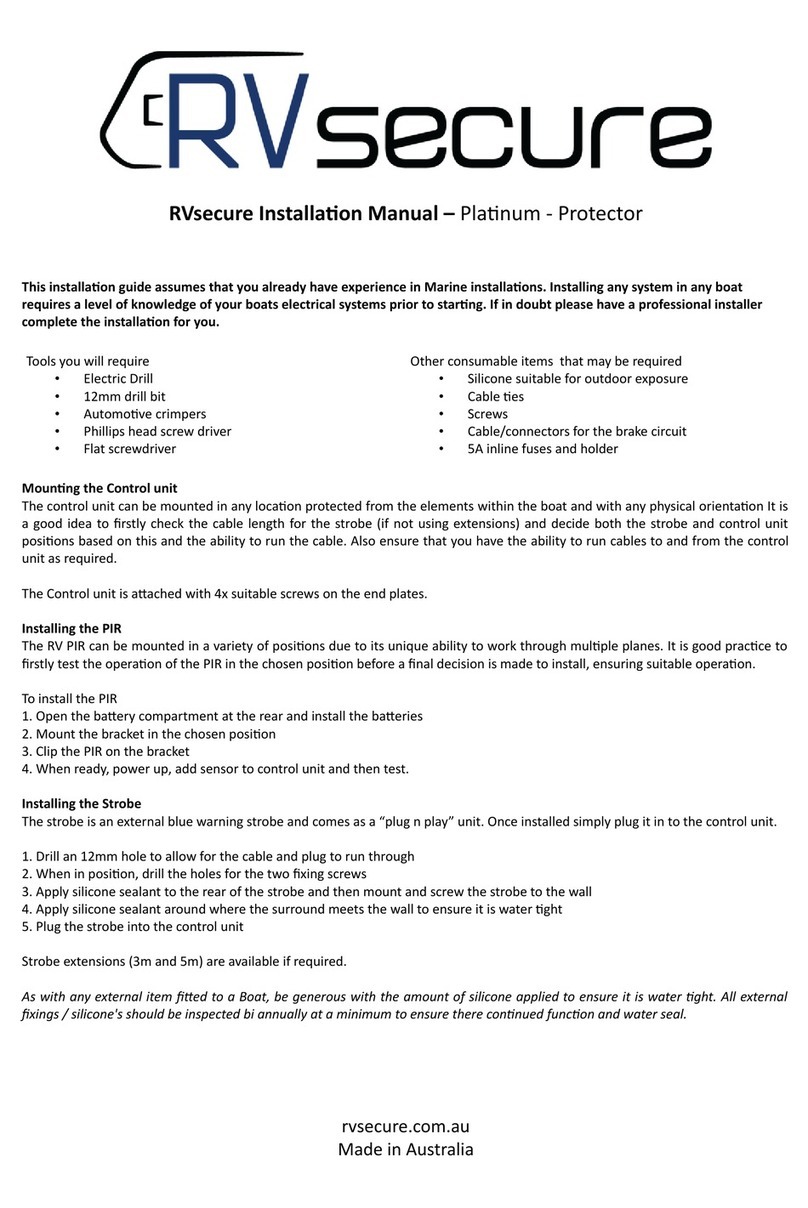
Adding additional sensors to the system
1. Press “D” 3x to enter pro rammin mode
2. Press “A” to add a sensor
3. Activate the sensor for the control unit to re ister, it will beep to confirm added. If the sensor is already in the system
a lon beep will be heard to notify you of this.
4. If another sensor required, repeat step 2/3
5. When finished press “D” to exit
6. If you have for otten to exit, system will time out and exit pro rammin mode automatically
Wired Sensors (oponal)
Wired sensors (PIN switches) can be added to the system. All wired sensors must be N.O type and mulple sensors can
be wired in parallel. Connect as per installaon instrucons. If the sensor is closed (ac ated) when arming the alarm
it will not arm and pro ides a long beep warning that the system is not ready. Check any wired sensor and rearm.
Changing motion sensiti ity
The moon sensi ity has 5 se%ngs, 1 (low) to 5 (high), the unit comes inially set to 3 - Mid. There are many factors
that can e+ect the required sensi ity. Vehicle weight, weight distribuon, suspension type and posion, tyre type and
pressure, cara an legs up/down as well as many en ironmental factors including road surface, wind and other
condions. The mounng posion of the alarm control unit is also a factor that has an e+ect on operaon.
Press “C” to change. System beeps once if high sensi ity through to 5 mes for low sensi ity
Whilst e ery ehicle is di+erent, the following is a guide on the starng point for the sensi ity se%ngs.
Tow and door direction
The tow and door direcons need to be set depending on the mounng orientaon of the unit as this allows the
mo ement sensing to operate correctly. There are six opons, 1 to 6. For tow direcon choose the opon
corresponding to the diagram below where the side chosen is facing the front of the ehicle. Ie if 2 is facing the front,
select 2 (3 is the front and 6 is the rear of the Control unit). The door direcon is the side of the ehicle with the entry
door (ie passenger/kerb side of those without a door).
Tow Direcon
1. Press “D” 3x to enter programming mode
2. Press “B” to change. System beeps
corresponding to the numbers shown.
3. Press “B” to change again or “D” to exit
Door Direcon
rvsecure.com.au
Made in Australia

1. Press “D” 3x to enter programming mode
2. Press “C” to change. System beeps corresponding to the numbers shown.
3. Press “C” to change again or “D” to exit
It is essenal that the Tow and Door direcons be set to allow for correct operaon
It is highly recommended that whene er the alarm is armed that the rear cara an legs are in the down posion as this
pro ides addional stability and assists in reducing false alarms.
Sensor Battery Replacement
Each sensor has an expected battery lifetime of between 12 and 24 months under standard operatin conditions. When a
low battery condition if reached the sensor will flash every 10 seconds indicatin that it is time to replace the battery.
Please note that hi h use (ie livin in van / constant operation) situations will shorten the life of the battery and will
require more frequent chan es.
Warranty
The statutory warranty period applies. If the product is defec e please contact the retailer that you purchased it from
for inial assessment and to process the RMA claim.
For any repair and guarantee processing, the following items are required:
1/ Defect component(s) must be returned to the manufacturer ia the place of purchase
2/ Copy of receipt with purchase date
3/ Reason for claim or descripon of the fault
4/ Contact details of claimant
The manufacturer will at its sole discreon repair, replace or refund if it is agreed that the purchased item or sub-
component part is faulty. The manufacturer is not liable for any addional costs in ol ed in the return of the
product(s) nor is it liable for any damages or compensaon.
Liability
1/ tech7/RVsecure accepts no liability for damage done either to the unit itself, its sub components or to the ehicle due to owners
incorrect wiring. If in doubt please consult a professional.
2/ tech7/RVsecure accepts no liability for any the< of any property, ehicle or other.
3/ tech7/RVsecure accepts no liability for any damage to any property, ehicle or other due to the operaon of the braking circuit (if
connected) at any me or under any condion.
Maintenance
Any alarm system requires ongoing tesng and maintenance to ensure that it is in top operang condion and to
reduce the chances of false alarm. We recommend the following maintenance schedule:
Monthly
Check sensors and control unit physically OK with isual inspecon. Check sensors for any >ashing indicaon of low
ba?ery. Ensure there is no e idence of cobwebs around the sensors.
Annually
Full alarm test including ac aon of all zones
PIRs – walk test to ensure correct operaon. Remo e co er of PIR to ensure no ingress by any insects, >uids etc.
rvsecure.com.au
Made in Australia

Sensors - Supplemental
RVsecure o+er a number of alarm system sensors that either come as standard in our kits or can be
added to one of our systems.
PIR Detector
PIR stands for Passi e Infra Red and works by
sensing a change in the infra red radiaon. The
safeGuard PIR is a wireless detector and is
included in both the Protector and Planum kits.
Addional PIR’s can be added to either system
(please see manual on how to add).
Suitable for: Planum, Protector
Ba?ery: 2x AAA
SKU: RVS_PIR
Reed Switch
Reed switches are used on opening doors,
hatches etc and consist of two parts, the Reed
and the Magnet. When the reed/magnet are
mo ed apart the sensor ac ates. One Reed
switch is included as standard in the Planum kit.
Suitable for: Planum, Protector
Ba?ery: 1x CR2032
SKU: RVS_REED
Emergency ‘Panic” Switch
Emergency switches are a press bu?on switch
that tells the alarm to show/sound an alert.
Suitable for: Planum Only
Ba?ery: 1x A23
SKU: RVS_EMERG
rvsecure.com.au
Made in Australia

Vercal Door Opening Sensor (VDOS)
Cara ans ha e a lot of doors, hatches and
toolboxes that work by opening on a ercal
plane. The VDOS has the same body as the Reed
switch and is a?ached to the inside of the door.
VDOS sensors are exclusi e to RVsecure.
Suitable for: Planum, Protector
Ba?ery: 1x CR2032
SKU: RVS_VDOS
PIN Switch
Our PIN switches are strong and made to last.
PIN switch – 8mm mounng hole, strong plunger
that wont bend as some others do.
They come in a pack of 3 and include connectors.
Suitable for: Planum, Protector, Zero, Defender
SKU: RVS_PINSW
PIN Bracket
Our PIN switch mounng brackets help with
mounng PIN Switches in diJcult areas.
Brackets – Stainless Steel, powder coated with an
8mm hole for the PIN switch
They come in a packet of three
SKU: RVS_PINBR
rvsecure.com.au
Made in Australia

Wired Reed Switch
Wired reed switches are used for doors, hatches
etc. They ac ate the alarm when separated.
They come in a packet of two.
Suitable for: Planum, Protector, Zero, Defender
SKU: RVS_REEDNO
rvsecure.com.au
Made in Australia
Table of contents
Other RVsecure Surge Protector manuals