manuals.online logo
Brands
  1. Home
  2. •
  3. Brands
  4. •
  5. Leviton
  6. •
  7. Surge Protector
  8. •
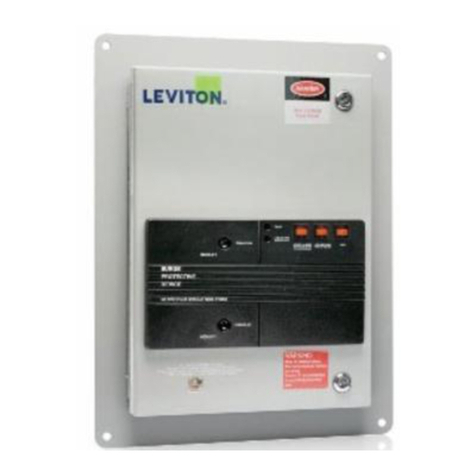
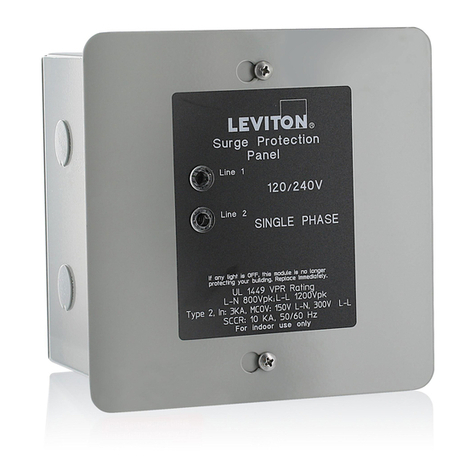
  9. Leviton 52412-DS3 User manual

Leviton 52412-DS3 User manual

Other Leviton Surge Protector manuals

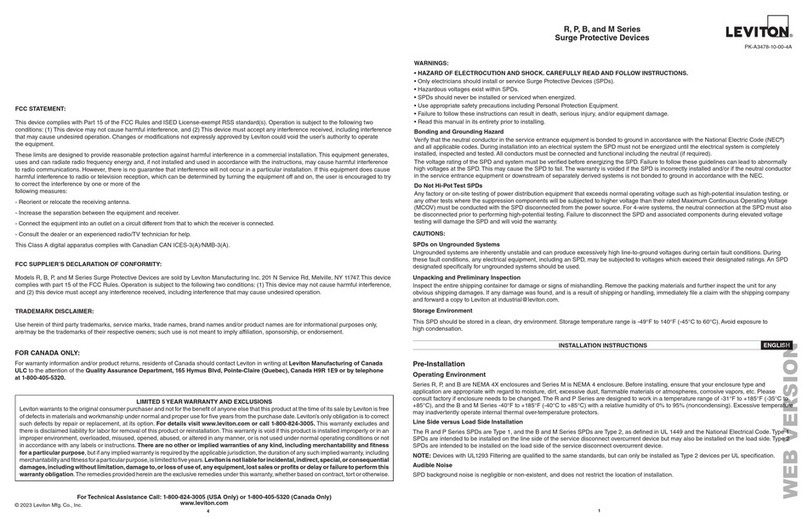
Leviton R Series User manual

Leviton

Leviton R Series User manual

Leviton 51005-WM User manual

Leviton

Leviton 51005-WM User manual

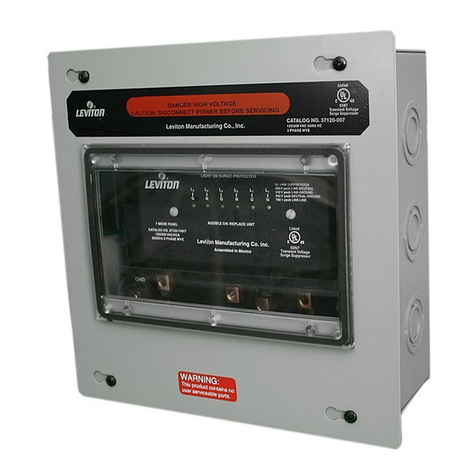
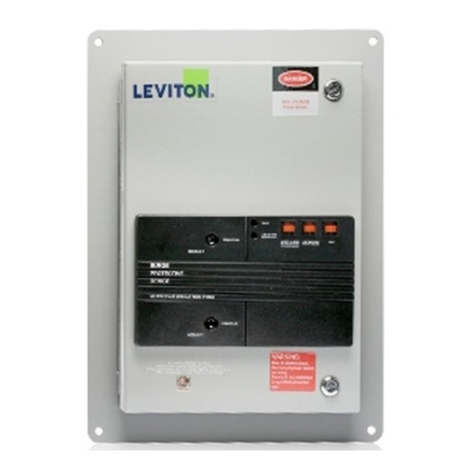
Leviton 52000 Series User manual

Leviton

Leviton 52000 Series User manual

Leviton 51110-PTC User manual

Leviton

Leviton 51110-PTC User manual

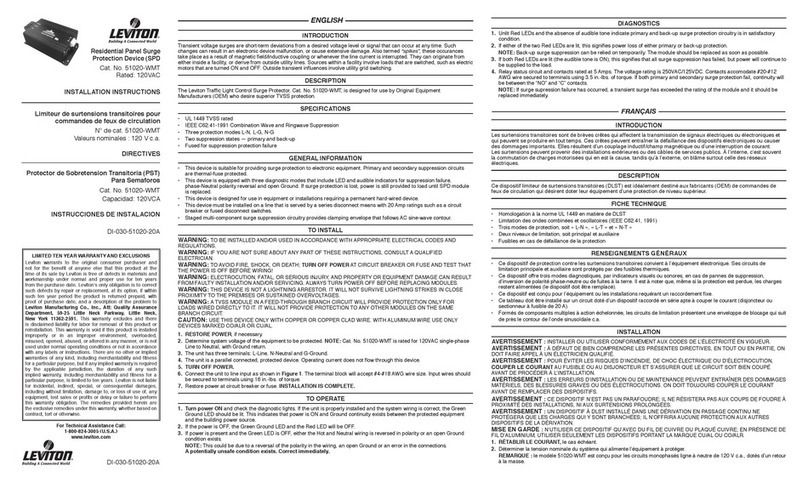
Leviton 51020-WMT User manual

Leviton

Leviton 51020-WMT User manual

Leviton 3812 User manual

Leviton

Leviton 3812 User manual

Leviton 51120-1 User manual

Leviton

Leviton 51120-1 User manual

Leviton 5480 User manual

Leviton

Leviton 5480 User manual

Leviton 50240-MSA User manual

Leviton

Leviton 50240-MSA User manual

Leviton 5280 User manual

Leviton

Leviton 5280 User manual

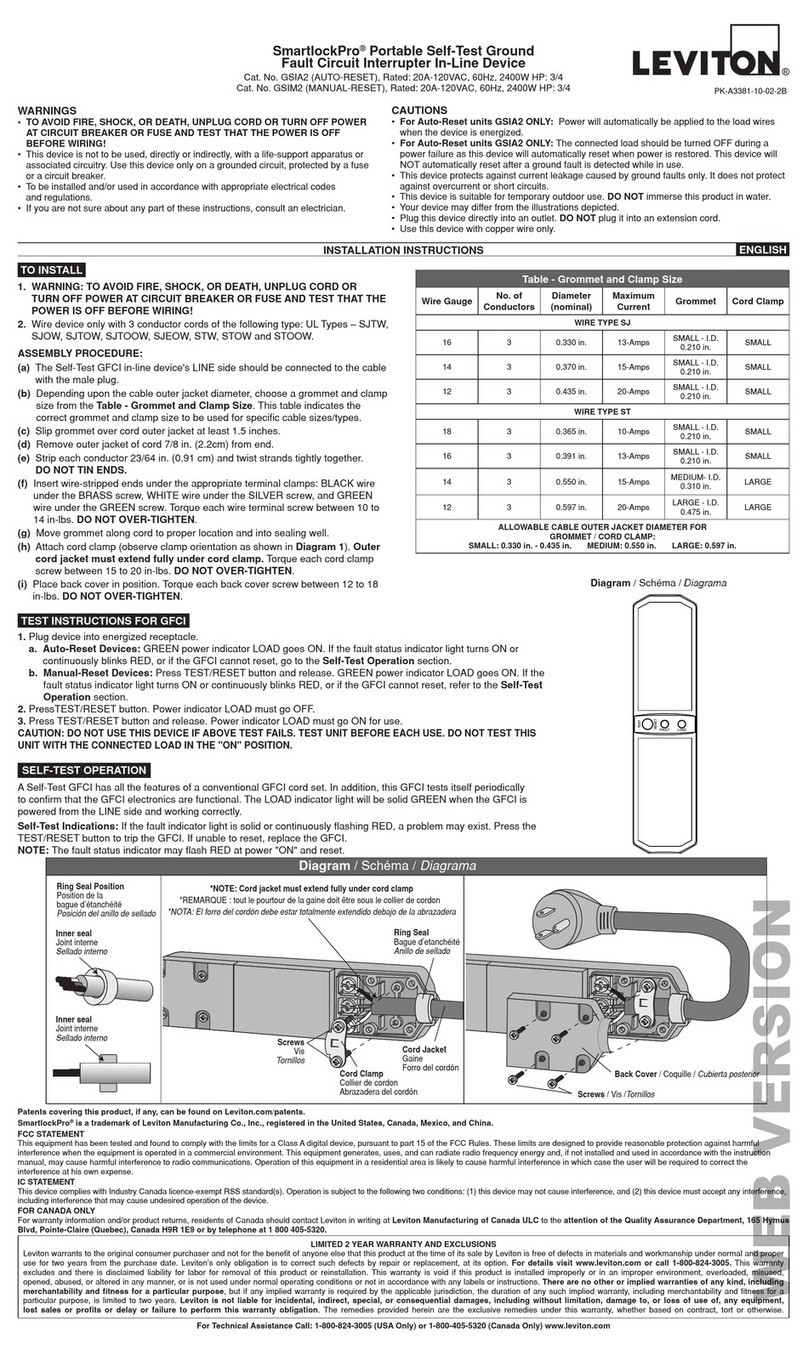
Leviton SmartlockPro GSIA2 User manual

Leviton

Leviton SmartlockPro GSIA2 User manual

Leviton 5480-IG User manual

Leviton

Leviton 5480-IG User manual

Leviton 3862-CON User manual

Leviton

Leviton 3862-CON User manual

Leviton 55240-ASA User manual

Leviton

Leviton 55240-ASA User manual

Leviton 57000-M3S User manual

Leviton

Leviton 57000-M3S User manual

Leviton 51005-WM User manual

Leviton

Leviton 51005-WM User manual

Leviton 32120-DY3 User manual

Leviton

Leviton 32120-DY3 User manual

Leviton 3880-DIN User manual

Leviton

Leviton 3880-DIN User manual

Leviton 37120-7 User manual

Leviton

Leviton 37120-7 User manual

Leviton 51120-3R User manual

Leviton

Leviton 51120-3R User manual

Leviton 37120-7 User manual

Leviton

Leviton 37120-7 User manual

Leviton 51015-WM User manual

Leviton

Leviton 51015-WM User manual

Leviton 47120-7 User manual

Leviton

Leviton 47120-7 User manual

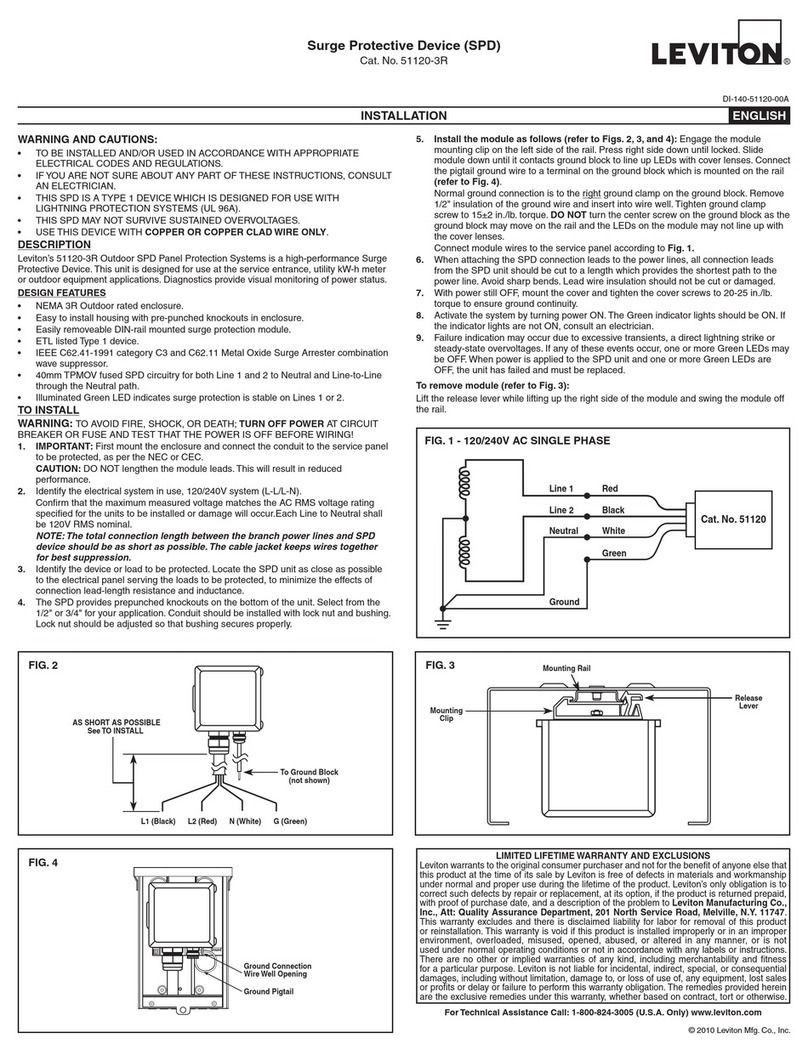
Leviton 57000 Series User manual

Leviton

Leviton 57000 Series User manual

Popular Surge Protector manuals by other brands

Philips Theatre Director SPP4200WA/17 Owner's manual & warranty

Philips

Philips Theatre Director SPP4200WA/17 Owner's manual & warranty

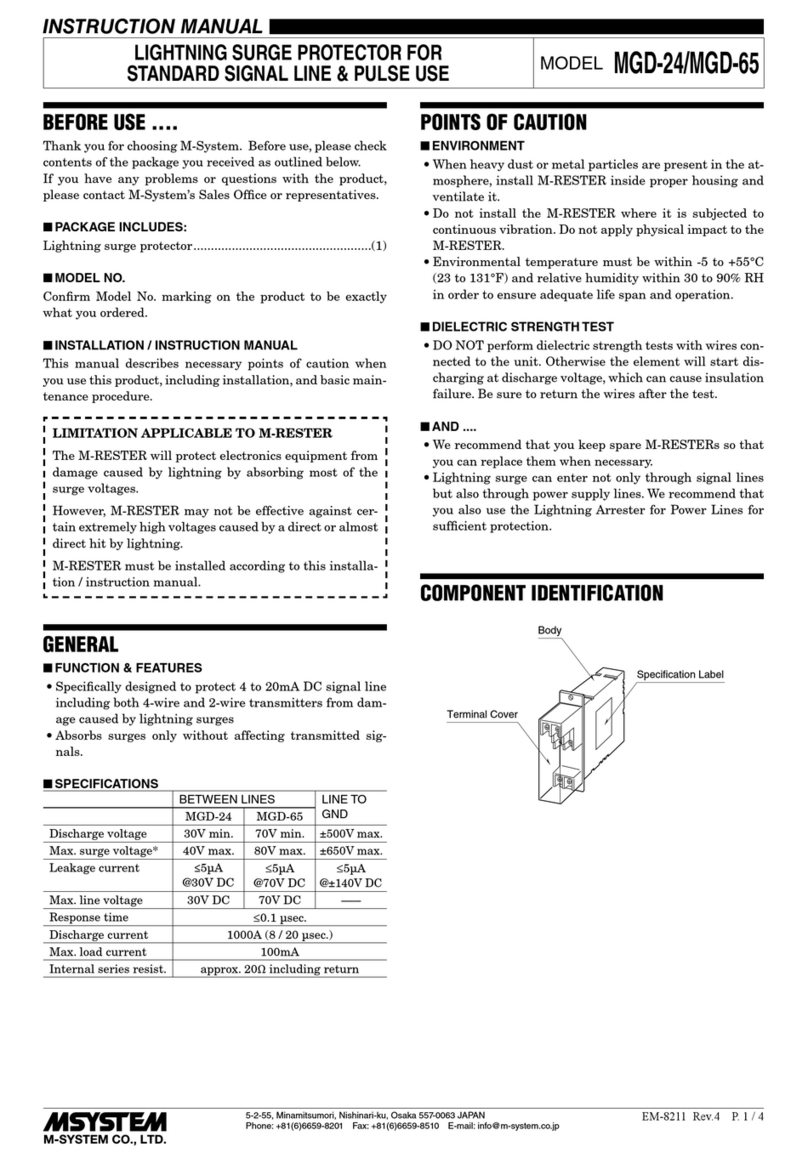
M-system MMA instruction manual

M-system

M-system MMA instruction manual

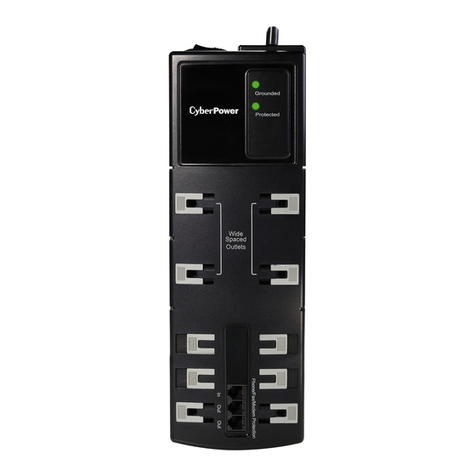
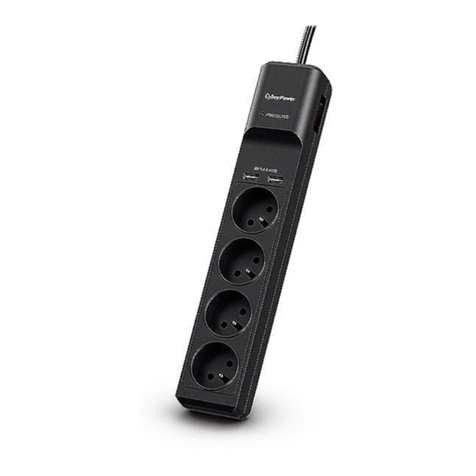
CyberPower CSP600WSU user manual

CyberPower

CyberPower CSP600WSU user manual

UTP BALUN SP-VD08 user manual

UTP BALUN

UTP BALUN SP-VD08 user manual

ELAC ProteK PR91-W Setup guide

ELAC

ELAC ProteK PR91-W Setup guide

Tsubaki TSM4000M1 instruction manual

Tsubaki

Tsubaki TSM4000M1 instruction manual

CyberPower B1006T user manual

CyberPower

CyberPower B1006T user manual

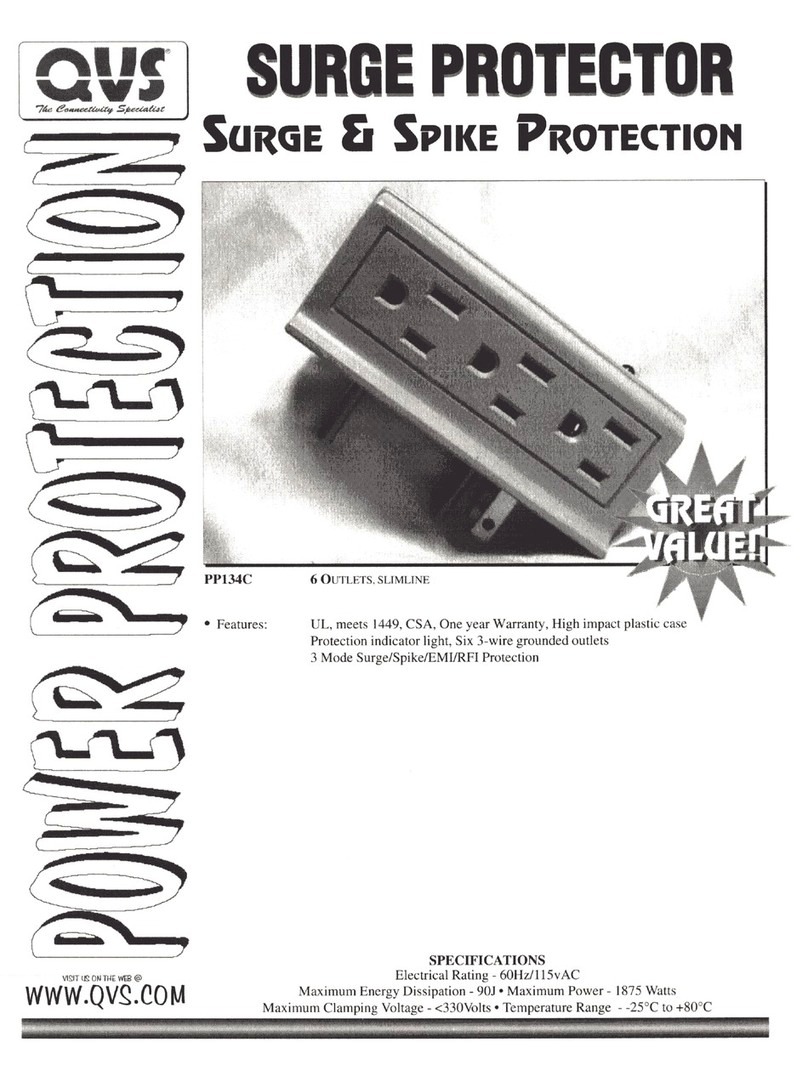
QVS PP134C Specification sheet

QVS

QVS PP134C Specification sheet

Davis Instruments Radio Surge Protector user guide

Davis Instruments

Davis Instruments Radio Surge Protector user guide

CyberPower B300WRC1 user manual

CyberPower

CyberPower B300WRC1 user manual

M-system MGD-24 instruction manual

M-system

M-system MGD-24 instruction manual

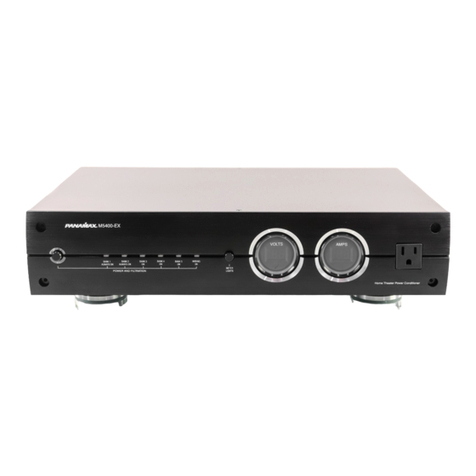
Panamax MAX 5400-EX owner's guide

Panamax

Panamax MAX 5400-EX owner's guide

OBO Bettermann ÜSM-20-230I1PE65 installation instructions

OBO Bettermann

OBO Bettermann ÜSM-20-230I1PE65 installation instructions

CyberPower CSP604T user manual

CyberPower

CyberPower CSP604T user manual

CyberPower CSP706T user manual

CyberPower

CyberPower CSP706T user manual

Mitsubishi Electric LITOL LTM-125RF manual

Mitsubishi Electric

Mitsubishi Electric LITOL LTM-125RF manual

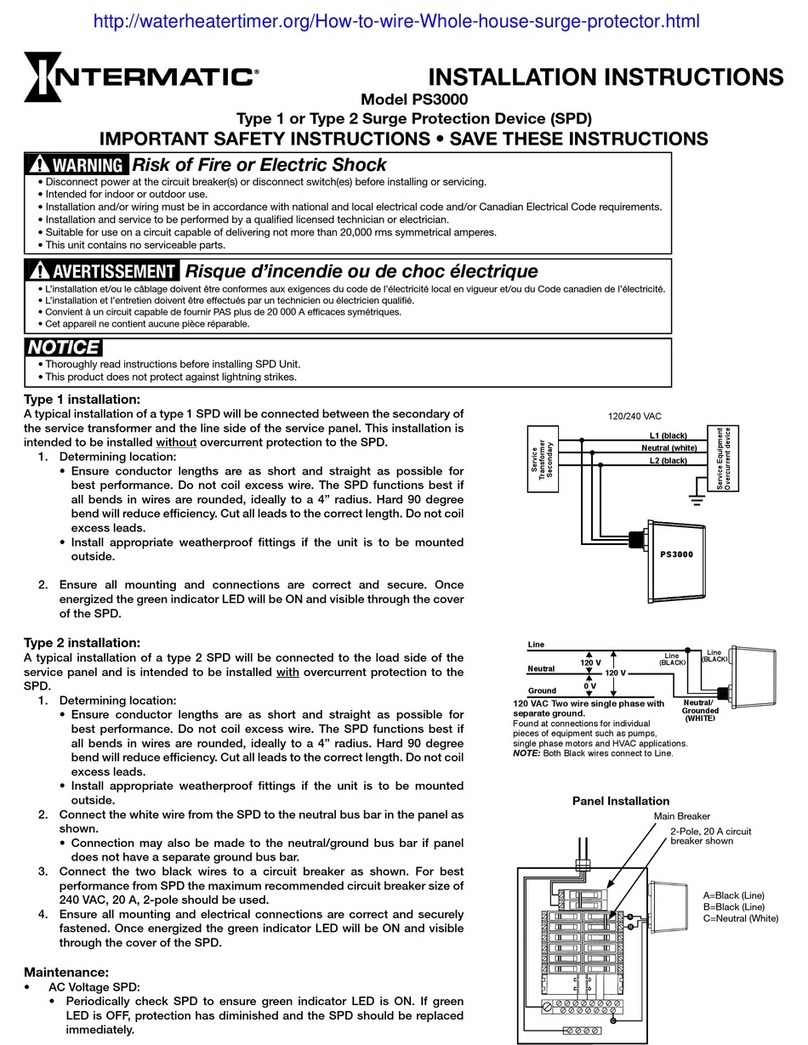
Intermatic PS3000 installation instructions

Intermatic

Intermatic PS3000 installation instructions

Siemens SICROWBAR 7VV3003 operating instructions

Siemens

Siemens SICROWBAR 7VV3003 operating instructions

manuals.online logo
manuals.online logoBrands
  • About & Mission
  • Contact us
  • Privacy Policy
  • Terms and Conditions

Copyright 2025 Manuals.Online. All Rights Reserved.

PK-92964-10-02-0A
Multi-Phase Transient Voltage Surge Suppressor
Cat. No. 52000 Series
For main distribution and branch circuit panels
INSTALLATION INSTRUCTIONS
Limiteur de surtensions transitoires polyphasé
Gamme 52000
Pour panneaux de branchement ou de dérivation
DIRECTIVES
Dispositivos Protectores de Sobrecargas
Nos. de Cat. Serie 52000
Para paneles de distribución de circuitos principales o derivados
INSTRUCCIONES DE INSTALACION
DANGER
HIGH VOLTAGE
HauteTension
PK-92964-10-02-0A
LIMITED TEN YEAR WARRANTY AND EXCLUSIONS
Leviton warrants to the original consumer purchaser and not for the benefit of anyone else
that this product at the time of its sale by Leviton is free of defects in materials and
workmanship under normal and proper use for ten years from the purchase date. Leviton’s
only obligation is to correct such defects by repair or replacement, at its option, if within
such ten year period the product is returned prepaid, with proof of purchase date, and a
description of the problem to Leviton Manufacturing Co., Inc., Att: Power Quality
Customer Support, 860 Harold Place, Chula Vista, CA 91914, U.S.A. This warranty
excludes and there is disclaimed liability for labor for removal of this product or reinstallation.
This warranty is void if this product is installed improperly or in an improper environment,
overloaded, misused, opened, abused, or altered in any manner, or is not used under
normal operating conditions or not in accordance with any labels or instructions. There are
no other or implied warranties of any kind, including merchantability and fitness for a
particular purpose, but if any implied warranty is required by the applicable jurisdiction, the
duration of any such implied warranty, including merchantability and fitness for a particular
purpose, is limited to ten years. Leviton is not liable for incidental, indirect, special, or
consequential damages, including without limitation, damage to, or loss of use of, any
equipment, lost sales or profits or delay or failure to perform this warranty obligation. The
remedies provided herein are the exclusive remedies under this warranty, whether based
on contract, tort or otherwise.
For Technical Assistance Call:
1-800-648-3332 (U.S.A. Only)
www.leviton.com
PK-92964-10-02-0A 10/23/02, 11:11 AM1
ENGLISH
Table of Contents
SECTION PAGE
DESCRIPTION ...................................................................................................... 1
FEATURES ........................................................................................................... 1
TO INSTALL .......................................................................................................... 1
SERVICING INSTRUCTIONS ............................................................................. 7
FRANÇAIS............................................................................................................ 9
ESPAÑOL ........................................................................................................... 20
Page 33
NOTES
PK-92964-10-02-0A 10/23/02, 11:11 AM2
DESCRIPTION
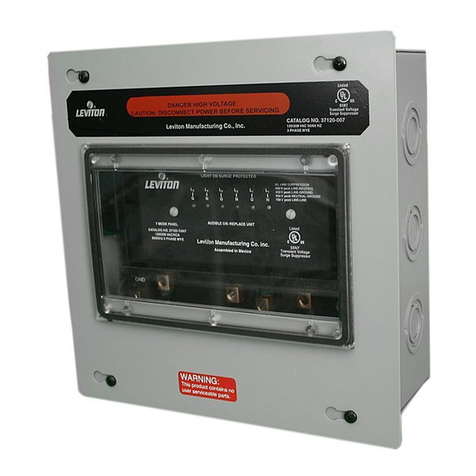
The 52000 TVSS Panel Protection System is a high-performance Transient Voltage Surge Suppressor
designed for use on main distribution and branch circuit panels.
FEATURES
•Replaceable plug-in modules, which facilitate maintenance.
•Hybrid component suppression design.
•TVSS protection on all phases.
•Common Mode TVSS protection for WYE Systems.
•Diagnostic monitoring of each phase module.
•Acoustic as well as visual failure indicators.
•Provisions for operation with an optional Remote Supervisor Panel, allowing monitoring of TVSS
status from distant locations.
•UL Listed (except 52347-M3) and CSA Certified design.
•48-62 Hz operation.
•Location per IEC std: Class III.
•One port.
•Optional surge counter with front panel LCD display.
TO INSTALL
WARNING: TO BE INSTALLED AND/OR USED IN ACCORDANCE WITH APPROPRIATE
ELECTRICAL CODES AND REGULATIONS (INCLUDING NEC/CEC, AS APPLICABLE).
WARNING: IF YOU ARE NOT SURE ABOUT ANY PART OF THESE INSTRUCTIONS, CONSULT
A QUALIFIED ELECTRICIAN.
WARNING: TO AVOID FIRE, SHOCK, OR DEATH; TURN OFF POWER AT CIRCUIT BREAKER
OR FUSE AND TEST THAT THE POWER IS OFF BEFORE WIRING!
WARNING: THIS DEVICE IS NOT A LIGHTNING ARRESTOR. IT WILL NOT SURVIVE
LIGHTNING STRIKES IN CLOSE PROXIMITY TO THE PREMISES OR SUSTAINED
OVERVOLTAGES.
WARNING: ELECTROCUTION AND FATAL OR SERIOUS INJURY AND PROPERTY DAMAGE
CAN RESULT FROM FAULTY INSTALLATION.
CAUTION: USE THIS DEVICE ONLY WITH COPPER OR COPPER CLAD WIRE. WITH
ALUMINUM WIRE USE ONLY DEVICES MARKED CO/ALR OR CU/AL.
NOTE: DO NOT OPERATE AT ALTITUDES EXCEEDING 2000 METERS.
NOTE: OPERATE INDOORS BETWEEN 30-90% RELATIVE HUMIDITY.
NOTE: IT IS RECOMMENDED THAT THE 52000 TVSS PANEL PROTECTION SYSTEM BE
INSTALLED BY A QUALIFIED ELECTRICIAN.
1. Identify the device or load to be protected:
The 52000 Panel should be located as close as
possible to the electrical panel serving the load to be protected in order to minimize connection
lead length resistance and inductance.
Page 1Page 32
NOTES
PK-92964-10-02-0A 10/23/02, 11:11 AM3
Page 2
2. Identify the electrical system in use (Delta or WYE system voltage): Matching TVSS module and
line voltages is critical! Identify the system in use by measuring L-N and L-L voltages.
CAUTION: VOLTAGE MEASUREMENTS CAN BE DANGEROUS TO LIFE AND/OR
PROPERTY! CONFIRM THAT THE MAXIMUM MEASURED VOLTAGES DO NOT EXCEED THE
AC RMS VOLTAGE RATING SPECIFIED ON THE 52000 REPLACEABLE MODULES, OR
DAMAGE MAY OCCUR TO THE MODULES. SEE FIGS. 1-6.
3.
Cutting Access Holes: Cut holes for conduit in panel using approved metal cutting tools. Prevent
any metallic filings from remaining inside the panel. If any metallic filings enter panel, care must be
exercised to remove them using a vacuum device or other tools, as required.
Mount securely: Refer to the
"Panel Mounting"
Instruction Sheet (enclosed).
Conduit Installation:
Conduit should be installed with lock nut and bushing. Lock nut should be
adjusted so that bushing secures properly, and conduit and bushing extend as little as possible into
enclosure.
4.
Connections: With the line POWER OFF, remove Terminal Block Cover and connect leads using
the largest stranded wire size possible (#10 to #3 AWG, stranded) as illustrated in the wiring
diagrams. Screw terminal torque requirements: #10 AWG (35 in.-lbs.), #8 AWG (40 in.-lbs.),
#3-#6 AWG (45 in.-lbs.).
Connecting wire lengths from the circuit breaker panel to the 52000’s terminal block should be
minimal (less than 18" if possible). Power leads may be connected to L1, L2, and L3 without
regard to phase A, B, or C, except for the Three Phase High Leg Delta connection. In this
connection, either of the two power leads may be connected to L2 and L3 without regard to phase,
but the High Leg power lead must be connected to L1 (Fig. 6). Figs. 7 and 8 illustrate two
methods for connection lead attachment.
In Method 1, Fig. 7, the TVSS Panel provides a feed through connection between the circuit
breaker panel and a load.
NOTE: Maximum wire size is #3 AWG stranded.
This feed through hookup provides the best connection with regard to surge protection for the
dedicated load. This type of connection is desirable when the branch feeds sensitive loads that
need to be protected, such as a computer room or an area of electronic instrumentation.
G L1N
TVSS
Module1
Common
Mode Module
G
N
V(L-N)
L1
Fig. 1 – Single Phase with Grounded Neutral
Page 31
NOTES
PK-92964-10-02-0A 10/23/02, 11:11 AM4
Page 3
NOTE: Protection components are in parallel with loads.
The Leviton 52000 TVSS Panel should be mounted as close as possible to the circuit breaker
panel to provide maximum surge protection to other branches fed by other circuit breakers within
the circuit breaker panel. It should be noted that during installation or maintenance of the 52000
TVSS Panel, the circuit breakers which feed the 52000 must be opened, therefore power to the
load will be momentarily disconnected.
NOTE: The load current is limited to wire size in use, but must not exceed 100 Amps,
maximum continuous current.
In Fig. 3, Cat. Nos. 52120-7M3 and 52277-7M3 should only be used for the 3 Phase, 4 wire with
Ground, Wye configuration. DO NOT use with a Delta configuration.
In Method 2, Fig. 8, the TVSS Panel is connected through dedicated circuit breakers of 30 amps.
For maximum surge protection the TVSS Panel should be mounted as close as possible (no more
than 18 inches) from the circuit breaker panel. Use wire size #10 to #3 AWG, stranded. In a
G L1N L2
TVSS
Module 1
Common
Mode Module
G
N
V(L-L)
L1
L2 V(L-N)
V(L-N)
Module 2
Fig. 2 – Single (Split) Phase 3-Wire with Ground
GARANTIA LEVITON POR DIEZ AÑOS LIMITADA
Leviton garantiza al consumidor original de sus productos y no para beneficio de nadie más que
este producto en el momento de su venta por Leviton está libre de defectos en materiales o
fabricación por un período de diez años desde la fecha de la compra original. La única obligación
de Leviton es corregir tales defectos ya sea con reparación o reemplazo, como opción, si dentro
de tal período de diez años el producto pagado se devuelve, con la prueba de compra fechada y
la descripción del problema a Leviton Manufacturing Co., Inc., Att: Power Quality
Customer Support, 860 Harold Place, Chula Vista, CA 91914, U.S.A. Esta garantía
excluye y renuncia toda responsabilidad de mano de obra por remover o reinstalar este producto.
Esta garantía es inválida si este producto es instalado inapropiadamente o en un ambiente
inadecuado, sobrecargado, mal usado, abierto, abusado o alterado en cualquier manera o no es
usado bajo condiciones de operación normal, o no conforme con las etiquetas o instrucciones.
No hay otras garantías implicadas de cualquier otro tipo, incluyendo mercadotecnia y propiedad
para un propósito en particular pero si alguna garantía implicada se requiere por la jurisdicción
pertinente, la duración de cualquiera garantía implicada, incluyendo mercadotecnia y propiedad
para un propósito en particular, es limitada a diez años. Leviton no es responsable por daños
incidentales, indirectos, especiales o consecuentes, incluyendo sin limitación, daños a, o pérdida
de uso de, cualquier equipo, pérdida de ventas o ganancias o retraso o falla para llevar a cabo la
obligación de esta garantía. Los remedios provistos aquí son remedios exclusivos para esta garantía,
ya sea basado en contrato, agravio o de otra manera.
Para Asistancia Técnica llame al:
1-800-648-3332 (Sólo en E.U.A.)
www.leviton.com
Page 30
G L3L1N L2
TVSS
Module 3
Common
Mode Module
G
V(L-L)
L1
L3
NV(L-N)
V(L-N)
Module 2
Module 1
L2
V(L-N)
Fig. 3 – Three Phase, 4 Wire with Ground, WYE
*NOTE: Six (6) fuses are used for
Cat. Nos. 52120-7M3 & 52277-7M3
*
PK-92964-10-02-0A 10/23/02, 11:11 AM5
Page 4 Page 29
Modo DEL Tono Remoto DELS DEL Botón DEL Botón DEL Botón
Falla Audible Módulo Estado Desactivar Desactivar Desactivar Desactivar acción
(Rojo) (Verde) de Pila (Amarillo) momentánéa
Normal APAG APAG APAG ENC APAG FUERA APAG FUERA APAG FUERA
APAG APAG APAG ENC APAG DENTRO ENC FUERA APAG FUERA
Falla de ENC ENC ENC APAG FUERA APAG FUERA APAG FUERA
Módulo ENC APAG ENC APAG APAG DENTRO ENC FUERA APAG FUERA
Pila ENC ENC ENC ENC ENC FUERA APAG FUERA APAG FUERA
Baja APAG APAG APAG ENC ENC FUERA APAG DENTRO ENC FUERA
No ENC ENC ENC APAG APAG FUERA APAG FUERA APAG FUERA
Energía ENC APAG ENC APAG APAG DENTRO APAG FUERA APAG FUERA
APAG APAG ENC APAG APAG FUERA APAG DENTRO APAG FUERA
Auto ENC ENC ENC ENC ENC FUERA APAG FUERA APAG DENTRO
Prueba
uno o más
Auto Prueba
("Test")
Desactivar Pila
("Low Battery")
Tono Audible
("Audio Alarm")
Tabla 1 - Funciones del Indicator de Diagnostico:
Lista de las funciones de diagnóstico de los paneles
en serie 52000.
variation of this connection, the panel circuit breakers can also feed a load by connecting the
TVSS panel to the circuit within an approved connection enclosure. In this case, the circuit
breakers must be rated for this load. The TVSS panel should be connected to these breakers
through a 30-amp rated (minimum), 3-pole disconnect switch. This facilitates TVSS disconnection
for installation or maintenance without interrupting power to the load.
5. Conduit attachment: A 2-inch hole in the enclosure is recommended to be used for In-Out
conduit connection.
CAUTION: THE ENCLOSURE MUST BE PROPERLY GROUNDED BY USE OF #10 AWG
MINIMUM SIZE COPPER WIRE ROUTED TO THE “G” TERMINAL LUG.
6. Attaching the connection leads - TVSS to power lines:
CAUTION: THE FOLLOWING INSTALLATION SHOULD BE PERFORMED WITH THE POWER
OFF! ALWAYS TURN OFF POWER BEFORE WORKING ON THE TVSS PANEL, SUCH AS
WHEN CHANGING FUSES AND INSERTING OR REMOVING REPLACEABLE MODULES.
Fig. 5 – Three Phase, 3 Wire with Ground,
Delta (Corner Leg Grounded)
Fig. 4 – Three Phase, 3 Wire, Delta (Non-Grounded)
G L3L1N L2
TVSS
Module 3
G
V(L-L)
L1
L3 V(L-L)
Module 2
Module 1
L2 V(L-L)
G L3L1N L2
TVSS
Module 3
G
V(L-L)
L1
L3 V(L-L)
Module 2
Module 1
L2 V(L-L)
SÓLO PARA MÉXICO (For use in Mexico Only)
POLIZA DE GARANTIA: LEVITON, S.A. DE C.V., RFC LEV-920526651, ARISTA 54-A, MEXICO 11270 D.F., MEXICO
Tel. 5386 00 73.
Garantiza este producto por el término de un año en todas sus partes y mano de
obra contra cualquier defecto de fabricación y funcionamiento a partir de la fecha
de entrega o instalación del producto bajo las siguientes CONDICIONES:
1. Para hacer efectiva esta garantía, no podrán exigirse mayores requisitos que la
presentación de esta póliza junto con el producto en el lugar donde fue adquirido
en cualquiera de los centros de servicio que se indican a continuación.
2. La empresa se compromete a reemplazar o cambiar el producto defectuoso sin
ningún cargo para el consumidor, los gastos de transportación que se deriven
de su cumplimiento serán cubiertos por: LEVITON, S.A. DE C.V.
3. El tiempo de reemplazo en ningún caso será mayor a 30 días contados a partir
de la recepción del producto en cualquiera de los sitios en donde pueda hacerse
efectiva la garantía.
4. Cuando se requiera hacer efectiva la garantía mediante el reemplazo del
producto, esto se podrá llevar a cabo en: LEVITON, S.A. DE C.V.
5. Esta garantía no es válida en los siguientes casos: A) Cuando el producto ha
sido utilizado en condiciones distintas a las normales. B) Cuando el producto no
ha sido operado de acuerdo con el instructivo de uso en idioma español
proporcionado. C) Cuando el producto ha sido alterado o reparado por personas
no autorizadas por LEVITON, S.A. DE C.V.
6. El consumidor podrá solicitar que se haga efectiva la garantía ante la propia
casa comercial donde adquirió el producto.
7. En caso de que la presente garantía se extraviara el consumidor puede recurrir
a su proveedor para que se le expida otra póliza de garantía previa presentación de la nota de compra o factura respectiva.
DATOS DEL USUARIO
NOMBRE: DIRECCION:
COL: C.P.
CIUDAD:
ESTADO:
TELEFONO:
DATOS DE LA TIENDA O VENDEDOR
RAZON SOCIAL: PRODUCTO:
MARCA: MODELO:
NO DE SERIE:
NO. DEL DISTRIBUIDOR:
DIRECCION:
COL: C.P.
CIUDAD:
ESTADO:
TELEFONO:
FECHA DE VENTA:
FECHA DE ENTREGA O INSTALACION:
SÓLO PARA MEXICO
PK-92964-10-02-0A 10/23/02, 11:11 AM6
Page 28 Page 5
Interruptor para Desactivar el Sonido: Cuando se indica una falla y es notada por el personal
autorizado, desactive el sonido de alarma momentáneamente presionando el interruptor para
desconectar la alarma. El LED Rojo de alarma continuará oscilando. Cuando se reemplace el
fusible o módulo malogrado, presione otra vez el interruptor para reinstalar el tono de alarma.
Funciones de la Batería: En el caso que más de un fusible se queme, una batería alcalina es
utilizada para dar energía al circuito de diagnóstico para alertar al usuario que hay un problema.
Cuando esto ocurre, el LED Rojo de alarma oscila, la alarma y el transmisor remoto se activan.
Cuando los múltiples LEDs Verdes del módulo están APAGADOS, es probable que la unidad de
diagnóstico del circuito está cargada por la batería. Para conservar la vida de la batería, es
recomendable que el usuario presione el interruptor para desconectar la alarma. Después que los
fusibles y módulos son reemplazados, el LED Rojo se APAGA. Presione el interruptor para
desconectar la alarma y reactivar el tono de alarma.
Batería Malograda: En el paquete de envío, la unidad va con el interruptor para desconectar la
batería en la posición de desconexión, de tal manera que la batería no se descargue durante la
ausencia de energía CA. Cuando la corriente CA se aplica por primera vez el LED Rojo de batería
desconectada y el LED Amarillo de batería baja se encenderán. Presione momentáneamente el
interruptor de desconexión de batería para activar la batería. Si los LEDs se apagan indicará que la
batería está desconectada o baja.
Indicación de Batería Baja: El LED Amarillo encendido indica una condición anormal en la batería.
Esto se debe a voltaje bajo en la batería o que no hay batería. Cuando esto sucede el LED Rojo de
alarma oscila, se escucha un sonido y el indicador remoto se activa. Cuando el usuario es alertado
con el LED amarillo encendido y todos los LEDs verdes del Módulo encendidos, quiere decir que
hay falla en la batería y que NO hay falla en el fusible o energía del módulo PSTT. Presione el
interruptor de desconexión de batería para apagar el sonido de alarma, el LED oscilante y la señal
del remoto de mal funcionamiento de batería. El LED Amarillo se mantendrá encendido para
recordar que se tiene que reemplazar la batería. Esta función rehabilita la función de alarma para
continuar el monitoreo de la falla del PSTT. Cuando cambie batería, presione momentáneamente el
interruptor de desconexión de batería. Una batería nueva puede causar que el LED Amarillo se
APAGUE y rehabilitará la función de alarma de batería baja después de presionar el botón para
desconectar la batería.
Reemplazo de Batería: Presione el sujetador de las baterías y deslice las baterías afuera.
Asegúrese de seguir la polaridad marcada en el compartimiento.
Interruptor de Prueba: Un “Interruptor de Prueba” capacita al usuario probar todas las funciones
descritas arriba, para un buen funcionamiento. Cuando se presiona el interruptor de prueba
ocurrirán las siguientes funciones:
•El LED Amarillo de batería baja se ilumina
•El LED Rojo de advertencia de alarma oscila
•El sonido de alarma suena
•El indicador de alarma del Panel Supervisor Remoto (accesorio opcional) si está cableado, se
activará, además probará el Panel Supervisor Remoto.
The ground terminal within the TVSS Panel is connected to the metal enclosure. For isolated
ground systems, the isolated ground wire should not be connected to the In-Out ground terminals.
However, as indicated in step 5, the enclosure must be grounded via a ground conductor to the
ground terminal. With the power OFF, connect phase leads to L1, L2, and L3 as indicated in step
4. Connect the neutral, for WYE systems, to the neutral terminal. Connect ground to ground
terminal. Figs. 7 and 8 illustrate alternate connection systems which use circuit breakers (either
dedicated or load sharing), or a disconnect switch. Connection leads should be cut to length and
wrapped. Avoid sharp bends. Lead wire insulation should not be cut or damaged except to
expose ends for connection.
7. Remote connection:
•Relay status circuit and contacts rated at 5 Amps. The voltage rating is 250VAC or 30VDC.
Contacts accommodate 20-12 AWG wire secured to terminals using 3.5 in.-lbs. of torque. Wiring
must be rated 600 VAC, dressed and secured away from live parts and protected from sharp
edges and door entrapment. Hole must be cut in enclosure for conduit connection. If surge
protection fails, continuity will be between the "NO" and "C" contacts.
NOTE: If surge suppression failure has occurred, a transient surge has exceeded the
rating of the module and it should be replaced immediately.
•A7/8 inch hole cut on the hinged side of the enclosure is recommended for the Remote
Supervisor Panel connections. See Remote Supervisor Panel Instructions for its connection
method.
8. Battery Installation: A 9-Volt alkaline battery is included in the shipping carton. The purpose of
the 9-Volt battery is to power the diagnostic warning circuitry in the event of a power failure or
multiple fuse failures. Remove the battery holder from the diagnostic assembly. Insert the 9-Volt
battery (be sure to follow the polarity markings on the battery compartment), and slide the battery
holder back in.
9.Secure modules and replace terminal block cover. Be certain all TVSS Modules are tightly in
place and remove any extra materials. Close and secure enclosure cover door before applying
power.
Fig. 6 – Three Phase, High Leg Delta (Cat. No. 52412-DS3)

G L3L1N L2
TVSS
Module 3
G
V(L-L)
L1
L3
Module 2
Module 1
L2 V(L-L)
V(L-N) V(L-N)
240 v
120 v 120 v
(High Leg)
PK-92964-10-02-0A 10/23/02, 11:11 AM7
Page 6 Page 27
de 9-voltios (asegúrese de seguir las marcas de polaridad en el compartimiento de la batería) y
deslice el sujetador en su lugar.
9.Asegure los módulos y coloque la cubierta del bloque terminal. Asegure que todos los módulos
PSTT estén bien seguros en su lugar y quite cualquier material extra. Cierre y asegure la puerta
del recinto antes de conectar la energía.
10. Active el sistema ENCENDIENDO la energía CA: La luces Verdes de Estado del Módulo se
deben iluminar y estar visibles a través de las entradas de la puerta del recinto y todas las
demás luces deben estar APAGADAS. Si encuentra problemas que no se pueden resolver
usando el Procedimiento de Problemas Aislados, impreso en el interior de la puerta del recinto,
contacte con el Departamento Técnico de Leviton: 1-800-648-3332.
11. Examen de Diagnóstico: Presione y sostenga el botón de prueba. El indicador Rojo de alarma
debe oscilar, la alarma debe sonar, la luz amarilla de batería baja se debe iluminar y el indicador
de alarma del Panel Supervisor Remoto se debe activar, si está cableado. Suelte el botón.
12. Prueba del Contador de Sobretensión: Si el Panel 52000 tiene un contador LCD se
sobretensión en la parte del frente, presione el botón “Reset”(reinicio), luego el botón de “Test”
(Prueba). La pantalla debe registrar y contar las sobretensiónes cada vez que presione el botón
“Test”. Presione el botón “Reset” cada vez que la pantalla LCD esté al máximo (el LED Rojo de
la unidad LCD se iluminará). Presione el botón “Reset” cada vez que quiera aclarar la pantalla.
INSTRUCCIONES DE MANTENIMIENTO
Procedimiento e Instrucciones de mantenimiento de la Serie 52000 PSTT:Lea cuidadosamente
estas instrucciones así como las instrucciones de Reemplazo del Módulo y Fusible. Procedimiento
antes de hacer mantenimiento.
PRECAUCION: ANTES DE ABRIR LA CUBIERTA DEL RECINTO SPTT DESCONECTE LA
ENERGIA. ELECTROCUCION Y SERIOS DAÑOS PERSONALES Y/O A LA PROPIEDAD
PUEDEN RESULTAR DE UN MAL MANTENIMIENTO. SE RECOMIENDA QUE EL
MANTENIMIENTO DEL PANEL PROTECTOR DEL SISTEMA SE REALICE POR UN
ELECTRICISTA CALIFICADO.
Indicador del Diagnóstico de Funciones: La Tabla 1 muestra el diagnóstico de funciones de los
paneles de la serie 52000.
Diagnósticos del Módulo: Cada módulo contiene un LED Verde por cada modo. Cuando están
iluminados indican que el módulo está instalado correctamente, que la energía para esa fase está
presente y el fusible de protección para este modo está intacto. Reemplace los módulos lo más
rápido posible después de una falla (LED Verde apagado). Si los LEDs no están iluminados indica
pérdida de energía o que un fusible voló debido a sobretenciones, tales como tormentas eléctricas.
Cuando esto suceda, vea la Tabla correspondiente a los fusibles de los LEDs del Módulo (ubicados
en el interior de la puerta del panel) para la lista de indicadores LED Verdes y sus fusibles
designados.
Indicación de Falla: La oscilación del LED Rojo de Alarma y un sonido audible indica pérdida de
energía en los módulos. Esto puede ser debido a la ausencia de energía en la fase principal o
debido a un fusible quemado, causado por la falla del módulo debido a una sobretensión
momentánea (condición que causa indicación de falla). También transmite lo que sucede al
indicador remoto (accesorio opcional) a través de un par de cables ópticos aislados Clase II.
NOTA (Sólo para paneles Delta): Sólo cuando una fase de voltaje está afuera (sin fusible o
módulo de falla) los Paneles Delta revierten a una fase sencilla, los LEDs Verdes permanecen
ENCENDIDOS y el diagnóstico de alarma se mantiene inactivo.
10. Activate the system by turning AC power ON: The Green Module Status lights should be
illuminated and visible through the ports in the enclosure door, and all other lights should be OFF.
If problems are encountered that can not be resolved using the Problem Isolation Procedure
printed on the inside of the enclosure door, contact Leviton Technical Support: 1-800-648-3332.
11. Diagnostic Test: Press and hold down the test button. The Red warning indicator should blink,
the audible tone signal should beep, the Yellow low battery light should illuminate, and the
Remote Supervisor Panel warning indicator, if wired in, will be activated. Release the test button.
Fig. 7 – TVSS Feed Through Connection
G L3L1N L2
TVSS
G
L1
L3
L2
N
Conduit
TVSS
will accept
up to
#3 AWG
stranded
wire
To
loads
up to
100
Amps
G
N
Circuit Breaker Panel
Wye system illustrated —
Delta system would not include neutral line
Fig. 8 – TVSS Shunt Connection
G L3L1N L2
TVSS
G
L1
L3
L2
N
Conduit
To
loads
G
N
Circuit Breaker Panel
Wye system illustrated —
Delta system would not include neutral line
30 Amp
Disconnect
Switch
Connection Enclosure
PK-92964-10-02-0A 10/23/02, 11:11 AM8
Page 26 Page 7
•Para las conexiones del Panel Supervisor Remoto se recomienda cortar un hueco de 0.47 cm
en el lado de la bisagra. Vea las instrucciones del Panel Supervisor Remoto para esta método
de conexión.
8.Instalación de Batería: Se incluye una batería alcalina de 9 Voltios en el cartón de envío. La
batería de 9 voltios es para dar energía al circuito de alarma en el caso de apagón o falla de
varios fusibles. Quite el sujetador de la batería del ensamble de diagnóstico. Coloque la batería
G L3L1N L2
TVSS
G
L1
L3
L2
N
Conduit
El PSTT acepta
cable hasta
#3 AWG
G
N
Panel Interruptor de Circuitos
Sistema estrella ilustrado -
El sistema Delta no incluye línea Neutro
Para
cargas
hasta
100
Amps
Fig. 7 – Alimentación del PPST a través de Conexión
12. Surge Counter Test: If the 52000 Panel has a LCD surge counter on it's front panel, press it's
"Reset" switch, then the "Test" switch. The display should register surge counts each time the
"Test" switch is depressed. The "Reset" switch should be depressed whenever the LCD display is
at a maximum (the LCD unit's red LED will be illuminated). "Reset" may be depressed anytime to
clear the display.
SERVICING INSTRUCTIONS
Leviton Series 52000 TVSS Servicing Instruction Procedure: Carefully read these instructions as well
as the Module and Fuse Replacement Instruction Procedure before attempting service.
CAUTION: BEFORE OPENING TVSS ENCLOSURE COVER, POWER MUST BE TURNED OFF.
ELECTROCUTION AND FATAL OR SERIOUS INJURY AND PROPERTY DAMAGE CAN RESULT
FROM FAULTY SERVICING. IT IS RECOMMENDED THAT THE 52000 TVSS PANEL
PROTECTION SYSTEM BE SERVICED BY A QUALIFIED ELECTRICIAN.
Diagnostic Indicator Functions: Table 1 lists the diagnostic functions of the 52000 series panels.
Module Diagnostics: Each module contains a Green LED for each mode. When illuminated, they
indicate that the module is properly seated, power for that phase is present, and the protection fuse
for that mode is intact. Modules should be replaced as soon as possible, after a failure is noted (unlit
Green LED). Absence of illuminated LEDs indicates either a loss of power or a blown fuse due to
excessive transients, such as due to a direct lightning strike. When this occurs, see the Module LED/
Fuse Correspondence Chart (located on the inside panel door) for the list of the Green LED
indicators and their designated fuses.
Fault Indication: A flashing Red warning LED, in addition to an audible beep tone, indicates loss of
power to the modules. This can be due to the absence of main phase power, or a blown fuse caused
by module failure due to transient over-stress (a condition which causes the Fault Indication). It also
transmits the occurrence to a remote indicator (an accessory item) via an optically isolated Class II
wire pair.
NOTE (For Delta panels only): When only one phase voltage is out (with no fuse or module
failure) Delta panels revert to single phase, the Green LEDs stay ON and the diagnostic warning
remains inactive.
Beep Disable Switch: When a fault has been indicated and noted by authorized personnel, the
audible beep tone may be disabled by momentarily pressing the beep disable switch. The Red
warning LED will continue to flash. When the malfunctioning fuse and module have been replaced,
the beep disable switch should be pressed again in order to re-enable the audible beep tone.
Battery Function: In the unlikely event that more than one fuse has blown, a 9-volt alkaline battery
is utilized to power the diagnostic circuitry so as to alert the user that there is a problem. When this
occurs, the flashing Red warning LED, audible beep tone, and remote transmitter are activated.
When multiple Green module LEDs are OFF, it is probable that the unit’s diagnostic circuitry is being
powered from the battery. In order to conserve battery life, it is recommended that the user press the
beep disable switch to turn OFF the audible beep. After the fuses and modules are replaced, the
Red flashing LED will turn OFF. Press the beep disable switch in order to reactivate the audible
warning tone.
Battery Disable: The unit is shipped with the battery disable switch in the disable position so the
battery will not continually discharge in the absence of AC power. When AC power is first applied,
the Red battery-disable LED and Yellow low-battery LED will be lit. The battery disable switch
should be pressed momentarily to enable the battery. This will be indicated by both the battery
disable and low battery LEDs turning OFF.
Fig. 8 – Conexión Shunt del PSTT
G L3L1N L2
TVSS
G
L1
L3
L2
N
Conduit
Para
cargas
G
N
Panel Interruptor de Circuitos
Sistema estrella ilustrado -
El sistema Delta no incluye línea Neutro
Interruptor de
desconexión
Shunt de 30 Amp
Conexión de Caja
PK-92964-10-02-0A 10/23/02, 11:11 AM9
Page 8 Page 25
Mode Fault Beeper Remote Module Battery Disable Disable Disable Disable Momentary
LED LEDs Status Button LED Button LED Action
(Red) (Green) LED Button
(Yellow)
Normal OFF OFF OFF ON OFF OUT OFF OUT OFF OUT
OFF OFF OFF ON OFF IN ON OUT OFF OUT
Module ON ON ON OFF OUT OFF OUT OFF OUT
Fault ON OFF ON OFF OFF IN ON OUT OFF OUT
Low ON ON ON ON ON OUT OFF OUT OFF OUT
Battery OFF OFF OFF ON ON OUT OFF IN ON OUT
No AC ON ON ON OFF OFF OUT OFF OUT OFF OUT
Power ON OFF ON OFF OFF IN OFF OUT OFF OUT
OFF OFF ON OFF OFF OUT OFF IN OFF OUT
Self ON ON ON ON ON OUT OFF OUT OFF IN
Test
one or more
Self Test
("Test")
Battery Disable
("Low Battery")
Beeper
("Audio Alarm")
Table 1 - Diagnostic Indicator Functions:
List of the diagnostic functions of the 52000
series panels.
Low Battery Indication: An illuminated Yellow LED indicates an abnormally low battery condition.
This may be due to low battery voltage or a missing battery. When this happens the Red warning
LED will flash, the audible beep will sound, and the remote indicator will be enabled. When the user
is alerted to the warning status, the illuminated condition of the Yellow LED and the lighted condition
of all the Green module LEDs denotes a battery fault and not a TVSS module power or fuse fault.
The Disable Battery switch should then be pressed to silence the audible alarm beep, flashing LED,
and remote warning for the battery malfunction. The Yellow LED may remain illuminated as a
reminder that the battery needs replacing. This action re-enables the warning function to continue to
monitor TVSS faults. When the battery is replaced, the Disable Battery switch should be
momentarily pressed. A fresh battery, when the disable battery switch is pressed, will cause the
Yellow LED to turn OFF and will re-enable the Low Battery warning function after pressing the
battery disable switch.
Battery Replacement: Press battery holder and slide battery out. Be sure to follow the battery
polarity marking on the battery compartment.
Test Switch: A “Press to Test Switch” enables the user to test for proper operation of all the
functions described above. When the test switch is held down, the following functions will occur:
• The Yellow low battery LED will illuminate.
•The Red warning LED will flash.
•The audible tone beeper will sound.
•The Remote Supervisor Panel warning indicator (an accessory item), if wired in, will be activated, thus
also testing the Remote Supervisor Panel.
5.Conexión del Conducto: Se recomienda hacer un orificio de 5 cm en el recinto para hacer la
conexión de Entrada y Salida del conducto.
PRECAUCION: EL RECINTO DEBE ESTAR CONECTADO A TIERRA APROPIADAMENTE
USANDO UN ALAMBRE PEQUEÑO DE COBRE #10 AWG DIRIGIDO A LAALETA TERMINAL “G”.
6
.
Conexión de los Conductores - PSTT a la Línea de Energía:
PRECAUCION:
LA SIGUIENTE INSTALACION SE DEBE HACER CON ¡LA ENERGIA
DESCONECTADA! DESCONECTE SIEMPRE LA ENERGIA ANTES DE TRABAJAR CON EL
PANEL PSTT, ASI COMO CUANDO CAMBIA FUSIBLES, O CUANDO INSERTA O CAMBIA
MODULOS REMPLAZABLES.
La terminal a tierra dentro del Panel PSTT se conecta al recinto de metal. Para sistemas a tierra
aislados, el alambre a tierra aislado no se debe conectar a las terminales a tierra de Entrada y
Salida. Sin embargo, como se indica en el paso 5, el recinto se debe conectar a tierra con el
conductor a tierra a la terminal a tierra. Con la energía DESCONECTADA, conecte los
conductores de Fase a L1, L2 y L3 como se indica en el paso 4. Conecte el Neutro a la terminal
neutro, en los sistemas estrella. Conecte el conductor a tierra a la terminal a tierra. Las Fig. 7 y 8
muestran sistemas de conexión alternos que usan interruptor de circuitos (tanto dedicados o que
comparten cargas) o interruptor para desconectar. Los conductores de conexión se deben cortar
del largo y envolver. Evite dobleces puntiagudas. No corte o dañe el aislante del conductor,
excepto las puntas para la conexión.
7.Conexión Remota:
•El circuito de estado del relevador y contactos están capacitados para 5 Amp. La capacidad de
voltaje es 250VCA o 30 VCD. Los contactos acomodan cables de 12 a 20 AWG que se
aseguran a las terminales usando una presión de 3.5 in.-lbs. La capacidad del cableado debe
ser de 600 VCA, protegido y seguro alejado de partes vivas y protegido de filos agudos y el
cierre de la puerta. Corte el agujero del recinto para conexión del conducto. Si la protección de
sobretensión falla, habrá continuidad entre los contactos «NO» y «C».
NOTA: Si ocurre una falla de protección de sobretensión, una sobretensión ha excedido
la capacidad del módulo y debe ser reemplazado inmediatamente.
Fig. 6 – Tres Fases, Ramal Alto Delta (No. de Cat. 52412-DS3)
G L3L1N L2
TVSS
Módulo 3
G
V(L-L)
L1
L3
Módulo 2
Módulo 1
L2 V(L-L)
V(L-N) V(L-N)
240 v
120 v 120 v
(High Leg)
PK-92964-10-02-0A 10/23/02, 11:11 AM10