manuals.online logo
Brands
  1. Home
  2. •
  3. Brands
  4. •
  5. RYTH
  6. •
  7. Headphones
  8. •
  9. RYTH PURE User manual

RYTH PURE User manual

Popular Headphones manuals by other brands

Bose SoundSport owner's guide

Bose

Bose SoundSport owner's guide

Renkforce RF-WH-150 operating instructions

Renkforce

Renkforce RF-WH-150 operating instructions

Blu ARIA POD+ quick guide

Blu

Blu ARIA POD+ quick guide

Jabra Elite Active 45e Get started

Jabra

Jabra Elite Active 45e Get started

Denver TWE-36MK2 user manual

Denver

Denver TWE-36MK2 user manual

Grandstream Networks GUV3060 quick start guide

Grandstream Networks

Grandstream Networks GUV3060 quick start guide

iMoshion TWS In-Ear Headset user manual

iMoshion

iMoshion TWS In-Ear Headset user manual

Sven AP-B250MV user manual

Sven

Sven AP-B250MV user manual

BUXTON BTW 3800 user manual

BUXTON

BUXTON BTW 3800 user manual

HiFuture Voyager user manual

HiFuture

HiFuture Voyager user manual

Philips UpBeat SHB2505 user manual

Philips

Philips UpBeat SHB2505 user manual

Denon AH-C260 owner's manual

Denon

Denon AH-C260 owner's manual

WATSON KH2130B instruction manual

WATSON

WATSON KH2130B instruction manual

Pure Acoustics Golf TWS20 user manual

Pure Acoustics

Pure Acoustics Golf TWS20 user manual

Srhythm Soulmate Series user manual

Srhythm

Srhythm Soulmate Series user manual

Motorola Talkabout MHP71 user manual

Motorola

Motorola Talkabout MHP71 user manual

Sony MDR-NC8 Specifications

Sony

Sony MDR-NC8 Specifications

AUSounds AU-Stream quick start guide

AUSounds

AUSounds AU-Stream quick start guide

manuals.online logo
manuals.online logoBrands
  • About & Mission
  • Contact us
  • Privacy Policy
  • Terms and Conditions

Copyright 2025 Manuals.Online. All Rights Reserved.

User Guide
Betjeningsvejledning
Bedienungsanleitung
Guía Del Usuario
Mode D’emploi
Guida Utente
ユーザーガイド
사용 설명서
Gebruikershandleiding
Guia Do Utilizador
Руководство Пользователя
Användarhandbok
用户指南
使用者指南
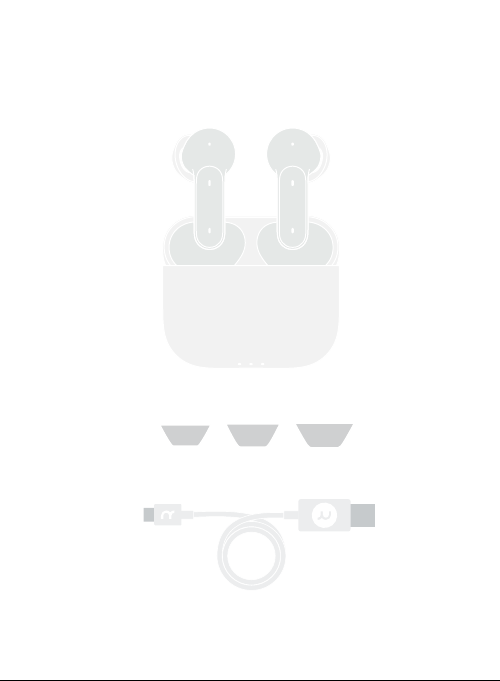
UNBOXING
Eartips (Silicone & Foam)
USB cable
Charging case
Earbuds
LMS
󱭅󴞁󳊐󴃍
打开盒盖取出耳机,耳机会自动开机进入蓝牙配对状态,耳机蓝灯闪烁。
󸱡󳩺󳸮󸗜󲙘
同时触摸左右耳�秒,直到双耳指示灯闪烁蓝色,耳机进入蓝牙配对状态。
First time connecting
Once removed from the charging case, the earbuds will power
on and enter pairing mode, the light indicator on both earbuds
will start to blink blue.
Connect with other devices
Tap and hold the Bluetooth button for 8 seconds, until
the Bluetooth indicator on each earbud blinks blue.
CONNECT
Touch area
Indicator

󱒻󳡧󴃍󸾆󲳳
开启手机蓝牙,搜索蓝牙设备“RYTH PURE”, 点击即可连接
RYTH PURE
9:41 AM
Bluetooth
Bluetooth
MY DEVICES
OTHER DEVICES
Settings
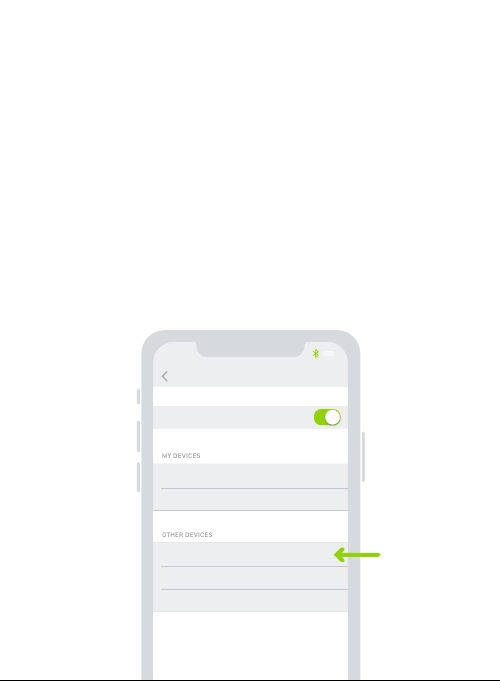
Turn on Bluetooth
Turn on Bluetooth of the device, tap “RYTH
PURE” from the list to connect.
CONNECT
󳹥󸮙󹙸󶡈
戴入耳机后,旋转耳机调节到舒适的位置。使用泡棉耳塞时,
请先挤压泡棉耳塞,将其卷成一个细长的圆柱体再戴入。
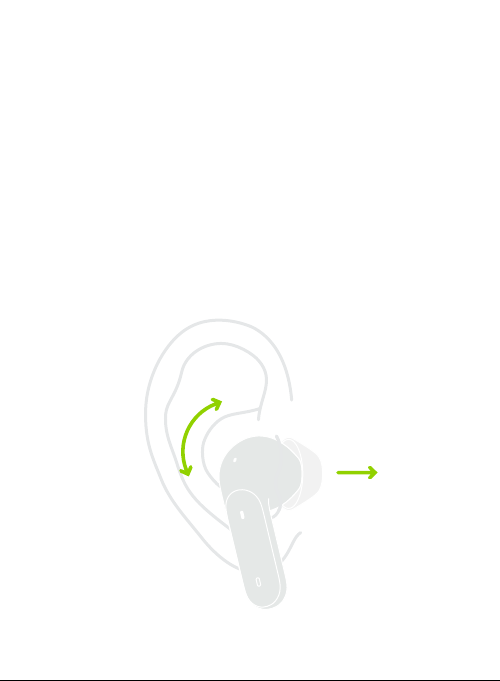
Twist to adjust
Place the earbuds in your ear, twist to make it fit
comfortably.
When using the foam tips, squeeze down the foam
tip and roll the tip into a thin, round cylinder before
put on.
INSERT EARBUDS
Double-tap to answer / hang up a call,
paly / stop music
󱷺󱬖接/挂电话,播放/暂停音乐
Triple-tap to active Siri / Google Assistant /
other voice assistant
󱒵󱬖 激活语音助手
Tap and hold for 3 seconds to switch between Active
Noise Cancellation and Transparency Mode
󹛻󳥾󾙕󶅐 切换主动降噪和环境音模式
Tap and long hold for 8 senconds to pair with new devices
󹛻󳥾󾙚󶅐 与新设备配对
TAP OPERATIONS
Touch area
󱸈󴭶󶸑󴃍󸱡󳩺󾙏耳机放入充电盒中,会自动与手机断开连接。
󱩊󴃍󾙏耳机放入充电盒中,并关上盒盖,耳机自动关机。
󹂧󳸮󸱡󳩺󾙏将耳机从充电盒中取出,耳机会自动与手机回连。
Disconnect: Place earbuds back to case to disconnet from
the device.
Power o: While earbuds in case, close the lid to power o.
Reconnect: Earbuds reconnect with paried device while
taking out from case.
DISCONNECT
󱧹󵥟
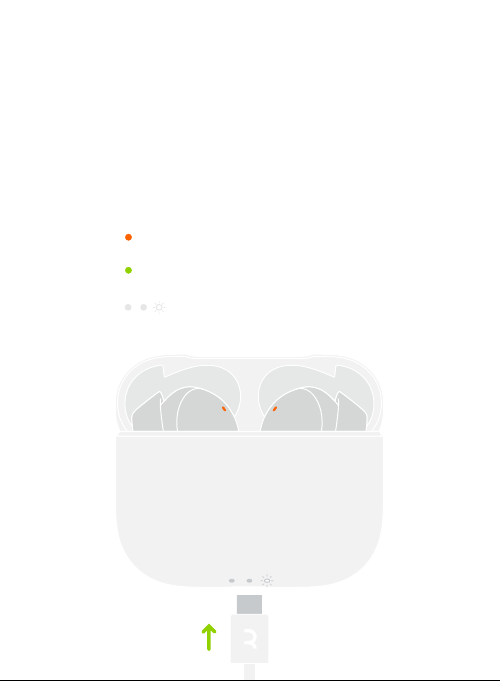
将耳机放入充电盒后,它们就会开始充电。使用USB type-c 接
口为充电盒充电。
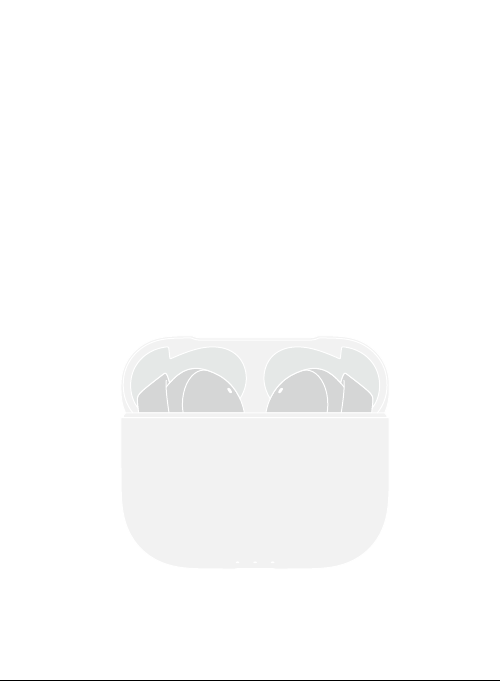
Charge
RYTH PURE charges while in the case.
Earbuds Charging
󶸑󴃍󱧹󵥟󴂵󴷎
Earbuds Fully Charged
󶸑󴃍󱧹󵥟󳂷󴷎
CHARGE
󱧹󵥟󵱍󱧹󵥟󱓩
Case Charging
󲍨󶮋󴪒󱩫
通过www.ryth.io 进行在线注册、即可获得产品和软件
更新方面的重要信息、还有 RYTH 发布的重要新闻和折
扣信息。
REGISTER
ONLINE
Register Online
Register online at www.ryth.io to receive
important information about product and
software updates – and to get exciting news
and oers from RYTH.