OPERATING INSTRUCTIONS
4)Color light
Short press ,you can set the desired color(7 color totally)and close the light; Long press to go
into an automatically cycling mode,changing 7 colors every 5 seconds.
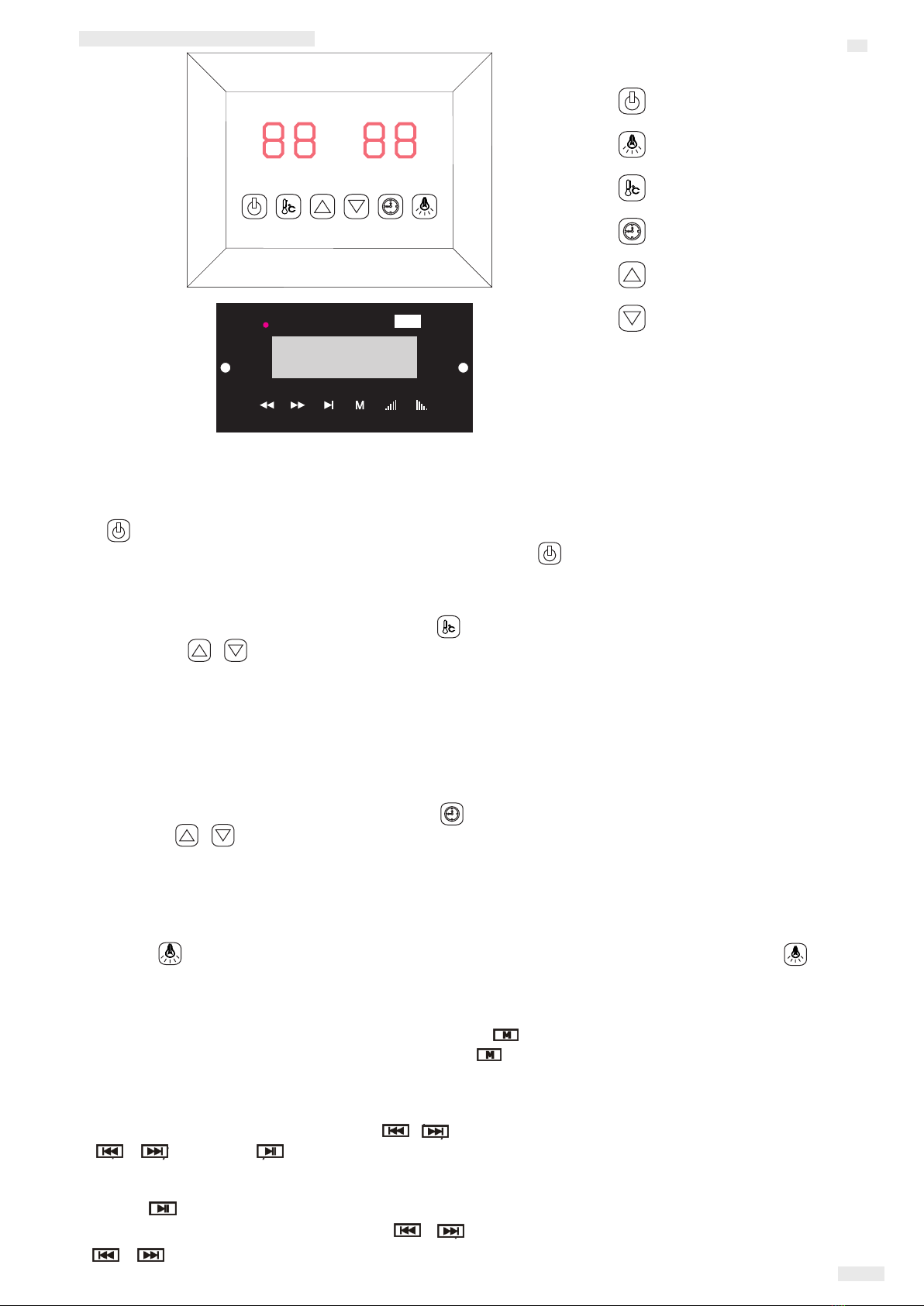
Connect the power unit to wall outlet, the LED indicator will start to blink on the display.
Now it is possible to switch on the infrared heaters, the light and the music function.
Color light
Time setting
Temperature setting
Time Temperature/ +
Time Temperature/ -
ON/OFF
1)Startup
Press to switch on the and heaters start to work, the length of display time is automatically set to 99 minutes
and the air temperature inside the cabin will be presented. Press again could switch off the heaters.
2)Temperature settings
The display refers to the air temperature. left Press , you can set the desired temperature from 35℃ to 60℃
by pressing , 10 the / keys Interval=1℃; The setting number blinks seconds then automatically presents
the air temperature; When at this temperature, the heaters will stop working automatically; When it fall 4℃
this temperature, the cabin will start up automatically.below
Please note: The maximum air temperature reachable in the cabin may be lower than the desired
temperature. This is dependent on the temperature outside the cabin. Default temperature=40℃
3)Time settings
The display refers to the length of time. Press , you can set the desired time 5 99minsright from mins to
by pressing the / keys; Interval=1mins; When count down to 00, the heaters will shut off automatically.
Default time=99minutes.
9/11
EN
5 Mp3 player)
USB/SD or Bluetooth mode:
You can select songs by short pressing the / keys and adjust the volume (0-32) by long pressing
the / keys. The key for pause.
FM radio mode:
Long press to search stations (87.5MHZ-108MHZ) automatically, the system will save all of them;
You can select stations by short pressing the / keys and adjust the volume (0-32) by long pressing
the / keys.
Activate the MP3 player by pressing and holding the " ” button on the MP3 player. Select the
preferred mode with brief repeated presses of the " "button on the MP3 player.(USB, MMC CARD,
Bluetooth,FM radio)
USB
FM/MP3/BLUETOOTH PLAYER