logo
Brands
  1. Home
  2. •
  3. Brands
  4. •
  5. Sanyo
  6. •
  7. Projector
  8. •
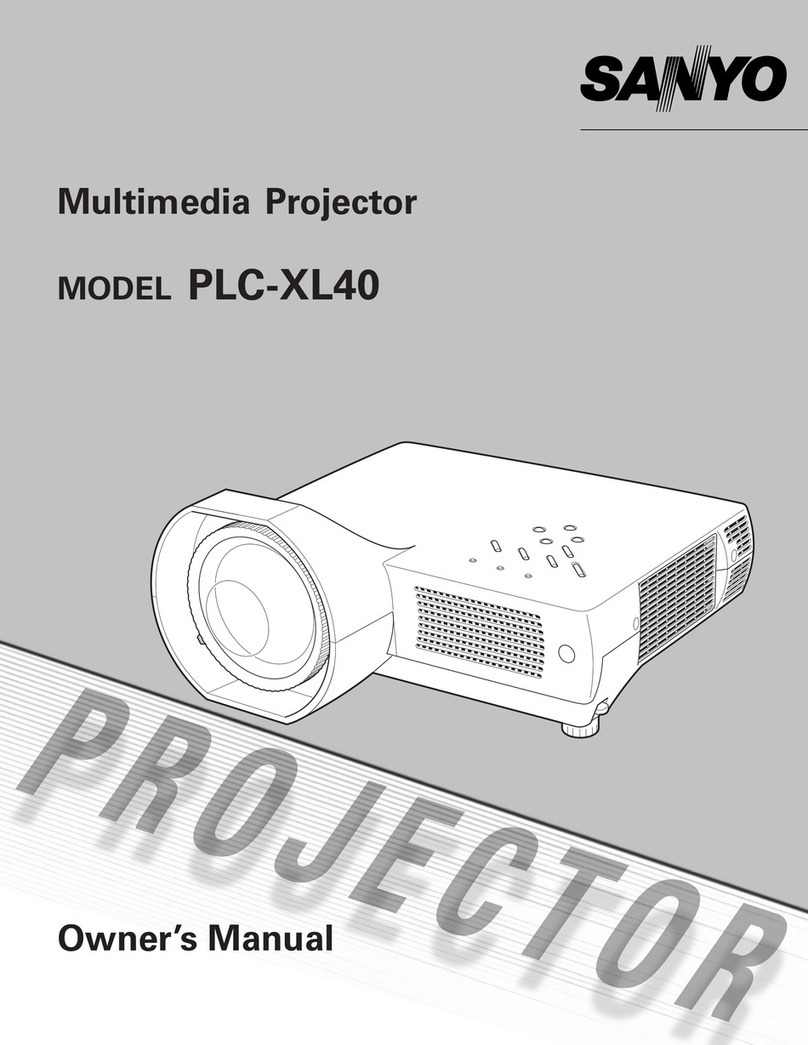
  9. Sanyo PLC-XP21N Assembly instructions

Sanyo PLC-XP21N Assembly instructions

Other manuals for PLC-XP21N

2

This manual suits for next models

2

Other Sanyo Projector manuals

Sanyo SW15 - PLC SVGA LCD Projector User manual

Sanyo

Sanyo SW15 - PLC SVGA LCD Projector User manual

Sanyo PLC-XT21L User manual

Sanyo

Sanyo PLC-XT21L User manual

Sanyo PLC-WXU30 Installation manual

Sanyo

Sanyo PLC-WXU30 Installation manual

Sanyo PLC-XU4000 - 4000 Lumens User manual

Sanyo

Sanyo PLC-XU4000 - 4000 Lumens User manual

Sanyo PLC-XT10 User manual

Sanyo

Sanyo PLC-XT10 User manual

Sanyo PLC XU115 - XGA LCD Projector User manual

Sanyo

Sanyo PLC XU115 - XGA LCD Projector User manual

Sanyo PLC-XT21 User manual

Sanyo

Sanyo PLC-XT21 User manual

Sanyo PDG-DXL2000 - 2000 Lumens User manual

Sanyo

Sanyo PDG-DXL2000 - 2000 Lumens User manual

Sanyo PLC-EF12N User manual

Sanyo

Sanyo PLC-EF12N User manual

Sanyo PLC-5600N User manual

Sanyo

Sanyo PLC-5600N User manual

Sanyo PLC-XP55/L User manual

Sanyo

Sanyo PLC-XP55/L User manual

Sanyo plc sw30 - SVGA LCD Projector User manual

Sanyo

Sanyo plc sw30 - SVGA LCD Projector User manual

Sanyo PLV-70 User manual

Sanyo

Sanyo PLV-70 User manual

Sanyo PLC-WM4500/L User manual

Sanyo

Sanyo PLC-WM4500/L User manual

Sanyo QuaDrive PLC-HF15000L User manual

Sanyo

Sanyo QuaDrive PLC-HF15000L User manual

Sanyo PLC-WTC500AL User manual

Sanyo

Sanyo PLC-WTC500AL User manual

Sanyo XU88 - PLC XGA LCD Projector User manual

Sanyo

Sanyo XU88 - PLC XGA LCD Projector User manual

Sanyo PLC-XW200 User manual

Sanyo

Sanyo PLC-XW200 User manual

Sanyo SW15 - PLC SVGA LCD Projector User manual

Sanyo

Sanyo SW15 - PLC SVGA LCD Projector User manual

Sanyo PLC-WL2503 User manual

Sanyo

Sanyo PLC-WL2503 User manual

Sanyo PLV-Z4 User manual

Sanyo

Sanyo PLV-Z4 User manual

Sanyo SW15 - PLC SVGA LCD Projector User manual

Sanyo

Sanyo SW15 - PLC SVGA LCD Projector User manual

Sanyo PLV-Z4 User manual

Sanyo

Sanyo PLV-Z4 User manual

Sanyo PLC-XU40 User manual

Sanyo

Sanyo PLC-XU40 User manual

Popular Projector manuals by other brands

iEmmet MP-312 user manual

iEmmet

iEmmet MP-312 user manual

Epson VS400 Specifications

Epson

Epson VS400 Specifications

Sony VPL-HS10 Marketing Specifications & Features manual

Sony

Sony VPL-HS10 Marketing Specifications & Features manual

Sony VPL-HW65ES Quick reference manual

Sony

Sony VPL-HW65ES Quick reference manual

Toshiba TLP-791U Specifications

Toshiba

Toshiba TLP-791U Specifications

Philips LC1341 Declaration of conformity

Philips

Philips LC1341 Declaration of conformity

NEC NP600S EDU Specifications

NEC

NEC NP600S EDU Specifications

BenQ SH753P user manual

BenQ

BenQ SH753P user manual

Eiki EK-623U series quick start guide

Eiki

Eiki EK-623U series quick start guide

Epson PowerLite Pro Cinema 6020UB user guide

Epson

Epson PowerLite Pro Cinema 6020UB user guide

Epson PowerLite Home Cinema 705HD user guide

Epson

Epson PowerLite Home Cinema 705HD user guide

Christie LHD700 user manual

Christie

Christie LHD700 user manual

Navitar FX instruction manual

Navitar

Navitar FX instruction manual

InFocus LitePro 560 user guide

InFocus

InFocus LitePro 560 user guide

Sony SRX-R815P operating instructions

Sony

Sony SRX-R815P operating instructions

Vivitar DP1500 X specification

Vivitar

Vivitar DP1500 X specification

Asus ZenBeam Latte user manual

Asus

Asus ZenBeam Latte user manual

Epson PowerLite 810p specification

Epson

Epson PowerLite 810p specification

https://manuals.online logo
https://manuals.online logoBrands
  • About & Mission
  • Contact us
  • Privacy Policy
  • Terms and Conditions

Copyright 2025 Manuals.Online. All Rights Reserved.

Notice
n
CORRECTION
[B
PRODUCTION
CHANGE
EJ
SERVICE
FLASH
El!
ADD
INFORMATION
Please
add
this
notice
to
the
Service
Manuals
listed
below.
Revision
1
Category
:
Model
No.:
Destination:
Multimedia
projector
PLC-XP21N
PLC-XP21E
PLC-XP21B
U.S.A-.
Canada
Europe.
Asia.
Africa,
M.E.
U.K.
(PLC-XP2tN)
(PLC-XP21E)
(PLC-XP21B)
Date:
Effective
from
Chassis
No.
Ref.
No.:
Mar./2001
MF&.XP21N01
PLC-XP21E01
PLC-XP21B01
SM5H0202
Give
complete
"CHASSIS
NO."
for
parts
order
or
servicing,
it
is
shown
on
the
rating
sheet
on
the
cabinet
of
the
Projector.
NOTE:
This
service
manual
is
production
change
notice,
but
not
dif-
ference
service
information
and
New
version
from
chassis
no.
MF6-XP21N01,
PLC-XP21E01
and
PLC-XP21BOL
W
CONTENTS
Specifications
DtsassemMies
and
Reptacement
Procedures
Machanicai
disassemblies
Opttcat
untt
disassembles
LCD
pane!
replacement
Assy
!amp
t'eptacetDent
Safety
fnstructiorts
Cfrcurt
Protections
TrouMeshooting
Wa^/e^rms
Atignmont
Procedures
Service
adjustments
BectJicai
adjustment
Focus
adjustments
Convergence
adjustment
2
3-17
3-8
9-14
15
16-17
18
19
20-27
28-29
30-43
31-32
33-37
38-39
40
integrator
iens
adjustment
Reiay
tens
adjustment
Polarized
glass
adjustment
CPU
input/output
port
functions
Maintenance
Notes
on
scnemaSc
diagram
Parts
Ust
Cabinet,
Chassis
and
Optical
parts
itst
Eiectnca)
parts
iist
Parts
location
and
PWB
pattern
diagrams
Btock
diagram
and
Low
power
dtstrtbution
Schematic
diagrams
41
42
43
44-47
48-49
50-51
52-79
54-58
59-79
P1-P3
61
S1-S8
PRODUCT
CODE
112207370:(MF6AA)
112207470:(PF6AA)
112207472:(PF6CA)
REFERENCE
NO.
SM5110202-01
PLC-XP21N
PLC-XP21E
TECHN)CAL
SPECtF)CAT)ONS
TECHN)CAL
SPEC)F)CAT)ONS
Pmt-otofTypt
M)tMf-tcn<(W]tH:tt))
HMWttNM
LCOt^MOf^m
tttmtXtrofPHttt
Cater
OMfM
aefn)n(tf^qu<MCt
n
ot^M^nn
how
*'^
CfH^o"^
Prf)ftottML*M
m<n^t<m
ttM^'<)M
nwowDM——
PrB)<o<tML)X^
AVtnput^^
Omtt)tt<tf
ttput
JMc*
ee<Mpm-rOtX^tJt)et
CempHMf*Mao!nputJ^*
OWMfJ-*
fMnapt^m^
ttO«(t<HB-^aoM(t-h))-nt
WXt^tt
)^^rCc^-^t-.
Opt^t^T-Hp^^,
atom^TtmptMMw
^^.C^.T^^-.
M^-mttM
Pmt*oo'
10
7-
<272
tnm)
^
6.?-
(145^
'w)'
K.2*
(4I2.S
mm)
mx^e.ete!
t.3-T)^T'tc'h^M^htyp*
tSptnttt
!.35<^M
f7M.43Z
ft.fa'H
7M).
3)
6
cotOf
t^tm
tPM-.
SECAM.
MTSC.
MTSC<.<^
PM--M
tntt
R^.-W)
H-^ne.
'S
-
100
KHt
V-wv:.
M
'
'CO
m
*<tt-ttHth<im3''<t)400-
F1.a-:.1'*^'!Wt-4e.*'nm-M.e'nm'*<!).
mnuMdticu.
aooTVtntt
<.^t'.<m)-47.T<K.4m)
MOM<tWt
^D^^^^^^^^^
fVaA)HDe':T^m!^^:.DM<pM(Camfo)peft)^2
fVOA^HOatST^m^
Mh.S'^o1^p..S
E)cr.sp*^*fJ*^fatMo)ti
)HT.
M
S^m)
jR
md
L),:
f^)
RM9
{T.H.D.10%)
UfKot'
^-IMVAC.SMNHz
3.AfM^.An^.)
S'C
-
M'C
f4t°F
-
M*F)
-1[fC-efrCft<'F-t*0°F)
MM.Omp^tmWW^t^nt*'esO±Mnm.MmtnttMAAWt.
PntftottfTypt
D)mtnOam<(W^Mta)
MMWj^t
[.Ctt!^^t)f'ttM
tt')mHtfatPh<tf
Catexftjtm))
t^t^fn^no^
rrm)tnt<on
tn'm
Mm
(!H*))nn^)
ThM^Btt^nat
f^ftNteoUM^
jM'))))^J«ft^
ComtMMfH)tMtJ))(*t
C<^t)M-(MtMtA^
Cc''w"<"*M!h!HtM*Mt*
OtMfjMt
'^Untp^'r
^Mt^
fJMfrMMM^Xtno
QtM^T-nptt^iM
m^tT^jomxF)
tt^C^MT
MuM-'ntdtPffttCtor
!72nm"4S.!mn'):<tZ.5nm
6.9ka
1.3'TPTAO)ttMt)^tH)t
!.3pt!nt^
2.3M^<
;7M,43:
(1.0M
jt
7M)
13)
e
eo'OM
t^tm
(P)U..
SECAM.
MTSC,
NT9C4.^.
HU--^
md
PM.-N)
tKt^'S'1MK^.V<v^:M-HCMf
A«mttMttrem3t'to^OO'
MOTV^ntt
F)^-X1)tntfM"^t.4mm-M.emmMot«toon'tm<tMtt
1.4m-t*.*m
200M)tt)H-
PHONO'!^i)t2tttttVX)to.*))OH(Htn<fU.(Y.CM^.C^P^
tVaA)MOet9T.mtnt)tt.DtHt)i)r.<Cmtm)pomjt:
(V(M^HDet5Ttnn'nM
M^St^)-^..^
EXT.
Spt^ttJte^fStt^o)).)
!Mr.SP.S'Me)RtndL).2tMiRMafT.H.[l1M.)
Uttoe'
200-MOVAC,MMOH!(Mo<MPLC-XM1E/XPteE)
t'O
-
tZOV
^
MM
m
f'*)d*tPt.&.XM''XPH)
l.t
A
fMtt.
Amptft)
Mod*)
PLC-XKI&XPttE
MA(Mt..AmpM)MeOttt^MMt/)(Pia
S-C-3!(-Cf<1-F-M-F)
.ttrc-M^fM'F-t^O^
)M^ttt'ttmottCmM')tmL*tttBttm(attt
n
Lttt^
tHt
t
..M..,.
L^Xmttt^tfM!.
t
tdtt'anMf*n.)n^nut^±j^ammMf'eMtiL.ttttt/
G
^
^/
HS
mttB
mmf)eWo*'ntt'Wo"^cmuo^t-^*^e'ne^h-z-t^
PLC-XP21B
TECHNtCAL
SPEOFtCATfONS
P'<^ctefTyp<
Dtt««n)t)ont(W);H!<[^
MMW^^tt
LCD
P)MM<
0)^-0
MtMNbtrofMMtt
Qete^tj!M)!')
<<Mmntn))R<qu<nef
t^f^OtOM
!mt))t
NtM
(Dftten^
MatteonMM^tXMttM
P'^tM^nL*^
TttftxofM'tMC*
PTnf^onD)mp
AWtHpMJ^f
Campt<t<r)n^)tJ^t.t
CB'Mt<tt)trOmpMJ))e)t
Cot))pt^rA<x^!ot«Jt^*
Othtf^ett
Bm^tnapottf
fnma*
ritftHnn
*^«t«<^«
Wa'Mto'
Po-M-ConttMpMM'
Optf*MneT<mp*MtuM
^ofO<T*mp*^tun'
B*mqtt
CMtmi
Tt^tt^ttM
MtjHUn^PmttCto.
!7:
n<t)
j
I4S.S
mm
.
4)2.5
mn
e.9^
t.3'TFr<MMMt<tftK)t
):3ptnet
Z,3M^M
[TM.43^
ft
.OM
)t
7M)
<
3)
a
t^om
t^tttm
(P^
SECAM.
'<TaC.
MTSM.O.
PM.-M
md
PM.-M)
tt<ync.'5-'MmHz.V^ne.M-IM)m
Af!jDtMtmim3^'to<00-
aootvnMt
F1.a-2.1Mxm'-M.*"m-M.emmM[<ormmtnt)tM
1.<m-'<.<m
200w*tttH)t
PHONO'^ptS^ZMM
(VMM.
Attdk)Rt^L).fY.CM^.CnPr)
(VaA)HOB1STtm^i.?.D)Mtp^<CtMm'pon)<Z
(VQA)HOB15TtmMi
MntSMtoTtpt
)!2
EfT.Sp**)-.JM.fS!^)).t
fMT
Sf
S<Mt)
(H
tnd
L).:
^^tt
HMS
F.H.n'M.)
UpM6'
ZOO'MOVAC.M^OMt
t.NAfM-t.Ampm)
S°C-3S'C(4^°F^96f)
-t(t-C-eO-C(K'F-'40f)
M^OuqM1mW^^tLtne)h6Ml2()nm.btttMtt(2t**.UM<i'Hoe)te*

Mechanica)
disassemble
shoutd
be
made
foUowing
procedures
in
numertcai
order.
Foitowtng
steps
show
the
basic
procedures,
therefore
unnecessary
step
may
be
ignored.
Cautton:
The
parts
and
screws
shoutd
be
placed
exactty
the
same
posftton
as
the
origina)
otherwise
H
may
cause
toss
of
per-
formance
and
product
safety
1.
COVER
TOP
REMOVAL
1)
S)kte
the
)ocking
)evsr
in
the
direction
of
the
arrow
by
using
slot
screwdriver
(Fig.1)
and
tift
up
the
cover
sttghtty.
2)
tnseft
two
1mm
s!ot
screwdrivers
to
the
siots
of
the
cabinet
top
at
the
same
time.
Turn
them
in
the
arrow
direction
gontty
to
!tft
off
the
cover
top
upward.
Note:
Be
carefui
not
to
damage
the
cabinet
finish
when
removing
M.
COVER
TOR
2.
CABINET
TOP
REMOVAL
1)
Remove
4
screws
on
side
cabinet
and
1
screw
on
rear.
2)
Grasp
the
two
stdes.
pu)i
the
cabinet
top
upward
and
remove.
CABLET
TOP
^
3.
CAB)NET
FRONT
REMOVAL
1)
Remove
2
screws
on
cabinet
front
bottom.
2)
Grasp
the
two
sfdes,
putt
the
cabinet
front
forward
and
remove.
RC
Front
unit
—4
5.
LED
UNIT
AND
SPEAKER
REMOVAL
1)
Refease
two
hooks(A)
and
put)
out
the
LED
unrt.
2)
Remove
4
screws(B)
arnj
then
remove
the
speakers.
6.
LAMP
BALLAST
BOX
AND
FAN
(FN905)
REMOVAL
1)
Remove
2
screws(A),
2
screws(B)
and
2
screws(C).
and
then
put)
the
iamp
bat(ast
box
upward
and
remove.
2)
pu)!
the
fan
(FN905)
upward
and
remove.
Note:
Be
carefu)
to
connect
the
tamp
socket.
Ptease
see
fottowing
i))ustrattons.
Lamp
—5—
Fan
(FN905)
7.
OPDCAL
UN)T
AND
FAN
(PN904)
REMOVAL
1)
Remove
6
screws(A)
and
then
pu!)
the
optica)
unit
upward
and
femove.
2)
Remove
2
screws(B)
and
remove
the
fan
(FN904).
8.
POWER
SWrrCH
UN)TAND
FAN
REMOVAL
1)
Remove
5
screws
and
then
puf)
the
power
swrtch
unit
upward.
2)
Remove
2
screws
and
remove
the
fan(FN906).
Mechanica)
Dtsassembties
9.
FAN
(PNM^
FN902),
A!RDUCT
REMOVAL
1)
Remove
4
screws(A)
and
pu)!
the
airduct,
fan
(FN901).
and
fan
(FN902)
upward.
2)
Remove
4
screws(B)
to
disassembte
the
airduct
assembty.
Fan
(FN901)
Fan
(FN902)
10.
POWER
UNrr
HOLDER
REMOVAL
1)
Remove
6
screws,
pu))
the
power
unit
hokter
upward.
Power
Unit
Hofder
Mechanica)
Disassembles
^^MnMtee
and
'^a<^^
M^^^
11.
POWER,
SUB
POWER
AND
AUD)0
UN)T
REMOVAL
1)
Pufi
the
sub-power
and
Audio
unit
upward.
2}
Remove
7
screws
and
pu)!
the
power
unit
upward.
HtC-A
Unit
Power
Uni
Audio
unit
HiC-B
Unrt
Power
Unit
Hotder
12.
LAMP
BALLAST
UN!T
AND
FAN
(FN903)
REMOVAL
1)
Remove
2
screws(A)
and
remove
the
shie)d
cover.
2)
Remove
4
screws(B)
and
puit
the
tamp
batiast
unit
upward.
3)
Pu)i
the
fan
(FN903)
upward.
Lamp
Baftast
Box
—8—
DtMMOfnbHes
and
repta&Mnent
prc^dur
Remove
the
cabinet,
cabinet
front,
main,
video
and
A/V
unit
fottow-
ing
to
steps
2
to
4
of
"Mechanicat
Disassembles".
1.
LENS
ASSY
REMOVAL
1)
Remove
4
screws
and
remove
the
tens
assy.
Fig.1
2.
RELAY
LENS
AND
INTEGRATOR
LENS
AND
POLARtZED
GLASS-)N
R,
G,
B
REMOVAL
1)
Remove
2
screws(A)
and
then
putt
the
retay
tens
upward.
2)
Remove
2
screws(B)
and
then
putt
the
integrator
tens
upward.
3)
Remove
each
screw(C)
and
then
putt
the
polarized
giass-in
R,
G,
B
upward.
Polarized
Gtass-tN
(G)
Pofarized
Gtass-)N
(R)
Pofarized
Gtass-tN
(B)
3.
POLARtZED-GLASS-OUT
R,G,B
REMOVAL
1)
Remove
ass'y-LCD-Panefs.
R/G/B
2)
Remove
4
screws
and
then
pu))
the
Ass'y-
po)arized-g)ass
upward.
ASS'Y
POLAR)ZED
GLASS
3)
Remove
the
Stoppor-FLT-RGB
4)
Remove
the
po)arized-g)ass-out
R.G.B.
Pofarfzad
gtass-out
(B!ue)
Mounting-Prism-CR
*:
Fi!m
stde
Po)arized
gtass-out
(Green)
Po)arized
gtass-out
(Red)
?<OTE;
Pn!arized-gt.i^-out
R,
G
and
B
are
not
used
in
some
particufar
models.
10—